Best VeryPDF Sign alternative to DocuSign for secure legally binding electronic signatures with enterprise compliance and security

Faster, Safer Online Contract Signing: A Powerful Alternative to Traditional eSignature Platforms for Secure Digital Approval Workflows

Electronic contract signing workflow delays , if you’ve ever chased signatures across email threads, printers, scanners, and forgotten attachments, you already know the pain.

I’ve worked with HR managers onboarding remote employees, legal teams finalising agreements at midnight, and sales reps trying to close deals before quarter-end. And nearly all of them share the same frustration:

Best VeryPDF Sign alternative to DocuSign for secure legally binding electronic signatures with enterprise compliance and security

“Why does signing a document still feel stuck in 2005?”

Despite living in a cloud-first world, many organisations still rely on manual signing habits that slow everything down. Contracts sit waiting. Approvals disappear into inboxes. Compliance risks quietly grow.

This is exactly where VeryPDF Sign changes the game.


The Real Problems Behind Modern Document Signing

Let’s start with reality , not marketing promises.

Most teams don’t struggle because they lack tools. They struggle because their signing workflow is broken.

1. Printing, Signing, Scanning , The Productivity Killer

You’ve probably seen this workflow:

  • Receive contract via email

  • Download file

  • Print document

  • Sign manually

  • Scan or photograph pages

  • Rename files

  • Send back attachments

Multiply that by 20 agreements a week.

Now multiply again across HR, finance, legal, procurement, and sales.

What should take seconds turns into hours.

I once watched a sales team lose a near-final deal simply because the client needed to print and scan paperwork while travelling. By the time they returned, momentum was gone.

The deal stalled , not because of pricing, not because of product quality , but because signing was inconvenient.


2. Zero Visibility Into Approval Status

Another massive issue? Nobody knows where documents actually are.

You’ve probably asked:

  • “Has legal reviewed this?”

  • “Did the client sign yet?”

  • “Who still needs to approve?”

Without tracking, document workflows become guesswork.

Managers chase updates. Teams send reminder emails. Versions get mixed up.

And suddenly three people are signing different copies of the same contract.


3. Security and Compliance Risks Nobody Talks About

Paper-based or informal signing introduces serious risks:

  • Documents stored in unsecured inboxes

  • Missing audit history

  • No verification of signer identity

  • Editable PDFs after signing

  • Compliance gaps during audits

For HR contracts, vendor agreements, or regulated industries, this isn’t just inconvenient , it’s dangerous.

One missing audit trail can turn into legal exposure.


The Practical Solution: VeryPDF Sign

This is why I started recommending VeryPDF Sign to teams handling contracts daily.

Instead of forcing organisations to adapt to complex enterprise systems, it simplifies the entire digital signature workflow into something almost frictionless.

You open a browser.

Upload a document.

Sign.

Done.

No installations. No training sessions. No IT headaches.

And importantly , it works equally well for individuals, teams, and enterprise workflows.


How VeryPDF Sign Fixes Broken Signing Workflows

Let’s break down what actually changes when teams switch.

Send Documents for Secure Electronic Signatures in Seconds

The biggest shift is speed.

With VeryPDF Sign, signing a contract feels more like sending a message than running a legal process.

The workflow is incredibly straightforward:

  1. Upload any file , PDF, Word, Excel, PowerPoint, or even an image.

  2. The system automatically converts everything into a secure PDF.

  3. Create your signature:

    • Draw it

    • Type it

    • Upload a real handwritten version

  4. Drag and drop signature fields exactly where needed.

  5. Send for signing instantly.

No printing. No scanning. No downloading extra software.

I’ve personally seen contracts signed in under one minute , something that previously took days.


Real-Time Tracking With Full Audit Trails

One feature that quietly saves enormous time is live signing visibility.

Instead of wondering whether someone signed, you can:

  • Track who opened the document

  • See who signed already

  • Identify pending signers

  • Access complete audit logs

Every action is recorded.

That means fewer reminder emails, fewer follow-ups, and fewer bottlenecks.

For legal and compliance teams, audit trails become proof , not guesswork.


Legally Valid, Encrypted, Tamper-Proof Signatures

Security isn’t optional anymore.

VeryPDF Sign includes:

  • 256-bit SSL encryption

  • Certificate-backed signatures

  • Compliance with ESIGN, UETA, and eIDAS regulations

  • Automatic file deletion after processing

  • Secure cloud-based signing environment

In plain English:

Your documents stay private, verified, and legally enforceable worldwide.

This matters enormously when signing employment agreements, NDAs, procurement contracts, or cross-border business deals.


Real Stories: Where Digital Signing Made Immediate Impact

HR Teams Saving Days During Remote Onboarding

One HR manager told me onboarding used to involve printing employment contracts, mailing copies, and waiting nearly a week for returns.

After switching to VeryPDF Sign:

  • Contracts sent instantly

  • Employees signed from phones

  • Signed copies archived automatically

What used to take five days now takes five minutes.

New hires start faster. HR breathes easier.


Sales Teams Closing Deals Before Momentum Dies

Sales cycles depend on timing.

I watched a SaaS sales team integrate electronic contract signing into their closing workflow.

Instead of saying:

“We’ll send paperwork later.”

They now say:

“I’m sending the agreement now , you can sign right on your phone.”

Deals close while excitement is high.

Revenue moves faster.


Compliance Teams Sleeping Better at Night

Audits used to mean searching inboxes for signed PDFs.

Now audit logs provide:

  • Time stamps

  • Signer identity

  • Document history

  • Verification records

Compliance stops being reactive and becomes automatic.


Step-by-Step: How I Use VeryPDF Sign Daily

Here’s the exact process I recommend.

Step 1 , Upload Your Document

  • Drag files directly into the browser

  • Supports multiple formats

  • Auto-converts to secure PDF

Tip: Upload original editable files , no need to convert beforehand.


Step 2 , Create Your Signature Once

Choose your style:

  • Draw with mouse or touchscreen

  • Type name with professional script font

  • Upload scanned signature image

Your signature saves for future use.

One-click signing forever after.


Step 3 , Prepare the Document

Add:

  • Signature fields

  • Initials

  • Dates

  • Text entries

  • Checkboxes

Place everything visually , no coding required.


Step 4 , Send Signature Requests

  • Add multiple recipients

  • Assign signing order

  • Include branding and company email identity

  • Send secure signing links

Recipients don’t need accounts.

This dramatically reduces friction.


Step 5 , Track Progress in Real Time

Watch the workflow move forward:

  • Signed

  • Pending

  • Completed

No chasing people.

The system does it for you.


Who Benefits Most From VeryPDF Sign?

Honestly? Almost anyone dealing with approvals.

But I see especially strong results with:

HR Teams

  • Employment contracts

  • Policy acknowledgements

  • Remote onboarding documentation

Legal Professionals

  • NDAs

  • Vendor agreements

  • Compliance documentation

Sales Teams

  • Quotes and proposals

  • Subscription agreements

  • Partnership contracts

Operations Managers

  • Procurement approvals

  • Internal authorisations

  • Vendor onboarding

Developers & SaaS Platforms

  • Embedded signing via API

  • Automated workflows

  • Fully branded signing experience


Feature Overview: What Makes VeryPDF Sign Stand Out

Here’s where the platform becomes more than just an online signature tool.

Instant E-Signing

Upload Sign Download in seconds.

Multi-Format Support

PDF, Word, Excel, TXT, JPG, PNG and more.

Works on Any Device

Mac, Windows, Linux, iOS, Android , browser only.

Unlimited Signatures

No artificial limits slowing business growth.

Cloud-Based Processing

No installations or updates required.

Request Signatures

Send to multiple parties with tracked completion.

Access Control & Teams

Role-based permissions and SAML SSO login.

Enterprise Compliance

ESIGN, UETA, eIDAS compliance standards.

API & Embedded Signing

Integrate signing directly into apps or workflows.

Secure File Handling

Files automatically deleted unless saved securely.

Eco-Friendly Workflow

Eliminate paper entirely.


Why Many Teams Are Moving Away From Traditional eSignature Platforms

Large legacy signing platforms often come with:

  • Expensive licensing tiers

  • Complex onboarding

  • Overwhelming interfaces

  • Slow setup processes

VeryPDF Sign focuses on something simpler:

Speed + Security + Simplicity.

You don’t need a consultant to start signing documents.

You just start.


Practical Tips to Build a Faster Digital Signature Workflow

Here are strategies I’ve seen work repeatedly:

Standardise Templates

Create reusable contracts with predefined signature fields.

Send Immediately After Meetings

Momentum closes deals. Send agreements while conversations are fresh.

Use Signing Order

Avoid confusion when multiple parties must sign sequentially.

Automate Storage

Connect signed documents directly to cloud storage or CRM systems.

Train Teams on One Simple Rule

“If it requires approval , send it through digital signing.”

Consistency removes chaos.


Core Advantages at a Glance

  • Faster approvals and contract turnaround

  • Legally binding digital signatures worldwide

  • Reduced compliance risk

  • Zero software installation

  • Works across all devices

  • Scalable from individuals to enterprise teams

  • Developer-friendly integrations

  • Clean, distraction-free experience


Target Audience

VeryPDF Sign is ideal for:

  • Growing startups needing fast approvals

  • Enterprise compliance teams

  • Remote-first companies

  • Legal and HR departments

  • Sales organisations closing contracts daily

  • Developers embedding document signing into platforms

If documents move through your business , this tool fits.


Common Use Cases

  • Employee onboarding contracts

  • Vendor agreements

  • Real estate documents

  • Client proposals

  • Government forms

  • Financial approvals

  • Educational consent forms

  • Procurement authorisations

Anywhere signatures exist, workflow speed matters.


Target Keywords

  • electronic contract signing workflow

  • secure online document approval system

  • legally binding electronic signatures online

  • digital signature workflow for business teams

  • how HR teams speed up employee contract signing

  • secure remote contract signing solution

  • enterprise compliant eSignature alternative


Why I Personally Recommend VeryPDF Sign

I’ve tested many signing tools over the years.

Some were powerful but complicated. Others were simple but lacked compliance.

VeryPDF Sign hits a rare balance:

It feels effortless while remaining enterprise-ready.

I highly recommend this for anyone handling contracts and approvals daily.

It removes friction without sacrificing security , and that’s where real productivity gains happen.


Recap: How VeryPDF Sign Simplifies Digital Signing

Instead of juggling printers, emails, and manual tracking, you get:

  • Instant electronic contract signing

  • Real-time approval visibility

  • Legally compliant digital signatures

  • Automated workflows

  • Faster business execution

Signing stops being an obstacle and becomes a competitive advantage.


Ready to Eliminate Paper-Based Signing Delays?

Try it now and streamline your document signing workflow:
https://sign.verypdf.com/

Start your free trial today and eliminate paper-based signing delays.


Frequently Asked Questions

Is an electronic signature legally valid?

Yes. VeryPDF Sign complies with ESIGN, UETA, and eIDAS regulations, making signed documents legally binding in most jurisdictions worldwide.


Can multiple parties sign the same document?

Absolutely. You can invite multiple signers, define signing order, and track progress until completion.


Can I track who has signed and who hasn’t?

Yes. Real-time tracking shows document status, signer activity, and complete audit history.


Does it support mobile signing?

Yes. Recipients can sign documents directly from smartphones or tablets without installing any apps.


How secure are digitally signed documents?

All files are protected with 256-bit SSL encryption, secure cloud processing, and automatic file deletion policies to protect confidentiality.


Do recipients need an account to sign?

No. Signers simply open a secure email link and sign instantly.


Can developers integrate signing into their applications?

Yes. VeryPDF Sign provides API and embedded signing capabilities for seamless integration into business systems.


If you’re still dealing with slow approvals, endless email chains, or risky document handling, upgrading your electronic contract signing workflow might be the highest-ROI operational change you can make today.

[Solution] How to Protect Your Ebook from Piracy: Best DRM Solutions for Authors and Publishers

Ebook Piracy: How Can You Protect Your Ebook?

You may spend countless late nights outlining chapters, revising drafts, editing paragraphs, formatting pages, and preparing your ebook for readers. Publishing an ebook is often the result of months or years of dedication, creativity, and personal investment. When the book finally goes live, most authors feel proud, excited, and hopeful about reaching readers around the world.

Then comes a moment many authors never expect.

You search for your ebook title online, perhaps looking for reviews, blog mentions, or reader discussions, only to discover websites offering your ebook for free download. Sometimes the files are uploaded openly. Sometimes they are hidden behind suspicious subscription services. In other cases, unauthorized sellers are even making money from your work without your permission.

For many authors, discovering piracy feels personal. Your intellectual property, your time, and your income are suddenly exposed to strangers who believe digital content should simply be copied and distributed freely. The emotional frustration can be just as severe as the financial impact.

Ebook piracy has become one of the most persistent problems in digital publishing. Independent authors, educators, consultants, publishers, and businesses selling premium digital content all face the same challenge: once a digital file is distributed online, controlling it becomes difficult.

The good news is that ebook piracy can be reduced significantly when authors combine smart distribution practices, proper copyright management, monitoring tools, and strong DRM protection systems. Modern Digital Rights Management platforms now offer far more sophisticated protection than the simple password-based systems used years ago.

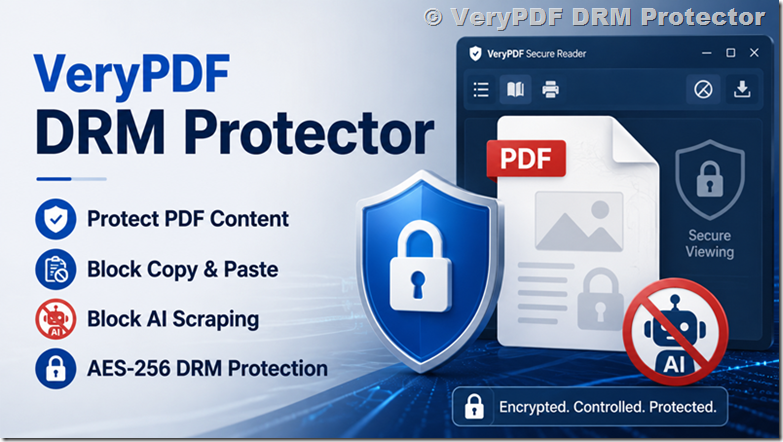
Among the most practical and professional solutions available for authors and publishers is VeryPDF DRM Protector, a dedicated ebook and document protection platform designed to prevent unauthorized sharing, copying, downloading, printing, and redistribution of digital content.

This guide explores how ebook piracy works, what kinds of risks authors face, why piracy continues to grow, and how professional DRM solutions like VeryPDF DRM Protector can help authors protect their work more effectively.

[Solution] How to Protect Your Ebook from Piracy: Best DRM Solutions for Authors and Publishers


What Is Ebook Piracy?

Ebook piracy occurs when an ebook is distributed, shared, copied, downloaded, or sold without the copyright holder’s permission.

Piracy can appear in several forms, and not all of them involve organized piracy websites. Sometimes the problem starts with ordinary readers who do not fully understand copyright restrictions.

Common examples include:

  • A reader purchases your ebook and forwards the file to friends or colleagues.
  • Someone uploads your ebook to a public file-sharing website.
  • Torrent sites distribute copies of your book illegally.
  • A third party sells your ebook through unauthorized marketplaces.
  • Private online communities exchange copies of your ebook.
  • Subscription piracy sites claim to offer unlimited access to your book collection.
  • Social media groups share download links to your ebook.

Some piracy is intentional and commercial. Other piracy happens casually because digital files are easy to duplicate and share. Unfortunately, the end result is the same: your copyrighted material is being distributed outside your control.

For independent authors especially, this can create several serious concerns:

  • Reduced ebook sales
  • Lower perceived value of your work
  • Loss of exclusive content control
  • Unauthorized public exposure
  • Damage to future launch performance
  • Increased ranking of piracy sites in search engines

Authors who sell educational materials, technical documentation, premium reports, training manuals, or niche industry content may be even more vulnerable because their readers often purchase ebooks specifically for information value rather than entertainment.


Other Forms of Ebook Theft

Piracy is not the only threat authors face online.

Some individuals go beyond unauthorized sharing and directly steal content. They may repackage your material under a different name, modify sections of your text, or publish portions of your work as their own.

This falls into categories such as:

Copyright Infringement

This occurs when someone copies or distributes your protected work without authorization.

Plagiarism

Plagiarism involves taking portions of your writing and presenting them as original work without attribution.

Unauthorized Republishing

Some bad actors copy ebooks and upload them to marketplaces under fake publisher accounts.

Course and Membership Theft

Educational ebooks are often stolen and redistributed inside private learning communities or bundled into pirated online courses.

These issues can severely impact authors who rely on digital publishing revenue as part of their business model.


Why Ebook Piracy Is So Common

Digital publishing offers incredible convenience, but that convenience also creates vulnerabilities.

Unlike physical books, digital files can be copied instantly and distributed worldwide within seconds. Once an unprotected PDF or EPUB file is downloaded, it may spread rapidly across websites, cloud storage systems, forums, messaging apps, and social networks.

Several factors contribute to widespread ebook piracy:

Easy File Duplication

Digital files can be copied endlessly without quality loss.

Anonymous Sharing

Pirates often hide behind anonymous accounts, VPNs, or offshore hosting providers.

Global Distribution

Pirated files can spread internationally within hours.

Weak Protection Methods

Basic passwords and download restrictions are easily bypassed.

Reader Misunderstanding

Some readers genuinely believe sharing purchased ebooks with others is harmless.

Search Engine Visibility

Piracy sites frequently rank highly in search results for popular book titles.

The reality is that piracy cannot be eliminated completely, but strong protection systems can dramatically reduce unauthorized distribution and discourage casual sharing.


Understanding DRM (Digital Rights Management)

Digital Rights Management, commonly called DRM, refers to technologies that control how digital content is accessed, copied, shared, printed, or distributed.

DRM systems are designed to protect ebooks and other digital files by limiting what users can do with them after purchase.

For example, DRM may allow readers to:

  • Read an ebook on approved devices
  • Access content only after authentication
  • View files online without downloading them

At the same time, DRM can prevent users from:

  • Copying text
  • Printing pages
  • Taking screenshots
  • Sharing files with others
  • Downloading raw PDF files
  • Accessing content after subscription expiration

Traditional DRM systems have existed for years, but many older systems were inconvenient for legitimate readers and often failed to stop determined pirates.

Modern DRM platforms are far more advanced. Professional solutions like VeryPDF DRM Protector combine encryption, device authorization, dynamic watermarking, browser-based viewing, access expiration, and anti-copy controls into a unified protection system.


The Limitations of Traditional DRM

Although DRM can be highly effective, older DRM systems developed a bad reputation because they sometimes created frustrating user experiences.

Readers occasionally encountered problems such as:

  • Device compatibility issues
  • Complex activation steps
  • Restricted offline access
  • Inability to transfer books between devices
  • Confusing authentication requirements

Some organizations and readers criticized DRM because legitimate customers sometimes experienced more inconvenience than pirates.

At the same time, no DRM solution is absolutely impossible to bypass. A determined individual could theoretically photograph pages, manually retype content, or capture screenshots.

However, modern DRM does not aim to achieve impossible perfection. Instead, the goal is to:

  • Prevent mass casual sharing
  • Discourage unauthorized redistribution
  • Increase the effort required for piracy
  • Trace leaks through watermarking
  • Protect commercial value
  • Reduce large-scale content theft

This is where enterprise-grade solutions such as VeryPDF DRM Protector become especially valuable.


Why VeryPDF DRM Protector Is Different

VeryPDF DRM Protector is designed specifically for protecting sensitive PDF documents, ebooks, educational materials, training manuals, research reports, and premium digital publications.

Unlike simple password-protected PDFs, the platform applies professional-grade DRM controls that remain active even after the file is delivered to readers.

The system helps authors and publishers maintain control over how their ebooks are accessed and used.

Key capabilities include:

Strong PDF Encryption

VeryPDF DRM Protector encrypts your ebook files to prevent unauthorized access and redistribution.

Prevent Downloading

You can allow readers to view ebooks securely in a browser without giving them downloadable source files.

Stop Copying and Printing

The platform can block copying, printing, editing, and screen grabbing attempts.

Device Locking

You can limit ebook access to authorized devices only.

Expiration Controls

Authors can set expiry dates or usage limits for ebook access.

Dynamic Watermarking

Visible watermarks containing reader information discourage file sharing and help identify leaks.

Access Revocation

If necessary, access to an ebook can be revoked remotely even after distribution.

Browser-Based Secure Reading

Readers can access protected content through secure environments without needing complicated software installations.

Analytics and Tracking

Publishers can monitor usage activity and access patterns.

For authors selling premium ebooks, online courses, confidential reports, or membership content, these protections provide a much higher level of security than standard ebook delivery methods.


Social DRM and Watermarking

One effective anti-piracy strategy is Social DRM.

Instead of aggressively restricting readers, Social DRM adds identifying information directly into the ebook itself. This may include:

  • Buyer name
  • Email address
  • Purchase ID
  • Transaction date
  • Custom watermark text

The idea behind Social DRM is psychological deterrence. Readers are less likely to upload a file publicly when their personal information is embedded visibly or invisibly inside the document.

VeryPDF DRM Protector supports watermarking technologies that can help discourage unauthorized sharing while maintaining a smooth reading experience for legitimate customers.

This approach works especially well for:

  • Business reports
  • Educational content
  • Internal training manuals
  • Professional ebooks
  • High-value technical publications

Unlike traditional password systems, watermarking does not interfere heavily with usability while still adding accountability.


How Limiting Downloads Helps Protect Ebooks

Another practical protection strategy involves controlling download access.

Unlimited downloads create opportunities for users to share download links publicly or distribute files across multiple unauthorized users.

A smarter approach is to:

  • Limit the number of downloads per customer
  • Restrict simultaneous device usage
  • Require account authentication
  • Monitor suspicious access patterns

Professional DRM systems like VeryPDF DRM Protector allow publishers to configure detailed access permissions while still supporting legitimate readers who need access across personal devices.

This balance between usability and security is extremely important because overly restrictive systems can frustrate paying customers.


What to Do If Your Ebook Is Pirated

Discovering piracy can feel overwhelming, but there are several practical steps authors can take.

Contact the Website Owner

Some smaller websites will remove content voluntarily after receiving a copyright complaint.

Issue DMCA Takedown Notices

The Digital Millennium Copyright Act (DMCA) allows copyright owners to request removal of infringing content from hosting providers and search engines.

A proper DMCA notice generally includes:

  • Your contact information
  • Proof of ownership
  • The infringing URL
  • A statement of good faith
  • A request for removal

Contact Search Engines

Google allows copyright holders to submit removal requests for pirated search results.

Monitor Repeat Offenders

Some piracy sites re-upload content repeatedly, so ongoing monitoring may be necessary.

Improve Protection Going Forward

If your ebook spreads widely after release, stronger DRM protection should become part of your publishing workflow.

Using advanced protection before distribution is significantly easier than trying to remove thousands of unauthorized copies later.


How to Detect Ebook Piracy

Many authors only discover piracy accidentally.

Monitoring your content regularly helps identify problems earlier.

Search Your Ebook Title

Search Google using:

  • Your book title
  • Your author name
  • Keywords like “download PDF”
  • Keywords like “free ebook”

Be cautious when visiting suspicious websites because many piracy platforms contain malware, deceptive ads, or phishing schemes.

Set Up Google Alerts

Google Alerts can notify you whenever your ebook title or author name appears online.

Use Mention Monitoring Tools

Services such as Mention.com track online references across websites and social platforms.

Monitor Search Rankings

If piracy websites begin ranking prominently for your ebook title, stronger enforcement may become necessary.


Does Copyright Automatically Protect Your Ebook?

In most countries, yes.

Your ebook is automatically protected by copyright as soon as it is created in tangible form.

You generally do not need to file formal registration to own copyright protection, although registration may strengthen legal enforcement in certain jurisdictions.

Adding a copyright notice to your ebook is still recommended because it:

  • Clarifies ownership
  • Discourages casual copying
  • Establishes professional publishing standards

However, copyright alone does not physically stop piracy. That is why technical protection systems like DRM remain important.


Are Piracy Sites Really Hosting Your Ebook?

Interestingly, many piracy sites claiming to offer ebook downloads do not actually possess the files.

Instead, they may:

  • Trick users into purchasing fake subscriptions
  • Spread malware
  • Collect email addresses
  • Redirect visitors through advertising scams

Still, many major piracy platforms do host real ebook files, especially for bestselling or educational content.

Authors should not assume listings are harmless simply because some sites are fake.


Is Fighting Piracy Worth Your Time?

The answer depends heavily on your situation.

For new authors with limited visibility, piracy may not significantly affect sales. Lack of exposure is often a bigger challenge than unauthorized copying.

Many independent authors choose to focus their energy on:

  • Marketing
  • Audience building
  • Publishing additional books
  • Improving discoverability
  • Expanding reader engagement

However, established authors, educators, consultants, and professional publishers may experience measurable financial losses from piracy.

If piracy sites dominate search results or large-scale redistribution becomes widespread, taking action becomes much more important.

In those situations, combining legal enforcement with strong DRM protection provides the best long-term strategy.


Cases Where Piracy Can Seriously Harm Sales

Some authors report clear financial damage linked to piracy.

When pirated versions become easier to find than legitimate purchase pages, potential customers may simply download unauthorized copies instead of buying.

This problem becomes especially severe for:

  • Textbooks
  • Professional training content
  • Certification guides
  • Technical manuals
  • Premium research reports
  • High-demand fiction series

Authors who release sequels or subscription-based content may also experience declining sales if earlier books spread widely through piracy channels.

The larger your audience becomes, the more important content protection tends to become.


Why Prevention Is Better Than Cleanup

Many authors only think about DRM after piracy occurs.

Unfortunately, once a clean PDF spreads online, removing every copy becomes nearly impossible.

That is why prevention matters.

Using a professional protection system before distribution allows authors to:

  • Control file access from the beginning
  • Prevent uncontrolled downloading
  • Deter casual sharing
  • Track suspicious activity
  • Reduce redistribution risks
  • Maintain stronger content ownership

This proactive approach is particularly important for authors building long-term digital publishing businesses.


How VeryPDF DRM Protector Helps Ebook Authors

VeryPDF DRM Protector offers a practical and professional solution for authors who want stronger control over their digital publications.

The platform is especially useful for:

  • Independent ebook authors
  • Educational publishers
  • Online course creators
  • Membership businesses
  • Corporate trainers
  • Technical writers
  • Research organizations

The system protects PDF ebooks using advanced DRM controls that go far beyond ordinary password security.

Authors can decide exactly how readers interact with their content.

For example, you can:

  • Allow online viewing only
  • Prevent file downloads
  • Block copying and printing
  • Limit device access
  • Add personalized watermarks
  • Set expiration dates
  • Revoke access remotely

These features help reduce the most common forms of ebook piracy while preserving a professional reading experience.

Another important advantage is flexibility. Different ebooks require different protection levels. A free lead magnet may need only watermarking, while a premium training manual may require strict viewing restrictions and device authorization.

VeryPDF DRM Protector allows publishers to configure security based on their business model and audience requirements.


Balancing Security and Reader Experience

One mistake some publishers make is prioritizing security so aggressively that legitimate customers become frustrated.

Good DRM should not punish paying readers.

The best protection systems balance:

  • Security
  • Convenience
  • Accessibility
  • Device compatibility
  • Ease of reading

Modern browser-based DRM platforms help simplify access while maintaining strong protection.

Readers should be able to purchase and read ebooks smoothly without complicated technical steps, while authors retain meaningful control over distribution.

This balance is one reason professional DRM platforms continue evolving beyond older ebook protection methods.


Should New Authors Worry About Piracy?

For most first-time authors, obscurity is usually a bigger concern than piracy.

People cannot pirate books they do not know exist.

Many independent authors initially benefit more from focusing on:

  • Building an audience
  • Collecting reviews
  • Growing email lists
  • Improving discoverability
  • Publishing consistently

However, authors selling premium educational or business content should think about protection earlier because their materials often attract commercial piracy much faster.

If your ebook contains valuable information people would normally pay substantial money to access, DRM protection becomes much more important.


Final Thoughts

Ebook piracy is an unfortunate reality of digital publishing. Whether you are an independent novelist, a technical writer, a coach, an educator, or a professional publisher, your content may eventually appear on unauthorized websites.

Completely eliminating piracy is unrealistic, but reducing it significantly is absolutely possible.

The most effective strategy combines several elements:

  • Strong DRM protection
  • Watermarking
  • Controlled downloads
  • Monitoring tools
  • DMCA enforcement
  • Search monitoring
  • Smart distribution practices

For authors serious about protecting their digital products, relying on simple passwords or unprotected PDFs is no longer enough.

Professional DRM systems like VeryPDF DRM Protector provide a far stronger layer of security by controlling how ebooks are viewed, copied, printed, shared, and distributed.

Protecting your ebook does not mean distrusting your readers. It means protecting the value of your work, your business, and the time you invested creating something meaningful.

How to Track Who Views Your PDF Files and Analyze Reader Behavior in Detail

How to Track Who Views Your PDF (And Finally Understand Reader Behavior)

Can You Track Who Views a PDF?

Here is the hard truth: a standard PDF gives you almost zero visibility once it leaves your hands.

The moment someone downloads your file, you lose control. You cannot reliably know:

  • Whether they opened it at all
  • Which pages they read
  • How long they spent on each section
  • Whether they forwarded it to others

This becomes a serious issue for sales proposals, investor decks, marketing reports, training materials, and paid content. You send a carefully crafted document… and then everything goes silent. Engagement becomes guesswork.

Email tools like Mailchimp or HubSpot only tell you whether the email was opened. They do not track what happens inside the PDF attachment. Once downloaded, the document becomes a black box.

Even common “sharing solutions” such as Google Drive or Dropbox only confirm access, they do not reveal reading behavior. You still cannot answer the most important question:

Which parts of my document are actually being read and influencing decisions?

How to Track Who Views Your PDF Files and Analyze Reader Behavior in Detail


Why Standard PDF Tracking Methods Fail

Before looking at the correct solution, it helps to understand why common approaches fall short.

1. Email open tracking

Email tracking only shows whether the message was opened. It does not confirm that the PDF was opened, read, or even downloaded.

2. Cloud storage links (Google Drive / Dropbox)

These platforms show access logs and timestamps, but not behavior. You cannot see page-level engagement or reading time.

3. Password-protected PDFs

Passwords restrict access, but once opened, the file behaves like any normal PDF, still completely untracked.

4. Basic tracking pixels inside PDFs

Some tools embed a “tracking pixel,” but it only fires once when the file opens. It cannot track reading progression, scrolling, or engagement depth.

5. Document-sharing platforms (SlideShare, Scribd)

These platforms provide aggregated views but no detailed visitor-level analytics, and your content lives on their infrastructure instead of yours.

In short: none of these methods answer the real business question:

Who is actually engaging with my content and what exactly are they interested in?


The Real Solution: DRM-Protected PDFs with Full Analytics

A proper solution requires more than tracking. It requires controlled access + behavioral analytics.

This is where VeryPDF DRM Protector comes in.

Developed by VeryPDF, it turns static PDFs into fully trackable, controlled digital documents.

Instead of losing visibility after download, you gain a complete engagement dashboard.

Official site: VeryPDF Official Website
DRM platform: DRM Protector Online App


What You Can Track with VeryPDF DRM Protector

Unlike traditional PDF sharing methods, DRM-protected documents provide real behavioral analytics, not just access logs.

1. Total Views and Unique Visitors

You can see:

  • Total document opens
  • Unique readers
  • Repeat visits

This helps you understand whether your content is being shared beyond your original audience.


2. Page-by-Page Engagement (Heatmaps)

Instead of guessing, you can clearly see:

  • Which pages attract attention
  • Where readers drop off
  • Which sections are ignored

For example:

  • If users consistently stop at pricing pages, it signals purchase intent
  • If readers drop early, your introduction may need improvement

3. Time Spent Per Page

Page views alone are misleading. Time tracking reveals:

  • Deep engagement (high time spent)
  • Skimming behavior (low time spent)

This helps distinguish serious buyers from casual readers.


4. Geographic Insights

You can identify where readers are located globally, which is useful for:

  • Sales territory planning
  • Regional marketing campaigns
  • International demand analysis

5. Device and Browser Data

Understand how your audience consumes content:

  • Desktop vs mobile vs tablet
  • Browser preferences

This helps optimize layout, formatting, and readability.


6. Traffic Source Tracking

You can identify where readers came from:

  • Email campaigns
  • Direct links
  • Social media
  • Embedded website content

This allows you to measure which marketing channels actually convert attention into engagement.


Why This Matters for Business Growth

PDFs are still widely used in:

  • Sales proposals
  • Investor presentations
  • Educational content
  • Product documentation
  • Confidential reports

But without tracking, they are blind assets.

With DRM-based analytics, you can finally answer critical business questions:

  • Which prospects are actually interested?
  • Which sections influence decisions most?
  • Where are users losing interest?
  • Which campaigns generate real engagement?

Instead of guessing, you make decisions based on actual behavior data.


Final Thoughts

Standard PDFs were never designed for analytics. That limitation has existed for decades.

But modern document protection tools like VeryPDF DRM Protector change the model completely, turning passive documents into measurable, controlled, and intelligent assets.

If your business relies on PDFs to communicate, sell, or educate, then tracking is no longer optional. It becomes a core part of understanding your audience.

And once you can see how people actually interact with your content, everything changes, from marketing strategy to product messaging to conversion optimization.