If you need to lock a Word document from editing, copying, and printing, simply adding a password is rarely enough. Once a Microsoft Word document leaves your computer, it can easily be forwarded, copied, modified, or printed unless proper protection is in place. Whether you’re sharing confidential business reports, legal contracts, financial statements, training materials, research papers, or intellectual property, choosing the right protection method is essential to prevent unauthorized access and misuse.
This guide explains how to lock a Word document from editing, copying, and printing using both Microsoft Word’s built-in security features and more advanced Digital Rights Management (DRM) technology. You’ll learn the strengths and limitations of each method, how to prevent users from changing your content, copying text, or printing your document, and which solution provides the highest level of protection when distributing sensitive Word documents to employees, customers, partners, or external organizations. If you’re searching for the best way to lock a Word document from editing, copying, and printing, this article will help you choose the most secure approach for your needs.
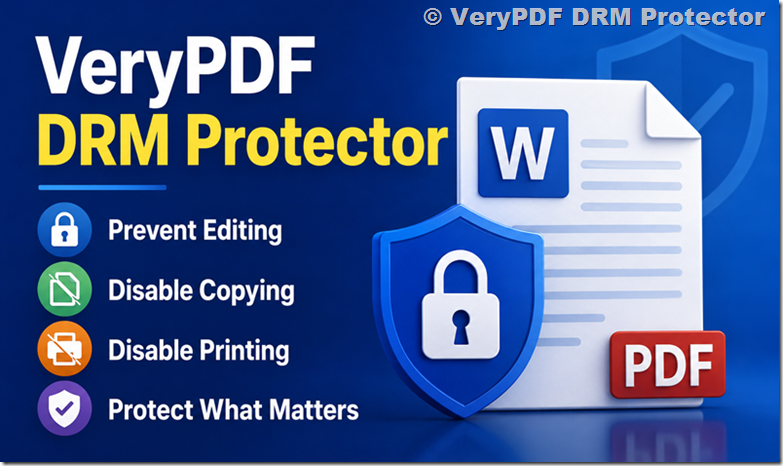
Method 1: Restrict Editing in Microsoft Word
One of the easiest ways to lock a Word document from editing is to use Microsoft Word’s built-in Restrict Editing feature. This feature allows you to make a document read-only so that recipients can view the contents but cannot easily modify the text, formatting, or layout.
This method is suitable for documents shared within a trusted team, such as company policies, templates, or draft contracts, where you simply want to discourage accidental changes rather than provide enterprise-grade security.
Steps
- Open your Microsoft Word document.
- Click the Review tab on the ribbon.
- Select Restrict Editing.
- Under Editing Restrictions, tick Allow only this type of editing in the document.
- From the drop-down menu, choose No changes (Read only).
- Click Yes, Start Enforcing Protection.
- Enter and confirm a strong password.
After protection is enabled, users can read the document but cannot edit it without the password.
Advantages
- Quick and easy to configure.
- Built directly into Microsoft Word.
- Prevents accidental or casual editing.
- Helps preserve document formatting.
- Useful for internal documents and collaborative workflows.
- No additional software is required.
Limitations
Although Restrict Editing is convenient, it does not completely lock a Word document from editing, copying, and printing.
Users may still be able to:
- Copy text into another document.
- Take screenshots of confidential information.
- Print the document.
- Save the document under another filename.
- Remove or bypass protection using specialised third-party utilities in some situations.
Because of these limitations, Restrict Editing should be viewed as a convenience feature rather than a complete document security solution.
Method 2: Password Protect the Document
Microsoft Word also allows you to encrypt a document with a password. Unlike Restrict Editing, password protection prevents unauthorised users from opening the document at all unless they know the correct password.
This is a common method for sending confidential files by email or storing sensitive documents on shared drives.
Steps
- Open your Word document.
- Click File.
- Select Info.
- Click Protect Document.
- Choose Encrypt with Password.
- Enter a strong password containing letters, numbers, and symbols.
- Save the document.
Anyone attempting to open the document must first enter the correct password.
Advantages
- Prevents unauthorised users from opening the file.
- Uses built-in Microsoft Office encryption.
- Simple to configure.
- Suitable for protecting confidential documents during storage or transmission.
- No third-party software is required.
Limitations
Password protection only controls access to the document—it does not control what users can do after opening it.
Once a recipient enters the correct password, they can usually:
- Edit the document.
- Copy text and images.
- Print the document.
- Save another copy.
- Forward the file to others along with the password.
In addition, passwords can be forgotten, shared with unauthorised users, or compromised. For documents containing valuable intellectual property or confidential business information, password protection alone is often insufficient.
Method 3: Mark as Final
Another feature available in Microsoft Word is Mark as Final. Rather than providing security, this option simply informs recipients that the document is intended to be the final version and should not be edited.
This feature is mainly designed for finished reports, proposals, manuals, or policy documents where further editing is not expected.
Steps
- Open the document.
- Click File.
- Select Info.
- Click Protect Document.
- Choose Mark as Final.
- Save the document.
When recipients open the document, Word displays a notification indicating that the document has been marked as final.
Advantages
- Extremely easy to use.
- Prevents accidental edits by displaying a warning.
- Helps communicate that the document is complete.
- Useful for distributing final versions of reports or manuals.
Limitations
Mark as Final provides almost no real security.
Recipients can simply:
- Click Edit Anyway.
- Modify the document.
- Copy its contents.
- Print the document.
- Save an edited version.
Because it does not actually restrict user permissions, it should never be relied upon to protect confidential or commercially valuable documents.
Method 4: Convert the Word Document to PDF
Many organisations convert Word documents into PDF before distributing them to clients, employees, partners, or customers. PDF files preserve fonts, page layouts, images, and formatting across different computers and operating systems, making them the preferred format for professional document sharing.
Converting to PDF is often the first step when you want to lock a Word document from editing, copying, and printing, but conversion alone is not enough.
Steps
- Open the Word document.
- Click File → Save As.
- Choose PDF as the file format.
- Save the PDF.
- Optionally add PDF password protection using your preferred PDF software.
Advantages
- Preserves the original formatting.
- Looks identical across different devices.
- More professional for document distribution.
- Compatible with virtually every operating system.
- Smaller file sizes than many Word documents.
- Easier to email and archive.
Limitations
A standard PDF still offers very limited protection.
Recipients can often:
- Print the document.
- Copy text and images.
- Extract pages.
- Save additional copies.
- Forward the PDF to others.
- Upload it to cloud storage or file-sharing websites.
- Remove PDF password restrictions using various utilities.
Although PDF passwords provide slightly stronger protection than Word passwords, they still rely on passwords rather than ongoing permission enforcement.
For organisations that need to genuinely lock a Word document from editing, copying, and printing, converting the file to PDF should be followed by applying Digital Rights Management (DRM). DRM adds persistent protection by controlling what authorised users can do with the document, even after it has been distributed.
The Best Solution: Convert Your Word Document to a DRM-Protected PDF
If your objective is to lock a Word document from editing, copying, and printing, Microsoft Word’s built-in security features can only provide basic protection. Passwords, read-only settings, and editing restrictions may discourage casual users, but they cannot reliably stop determined individuals from copying, printing, forwarding, or redistributing your document once they have access to it.
For businesses, government agencies, educational institutions, publishers, and anyone distributing confidential or commercially valuable documents, Digital Rights Management (DRM) provides a much higher level of security.
Unlike traditional password protection, DRM does not simply lock the document until someone enters a password. Instead, it encrypts the document and continuously enforces your security policies every time the document is opened. Even after the file has been downloaded or shared, the permissions remain under your control.
This means you decide exactly what authorised users are allowed—or not allowed—to do with your document.
For example, with VeryPDF DRM Protector, you can securely distribute documents while maintaining complete control over how they are accessed and used.
Key Features of VeryPDF DRM Protector
VeryPDF DRM Protector provides enterprise-grade document security that goes far beyond Microsoft Word’s built-in protection features.
Completely Prevent Document Editing
Recipients can view your protected document, but they cannot modify its contents, change formatting, insert new text, delete pages, or save edited versions.
This ensures your document always remains exactly as you published it.
Disable Text and Image Copying
Prevent users from selecting, copying, or extracting text and images from your document.
This helps protect confidential information, research findings, business reports, contracts, training materials, and intellectual property from being copied into other documents or websites.
Disable Printing
Choose whether users can:
- Never print the document.
- Print only a limited number of times.
- Print with visible security watermarks.
This gives you much greater control than standard Microsoft Word or PDF password protection.
Block Screenshots (Supported Platforms)
On supported operating systems, DRM can prevent users from capturing screenshots of protected documents, reducing the risk of sensitive information being copied through screen capture software.
Prevent “Save As” and File Duplication
Stop users from creating unrestricted copies of your protected document using Save As, export functions, or similar methods.
This helps prevent uncontrolled distribution of confidential files.
Prevent Unauthorized Sharing
Even if someone emails your protected document to another person or uploads it to cloud storage, unauthorised recipients cannot open it unless they have been granted permission.
Unlike ordinary Word or PDF files, simply possessing the file does not provide access.
Restrict Access to Specific Devices
Bind document licences to authorised computers or mobile devices.
Even if a protected document is copied onto another computer, it cannot be opened unless that device has been authorised.
Set Expiration Dates
Automatically expire access after:
- A specific calendar date.
- A fixed number of days.
- A subscription period.
- A training course duration.
This eliminates the need to manually redistribute updated documents.
Instantly Revoke Access
Need to withdraw a document after it has already been distributed?
VeryPDF DRM Protector allows administrators to revoke access remotely.
This feature is particularly useful when:
- Employees leave the company.
- Customer subscriptions expire.
- Business partnerships end.
- Confidential information changes.
- Documents are distributed by mistake.
Apply Dynamic User Watermarks
Automatically display personalised watermarks containing information such as:
- User name
- Email address
- Company name
- Date and time
- IP address
Visible watermarks discourage recipients from photographing or redistributing confidential documents.
Track Document Usage
Monitor how your protected documents are being accessed.
Depending on your deployment, administrators can view information such as:
- When documents are opened.
- Which authorised users accessed them.
- Which devices were used.
- Whether access attempts were successful or denied.
This provides valuable auditing and compliance information for organisations handling sensitive documents.
Why DRM Is More Secure Than Word Passwords
Microsoft Word passwords only protect access to the document before it is opened.
Once someone enters the correct password, they generally have full control over the file and can often:
- Edit the contents.
- Copy text.
- Print unlimited copies.
- Save additional versions.
- Forward the document to colleagues.
- Upload it to cloud storage.
- Share it on messaging platforms.
In contrast, DRM protection remains active throughout the document’s entire lifecycle.
Even after the file has been downloaded, emailed, or copied to another device, your security policies continue to be enforced.
Instead of trusting recipients to respect your documents, DRM technically prevents unauthorised actions from occurring.
For organisations searching for the most effective way to lock a Word document from editing, copying, and printing, DRM offers significantly stronger protection than passwords or read-only settings.
Typical Workflow
Protecting a Word document with DRM is straightforward and only requires a few simple steps.
Step 1 – Create Your Document
Write and edit your document in Microsoft Word as you normally would.
Complete all formatting, images, tables, and revisions before distribution.
Step 2 – Save the Word Document
Save the finished document in its original Microsoft Word format for future editing if required.
This remains your master copy.
Step 3 – Convert the Document to PDF
Export or save the Word document as a PDF.
PDF preserves the original formatting across different devices and serves as the ideal format for DRM protection.
Step 4 – Apply DRM Protection Using VeryPDF DRM Protector
Open the PDF in VeryPDF DRM Protector and configure the permissions that best suit your requirements.
For example, you can choose to:
- Disable editing.
- Disable copying.
- Disable printing.
- Prevent screenshots.
- Restrict access to authorised users.
- Limit access to specific devices.
- Set an expiry date.
- Add dynamic watermarks.
- Enable document tracking.
- Allow offline viewing for a specified period.
Once protected, the PDF is encrypted and secured with persistent DRM policies.
Step 5 – Distribute the Protected Document
Send the protected PDF via email, cloud storage, customer portals, learning management systems, or download links.
Recipients can securely read the document, but they can only perform the actions that you have explicitly allowed.
If you later need to change permissions, revoke access, or update security settings, you can do so without redistributing the document.
This level of ongoing control is what makes DRM the preferred solution for organisations that need to lock Word documents from editing, copying, printing, and unauthorised sharing while protecting valuable intellectual property and confidential business information.
Comparison
|
Feature
|
Word Restrict Editing
|
Password Protection
|
PDF Password
|
VeryPDF DRM Protector
|
|
Prevent editing
|
✓
|
Partial
|
Partial
|
✓
|
|
Prevent copying
|
✗
|
✗
|
Limited
|
✓
|
|
Prevent printing
|
Partial
|
✗
|
Limited
|
✓
|
|
Prevent screenshots
|
✗
|
✗
|
✗
|
✓ (supported platforms)
|
|
Device-specific access
|
✗
|
✗
|
✗
|
✓
|
|
Expiration date
|
✗
|
✗
|
✗
|
✓
|
|
Remote revocation
|
✗
|
✗
|
✗
|
✓
|
|
Dynamic watermark
|
✗
|
✗
|
✗
|
✓
|
Why Businesses Use DRM-Protected PDF Files Instead of Word Passwords
Although Microsoft Word offers password protection and basic document security features, many businesses choose to convert their Word documents into DRM-protected PDF files before distributing them. The reason is simple: a Word password can prevent unauthorised users from opening a document, but it provides very little control over what happens after the document has been opened.
For organisations that regularly share confidential information with employees, customers, partners, suppliers, or external stakeholders, protecting the document itself is only part of the challenge. They also need to control how recipients use the document after delivery.
A DRM-protected PDF file provides this level of control by combining strong encryption with persistent Digital Rights Management (DRM) policies. Instead of relying solely on passwords, the document remains protected throughout its entire lifecycle, regardless of where it is stored or how it is shared.
Why Word Passwords Are No Longer Enough
Microsoft Word passwords are useful for preventing unauthorised users from opening a document, but they have several important limitations.
Once an authorised user enters the correct password, they can often:
- Edit the document.
- Copy text and images.
- Print unlimited copies.
- Save the document under another filename.
- Forward the document by email.
- Upload it to Dropbox, Google Drive, OneDrive, or other cloud storage services.
- Share the password with colleagues or third parties.
- Continue accessing the document indefinitely.
In most cases, the document owner loses control as soon as the file has been distributed.
Why Businesses Prefer DRM-Protected PDF Files
Converting a Word document into a DRM-protected PDF provides significantly stronger security because the protection travels with the document itself.
Unlike traditional passwords, DRM continuously enforces your security policies every time the document is opened.
With a DRM-protected PDF, organisations can:
- Prevent editing completely.
- Disable text and image copying.
- Disable or limit printing.
- Block screenshots on supported platforms.
- Prevent “Save As” and file duplication.
- Restrict access to authorised users only.
- Bind documents to approved computers or mobile devices.
- Set automatic expiry dates.
- Instantly revoke access after distribution.
- Apply dynamic user watermarks.
- Monitor document access for auditing and compliance.
Even if someone copies the protected PDF to another computer, forwards it by email, or uploads it to a cloud storage service, unauthorised users cannot open or use the document without permission.
Ideal for Protecting Valuable Business Documents
Many organisations distribute documents that contain highly confidential or commercially valuable information. These documents often include:
- Legal contracts and confidentiality agreements
- Financial reports and investment analyses
- Board meeting agendas and minutes
- Human resources policies and employee handbooks
- Corporate training materials
- Technical documentation and product specifications
- Engineering drawings and manufacturing procedures
- Research papers and scientific publications
- Client proposals and consulting reports
- Sales presentations and pricing information
- Educational course materials and examination papers
- Intellectual property and proprietary business information
For these documents, simply preventing unauthorised access is not enough. Organisations also need to prevent copying, printing, forwarding, and redistribution.
Maintain Control After Distribution
One of the greatest advantages of a DRM-protected PDF is that the document owner retains control even after the file has been distributed.
For example, administrators can:
- Change document permissions.
- Revoke access immediately.
- Expire documents automatically.
- Allow access only during a subscription period.
- Restrict viewing to specific devices.
- Track when and where documents are opened.
This ongoing control is impossible with standard Microsoft Word passwords.
Better Security for Modern Digital Workflows
Today’s organisations distribute documents through email, customer portals, cloud storage services, Learning Management Systems (LMS), and enterprise collaboration platforms. Once a standard Word document has been downloaded, it can easily be copied and redistributed.
A DRM-protected PDF file eliminates this risk by ensuring that only authorised recipients can access the document under the permissions defined by the document owner.
For businesses looking for the most secure way to lock a Word document from editing, copying, and printing, converting the document into a DRM-protected PDF provides a far more secure and flexible solution than relying on Microsoft Word passwords alone. It not only protects confidential information but also gives organisations continuous control over how their documents are viewed, shared, and used throughout their entire lifecycle.
Frequently Asked Questions
1. How do I lock a Word document from editing, copying, and printing?
There are several ways to protect a Microsoft Word document, depending on the level of security you need. Microsoft Word includes built-in features such as Restrict Editing, Read Only, and Password Protection, which can prevent casual users from modifying a document. However, these features have limitations because they primarily rely on passwords and document settings that can sometimes be bypassed.
If you need to completely lock a Word document from editing, copying, and printing, especially when sharing confidential files outside your organisation, a more secure solution is to convert the document into a protected PDF and apply Digital Rights Management (DRM). DRM technology can enforce restrictions even after the document has been distributed, preventing unauthorised editing, copying, printing, forwarding, and sharing.
2. Can Microsoft Word prevent users from copying text?
Not completely.
Microsoft Word can discourage copying by making a document read-only or password-protected, but once an authorised user opens the document, they can often still:
- Select and copy text
- Take screenshots
- Save the document under another name
- Use third-party software to extract content
If preventing text copying is a priority, DRM-protected documents provide much stronger protection by disabling copy-and-paste functions and enforcing usage permissions on authorised devices.
3. Can I stop someone from printing a Word document?
Microsoft Word does not provide a reliable way to completely disable printing.
Although you can restrict editing or protect the document with a password, users who can open the file are generally still able to print it unless additional protection is applied.
DRM solutions allow you to:
- Completely disable printing
- Allow only a limited number of prints
- Restrict printing to authorised users
- Revoke printing rights at any time
This makes DRM particularly useful for confidential contracts, financial reports, training materials, and premium digital content.
4. Is password protection enough to secure a Word document?
For many everyday documents, password protection provides a basic level of security.
However, passwords have several disadvantages:
- Passwords can be shared with others.
- Some password protection methods can be removed using specialised software.
- Once the document is opened, users may still be able to copy, print, or redistribute the contents.
- Passwords cannot control what happens after the document has been accessed.
For highly confidential or commercially valuable documents, password protection alone should not be considered sufficient.
5. Is converting a Word document to PDF more secure?
Converting a Word document to PDF improves formatting consistency, but it does not automatically improve security.
A standard PDF can still be:
- Printed
- Copied
- Shared by email
- Uploaded to cloud storage
- Forwarded to unauthorised users
Adding a PDF password provides some additional protection, but determined users may still remove password restrictions using various utilities. For stronger protection, many organisations convert Word documents to PDF and then apply DRM controls.
6. What is the most secure way to protect confidential Word documents?
For sensitive business documents, legal files, intellectual property, educational materials, and financial reports, the most secure approach is generally:
- Create the document in Microsoft Word.
- Convert it to PDF.
- Protect the PDF using Digital Rights Management (DRM).
This approach allows you to control exactly what authorised users can do with the document, including whether they can view, print, copy, or share it. Additional features such as document expiry, device binding, dynamic watermarks, and remote access revocation provide protection that standard Word security cannot offer.
7. Can I stop users from forwarding or sharing my Word document?
Not with Microsoft Word alone.
Once someone receives a Word document, they can typically:
- Forward it by email
- Upload it to cloud storage
- Copy it to USB drives
- Share it through messaging applications
DRM protection helps solve this problem by requiring authorised users to authenticate before opening the document. Even if the file is forwarded to someone else, unauthorised recipients cannot access its contents without permission.
8. Can I revoke access after sending a protected document?
Microsoft Word does not provide a way to revoke access once a document has been distributed.
With a DRM solution such as VeryPDF DRM Protector, you can remotely revoke access even after recipients have downloaded the protected file. This is particularly valuable when:
- An employee leaves the company.
- A customer subscription expires.
- A contract is terminated.
- Confidential information needs to be withdrawn immediately.
Remote revocation gives document owners ongoing control over distributed files.
9. Who should use document DRM?
Document DRM is suitable for anyone distributing confidential or valuable digital documents, including:
- Businesses protecting confidential reports
- Law firms sharing legal documents
- Financial institutions distributing sensitive information
- Universities protecting course materials
- Publishers selling eBooks
- Consultants sharing client reports
- Manufacturers protecting technical documentation
- Training providers selling online course materials
If preventing unauthorised editing, copying, printing, and redistribution is important, DRM offers a significantly higher level of protection than traditional Word document security.
10. Does VeryPDF DRM Protector require recipients to install Microsoft Word?
No.
VeryPDF DRM Protector works by protecting PDF documents rather than Word files. After converting your Word document to PDF and applying DRM protection, recipients can securely view the protected document using the authorised viewer without needing Microsoft Word itself. The DRM permissions remain enforced throughout the document’s lifecycle, helping ensure that editing, copying, printing, and unauthorised sharing remain under your control.
If you need to protect sensitive or commercial documents from editing, copying, printing, and unauthorized redistribution, converting the Word document to a DRM-protected PDF is generally the most comprehensive solution. VeryPDF DRM Protector offers a free trial that does not require registration or a credit card, allowing you to evaluate its protection features before purchasing.