
If your website uses the VeryPDF DRM API, security is probably one of your biggest concerns.
Customers often ask questions like:
- Can I limit API access to my website server only?
- Can I see who used my API Password?
- Can I find out when a reader account was created?
- Can I track document changes made through the API?
- Can I detect unauthorized API requests?
- Can I review all API activity from one place?
These are important questions, especially if you use the VeryPDF DRM API to automate document delivery, membership systems, LMS platforms, or customer portals.
To improve visibility and security, we are adding two important features to VeryPDF DRM Protector:
- IP restrictions for API Passwords.
- Complete API activity logging in the existing “Activity Details” section.
These features will make it easier to monitor, audit, and troubleshoot API integrations.
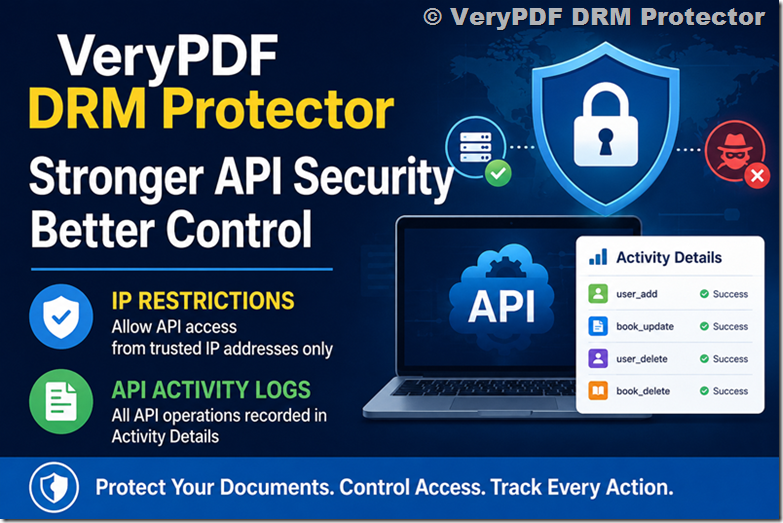
Feature #1: Restrict API Access to Specific IP Addresses
Many customers use the VeryPDF DRM API from a single web server.
For example:
| Server | IP Address |
|---|---|
| Production Server | 203.0.113.25 |
| Backup Server | 203.0.113.26 |
Today, an API Password can be used from any location if the credential is known.
With the upcoming IP restriction feature, you will be able to specify which IP addresses are allowed to use a particular API Password.
Example Configuration
| API Password | Allowed IPs |
|---|---|
| Website-API | 203.0.113.25 |
| Backup-API | 203.0.113.26 |
| Development-API | 192.168.1.100 |
Example Requests
| Source IP | Result |
|---|---|
| 203.0.113.25 | Allowed |
| 203.0.113.26 | Allowed |
| 89.xx.xx.xx | Denied |
| 178.xx.xx.xx | Denied |
This provides an extra layer of protection.
Even if someone discovers your API Password, they will not be able to use it unless the request comes from an approved IP address.
This feature is particularly useful for:
- WordPress websites
- Membership systems
- LMS platforms
- E-book stores
- Corporate portals
- Training platforms
- University systems
- Internal business applications
Feature #2: Complete API Activity Logging
The second major improvement is API activity logging.
All API operations will be recorded automatically in the existing “Activity Details” section of VeryPDF DRM Protector.
This means you will be able to answer questions such as:
Who created this reader account?
When was this document deleted?
Which API Password was used?
Was the request successful?
Did anyone attempt to access the API from an unauthorized IP address?
What Information Will Be Logged?
Every API request will include detailed information.
| Field | Example |
|---|---|
| Date and Time | 2026-07-23 10:15:32 |
| Source IP | 203.0.113.25 |
| API Password | Website-API |
| API Operation | user_add |
| File ID | ID20260721-093922-2605581407 |
| Status | Success |
| Message | Reader account created |
| Processing Time | 45 ms |
Example Activity Details
| Time | IP | API | Result |
|---|---|---|---|
| 10:15 | 203.0.113.25 | user_add | Success |
| 10:18 | 203.0.113.25 | user_update | Success |
| 10:20 | 203.0.113.25 | user_set_status | Success |
| 10:22 | 203.0.113.25 | user_query_expiration | Success |
| 10:25 | 203.0.113.25 | book_update | Success |
| 10:30 | 89.xx.xx.xx | user_add | Denied (Invalid IP) |
| 10:32 | 178.xx.xx.xx | book_delete | Denied (Invalid IP) |
This gives administrators a complete audit trail.
Which API Operations Will Be Logged?
All VeryPDF DRM API operations will be recorded.
Book APIs
| API Operation | Description |
|---|---|
| book_list | List all protected documents |
| book_set_status | Enable or disable a document |
| book_delete | Delete a protected document |
| book_update | Update document settings |
User APIs
| API Operation | Description |
|---|---|
| user_list | List reader accounts |
| user_set_status | Enable or disable a reader |
| user_add | Create a new reader account |
| user_delete | Delete a reader account |
| user_update | Update reader information |
| user_query_expiration | Query user expiration settings |
Every call to these APIs will be stored in Activity Details.
Example: Reader Management
Imagine your website automatically creates reader accounts after a customer purchases an e-book.
Your Activity Details page might look like this:
| Time | API | User | Result |
|---|---|---|---|
| 09:00 | user_add | john@example.com | Success |
| 09:05 | user_add | mary@example.com | Success |
| 09:10 | user_update | john@example.com | Success |
| 09:15 | user_query_expiration | john@example.com | Success |
If a customer reports an issue, you can immediately see what happened.
Example: Document Management
Suppose your team updates DRM settings for a document.
| Time | API | File ID | Result |
|---|---|---|---|
| 14:00 | book_update | ID12345 | Success |
| 14:05 | book_set_status | ID12345 | Disabled |
| 14:10 | book_set_status | ID12345 | Enabled |
| 14:15 | book_delete | ID54321 | Success |
This makes it easy to identify who changed what and when.
Failed Requests Will Also Be Logged
Not every API request is successful.
We believe failed requests are just as important as successful ones.
Examples include:
| Time | API | Result |
|---|---|---|
| 11:00 | user_add | Invalid API Password |
| 11:05 | user_delete | User Not Found |
| 11:10 | book_update | Missing File ID |
| 11:15 | book_delete | Access Denied |
| 11:20 | user_list | IP Not Allowed |
This helps customers identify:
- Configuration issues
- Programming mistakes
- Unauthorized access attempts
- Potential security incidents
Why API Logs Matter
Without activity logs, administrators often ask:
Did my website send this request?
Was my API Password used by someone else?
Why did this operation fail?
Which server performed this action?
With Activity Details, these questions become easy to answer.
Security Benefits
| Feature | Benefit |
|---|---|
| IP Restrictions | Prevent unauthorized API access |
| API Logging | Complete audit trail |
| Failed Request Logging | Detect attacks and mistakes |
| Source IP Tracking | Identify request origin |
| File ID Tracking | Monitor document changes |
| User Tracking | Monitor reader activity |
| Centralized Activity Details | One place to review everything |
Future Improvements
We are also evaluating additional enhancements, including:
- Multiple IP addresses per API Password
- API Password descriptions
- API Password expiration dates
- API Password usage statistics
- Export API activity logs to CSV
- Email notifications for failed API requests
- Fine-grained API permissions
- Webhook notifications for API activity
For example, some customers have requested API Passwords with limited permissions:
| API Password | Permissions |
|---|---|
| Reader-API | user_* only |
| Book-API | book_* only |
| Admin-API | All APIs |
| Reporting-API | Read-only |
This is currently under consideration for a future release.
Frequently Asked Questions
Will all API operations be logged?
Yes. All supported VeryPDF DRM API operations will be recorded.
Will failed API requests be logged?
Yes.
Can I see the source IP address?
Yes.
Can I see which API Password was used?
Yes.
Will denied requests appear in Activity Details?
Yes.
Can I restrict API access to one IP address?
Yes. This feature is currently being added.
Can I allow multiple IP addresses?
This is planned for a future update.
Will existing integrations continue to work?
Yes. Existing integrations will not be affected.
Can I export API logs?
CSV export is being considered.
Can I receive email alerts for suspicious activity?
This feature is under evaluation.
Will API logs help with troubleshooting?
Absolutely. API logs make it much easier to identify issues.
When will these features be available?
Development is currently in progress. We will announce their availability once testing has been completed.
Final Thoughts
The VeryPDF DRM API is used every day to automate reader management and document workflows.
As more customers integrate the API into their websites and applications, visibility becomes increasingly important.
By adding:
- IP restrictions
- Complete API activity logging
- Failed request tracking
- Source IP monitoring
- File ID tracking
- API Password identification
VeryPDF DRM Protector will provide customers with a clear answer to one simple question:
Who performed this operation, when did it happen, and where did it come from?
For many organizations, that level of visibility is just as important as document protection itself.