[Solution] CAD Files Protection: The Safest Way to Protect AutoCAD DWG, DXF, and Other CAD Drawings. Prevent unauthorized people to open your CAD drawing

In the modern industrial, engineering, and architectural landscape, Computer-Aided Design (CAD) files are among the most critical intellectual property assets a company or individual can hold. These digital assets—ranging from AutoCAD DWG drawings to Dassault Systems CATIA parts, Siemens Solid Edge assemblies, and Autodesk Revit models—represent years of design work, R&D efforts, and company knowledge. Unauthorized access, accidental sharing, or deliberate leaks of CAD files can have disastrous consequences, including financial loss, competitive disadvantage, and legal liabilities.

Protecting CAD drawings has never been more crucial. Traditional file protection methods, such as password-protected ZIP files or basic Windows permissions, are no longer sufficient. In this context, advanced solutions like VeryPDF DRM Protector offer a scalable, robust, and secure way to protect CAD files throughout their lifecycle. This article provides a comprehensive guide on how to safeguard AutoCAD DWG, DXF, and other CAD files, prevent unauthorized access, and maintain full control over intellectual property.


Why CAD File Protection is Critical

Before delving into specific solutions, it’s important to understand why CAD files require specialized protection:

  1. High Intellectual Property Value: CAD files contain detailed engineering data, schematics, and design parameters. A leaked drawing can enable competitors to copy products or circumvent patents.
  2. Complex Dependencies: CAD files often rely on external references, assemblies, or linked components. Unauthorized access to one file may compromise multiple designs.
  3. Collaboration Requirements: Modern engineering workflows involve internal teams, suppliers, contractors, and clients. Each collaborator may require different levels of access, making blanket access control ineffective.
  4. Regulatory and Compliance Needs: Certain industries, such as aerospace, defense, and healthcare, have strict data handling and security regulations. CAD files must comply with these requirements.

Without proper security, CAD files are vulnerable to accidental distribution via email, cloud storage, USB drives, or even screenshots and printed plots. Protecting these files requires a system that controls access, monitors usage, and maintains confidentiality in real-time.


[Solution] CAD Files Protection: The Safest Way to Protect AutoCAD DWG, DXF, and Other CAD Drawings. Prevent unauthorized people to open your CAD drawing


Introducing VeryPDF DRM Protector

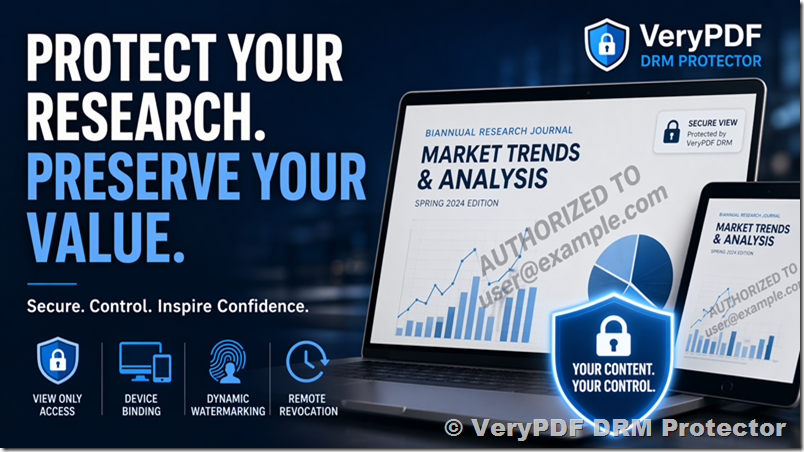
VeryPDF DRM Protector is a specialized digital rights management (DRM) solution designed to secure technical documentation, CAD designs, quality guides, R&D data, and all forms of intellectual property. Unlike generic file encryption tools, it is built to integrate with CAD workflows, supporting multiple file formats, PDM systems, and collaboration environments.

Key features include:

  • Access control: Define who can open a file, under what conditions, and what actions they can perform.
  • Granular permissions: Assign specific rights such as viewing, editing, exporting, printing, and copying.
  • Real-time access revocation: Revoke permissions even after a file has been downloaded.
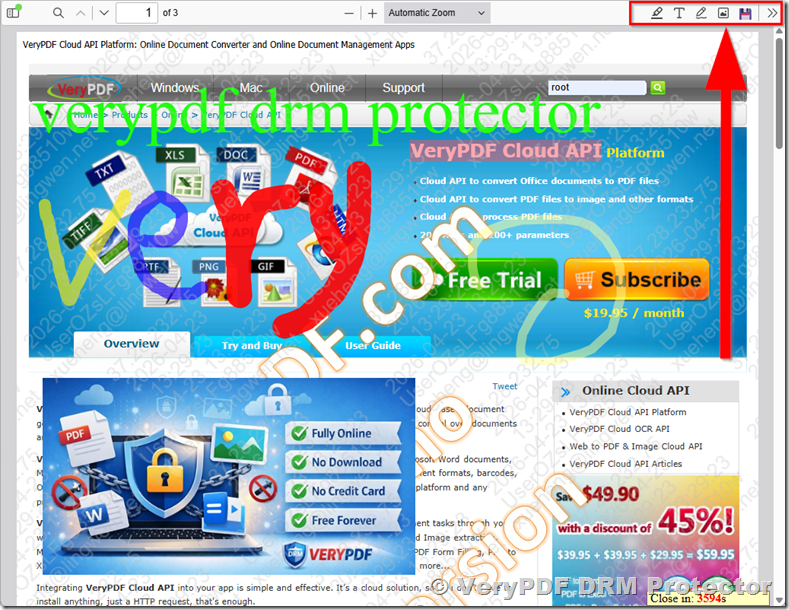
  • Dynamic watermarking: Embed user-specific watermarks that track email, IP, and date/time.
  • Audit trails: Monitor file access, failed attempts, and potential leaks.
  • Integration with CAD and PDM systems: Protect files without disrupting workflows.

Prevent Unauthorized Access to CAD Drawings

One of the most important features of VeryPDF DRM Protector is its ability to prevent unauthorized users from opening CAD files. When a file is protected:

  1. If the user has permission, the file opens normally, and allowed actions can be performed.
  2. If the user does not have permission, an alert is displayed, and the file cannot be accessed.

This approach ensures that confidential CAD drawings remain secure, even when distributed to external partners, contractors, or suppliers. Unlike password-protected files, which can be easily shared, DRM-controlled files enforce security at the file level and track every access attempt.


Easy-to-Use CAD Protection

Despite its robust functionality, VeryPDF DRM Protector is designed for ease of use. It is a lightweight application that works on networks with software installation restrictions. Once a file is protected with a policy:

  • Users can open it by double-clicking.
  • The system checks permissions automatically.
  • Only allowed actions are available based on the policy.

This simplicity ensures adoption across teams and reduces the risk of human error while maintaining tight control over CAD files.


Granular Permissions for CAD Files

A critical advantage of VeryPDF DRM Protector is the ability to assign granular permissions. You can define actions at a detailed level, including:

  • View: Allow viewing of the CAD drawing without modification.
  • Edit: Enable modifications only for authorized users.
  • Export: Control exporting to formats such as PDF, STEP, or “Save As” functions.
  • Copy & Paste: Prevent unauthorized copying of content.
  • Print: Restrict plotting, batch printing, and 3D printing.
  • Add Users: Control who can be granted access to a file.

Additionally, advanced options allow:

  • Expiration dates: Automatically revoke access after a defined period.
  • IP-based access control: Restrict access to specific networks.
  • Offline/online mode: Define if a file can be accessed offline.

This level of control ensures that sensitive designs, from AutoCAD schematics to Solidworks assemblies, are only accessible by the intended users under defined conditions.


Supported CAD Formats

VeryPDF DRM Protector supports a broad range of CAD formats, making it suitable for most engineering workflows:

  • AutoDesk AutoCAD: .DWG, .DWF, .DWS, .DWT formats, including Electrical, Mechanical, Civil, Map 3D, and LT.
  • AutoDesk Inventor 3D: .IPT, .IAM, .IDW, .DWG.
  • AutoDesk Revit: .RVT, .RTE, .RFA.
  • Siemens Solid Edge: .ASM, .DFT, .PAR, .PSM, .PWG.
  • Dassault Systèmes CATIA: .CATPart, .CATDrawing, .CATProduct.
  • Dassault Systèmes Solidworks: .slddrw, .sldprt, .sldasm, .sldxml.
  • Dassault Systèmes Draftsight: .dwg, .dws, .dwt, .dxf.
  • Grabert ARES Commander: .dwg, .dws, .dwt, .dxf.

Supporting multiple formats ensures that teams using diverse CAD tools can standardize file protection across the organization.


Integration with PDM Systems

Protecting CAD files is most effective when integrated with Product Data Management (PDM) systems. VeryPDF DRM Protector supports major PDM platforms, ensuring that files remain protected throughout versioning, assembly changes, and collaborative workflows:

  • AutoDesk Vault
  • Dassault Systèmes 3DExperience ENOVIA
  • Dassault Systèmes Solidworks PDM
  • Grabert ARES KUDO

Integration with PDM systems allows you to track changes, enforce permissions, and protect files automatically, ensuring that sensitive engineering data never leaves controlled environments unprotected.


Dynamic Watermarks for Security

Even with restricted access, CAD files can be compromised through screenshots or photography. VeryPDF DRM Protector uses dynamic watermarks to deter and track unauthorized sharing:

  • Watermarks include user email, IP address, and date/time.
  • If a screenshot is taken, it will carry identifiable information, linking back to the user.
  • This discourages misuse and enables auditing if leaks occur.

Dynamic watermarks are a subtle but powerful deterrent that complements file-level DRM protections.


Auditing Information Access

Monitoring file usage is key to proactive security. VeryPDF DRM Protector provides detailed audit trails, including:

  • Who accessed the file.
  • What actions were performed.
  • Access attempts outside of allowed permissions.
  • Date and time of file usage.

This information can alert organizations to suspicious activity, enabling early intervention and reducing the risk of intellectual property theft.


Real-Time Access Blocking and Revocation

One of the most powerful features of VeryPDF DRM Protector is real-time access revocation:

  • If a collaborator, subcontractor, or partner no longer requires access, you can block their access immediately.
  • Files already downloaded remain protected and inaccessible if permissions are revoked.

This ensures that your intellectual property remains under control, regardless of file distribution or storage location.


Managing File Assemblies and References

CAD projects often consist of multiple interlinked files. VeryPDF DRM Protector is the only CAD file protection solution that handles file assemblies:

  • Protect CAD files with references to other files.
  • Import files from external CAD applications (CATIA, Pro/Engineer, Solidworks, etc.).
  • Export to multiple formats, including .DGN, .EPS, .IGS, and more.

This functionality ensures that large engineering projects remain fully protected, even across complex assemblies and external collaborations.


Workflow Integration and Efficiency

A common concern with security solutions is disruption to workflows. VeryPDF DRM Protector addresses this with:

  • Lightweight client applications that require minimal installation.
  • Policy-based protection, allowing mass file protection with minimal user intervention.
  • Seamless CAD integration, meaning files can be opened and used with standard CAD tools like AutoCAD, Inventor, Solidworks, and CATIA.
  • Minimal performance impact, ensuring that file protection does not slow down design workflows.

This approach balances security with usability, making it feasible to adopt across engineering teams of all sizes.


Best Practices for Protecting CAD Files

Implementing a DRM solution is most effective when combined with best practices:

  1. Classify your files: Identify sensitive files, designs, and intellectual property.
  2. Define access policies: Set clear permissions based on roles, departments, or external partners.
  3. Use dynamic watermarks: Discourage screenshots and enable tracing.
  4. Audit usage regularly: Review logs to detect suspicious activity.
  5. Revoke access when needed: Remove permissions for users who no longer require access.
  6. Integrate with PDM: Ensure that files remain protected through versioning and workflow changes.

Following these practices ensures that CAD files remain secure without hindering productivity.


Case Studies: CAD File Protection in Action

Example 1: Automotive Design
An automotive supplier needed to share CATIA assemblies with multiple subcontractors. By applying VeryPDF DRM Protector, they ensured that:

  • Each subcontractor could only access files relevant to their scope.
  • Dynamic watermarks tracked every open action.
  • Real-time revocation prevented access after project completion.

Example 2: Architectural Projects
A multinational architecture firm shared AutoCAD DWG and Revit models with clients and contractors. DRM protection allowed:

  • Secure sharing without fear of leaks.
  • Granular permissions on viewing, editing, and printing.
  • Full audit trails to meet compliance requirements.

Conclusion

Protecting CAD files is no longer optional; it is essential for maintaining intellectual property, complying with regulations, and ensuring competitive advantage. VeryPDF DRM Protector offers a robust, scalable, and user-friendly solution for securing AutoCAD DWG, DXF, Inventor, Revit, Solidworks, CATIA, and other CAD files. By combining granular permissions, dynamic watermarks, real-time revocation, and full integration with PDM systems, organizations can confidently share and collaborate on CAD projects without compromising confidentiality.

For any business handling sensitive engineering designs, adopting DRM protection is a strategic investment in security, compliance, and operational efficiency.

How to Stop People from Sharing Your PDF eBook and Protect Revenue: A Practical, Scalable DRM Strategy for Authors and Publishers

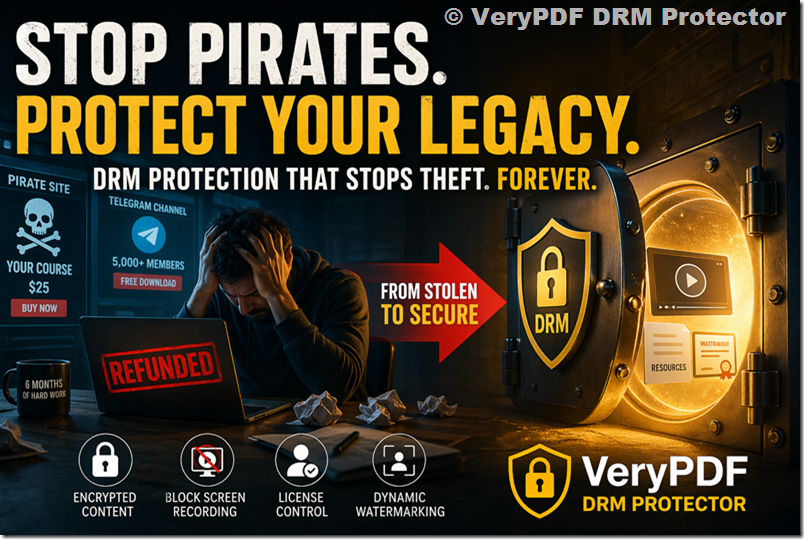
Publishing an eBook is no small achievement. It represents hours, often months, of research, writing, editing, formatting, and refinement. When that work is distributed digitally as a PDF, however, it becomes extremely vulnerable to unauthorized sharing. As your client already experienced, once a PDF leaves your control, it can easily be forwarded via email, uploaded to cloud storage, or shared across messaging platforms like WhatsApp in seconds.

This is not a theoretical risk, it is the default behavior of digital files.

The core challenge is this: a standard PDF is inherently designed for portability and openness, not control. Therefore, if your goal is to completely prevent sharing using native PDF features alone, that goal is technically unattainable. However, if your goal is to significantly deter sharing, reduce unauthorized distribution, and maintain control over access, then there are robust, real-world solutions available.

This article will walk through:

  • Why traditional PDF protections fail
  • The psychology of deterrence vs. absolute prevention
  • Practical anti-sharing strategies that actually work
  • A deep dive into how VeryPDF DRM Protector solves this problem
  • A recommended implementation strategy for your client’s upcoming eBook launch

How to Stop People from Sharing Your PDF eBook and Protect Revenue: A Practical, Scalable DRM Strategy for Authors and Publishers


1. Why You Cannot “Stop” PDF Sharing (But Can Control It)

Let’s begin with a reality check.

A PDF file is fundamentally just data. Once downloaded, it behaves like any other file:

  • It can be copied infinitely
  • It can be transferred via any channel
  • It can be uploaded, duplicated, or redistributed without friction

Even so-called “protected PDFs” have critical limitations:

1.1 Password Protection Is Weak by Design

Password-protected PDFs rely on a shared secret:

  • If the buyer can open the file, they know the password
  • If they know the password, they can share it
  • Tools exist to remove PDF restrictions entirely

This makes password protection ineffective for commercial distribution.

1.2 Permissions (Disable Copy/Print) Are Easily Bypassed

PDF permissions (like disabling printing or copying) are:

  • Advisory, not enforced
  • Ignored by many PDF readers
  • Removable with widely available tools

1.3 File-Based Distribution Means Loss of Control

Once a PDF is downloaded:

  • You lose visibility
  • You lose control
  • You cannot revoke access

This is the fundamental weakness of traditional PDF distribution.


2. The Real Goal: Deterrence + Control

Instead of asking “How do I stop sharing completely?”, the better question is:

How do I make sharing difficult, risky, and inconvenient enough that most people won’t do it?

This is where strategy matters.

There are three layers of effective protection:

Layer 1: Psychological Deterrence

  • Visible personalization (watermarks)
  • User identification embedded in content
  • Awareness of traceability

Layer 2: Technical Restrictions

  • Device limits
  • Expiry controls
  • Offline restrictions
  • Controlled viewing environment

Layer 3: Access Control Infrastructure

  • Authentication-based viewing
  • Server-side permission enforcement
  • Real-time revocation

Traditional PDFs only support Layer 1 (and weakly at that).

DRM systems cover all three layers.


3. The Watermark Approach (Partial Solution)

As mentioned in the original discussion, watermarking is a valid deterrent:

What It Does Well:

  • Displays buyer identity (name/email)
  • Discourages casual sharing
  • Adds accountability

Limitations:

  • Can be cropped or edited
  • Does not prevent file sharing
  • No access control
  • No tracking or revocation

Watermarking is useful, but insufficient on its own.


4. The Only Scalable Solution: DRM-Based PDF Protection

To truly control distribution, you need to move away from:

File-based access → Permission-based access

This is exactly what Digital Rights Management (DRM) systems provide.

A DRM-protected document is no longer just a file, it becomes:

  • A controlled asset
  • Accessed through authorized environments
  • Governed by enforceable rules

5. How VeryPDF DRM Protector Solves the Problem

VeryPDF DRM Protector is designed specifically to address the weaknesses of standard PDF distribution.

Instead of relying on passwords or permissions, it transforms your PDF into a secure, encrypted format with enforced access controls.

Let’s break down its core capabilities.


5.1 No Passwords Required

This directly addresses your client’s concern.

  • Users do NOT need a shared password
  • Access is tied to authorized users/devices
  • Eliminates password leakage risk

5.2 Secure Viewer Environment

The PDF is converted into a protected format (e.g., .vpdf):

  • Can only be opened in a controlled reader
  • Prevents opening in standard PDF tools
  • Blocks unauthorized duplication workflows

This is critical: it removes the “open anywhere” nature of PDFs.


5.3 Device Locking

You can restrict access to:

  • A fixed number of devices per user
  • Specific devices only

Impact:
If someone shares the file:

  • Others cannot open it
  • Unauthorized access is denied

5.4 Expiry Controls

You can define:

  • Expiration date (e.g., 30 days)
  • Usage limits (e.g., number of opens)

This ensures:

  • Long-term sharing becomes useless
  • Access is time-bound

5.5 Dynamic Watermarking

Unlike static watermarks:

  • Each user sees their own identity embedded
  • Watermarks can include:
    • Name
    • Email
    • Date/time
    • IP address

Result:

  • Strong psychological deterrent
  • Traceability of leaks

5.6 Anti-Screenshot and Anti-Print Controls

Advanced DRM features include:

  • Screenshot blocking
  • Screen recording prevention
  • Print restriction or watermarking

This significantly reduces content extraction.


5.7 Online & Offline Access Control

You can define:

  • Whether content requires internet validation
  • How long offline access is allowed

This balances:

  • Security
  • User convenience

5.8 Remote Revocation

This is one of the most powerful features.

You can:

  • Revoke access instantly
  • Disable specific users
  • Shut down compromised files

Traditional PDFs cannot do this.


5.9 Usage Tracking & Analytics

You gain visibility into:

  • Who opened the file
  • When and where it was accessed
  • Usage patterns

This provides actionable intelligence:

  • Identify suspicious behavior
  • Detect abuse early

6. Practical Scenario: Your Client’s eBook Launch

Let’s map this directly to your use case.

Without DRM:

1 purchase → shared in WhatsApp → unlimited free distribution

With DRM:

1 purchase → access restricted to:

  • 1–2 devices
  • Authorized user only
  • Time-limited session

If shared:

  • Others cannot open it
  • Access is denied

If leaked:

  • Watermark identifies the source
  • Access can be revoked

7. Implementation Strategy (Step-by-Step)

Here’s a practical rollout plan.


Step 1: Convert the eBook into DRM-Protected Format

Using VeryPDF DRM Protector:

  • Upload the PDF
  • Apply encryption
  • Convert to protected format

Step 2: Configure Access Rules

Define:

  • Device limit (e.g., 2 devices)
  • Expiry (e.g., 30 days or lifetime license)
  • Offline access duration

Step 3: Apply Dynamic Watermarks

Include:

  • Buyer name
  • Email address
  • Purchase ID

Make it visible but non-intrusive.


Step 4: Distribute Securely

Instead of sending raw files:

  • Deliver via secure download
  • Or controlled viewer access

Step 5: Monitor Usage

Track:

  • Access frequency
  • Device patterns
  • Suspicious behavior

Step 6: Enforce When Necessary

If abuse is detected:

  • Revoke access
  • Disable accounts
  • Update permissions

8. Balancing Security vs. User Experience

A common concern is:

“Will this make it harder for legitimate buyers?”

The answer depends on configuration.

Best practices:

  • Allow 1–2 devices per user
  • Enable limited offline access
  • Keep onboarding simple

The goal is:

Friction for pirates, not for customers.


9. Why DRM Is Superior to “Simple Deterrence”

Let’s compare approaches.

Method

Prevent Sharing

Deter Sharing

Control Access

Revoke Access

Password PDF

Watermark Only

DRM (VeryPDF)

This is why DRM is the only comprehensive solution.


10. Addressing Common Objections

“People can still screen record”

Yes, but:

  • It’s harder
  • Quality is reduced
  • Watermarks expose them

“Users don’t like special viewers”

Most users accept:

  • Netflix-style access control
  • App-based reading environments

Expectation has shifted.

“It’s not 100% secure”

Correct.

But security is about:

Raising the cost of abuse beyond convenience


11. Strategic Insight: Think Like a Platform, Not a File Sender

The biggest shift is conceptual.

Instead of:

“I’m selling a PDF file”

Think:

“I’m selling controlled access to content”

This mindset aligns with:

  • Streaming platforms
  • Online courses
  • Subscription models

12. Final Recommendation

For your client’s upcoming eBook launch:

  1. Do not rely on standard PDFs
  2. Avoid password-only protection
  3. Use watermarking, but not alone
  4. Implement DRM for real control

The most practical and scalable approach is to adopt a system like VeryPDF DRM Protector, which combines:

  • Strong technical enforcement
  • Psychological deterrence
  • Operational control

Conclusion

You cannot stop people from attempting to share a PDF, but you can:

  • Make sharing ineffective
  • Make access controlled
  • Make leaks traceable
  • Make abuse reversible

That is the difference between basic protection and professional-grade content security.

If your client is serious about protecting revenue, brand value, and intellectual property, then transitioning from open PDF distribution to DRM-controlled delivery is not just an option, it is a necessity.

Best 4 Methods to Protect Your eBook from Piracy, Copying, and Illegal Distribution

Creating an eBook requires significant time, expertise, and creative effort. Whether you are an independent author, educator, or publisher, protecting your digital content from unauthorized sharing and piracy is essential. As online distribution becomes easier, so does the risk of your work being copied, redistributed, or even sold without your permission.

To safeguard your intellectual property, you need a combination of modern security technologies and smart publishing practices. Below are four of the most effective ways to protect your eBook from piracy.

Best 4 Methods to Protect Your eBook from Piracy, Copying, and Illegal Distribution


1. Use Professional DRM Protection

Digital Rights Management (DRM) is the most powerful and reliable method for preventing unauthorized access and distribution of eBooks. DRM technology allows you to control exactly how your content is used after it is delivered to readers.

With DRM, you can:

  • Restrict copying, printing, and sharing
  • Limit access to specific devices or users
  • Set expiration dates for access
  • Prevent screen capture and redistribution

A leading solution in this space is VeryPDF DRM Protector, which provides advanced document security tailored for eBooks, training materials, and confidential documents.

Unlike basic protection tools, VeryPDF DRM Protector uses strong encryption and flexible permission controls to ensure that only authorized users can open and view your eBook. It also supports dynamic licensing, allowing you to revoke access at any time if misuse is detected.

You can explore and test the system online here: VeryPDF DRM Protector Online

This level of control makes DRM the foundation of any serious anti-piracy strategy.


2. Apply Smart Watermarking

Watermarking is another highly effective technique that complements DRM protection. It involves embedding identifying information into each copy of your eBook.

There are two main types:

Visible Watermarks

These include:

  • Buyer’s name
  • Email address
  • Purchase date

Visible marks act as a psychological deterrent. When users know their copy is traceable, they are far less likely to share it illegally.

Invisible Watermarks

Invisible (forensic) watermarks are hidden within the file and cannot be easily removed. If your eBook appears on piracy websites, you can trace it back to the original buyer.

VeryPDF DRM Protector includes advanced watermarking features (such as dynamic watermark overlays), allowing you to protect content without compromising readability or user experience.


3. Add a Clear Copyright Notice

While technology plays a key role, legal protection is equally important. Including a clear copyright notice in your eBook reinforces your ownership and warns users against misuse.

A standard copyright notice should include:

  • © symbol
  • Year of publication
  • Author or publisher name
  • Usage restrictions

For example:
“© 2026 Your Name. All rights reserved. No part of this publication may be reproduced or distributed without permission.”

This serves several purposes:

  • Establishes legal ownership
  • Acts as evidence in disputes
  • Deters casual piracy
  • Educates readers about proper usage

Although it won’t stop determined pirates on its own, it strengthens your overall protection strategy when combined with DRM.


4. Distribute Your eBook as a Secure PDF

PDF remains one of the most widely used formats for distributing eBooks, especially when combined with security features.

Key Advantages of Secure PDF:

Consistent Layout
Your fonts, images, and formatting remain unchanged across all devices.

Password Protection
You can restrict access with passwords to prevent unauthorized viewing.

Permission Controls
Disable copying, editing, or printing to limit misuse.

Digital Signatures
Ensure authenticity and prevent tampering.

However, basic PDF passwords are often easy to bypass with free tools. This is why combining PDF format with DRM protection (such as VeryPDF DRM Protector) is far more secure than relying on passwords alone.


Additional Tips to Strengthen eBook Security

To further reduce piracy risks, consider these best practices:

  • Monitor the Internet: Regularly search for unauthorized copies of your eBook
  • Keep Records: Maintain proof of ownership and distribution history
  • Educate Your Audience: Inform readers about copyright laws and ethical use
  • Use Controlled Distribution: Avoid sending raw files via email or public links

Conclusion

Protecting your eBook from piracy requires a layered approach. No single method is enough on its own, but combining DRM protection, watermarking, copyright notices, and secure PDF distribution creates a strong defense system.

Among these strategies, DRM stands out as the most effective solution—and tools like VeryPDF DRM Protector provide everything you need in one platform.

With powerful encryption, flexible access control, and built-in watermarking, VeryPDF DRM Protector allows you to confidently publish and distribute your eBook without worrying about unauthorized sharing.

Start protecting your digital content today by trying: VeryPDF DRM Protector Free Online Application

How to host DRM Protected .vpdf file to your own server and view it online by VeryPDF Secure Online Reader

Protecting your intellectual property and sensitive documents has become more important than ever. Whether you are sharing proprietary research, educational materials, business reports, or copyrighted content, keeping your PDF files secure and accessible only to authorized users is essential. VeryPDF DRM Protector offers a complete solution by enabling you to create .vpdf files, a secure, DRM-protected PDF format that safeguards your content against unauthorized access and distribution.

Many users, however, encounter challenges when trying to host .vpdf files on their own server, such as Superhosting, and make them accessible through the VeryPDF Secure Online Reader. The process may seem confusing, especially for those unfamiliar with server operations or DRM technology. This guide provides a complete, step-by-step workflow to host .vpdf files on your own server, create secure online access links, and ensure a smooth experience for your users.

How to host DRM Protected .vpdf file to your own server and view it online by VeryPDF Secure Online Reader


Understanding .vpdf Files and DRM Protection

Before diving into the hosting steps, it is important to understand what a .vpdf file is and why it is different from a regular PDF:

  • .vpdf is a proprietary file format created by VeryPDF to protect PDF content.
  • It incorporates DRM rules, including view-only, print-only, watermarking, expiration, and user-specific password protection.
  • Unlike standard PDF files, .vpdf cannot be opened with Adobe Acrobat or other PDF readers. Only VeryPDF Secure Online Reader or VeryPDF desktop readers can open them.
  • This ensures that sensitive content cannot be easily copied, printed, or shared without your permission.

Using .vpdf files is particularly useful for organizations distributing paid content, course materials, or confidential reports. Combined with your own server, it gives you full control over file distribution while providing users a seamless online reading experience.


Step 1: Upload Your PDF and Configure DRM Settings

The first step in creating a secure .vpdf file is uploading your PDF to VeryPDF and configuring DRM options. Here’s a detailed workflow:

  1. Login to VeryPDF Account
    Access your VeryPDF account using your credentials. If you do not have an account, register on the VeryPDF website and verify your email.
    https://drm.verypdf.com/wp-admin/admin.php?page=VeryPDFDRMFiles
  2. Upload PDF File
    • Go to VeryPDF DRM Online App web page,
    • https://drm.verypdf.com/online/
    • Select the PDF file from your computer. VeryPDF supports standard PDF formats, including text-based PDFs and image-based PDFs generated from scans.
  3. Configure DRM Settings
    VeryPDF allows you to configure several DRM options:
    • View permissions: Control whether users can read the file online. You can restrict the file to view-only mode.
    • Print permissions: Allow or deny printing. You can enable print-only mode if necessary.
    • User authentication: Set usernames and passwords for individual users. Each .vpdf file can have unique access credentials.
    • Watermarking: Apply dynamic or static watermarks to discourage unauthorized sharing.
    • Expiration: Set expiration dates for access if you want the file to be available for a limited time.
    • Device restrictions: Limit access to specific devices or IP addresses if needed.
  4. Generate .vpdf File
    After configuring your DRM options, click Generate. VeryPDF will create a .vpdf file that encapsulates your PDF content and all DRM rules.

Note: At this stage, the .vpdf file resides in your VeryPDF account. It is not yet available on your local system or your own server.


Step 2: Download .vpdf File to Your Local System

To host the file on your own server, you must first download it to your local computer. This step is crucial because hosting servers cannot directly access files stored in VeryPDF accounts.

  1. Navigate to your VeryPDF DRM Files in VeryPDF DRM Account.
  2. https://drm.verypdf.com/wp-admin/admin.php?page=VeryPDFDRMFiles
  3. Click Download menu item to download the .vpdf file.

    How to host DRM Protected .vpdf file to your own server and view it online by VeryPDF Secure Online Reader

  4. Save the file in a convenient location, such as your Desktop or Downloads folder.

Tip: Create a dedicated folder for .vpdf files on your computer to keep your protected content organized and easily accessible.

At this stage, your .vpdf file is on your local system and ready for upload to your server.


Step 3: Prepare Your Server for Hosting

Before uploading, ensure your server environment is ready to host .vpdf files. This guide uses Superhosting as an example, but the steps are similar for other hosting providers.

  1. Log in to Your Hosting Account
    Access the Superhosting dashboard with your credentials.
  2. Select Subdomain or Folder
    • Decide where you want to host your .vpdf file.
    • You may create a dedicated subdomain such as books.yourdomain.com or a folder like /protected/.
  3. Check Permissions
    • Ensure that the folder has the correct permissions for public access.
    • Users must be able to reach the .vpdf file via its URL, but only authorized users should be able to open it using VeryPDF Online Reader credentials.

Tip: If you are unsure about folder permissions, contact your hosting provider or moderator for guidance.


Step 4: Upload .vpdf File to Server

Now, upload the .vpdf file you downloaded in Step 2:

  1. Navigate to the folder or subdomain you selected.
  2. Click Add File or Browse, then select the .vpdf file from your local system.
  3. Wait for the file to upload completely.

After upload, the file will have a public URL. For example:

https://yourdomain.com/books/yourbook.vpdf

Important: The public URL is necessary to create the secure link for users.


Step 5: Create VeryPDF Secure Online Reader Link

Once your .vpdf file is hosted on your server, you need to create a link that allows users to access it securely through VeryPDF Online Reader.

  1. Copy your .vpdf file URL from your server.
  2. Combine the URL with the VeryPDF Online Reader address and the user credentials.
    Example format:

https://online.verypdf.com/app/reader2/reader.php?url=https://yourdomain.com/books/yourbook.vpdf&username=User001&password=123456

  1. This URL acts as a secure portal. Users who click it will be prompted for credentials and can view the file according to the DRM settings you configured (view-only, print-only, etc.).

Note: Each user can have unique credentials. You can generate multiple links for different users while maintaining file protection.


Step 6: Share the Link with Users

Once the link is ready:

  1. Send the URL to your authorized users via email or another secure channel.
  2. Provide instructions for accessing the file, such as entering their username and password.
  3. Users can open the .vpdf file in VeryPDF Secure Online Reader without downloading or installing additional software.

Benefit: The content remains protected, and you retain full control over file distribution.


Step 7: Verify and Troubleshoot

Before sharing widely, it is important to verify that everything works correctly:

  1. Test the Link
    • Log in as a test user to ensure the link opens the .vpdf file.
    • Confirm that the DRM permissions are enforced correctly.
  2. Check Server Accessibility
    • Ensure the .vpdf file is accessible via its public URL.
    • Verify that firewall or server settings are not blocking access.
  3. Troubleshoot Common Issues
    • File not appearing in Browse menu: Ensure you have downloaded it locally first.
    • Access denied: Check folder permissions on the server.
    • Credentials not working: Reconfirm username and password settings in VeryPDF.

Tip: Keep local backups of .vpdf files in case you need to re-upload or share additional links.


Advanced Tips and Best Practices

  • Organize Your Files: Store .vpdf files in a structured folder hierarchy on your server, e.g., /protected/books/2026/.
  • Maintain File Naming Consistency: Use clear and descriptive file names for easy identification.
  • Regular Backups: Keep copies of .vpdf files locally in case of server failure or accidental deletion.
  • Monitoring Access: Some hosting providers allow logging of file downloads or access attempts. Monitor this to ensure only authorized users are accessing your content.
  • Update DRM Settings When Needed: You can regenerate .vpdf files if you need to change permissions, watermarks, or expiration dates.

Benefits of Hosting .vpdf Files on Your Own Server

  1. Full Control Over Content
    • You decide where files are hosted, who can access them, and for how long.
  2. Secure Distribution
    • Files remain protected by DRM even if the public URL is exposed.
  3. Seamless User Experience
    • Users can open the file online without additional software.
    • VeryPDF Online Reader enforces DRM rules automatically.
  4. Scalable for Multiple Users
    • Assign unique credentials for each user.
    • Support multiple files and users on the same server efficiently.
  5. Integration with Your Existing Systems
    • Hosted .vpdf files can be integrated with websites, online courses, or subscription services.

Conclusion

Hosting DRM-protected .vpdf files on your own server and viewing them online using VeryPDF Secure Online Reader combines the flexibility of self-hosting with the robust security of VeryPDF DRM. By following the steps outlined in this guide, generate .vpdf, download locally, upload to server, create Secure Online Reader link, and share with users, you can confidently distribute sensitive PDFs while maintaining full control over access and permissions.

This workflow is ideal for educators, businesses, authors, and any organization that needs to securely distribute PDF content online. With careful implementation, .vpdf files offer a professional and reliable method to protect intellectual property and ensure secure online viewing.