
Protecting Confidential Business Data: How AI PDF Redaction Prevents Costly Data Leaks
In today’s fast-paced business environment, sharing documents quickly is essentialbut so is keeping sensitive information secure. Imagine sending a PDF contract to a partner, only to realize later that personal data, financial information, or proprietary details were still embedded in the file. Such oversights can lead to GDPR violations, costly legal battles, and damaged trust with clients or partners. Businesses face growing pressure to protect privacy, and yet, redacting sensitive data manually or relying on basic tools often leaves dangerous gaps.
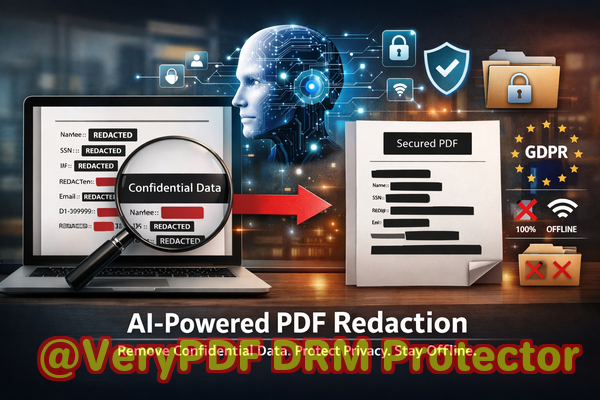
One of the biggest challenges companies face is ensuring that sensitive data is truly gone from their documents before they leave the office. Whether it’s an HR report, a legal contract, or a financial statement, even a small mistake in redaction can expose personally identifiable information (PII), trade secrets, or confidential business plans. Accidental exposure not only risks compliance fines but can also damage reputation and client relationships.
Common Business Risks When Sharing PDF Documents
1. Accidental exposure of sensitive information
Even well-intentioned employees can make mistakes. A shared PDF may include:
-
Names, emails, and phone numbers of clients or employees
-
Financial statements, bank details, or payroll information
-
Legal clauses or confidential terms in contracts
-
Internal strategies or trade secrets
If these files are shared externally without proper redaction, companies can face severe regulatory penalties under GDPR, CCPA, or HIPAA. Beyond fines, sensitive leaks can result in fraud, identity theft, or competitive disadvantages.
2. Manual redaction errors
Many businesses still rely on traditional “blackout” tools in PDF editors. These methods often only hide text visually, leaving the underlying data intact. Anyone with basic PDF knowledge can copy, search, or extract hidden information, turning a simple oversight into a potential breach.
3. Risks of online redaction tools
Employees sometimes turn to free online services to redact PDFs. While convenient, uploading confidential files to unknown servers introduces new risks:
-
Data may be stored or cached on third-party servers
-
Service terms may grant providers temporary or permanent access to uploaded files
-
Sensitive business or personal data could inadvertently be exposed
These scenarios highlight the urgent need for a secure, reliable, and fully offline solution that guarantees permanent data removal.
How AI PDF Redaction Solves These Problems
This is where VeryPDF AI PDF Redaction Tool Command Line comes in. Designed specifically for businesses that handle sensitive documents, it addresses the real-world risks outlined above with precision and efficiency.
Automatic detection of sensitive data
The tool uses AI to recognize and flag:
-
Personal identifiable information (PII) like names, addresses, and emails
-
Financial data including account numbers and payroll figures
-
Legal clauses or confidential terms
-
Trade secrets and internal strategy details
This automation removes human error from the equation, ensuring that no critical information is overlooked.
Permanent removal, not just hiding
Unlike manual redaction methods that merely cover text, VeryPDF’s tool permanently deletes the underlying content. Once a document is processed, the sensitive data is unrecoverable, providing full compliance confidence and peace of mind.
Fully offline processing
All operations occur on your local machine. Documents never leave your computer, eliminating the risk of accidental uploads or third-party access. For legal, HR, and financial teams, this is a critical privacy safeguard.
Real Business Scenarios
Scenario 1: Avoiding GDPR fines
A mid-sized consultancy once shared a PDF with a client that contained unredacted employee email addresses. By switching to VeryPDF AI PDF Redaction Tool, they automated the removal of all personal data before sending documents. This not only ensured GDPR compliance but also strengthened client trust.
Scenario 2: Securing financial reports
A finance team preparing quarterly reports was concerned that “blacked-out” figures in PDFs could still be copied. By using the offline AI redaction tool, they permanently deleted sensitive numbers and exported fully clean PDFs, preventing accidental exposure and internal leaks.
Scenario 3: Protecting legal contracts
Legal teams often draft contracts with sensitive clauses. One law firm integrated the AI redaction tool into their workflow: upload the PDF, let AI detect sensitive clauses, review, and apply redaction. This step removed all confidential data before client sharing, preventing inadvertent disclosures.
Step-by-Step Workflow
Here’s how a business can integrate AI PDF redaction into everyday operations:
-
Load the PDF into the VeryPDF AI Redaction Tool Command Line.
-
Automatic detection scans for sensitive information such as names, emails, IDs, financial data, and confidential clauses.
-
Review flagged items to ensure accurate redaction.
-
Apply redaction, permanently removing sensitive content.
-
Export a clean PDF ready for safe sharing.
This simple workflow can be applied to contracts, HR records, financial statements, medical files, or any document containing confidential information.
Key Benefits
-
Eliminate accidental data leaks Redaction is permanent, so sensitive data cannot be recovered.
-
Fully offline processing No data is ever uploaded to third-party servers.
-
AI-powered detection Reduces human error and increases speed.
-
Regulatory compliance Supports GDPR, CCPA, HIPAA, and internal privacy policies.
-
Streamlined workflow Easy to integrate into existing document management systems.
Examples of Data to Redact
-
Personal identifiable information (PII) names, emails, phone numbers, social security numbers
-
Financial information bank details, payroll data, invoices
-
Legal or contractual clauses nondisclosure terms, internal provisions
-
Trade secrets product plans, pricing strategies, internal communications
Conclusion
After using VeryPDF AI PDF Redaction Tool Command Line, I can confidently say that sharing documents no longer feels risky. It permanently removes sensitive information, works entirely offline, and ensures compliance with data protection regulations. For any business handling confidential documentslegal teams, HR departments, finance, or content creatorsthis tool is essential.
I highly recommend this to anyone who needs to share documents safely without risking data leaks or compliance issues.
Try it now and securely redact your PDFs: https://veryutils.com/smart-redact-server-ai-powered-pdf-redaction-software
Start your free trial today and ensure your sensitive data is permanently removed before sharing.
Frequently Asked Questions
1. How can I permanently remove sensitive data from a PDF instead of just hiding it?
Using AI-powered redaction, the underlying content is deleted, not just visually obscured. Once processed, data cannot be recovered.
2. Can others recover redacted information from my PDF?
No. With VeryPDF AI PDF Redaction Tool, all sensitive data is permanently removed, preventing extraction or copying.
3. Is it safe to use online PDF redaction tools?
Online tools carry risk because documents are uploaded to third-party servers. Offline tools like VeryPDF eliminate this exposure.
4. Does this tool work completely offline?
Yes. All detection and redaction occur on your local machine, ensuring 100% privacy.
5. What types of sensitive data can be automatically detected?
AI can detect PII, financial information, legal clauses, trade secrets, and other confidential content.
6. How can I ensure compliance with GDPR when sharing documents?
Redacting PII and sensitive data permanently before sharing ensures GDPR compliance. VeryPDF’s AI tool automates this process.
7. Can this tool handle multiple PDFs at once?
Yes, batch processing allows businesses to redact several documents efficiently.
8. Is technical expertise required to use this tool?
No. The command-line interface is user-friendly, with clear instructions and step-by-step automation.
9. How does AI improve redaction accuracy?
AI detects patterns of sensitive data that humans might miss, reducing errors and increasing efficiency.
10. Can I review redactions before finalizing?
Yes, the workflow includes a review step to ensure all sensitive data is correctly identified and removed.
11. Will this tool help prevent data leaks to competitors or clients?
Absolutely. By permanently removing confidential information, you mitigate the risk of accidental exposure.
Keywords
redact sensitive data, remove confidential information, PDF redaction tool, protect privacy in PDFs, prevent data leaks, offline PDF redaction, secure document sharing, AI PDF redaction, compliance-friendly PDF, permanently remove sensitive information