
Need to Protect PDF Files Without Internet?
Many companies need to send confidential PDF files to customers, employees, partners, or students. The problem is that these users are not always connected to the Internet.
Some work inside secure company networks.
Some work on factory computers.
Some work on ships, oil platforms, military bases, or remote locations.
Others simply need to read documents while traveling.
In these situations, online PDF DRM is not always practical.
The good news is that offline PDF DRM allows users to open protected PDF files without Internet access while keeping strong security.
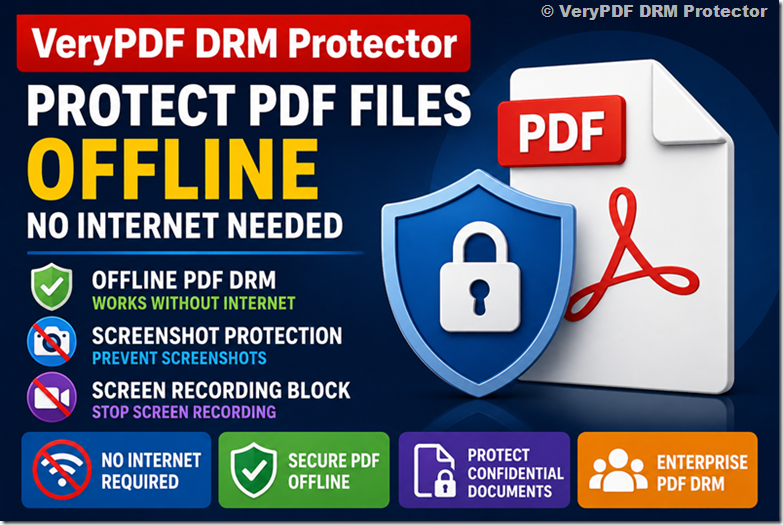
This guide explains how offline PDF DRM works, why businesses need it, how to stop screenshots and screen recording, and why VeryPDF DRM Protector is an excellent solution for publishers and document owners.
What Is Offline PDF DRM?
Offline PDF DRM is a Digital Rights Management system that protects PDF documents even when the user’s computer has no Internet connection.
Instead of checking permissions from a server every time the document opens, the security information is stored securely inside the protected document and verified locally by the PDF reader.
The reader does not need to contact a server every time the document opens.
This makes offline PDF DRM suitable for many environments where Internet access is unavailable or restricted.
Why Businesses Need DRM Without Internet
Many people think Internet access is always available.
Real business environments are different.
Examples include:
| Industry | Why Offline Matters |
|---|---|
| Manufacturing | Factory computers may not have Internet access. |
| Government | Secure internal networks often block Internet access. |
| Military | Documents must stay inside isolated systems. |
| Healthcare | Hospitals may restrict external connections. |
| Engineering | Large project sites often have unreliable Internet. |
| Education | Students may study while traveling. |
| Publishers | Customers expect documents to work anywhere. |
| Aviation | Maintenance teams often work offline. |
| Oil & Gas | Remote locations may have no Internet coverage. |
| Legal | Sensitive files should remain protected offline. |
Offline PDF protection solves these problems.
Why Password Protected PDFs Are Not Enough
Many people still protect PDF files with passwords.
Unfortunately, passwords only stop unauthorized opening.
After the document is opened, users can often:
| Password Protected PDF | Result |
|---|---|
| Take screenshots | Yes |
| Record the screen | Yes |
| Print the document | Often Yes |
| Copy text | Usually Yes |
| Share the password | Yes |
| Modify the file | Possible |
Password protection does not provide true document security.
What Is an Offline Protected PDF?
An offline protected PDF is a document that can be opened without Internet access while still enforcing security policies.
These policies may include:
- Prevent printing
- Prevent copying
- Prevent editing
- Prevent screenshots
- Stop screen recording
- Limit devices
- Set expiration dates
- Verify document integrity
Users simply open the protected file using the authorized PDF reader.
No online verification is required.
Offline PDF DRM vs Online PDF DRM
| Feature | Online PDF DRM | Offline PDF DRM |
|---|---|---|
| Internet Required | Yes | No |
| Works While Traveling | Limited | Yes |
| Factory Computers | Difficult | Excellent |
| Government Networks | Limited | Excellent |
| Screen Protection | Yes | Yes |
| Screen Recording Protection | Yes | Yes |
| Device Authorization | Online | Local |
| File Integrity Check | Yes | Yes |
Both approaches are useful.
Many publishers offer both options.
Why Offline PDF Security Is Becoming More Important
Businesses increasingly share documents outside their offices.
Examples include:
- Training manuals
- Product documentation
- Engineering drawings
- Financial reports
- Legal documents
- Healthcare procedures
- Internal policies
- Research papers
- Premium eBooks
These files often contain valuable information.
Once leaked, the damage may be impossible to reverse.
Offline document protection reduces this risk.
Can Offline PDF DRM Prevent Screenshots?
This is one of the most common questions.
The answer depends on the DRM software.
Many DRM products disable screenshot protection in offline mode because they rely on cloud services.
The latest VeryPDF DRM Protector supports offline screenshot protection.
Users cannot capture protected pages using normal Windows screenshot methods while viewing protected documents with the latest VeryPDF Reader.
This greatly improves offline PDF security.
Can Offline DRM Stop Screen Recording?
Screen recording is another major concern.
Users may try to record training videos or confidential documents using recording software.
VeryPDF DRM Protector also supports screen recording protection in offline mode.
This helps publishers prevent unauthorized video recording of protected PDF documents.
PDF Screenshot Protection Matters More Than Ever
Many information leaks happen through screenshots.
Someone may capture:
- Financial reports
- Company procedures
- Premium course materials
- Medical information
- Legal contracts
Preventing screenshots adds another layer of protection.
Although no software can stop someone from taking a photo with another device, blocking screenshots and screen recording removes the easiest methods of copying confidential information.
How Offline PDF Viewer Security Works
Offline protected documents require an authorized PDF reader.
The reader:
- Checks document permissions
- Verifies integrity
- Applies DRM restrictions
- Blocks prohibited actions
Everything happens locally.
No Internet connection is needed.
File Integrity Protection with MD5 Verification
Another important feature is document integrity.
Attackers sometimes try to modify protected PDF files.
For example, they may:
- Change DRM information
- Edit encrypted data
- Remove security fields
- Patch the file manually
VeryPDF DRM Protector performs MD5 integrity verification.
When the protected document opens:
- The reader calculates the file checksum.
- It compares the result with the stored value.
- If the file has been modified, the integrity check fails.
This makes tampering much more difficult.
Typical Offline PDF DRM Workflow
| Step | Action |
|---|---|
| 1 | Upload PDF |
| 2 | Configure DRM settings |
| 3 | Disable “Is Online VPDF (need internet)?” |
| 4 | Generate protected .vpdf file |
| 5 | Send file to users |
| 6 | Users open it using VeryPDF Reader |
Simple.
Secure.
No Internet required.
Who Needs Offline PDF Protection?
Offline DRM is useful for many industries.
| Industry | Example Documents |
|---|---|
| Publishers | eBooks |
| Universities | Course materials |
| Government | Internal reports |
| Manufacturing | Operating manuals |
| Engineering | Technical drawings |
| Healthcare | Medical procedures |
| Finance | Audit reports |
| Insurance | Claim manuals |
| Construction | Project plans |
| Legal | Confidential agreements |
Common Risks Without Offline PDF DRM
Without DRM protection, users may:
- Forward files to others
- Upload documents online
- Copy text
- Record training videos
- Print unlimited copies
- Modify PDF files
Every business should understand these risks before distributing confidential documents.
Enterprise PDF DRM Benefits
Large organizations often need additional controls.
Enterprise PDF DRM offers:
| Feature | Benefit |
|---|---|
| User authentication | Verify authorized users |
| Device limits | Prevent unlimited sharing |
| Expiration | Documents expire automatically |
| Print control | Reduce paper leaks |
| Copy protection | Protect intellectual property |
| Offline viewing | Work without Internet |
| Screenshot protection | Reduce information leaks |
| Integrity verification | Detect tampering |
Secure Document Sharing
Sending documents by email is easy.
Keeping them secure is much harder.
Offline DRM helps because the file remains protected after delivery.
Even if someone copies the file to another computer, DRM restrictions still apply.
Offline PDF Viewer for Publishers
Publishers often receive questions like:
- Can readers use my eBook without Internet?
- Can I stop screenshots?
- Can I prevent copying?
- Can I limit devices?
- Can I disable printing?
Offline DRM provides answers to all of these.
Real Example
A publisher sells engineering manuals.
Customers work inside secure factories.
Internet access is not available.
The publisher creates an offline protected PDF using VeryPDF DRM Protector.
Customers install VeryPDF Reader.
Now they can:
- Read offline
- Cannot take screenshots
- Cannot record the screen
- Cannot modify the file
- Cannot bypass integrity verification
The publisher protects valuable intellectual property while providing a good reading experience.
Why Choose VeryPDF DRM Protector?
VeryPDF DRM Protector is designed for organizations that need professional PDF protection.
Main features include:
- Offline PDF DRM
- Online PDF DRM
- PDF rights management
- Enterprise PDF DRM
- Offline PDF viewer
- Screen protection
- Screen recording protection
- Dynamic watermarks
- Copy protection
- Print control
- Device authorization
- User authentication
- PDF expiration
- MD5 file integrity verification
- Secure document sharing
- Offline document protection
It is suitable for publishers, training companies, engineering firms, healthcare organizations, government agencies, financial institutions, and businesses that distribute confidential PDF files.
Frequently Asked Questions
1. What is offline PDF DRM?
Offline PDF DRM protects PDF documents without requiring an Internet connection after distribution.
2. Can users open protected PDFs without Internet?
Yes. They can use the authorized offline PDF viewer.
3. Can offline DRM prevent screenshots?
Yes. VeryPDF DRM Protector supports screenshot protection in offline mode.
4. Can it stop screen recording?
Yes. Screen recording protection is supported in the latest Windows reader.
5. Does offline DRM still verify document security?
Yes. The reader checks permissions and file integrity locally.
6. What happens if someone changes the protected file?
The MD5 integrity verification detects modifications and prevents normal access.
7. Is password protection enough?
No. Passwords cannot stop screenshots, screen recording, or many forms of document sharing.
8. Can I protect confidential PDF files?
Yes. DRM adds much stronger protection than standard PDF passwords.
9. Which industries use offline PDF DRM?
Publishers, government agencies, healthcare providers, engineering companies, manufacturers, universities, and many others.
10. Does offline DRM require a server?
No. Users can open protected files without contacting a DRM server.
11. Can I limit printing?
Yes. Printing permissions can be completely disabled or restricted.
12. Can I stop copying text?
Yes. DRM can prevent copying and other unauthorized actions.
13. Can I limit how many devices can open the document?
Yes. Device authorization and activation limits are supported.
14. Can I set document expiration dates?
Yes. You can configure expiration based on date, number of days, or usage policies.
15. Why is VeryPDF DRM Protector a good choice?
Because it combines offline PDF DRM, screenshot protection, screen recording protection, enterprise PDF rights management, and file integrity verification in one solution.
Final Thoughts
If you need to protect PDF files offline, prevent screenshots, stop screen recording, and share confidential documents without Internet access, a standard PDF password is not enough.
A modern offline PDF DRM solution gives you much stronger control over your documents while allowing authorized users to work anywhere.
VeryPDF DRM Protector helps publishers and document owners secure valuable PDF content with offline viewing, enterprise PDF rights management, screenshot protection, screen recording protection, MD5 integrity verification, and secure document sharing, all without requiring an Internet connection after the protected document has been delivered.