
Do you want to know how many people actually opened your PDF? Do you want to see which books a user has read?
Many publishers, training companies, and document owners ask these questions every day. They send protected PDF files to hundreds or thousands of users, but they cannot quickly find answers such as:
- How many unique users opened this book?
- Which books did a specific user read?
- How many times was a document accessed?
- Which files are the most popular?
- What happened during a specific date range?
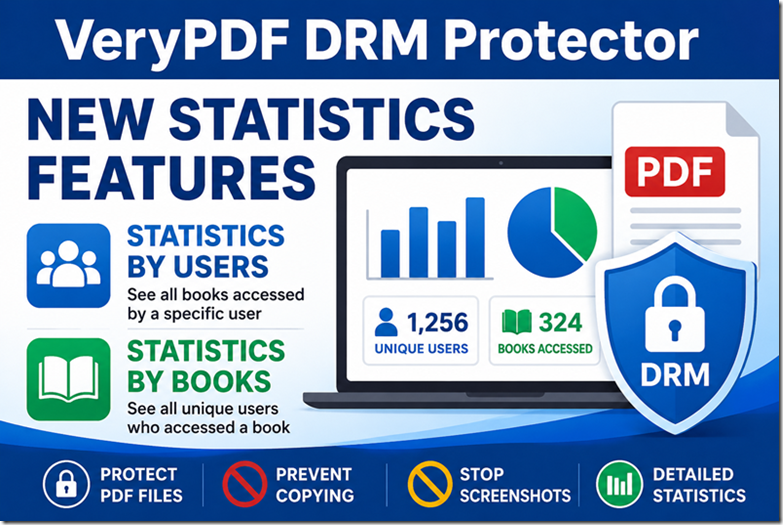
To help solve these problems, VeryPDF DRM Protector has added two new statistics features.
These new reports make it much easier to understand how people use your protected PDF files.
What Are the New Statistics Features?
VeryPDF DRM Protector now includes:
| Feature | Description |
|---|---|
| Statistics by Users | See all books opened by a specific user. |
| Statistics by Books | See all unique users who opened a specific book. |
| Statistics Reports | View summary reports for document activity. |
These features are available from the Activity Details page.
-
Open the Activity Details page.
-
Click the Statistics icon beside the “Show XXX entries” label.
-
Select one of the available options:
- Statistics Reports
- Statistics by Users
- Statistics by Books
Within seconds, you can generate detailed reports.
Why Are These Features Important?
Many systems only show a long list of access logs. This becomes difficult when you have hundreds of books and thousands of users.
For example:
| Problem | Old Method |
|---|---|
| Find unique readers of a book | Manually count log entries |
| Find books opened by John Smith | Search logs one by one |
| Check activity since July 27, 2026 | Export and filter data manually |
| Create reading reports | Build custom spreadsheets |
With the new statistics functions, these tasks take only a few clicks.
Statistics by Books
This feature answers one simple question:
“How many unique users opened my book?”
Imagine that you sent a protected PDF handbook to 1,000 customers.
The access log may contain:
| User | Opens |
|---|---|
| User A | 25 |
| User B | 12 |
| User C | 7 |
| User D | 18 |
Without statistics, you would see 62 log entries.
With Statistics by Books, you immediately know:
- Total unique users: 4
- Total opens: 62
- Selected date range: July 27, 2026 to July 29, 2026
This is especially useful for:
- Training materials
- Employee handbooks
- Product manuals
- University course PDFs
- Digital books
- Customer documentation
Statistics by Users
Another common question is:
“What books has this user accessed?”
Suppose a company employee has access to 50 protected PDFs.
Using Statistics by Users, administrators can quickly see:
| User | Books Accessed |
|---|---|
| Michael | Employee Guide, Security Policy, HR Handbook |
| Sarah | Sales Training, Product Manual |
| David | Compliance Guide, Safety Instructions |
This feature is useful for:
- Employee training
- Customer onboarding
- Compliance tracking
- Education platforms
- Corporate learning systems
Instead of reviewing thousands of log entries, you can immediately see a user’s reading history.
Statistics Reports
The Statistics Reports option gives you an overview of activity.
Typical reports include:
| Information | Available |
|---|---|
| Total opens | Yes |
| Unique readers | Yes |
| Books accessed | Yes |
| Date filtering | Yes |
| User activity | Yes |
| Book activity | Yes |
This helps answer questions such as:
- Which books are most popular?
- Which users are active?
- Which documents are never opened?
- How many readers did a book have this month?
- Which training materials need improvement?
Real Customer Request
These features were added after customers requested them.
One customer asked:
“I want to know the real number of customers who opened the same file.”
Another customer asked:
“Can I see all books accessed by one user?”
These are simple questions, but they are important for businesses that rely on document analytics.
After receiving this feedback, VeryPDF added these functions directly to the system.
Where Can You Find These Features?
Open the following page in your account:
- Activity Details
Then click the Statistics icon near the “Show XXX entries” option.
You will see:
| Menu Option |
|---|
| Statistics Reports |
| Statistics by Users |
| Statistics by Books |
No additional setup is required.
Who Will Benefit?
These new statistics features are useful for:
- Publishers
- Training companies
- Schools
- Universities
- HR departments
- Corporate teams
- Membership websites
- Ebook sellers
- Software companies
- Digital content creators
If you distribute protected PDF files, these reports can save a lot of time.
Why Use VeryPDF DRM Protector?
VeryPDF DRM Protector does more than protect PDF files.
It also helps you understand how your documents are used.
Main features include:
- PDF DRM protection
- Prevent copying
- Prevent printing
- Prevent screenshots
- Dynamic watermarks
- Device locking
- Expiration dates
- User permissions
- Reading analytics
- Statistics reports
- Unique user tracking
- Document access logs
This makes it a good choice for companies that want both security and reporting.
Final Thoughts
Document security is important, but knowing who reads your files is just as important.
The new Statistics by Users and Statistics by Books features help answer two common questions:
- Who opened my book?
- What books did this user read?
Instead of spending time searching through access logs, you can now get answers in a few clicks.
If you need PDF DRM protection together with document analytics, VeryPDF DRM Protector provides both in one platform.
Frequently Asked Questions (FAQ)
1. What is Statistics by Books?
It shows all unique users who opened a specific book or PDF.
2. What is Statistics by Users?
It shows all books accessed by a specific user.
3. Can I filter reports by date?
Yes. You can select a date range when generating reports.
4. Can I count unique PDF readers?
Yes. The Statistics by Books feature does this automatically.
5. Does VeryPDF DRM Protector support reading analytics?
Yes. It includes document activity tracking and reading statistics.
6. Can I see how many times a PDF was opened?
Yes. Access logs and statistics reports provide this information.
7. Are these features available for all protected PDFs?
Yes. They work with documents protected by VeryPDF DRM Protector.
8. Can businesses use these reports for employee training?
Yes. Many companies use them to monitor training completion.
9. Can schools track student access to course materials?
Yes. Schools and universities can see which students accessed specific documents.
10. Do I need additional software?
No. The reports are available directly in the VeryPDF DRM Protector web interface.
11. Can I export these statistics?
Export support depends on your account settings and future updates.
12. Why are unique user statistics useful?
They help you understand the real number of readers instead of counting repeated opens from the same person.