How Brexit, GDPR, and Data Protection Affect Confidential Document Management

The recent political and regulatory shifts surrounding Brexit have raised numerous concerns regarding data protection, especially when it comes to the handling and safeguarding of confidential documents. The complexity surrounding GDPR (General Data Protection Regulation) compliance has led to widespread confusion regarding the definition of personal data and the measures necessary to protect it. As the UK transitions to being classified as a “third country” for data protection purposes, these concerns are amplified. In this article, we explore the importance of protecting confidential documents, the implications of Brexit on GDPR compliance, and how tools like VeryPDF DRM Protector can help ensure that your sensitive data remains secure.
How Brexit, GDPR, and Data Protection Affect Confidential Document Management

The Impact of Brexit on Data Protection and GDPR Compliance

Brexit marks a significant shift in how personal data is handled between the UK and the European Union. With the UK no longer part of the EU, it is no longer subject to the same data protection frameworks and agreements that apply to EU member states. As a result, the UK is classified as a “third country” under GDPR, which means that personal data transferred between the EU and the UK must be handled with additional safeguards to ensure compliance with GDPR.

For businesses in the UK and the EU that rely on transferring personal data, the consequences of Brexit could lead to challenges in maintaining GDPR compliance. This is particularly true for organizations that handle sensitive information, such as personal details, financial data, or proprietary business documents. The increased complexity of cross-border data transfers highlights the need for robust document protection solutions that can ensure confidentiality and integrity while complying with GDPR’s strict requirements.

Understanding Personal Data and Confidential Document Protection

Personal data is broadly defined under GDPR as any information that can identify a living individual, whether directly or indirectly. This can include names, email addresses, identification numbers, or even location data when combined with other identifiers. As such, businesses must take proactive steps to protect confidential documents that contain personal data, especially in an era where data breaches and unauthorized access are growing concerns.

It’s essential to identify when a document contains personal data and apply appropriate protection measures to ensure that unauthorized parties cannot access or misuse the information. But protecting documents goes beyond just safeguarding personal data; it also involves securing proprietary business information and classified documents, which may include intellectual property, trade secrets, or government data. Whether you’re dealing with a single document or a large batch of sensitive files, using secure document protection methods can prevent exposure and misuse.

Are Traditional Document Handling Tools Sufficient?

Many common document handling applications are designed for collaboration and file sharing, making it easy to work with colleagues or clients on a document. However, these tools may not offer sufficient protection for sensitive or confidential data. With the increasing number of cyber threats and data breaches, organizations must adopt specialized tools that provide robust document security, especially when it comes to restricting access and controlling the use of confidential documents.

For confidential documents, it’s vital to implement solutions that prevent unauthorized users from using basic functions like “Save” or “Save As” to create copies of documents. In addition, features such as disabling the Print Screen key and blocking screen capture software can help further safeguard documents from being stolen or shared unintentionally.

Enhancing Confidential Document Protection with DRM

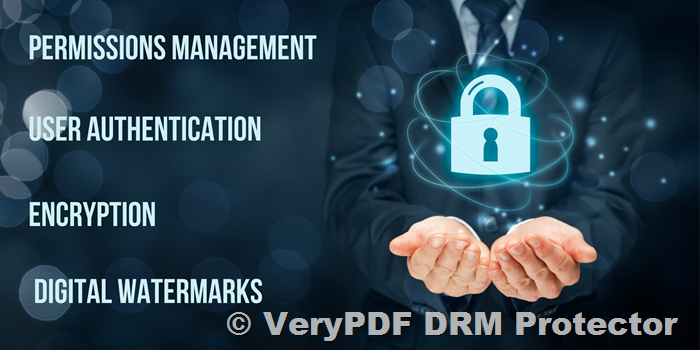
One of the most effective ways to protect confidential documents is through the use of Digital Rights Management (DRM) solutions. DRM tools enable organizations to control access to documents, ensuring that only authorized individuals can view, modify, or distribute files. DRM technology can provide additional layers of protection, such as encryption, document access restrictions, and the ability to prevent users from copying, printing, or distributing sensitive information.

With DRM solutions like VeryPDF DRM Protector, businesses can secure confidential documents and control how they are shared with others. For example, VeryPDF DRM Protector allows users to apply document encryption, prevent unauthorized copying or editing, and limit access based on specific permissions. This ensures that sensitive information is only accessible to the individuals for whom it was intended, and it also allows organizations to monitor and track document usage for compliance and security purposes.

Protecting Documents with VeryPDF DRM Protector

VeryPDF DRM Protector is a powerful document protection tool that can help organizations secure their confidential data while ensuring compliance with GDPR and other data protection regulations. Using VeryPDF’s DRM Protector, businesses can protect their documents with encryption and define specific usage restrictions, such as limiting access to certain IP addresses or requiring users to authenticate online to open a document.

To get started with VeryPDF DRM Protector, simply upload your PDF file to https://drm.verypdf.com/online/ and select the option to “Make Secure PDF.” This easy-to-use online platform allows businesses to quickly apply protection to their files, ensuring that unauthorized access is prevented, even if the document is shared outside the corporate network.

Additionally, VeryPDF DRM Protector allows for extensive control over document expiration, revocation, and licensing. This means that you can set specific access dates, automatically revoke user access when needed, and ensure that documents are no longer usable after a predefined period. This is especially important when dealing with legal retention periods or the expiration of contracts, as it ensures compliance with regulations and protects against the risk of unauthorized document usage.

Document Tracking and Leak Prevention

Another essential feature of VeryPDF DRM Protector is its ability to track document usage and trace potential leaks. By adding dynamic watermarks to viewed or printed documents, the tool helps identify the individual responsible for sharing or leaking sensitive information. These watermarks can act as a deterrent against unauthorized distribution, as the person responsible for any leaks can be easily traced.

Additionally, VeryPDF DRM Protector provides detailed logs of document access, showing who accessed a document and when it was used. This feature is particularly useful for auditing purposes, as it allows businesses to demonstrate compliance with GDPR and other data protection regulations. By tracking document use, organizations can show where personal data has been accessed, printed, or distributed, providing a transparent record for audits.

Conclusion

As businesses continue to navigate the complexities of GDPR compliance and data protection in the wake of Brexit, it is essential to implement comprehensive solutions that secure confidential documents and prevent unauthorized access. VeryPDF DRM Protector offers a robust toolset for encrypting, protecting, and tracking documents, ensuring that sensitive information is kept secure and compliant with regulations.

To try it out, upload your PDF file to VeryPDF’s DRM Protector online platform and explore its features with a free trial. With DRM protection in place, you can safeguard your documents against unauthorized use, track their distribution, and demonstrate compliance with data protection laws.

FAQs
  1. What is GDPR and why is it important for businesses?

    • GDPR is a regulation set by the European Union to protect the personal data of individuals. It imposes strict rules on how businesses collect, store, and process personal data, ensuring that individuals’ privacy rights are respected.
  2. How can DRM protect my confidential documents?

    • DRM technology helps prevent unauthorized access to documents by encrypting them and setting restrictions on actions such as copying, printing, or sharing. It also enables you to track document usage and revoke access when needed.
  3. What happens if a user tries to bypass DRM protections?

    • DRM solutions like VeryPDF DRM Protector prevent users from bypassing protections by controlling access through secure authentication and restricting actions such as copying or saving the document.
  4. Can I apply DRM protection to existing documents?

    • Yes, you can easily apply DRM protection to existing documents by uploading them to VeryPDF DRM Protector and selecting the appropriate security settings.
  5. How can I track who is using my protected documents?

    • VeryPDF DRM Protector provides detailed logs and dynamic watermarks, allowing you to monitor document usage and trace any potential leaks back to the authorized user.
How Document DRM Systems Work: Overview of PDF Security, Protection, and Digital Rights Management

In an increasingly digital world, the importance of safeguarding sensitive documents cannot be overstated. This is where Document DRM (Digital Rights Management) systems come into play, providing robust solutions to prevent unauthorized access, copying, or distribution of digital files. Among the various DRM technologies available in the marketplace, VeryPDF DRM Protector stands out for its unique approach to document security, offering both ease of use and advanced protective features.

How Document DRM Systems Work: Overview of PDF Security, Protection, and Digital Rights Management

What is Document DRM?

Document DRM refers to a set of technologies designed to control and protect the access and usage of digital documents. These systems enable publishers and businesses to manage who can view, edit, print, and share their documents, ensuring that sensitive or valuable content is not misused or leaked. DRM solutions have become an essential tool for organizations looking to protect intellectual property, prevent information theft, and enforce compliance with regulations.

Why Use Document DRM?

The need for document DRM is driven by several factors. Below are some of the key reasons why businesses and individuals rely on DRM systems for document protection:

  1. Revenue Protection: DRM ensures that content cannot be copied or redistributed without authorization, protecting the business’s revenue streams.
  2. IPR Theft Prevention: Intellectual Property Rights (IPR) protection is vital, especially in industries where content, such as research, design, and proprietary information, is highly valuable.
  3. Regulatory Compliance: Certain industries are bound by strict regulations regarding the sharing and storage of sensitive documents. DRM helps ensure compliance with these rules.
  4. Secure Sharing: DRM enables users to securely share documents, without fear of unauthorized access or distribution.
  5. Cost and Time Savings: By eliminating the need for physical document management and reducing the risks of document leaks, DRM can save businesses both time and money.
The Right Document DRM Solution: Key Features

When choosing a DRM solution, not all systems are created equal. Security and functionality should be top priorities, and there are certain features you should look for in a PDF DRM software to ensure comprehensive protection.

1. Web-Based DRM Systems

Many document DRM solutions require users to log in via a web portal to access ‘protected’ documents. While this approach may seem convenient, it has significant security flaws. Unprotected documents are often uploaded to third-party servers where encryption is applied, but there is no guarantee that these documents are securely handled.

At VeryPDF, we offer a safer alternative. VeryPDF DRM Protector’s Web Viewer ensures that only protected documents—those that have been encrypted and have DRM controls applied—are uploaded to the cloud. We decrypt documents directly on the client device, meaning no temporary files are created that could potentially be exploited.

2. Client-Side Protection

Instead of relying on third-party servers or JavaScript-based protections, VeryPDF DRM Protector uses installed secure PDF Viewers on the client-side to apply DRM controls. This method provides several advantages:

  • No password vulnerabilities: Unlike Adobe’s password protection system, which can be easily bypassed, VeryPDF’s solution doesn’t rely on weak passwords.
  • Protection from unauthorized sharing: By controlling where documents can be opened, we prevent users from sharing files with unauthorized individuals.
  • No risk of unencrypted uploads: Documents are never uploaded in an unprotected state, eliminating the risk of sensitive files being compromised during transfer.
3. Robust Document Control Features

VeryPDF DRM Protector offers advanced features to ensure documents remain secure throughout their lifecycle. Some of the key functionalities include:

  • Copy and Paste Protection: Users cannot copy or paste content from the document into other applications.
  • Printing Restrictions: Administrators can control printing options, including preventing prints, limiting the number of prints, or allowing unrestricted printing.
  • Watermarking: Dynamic watermarks can be added to documents to identify the user, ensuring accountability.
  • Document Expiry: Documents can be set to expire after a certain number of views, days, prints, or a fixed date.
  • Revocation: Documents or user access can be revoked at any time, providing a quick response if a security breach is detected.
  • Offline and Flexible Usage: Users can work offline or be restricted to always-online access, depending on the need.
How to Use VeryPDF DRM Protector

Getting started with VeryPDF DRM Protector is simple and user-friendly. Unlike complex systems that require extensive configuration, our solution allows you to apply DRM protection to your documents with just a few clicks.

  1. Upload Your PDF File: Visit the VeryPDF DRM Protector website and upload your PDF file to the platform.
  2. Select “Make Secure PDF”: After uploading your document, simply select the option to secure it. VeryPDF will apply all necessary DRM controls to protect your content.
  3. Download Your Protected PDF: Once your document is secured, you can download it, knowing that it is fully protected from unauthorized access.
Why Choose VeryPDF DRM Protector?

What sets VeryPDF DRM Protector apart from other DRM systems is its emphasis on simplicity, security, and flexibility. Our software offers comprehensive protection without the need for complex key management or plugin installations. With both cloud-based and installed PDF viewers, we provide you with multiple ways to protect and manage your documents based on your specific needs.

Additionally, our system avoids common weaknesses found in other DRM solutions, such as unprotected file uploads or reliance on password-based protection. With VeryPDF, you can rest assured that your documents are fully secure.

Free Trial Available

Interested in experiencing the power of VeryPDF DRM Protector? You can try it for free online at https://drm.verypdf.com/online/. This free trial gives you full access to the software, so you can see for yourself how easy it is to protect your PDFs.

Frequently Asked Questions (FAQs)
  1. What types of documents can I secure using VeryPDF DRM Protector?

    • You can secure any PDF document using the VeryPDF DRM Protector, ensuring it is protected from unauthorized access, sharing, and printing.
  2. Is the DRM protection applied to the document irreversible?

    • Yes, once a document is protected with DRM, the restrictions cannot be bypassed or removed without authorization, offering long-term security.
  3. Can I restrict document access by location or device?

    • Yes, you can lock document access to specific devices, locations, or even IP addresses, ensuring that only authorized users can view the content.
  4. Does VeryPDF DRM Protector offer offline access to protected documents?

    • Yes, you can allow offline access to your protected documents while still maintaining strict security controls.
  5. Can I revoke document access at any time?

    • Absolutely! You have the ability to revoke access to a document at any time, preventing unauthorized users from accessing it.
Conclusion

In today’s digital age, protecting sensitive documents is more important than ever. With VeryPDF DRM Protector, businesses and individuals can ensure that their PDFs remain secure, confidential, and protected from unauthorized access. Whether you need to prevent document sharing, restrict printing, or apply dynamic watermarks, VeryPDF offers a comprehensive and easy-to-use solution that guarantees the highest level of document security. Try it today with the free online trial and take control of your document protection strategy.

Why PDF Document Tracking Needs DRM: Protecting, Securing, and Managing Your Documents with Digital Rights Management

In today’s digital world, managing and securing sensitive information in PDF documents is a growing concern. Digital documents flow around the internet rapidly, making it difficult for document owners to maintain control over their content. Whether it’s for commercial or regulatory purposes, understanding how PDF document tracking works and implementing Digital Rights Management (DRM) solutions is vital for ensuring that these documents are used responsibly and securely.

PDF document tracking is crucial for document owners who need to monitor where their documents have been, when they’ve been accessed, and by whom. This is particularly important in scenarios where the document contains sensitive or proprietary information. With the rise of digital communication and file-sharing technologies, documents are easily circulated and can fall into unauthorized hands. Without DRM, these documents may be altered or misused, and tracking them becomes nearly impossible.

Why PDF Document Tracking Needs DRM: Protecting, Securing, and Managing Your Documents with Digital Rights Management

Why Is Document Tracking Important?

There are several reasons why tracking PDF documents is necessary. For commercial entities, document owners may want to ensure that their PDFs are only being accessed by authorized individuals. For example, a company distributing a proprietary report might want to confirm that it’s only being read by specific recipients, not by competitors or unauthorized users. Furthermore, owners may need to track when documents are being printed, as printing could indicate that documents are being shared or distributed beyond the intended audience.

From a regulatory perspective, organizations may be required to prove that their staff or clients have reviewed certain documents, especially if these documents contain legal, regulatory, or compliance-related information. Companies might need to demonstrate that employees have read and acknowledged critical policies or procedures, even if they haven’t fully understood them. However, achieving this level of oversight without DRM is incredibly challenging because a document’s integrity cannot be guaranteed without proper protection.

Addressing the Challenges in PDF Tracking

Tracking PDF documents is not without its challenges. One of the primary issues is ensuring that the content of the document remains unaltered. If a PDF document can be edited by anyone, then it becomes almost impossible to verify what was actually tracked. As such, there’s a need for an encryption-based solution like DRM that prevents unauthorized editing or modification of the document’s content.

Another challenge is authenticating the user who is accessing the document. This can be particularly difficult in environments where documents are shared across multiple devices and systems. Unlike artificial intelligence-based systems that require facial recognition or other sensitive personal data, DRM solutions often authenticate users through machine identities, which are more secure and less intrusive. This ensures that documents are only accessible to authorized machines, providing a reliable level of control and preventing unauthorized access.

How DRM Protects PDF Documents and Enables Tracking

Digital Rights Management (DRM) is a technology designed to control how a document is used, shared, and tracked. DRM works by encrypting the document’s content and restricting actions such as printing, copying, and editing. With DRM-enabled PDFs, document owners can track who is accessing their files, from which devices, and in which locations, without the need for intrusive measures like facial recognition.

One of the key benefits of DRM for PDF tracking is its ability to provide location-based control. By utilizing IP addresses, DRM systems can pinpoint the geographical location of the device accessing the document. This allows document owners to prevent access from unauthorized regions or locations, enhancing the security and control over their documents. Moreover, with DRM, document owners can track the time and frequency of document access, ensuring that the content is being used in the manner intended.

VeryPDF DRM Protector: A Solution for PDF Document Tracking

When it comes to DRM solutions for PDF document protection and tracking, VeryPDF DRM Protector stands out as a comprehensive tool. This software allows you to secure your PDFs and monitor their usage with ease. Whether you’re a business, an educator, or a legal professional, VeryPDF DRM Protector offers a reliable way to manage your documents and ensure they are only accessed by authorized users.

To use VeryPDF DRM Protector, simply upload your PDF file to https://drm.verypdf.com/online/ and select the option to “Make Secure PDF.” The software will instantly apply DRM protections to the document, preventing unauthorized access, editing, or printing. This online service is easy to use and offers a free trial for you to explore its features.

Key Features of VeryPDF DRM Protector
  1. Encryption and Access Control: VeryPDF DRM Protector encrypts your PDF documents, ensuring that only authorized users can open and view them. The software also allows you to restrict printing, copying, and sharing, giving you full control over how your document is used.

  2. User Authentication: The software tracks users based on their machine identity, making it easier to identify and authenticate authorized individuals without violating privacy regulations.

  3. Location Tracking: VeryPDF DRM Protector enables you to track the geographical location of users who access your documents, allowing you to prevent unauthorized access from specific regions.

  4. Document Usage Tracking: The software tracks who is accessing your document, when they’re accessing it, and what actions they’re performing. This data is available only to the document owner, ensuring that your privacy is maintained.

  5. Secure Online Service: VeryPDF DRM Protector offers a free online trial at https://drm.verypdf.com/online/, allowing you to experience the full functionality of the software before committing to a subscription.

FAQs on PDF Document Tracking and DRM

1. What is DRM and how does it protect my PDF?

DRM (Digital Rights Management) is a technology that protects digital content by encrypting the document and controlling actions such as printing, copying, and editing. DRM ensures that only authorized users can access the content.

2. How can I track my PDF documents?

Using DRM technology like VeryPDF DRM Protector, you can track who has accessed your document, when they accessed it, and from which devices or locations. The software provides detailed tracking data to help you manage your documents effectively.

3. Can I prevent users from printing my PDF?

Yes, VeryPDF DRM Protector allows you to restrict printing and other actions, ensuring that your document is not misused or distributed without your permission.

4. Is my personal data protected when using DRM?

VeryPDF DRM Protector does not collect personal data. Any data collected for tracking purposes is only accessible by the document owner, ensuring privacy and compliance with data protection regulations.

5. How do I start using VeryPDF DRM Protector?

Simply visit https://drm.verypdf.com/online/ to upload your PDF file and use the “Make Secure PDF” option. The software applies DRM protections and allows you to track document usage.


With the growing need for document security and tracking, implementing DRM solutions like VeryPDF DRM Protector ensures that you retain full control over your PDF files, protecting them from unauthorized access and misuse. Try the service today for free at https://drm.verypdf.com/online/ and experience the peace of mind that comes with knowing your documents are secure.

DRM, Data Protection, and Compliance with the California Consumer Privacy Act (CCPA)

In today’s digital landscape, securing personal data and sensitive information has become a paramount concern for individuals, businesses, and governments alike. With the rise of cyber threats, data breaches, and increasingly stringent privacy regulations, it is crucial to implement effective solutions for protecting information. Digital Rights Management (DRM) is one such technology that helps safeguard data from unauthorized access, misuse, and distribution. Among the many DRM solutions available, VeryPDF DRM Protector stands out as a reliable and user-friendly tool to help businesses and individuals protect their PDF documents from unauthorized use.

DRM, Data Protection, and Compliance with the California Consumer Privacy Act (CCPA)

Understanding DRM and Its Importance

Digital Rights Management (DRM) refers to a set of technologies used to control how digital content is accessed, used, and distributed. DRM is particularly important for protecting copyrighted material, ensuring that it is not shared, modified, or distributed without proper authorization. As more regulations are introduced to protect personal data and privacy, DRM plays a crucial role in helping businesses comply with data protection laws.

Privacy Regulations: GDPR and CCPA

In recent years, privacy regulations have become more stringent, with significant changes brought about by the General Data Protection Regulation (GDPR) in the European Union and the California Consumer Privacy Act (CCPA) in the United States. These regulations aim to protect the personal data of individuals and give them more control over how their data is used. The GDPR, which came into effect in May 2018, set higher standards for data protection and imposed severe penalties for non-compliance. Similarly, the CCPA, which was enacted in 2020, aims to limit the sale of personal data and provides consumers with the right to opt-out of such sales.

While these regulations focus on the collection and use of personal data, they are closely tied to the concept of Digital Rights Management (DRM). DRM helps prevent the unauthorized sharing and misuse of protected data, ensuring that organizations comply with privacy laws such as the GDPR and CCPA.

How DRM Helps Protect Data

DRM technologies are designed to provide control over who can access sensitive data and what they can do with it. Here’s how DRM can help protect data in various ways:

1. Identifying the Correct Recipient of Information

One of the key aspects of DRM is the ability to ensure that only authorized individuals can access protected information. Effective DRM solutions like VeryPDF DRM Protector help authenticate users and verify their identities. For example, DRM can link a user’s identity to the device they are using, ensuring that only the authorized user can access the content.

This method of authentication can be set up dynamically, reducing the need for manual administration while providing a reliable means of controlling access. Additionally, DRM solutions can incorporate additional identification mechanisms, such as Public Key Infrastructure (PKI), to enhance security.

2. Preventing Information from Being Shared

DRM is particularly useful for preventing recipients from forwarding or redistributing protected information. This is especially important when dealing with sensitive personal or business data. By encrypting the document and locking it down, DRM ensures that the document cannot be shared without authorization.

This feature is beneficial for organizations that need to comply with regulations such as the CCPA, which mandates that businesses must take reasonable measures to prevent unauthorized access to personal information.

3. Protecting Data from Alteration

One of the most powerful features of DRM is its ability to prevent unauthorized modifications to protected documents. Encryption ensures that data cannot be tampered with, while DRM systems can restrict editing, annotation, and printing. This helps maintain the integrity of the document and prevents forgery or misrepresentation of information.

4. Controlling Document Access by Location

In some cases, it may be necessary to restrict access to documents based on the user’s location. For example, an organization may want to limit access to sensitive documents to specific geographical regions or locations, such as certain offices or buildings. DRM allows organizations to enforce these types of location-based restrictions, further enhancing data security.

5. Revoking Access When Necessary

DRM also offers the ability to revoke access to protected documents at any time. This feature is particularly valuable in cases where a document has been compromised or when an authorized user’s access needs to be revoked. Through a process known as “license revocation,” organizations can ensure that documents are no longer accessible to unauthorized users, even if they have already been downloaded.

6. Logging Document Use for Accountability

For organizations dealing with sensitive or regulated data, it is important to track how documents are being used. DRM solutions provide the ability to log document use, including who accessed the document, when it was accessed, and whether it was printed or shared. This feature ensures that organizations can maintain an accurate record of document access and use, which can be critical for compliance with regulations.

Why Choose VeryPDF DRM Protector?

When it comes to DRM solutions, VeryPDF DRM Protector is an excellent choice for individuals and organizations looking to protect their PDF documents. Here’s why:

  • Ease of Use: With VeryPDF DRM Protector, securing your PDFs is simple. You can easily upload your PDF file to VeryPDF’s online DRM Protector and select “Make Secure PDF” to apply security settings to your document.

  • Comprehensive Protection: VeryPDF DRM Protector offers a range of security features, including encryption, document expiration, access logging, and more, ensuring that your documents remain safe from unauthorized access or modification.

  • Flexible Licensing: The software provides a flexible licensing system that allows you to control how and when documents are accessed, making it easier to manage document security at scale.

  • Free Trial: You can try out the software for free online at drm.verypdf.com/online, allowing you to evaluate its capabilities before making a commitment.

  • Compliance Support: VeryPDF DRM Protector helps organizations comply with privacy regulations like GDPR and CCPA by preventing unauthorized access to personal and sensitive data.

FAQs

1. What is DRM?

DRM stands for Digital Rights Management, which refers to technologies used to control the access, use, and distribution of digital content to prevent unauthorized sharing and misuse.

2. How does VeryPDF DRM Protector work?

You can upload your PDF file to VeryPDF’s online DRM Protector and select “Make Secure PDF” to apply encryption, access controls, and other security measures to protect your document.

3. Is there a free trial for VeryPDF DRM Protector?

Yes, you can try VeryPDF DRM Protector for free online at drm.verypdf.com/online.

4. Can DRM prevent document alterations?

Yes, DRM uses encryption to prevent unauthorized alterations to protected documents, ensuring the integrity of the information.

5. Can I track who accessed my document?

Yes, VeryPDF DRM Protector logs document access, including who accessed the document and when, providing accountability for sensitive data.

Conclusion

In an era where data privacy and security are of utmost importance, VeryPDF DRM Protector offers a powerful and easy-to-use solution for protecting your sensitive documents. Whether you are an individual, a small business, or a large enterprise, implementing DRM technology is an essential step in safeguarding your data from unauthorized access, misuse, and modification. Try it today with a free trial at VeryPDF DRM Protector and take control of your document security.

Enhancing Data Security and Document Protection: Using DRM to Prevent Data Breaches and Enforce Document Security

In an era where cyber threats and data breaches are becoming alarmingly frequent, the need for advanced document security measures has never been more pressing. Organizations across various industries—ranging from healthcare to finance—are struggling with the relentless increase in data breaches. From high-profile corporate hacks to personal data being exposed to malicious third parties, the world is witnessing a dramatic rise in security incidents. It has become crucial to not only secure sensitive information but also ensure it is protected throughout its lifecycle, from storage to distribution.

Enhancing Data Security and Document Protection: Using DRM to Prevent Data Breaches and Enforce Document Security

The Escalating Risk of Data Breaches

2019 marked a turning point in the world of cybersecurity, with a sharp spike in data breaches. The year was defined by high-profile incidents where large organizations, particularly in the healthcare, retail, and government sectors, suffered from significant data leaks. Research by Risk Based Security revealed that there were over 5,000 data breaches that year alone, exposing a staggering 7.9 billion records. As a result, organizations were faced with the harsh reality of not only financial losses but also irreversible damage to their reputation.

The financial cost of a data breach can be substantial. According to IBM, organizations can lose over $4 million on average from each data breach due to investigation costs, legal actions, fines, and security measures to prevent future incidents. In addition to financial losses, the reputational damage can be even more costly in the long term. For individuals, the stolen personal data can lead to identity theft, fraudulent activity, and a range of other financial and social consequences. The widespread misuse of sensitive information, such as social security numbers and medical records, can have devastating effects on millions of people.

Why You Need Document Security Solutions

Traditional file encryption has long been used to protect sensitive information. However, encryption alone is not enough to secure documents once they are accessed by recipients. The moment a file is decrypted, it becomes vulnerable to sharing, editing, copying, and other activities that compromise its integrity. Without additional safeguards in place, an encrypted document is still at risk of being misused or stolen.

This is where Digital Rights Management (DRM) comes into play. DRM provides a much more advanced level of document security, offering a comprehensive solution to protect confidential information and ensure compliance with privacy regulations. By implementing DRM technology, organizations can secure their files beyond encryption, allowing them to control who accesses the document, what they can do with it, and even track its usage.

The Advantages of Using DRM for Document Protection

A DRM solution offers many advanced features that go far beyond traditional encryption. Here are some of the key advantages of using DRM to protect your documents:

  • Access Control: DRM allows organizations to control exactly who can access a document. Whether it’s a sensitive contract, financial report, or intellectual property, only authorized users will be able to view the file.

  • Prevent Document Sharing: One of the most significant risks of document exposure is unauthorized sharing. DRM prevents recipients from sharing, forwarding, or distributing protected documents without permission.

  • Restrict Document Actions: DRM enables organizations to restrict certain actions, such as editing, printing, copying, or pasting content. This ensures that the integrity of the document remains intact.

  • Limit Document Use: DRM can set expiration dates for documents, automatically rendering them inaccessible after a certain period. This helps ensure that sensitive data is not accessible indefinitely.

  • Revoke Access: Even after documents have been shared or distributed, DRM allows organizations to revoke access in real time, protecting against unauthorized use.

  • Device and Location Locking: DRM can limit document access to specific devices or locations, further enhancing security by preventing access from unsecured or unauthorized sources.

  • Tracking and Auditing: DRM solutions can track and log document usage, providing insights into when a document is accessed, printed, or forwarded. This audit trail can be crucial for detecting suspicious activity.

  • Dynamic Watermarking: To further protect against document misuse, DRM can apply dynamic watermarks that contain user-specific information, such as their name or email address, which can help trace any leaks back to the source.

Why Choose VeryPDF DRM Protector?

Given the myriad of document protection tools available, it’s essential to select a solution that not only offers robust security features but also is easy to use and integrates seamlessly into your workflow. VeryPDF DRM Protector is one such tool that provides comprehensive protection for PDF documents. It is designed to offer full control over your documents, ensuring that your sensitive information remains secure, even when shared with third parties.

VeryPDF DRM Protector stands out due to its user-friendly interface and powerful features. With this tool, you can secure your documents without compromising productivity. The software allows you to set access controls, prevent unauthorized copying or printing, and track the use of your documents in real-time. Moreover, it is compliant with various global privacy regulations, including GDPR and HIPAA, ensuring that your organization remains compliant while securing its most critical information.

If you are looking for an easy-to-use, effective solution for protecting your PDF documents, VeryPDF DRM Protector offers a free trial online at https://drm.verypdf.com/online/. Simply upload your PDF file to the platform and select ‘Make Secure PDF’ to instantly enhance its security. The free trial allows you to explore the features and benefits of this powerful tool before committing to a full version.

Frequently Asked Questions (FAQs)
1. What is Digital Rights Management (DRM)?

DRM refers to a set of technologies used to protect and manage access to digital content, such as documents, videos, and software. It ensures that only authorized users can access and interact with the content, offering advanced protection beyond traditional encryption.

2. How does DRM work to secure documents?

DRM allows you to apply restrictions on your documents, such as preventing copying, printing, or editing. You can also set expiration dates, track document usage, and revoke access at any time.

3. Can DRM prevent data breaches?

Yes, DRM significantly reduces the risk of data breaches by controlling who can access your documents and what they can do with them. By preventing unauthorized sharing, copying, and editing, DRM makes it much harder for sensitive data to be exposed.

4. How can I try VeryPDF DRM Protector for free?

You can try VeryPDF DRM Protector for free by visiting https://drm.verypdf.com/online/. Upload your PDF file and select ‘Make Secure PDF’ to explore the full features of the tool.

5. Is VeryPDF DRM Protector easy to use?

Yes, VeryPDF DRM Protector is designed to be user-friendly, with a simple interface that allows you to quickly upload and secure your PDF documents.

By implementing a robust DRM solution like VeryPDF DRM Protector, you can take proactive steps to secure your documents and protect your sensitive information from the growing threat of data breaches. This tool offers a simple and effective way to safeguard your data, ensuring that it remains protected no matter where it goes.