 The Struggle with Course Material Piracy
As a professor, I often find myself worrying about the security of my lecture materials. It's a real concern—after all, in this digital age, students can easily share PDFs with classmates, copy the content, or even convert it into other formats. Whether it's a lecture slide, a paid course material, or an assignment, once it's out there, it's almost impossible to control how it's used. And let's face it, unauthorized distribution of course materials is not only frustrating but also costly in terms of revenue loss.
I know I'm not the only one who faces this challenge. It's an issue that many educators and content creators grapple with regularly. But what if there was a way to prevent students from sharing, printing, or copying those PDF documents, ensuring that my content stays secure, and my revenue stays protected?
That's where VeryPDF DRM Protector comes in.
The Struggle with Course Material Piracy
It's not just about students sharing PDFs on social media or with friends—it's about the bigger problem of content control. In many cases, students download PDFs, convert them to Word files, and then share or modify them at will. But the real issue arises when these documents get into the wrong hands, and the educational content that we've worked hard to create is freely distributed, often without our consent.
Let's take an example. Imagine you've just spent weeks designing a comprehensive e-book or course materials for a new online module. The last thing you want is for these documents to be copied and distributed, especially when you're charging students for access to the content. Without any way of controlling the distribution, you risk losing not just revenue, but the integrity of your educational resources.
Or perhaps you're a lecturer who shares course PDFs on a private platform, and despite your best efforts, students continue to find ways to share them with others. You may have set up user login credentials, but even then, students can still share these access details with peers, circumventing your efforts.
So, how can you protect your intellectual property while ensuring your students can still access materials without barriers? The answer lies in document DRM (Digital Rights Management) technology, and specifically, VeryPDF DRM Protector.
How VeryPDF DRM Protector Works
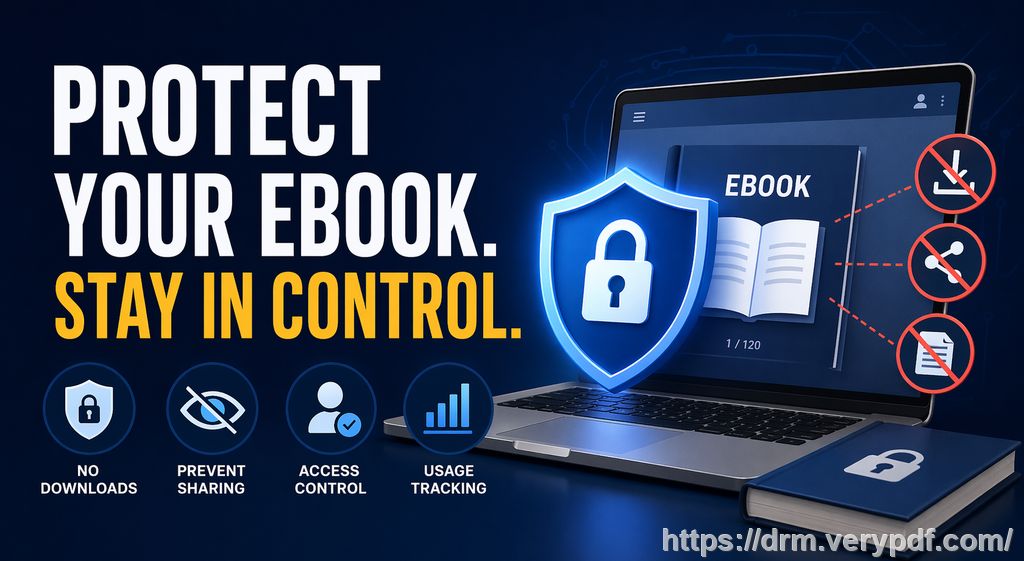
VeryPDF DRM Protector offers a comprehensive solution for protecting digital course content from piracy. It ensures that only authorized students or users can access your PDF documents. Through a variety of security features, it provides multiple layers of protection:
-
Restricting Access to Authorized Users
One of the most important features of DRM Protector is its ability to restrict access to specific users. This means you can lock your PDFs to only those students who have purchased or registered for your course, preventing unauthorized distribution or access. -
Preventing Printing, Copying, or Converting
With DRM Protector, you can stop students from printing your documents or copying content into other files. This prevents the distribution of your materials in alternate formats or physical copies, which could otherwise be shared without permission. -
Protecting Content with Dynamic Watermarks
Adding dynamic watermarks to your documents can act as a deterrent for those attempting to share content. The watermark displays identifying information like the user's name, email address, or even the date and time, making it much harder for students to redistribute or sell the content. Plus, unlike traditional watermarks, these cannot be easily removed. -
Expiry and Self-Destruct Features
Sometimes, it's not just about preventing students from sharing your PDFs; it's also about controlling how long they can access them. VeryPDF DRM Protector lets you set expiry dates, so your materials become inaccessible after a certain number of views, prints, or a specific time period. This feature is especially useful for short-term courses or exclusive content that you want to protect until the course is over. -
Revoking Access
The ability to revoke access to documents is one of the standout features. If you discover that a document has been leaked or misused, you can instantly terminate access, even after the content has already been distributed. This ensures that no unauthorized users can view or download the materials after the breach.
Real Classroom Scenarios
I've been using VeryPDF DRM Protector for a few months now, and I can honestly say it has changed the way I distribute course materials. For example, last semester, I shared a PDF with my class for an upcoming assignment. A student had accidentally sent the document to a friend, and within hours, the content was being circulated beyond my control. With DRM Protector, I could have easily tracked the leak and revoked access, preventing further unauthorized sharing.
Another example involves online lectures. We were holding Zoom sessions for a course, and I wanted to ensure that no one took screenshots or shared the session materials. DRM Protector gave me the ability to disable screen sharing and stop screen-grabbing apps, making sure that the lecture slides stayed secure throughout the presentation.
Anti-Piracy Benefits for Teachers
What sets VeryPDF DRM Protector apart from other security measures, like using passwords or secure data rooms, is its ability to address both online and offline piracy threats. Data rooms may be secure in terms of login credentials, but they still leave documents vulnerable to screen access and sharing. DRM Protector eliminates that risk by locking the content to the user's device, ensuring that it can't be transferred to other users or locations.
It also prevents students from circumventing the DRM controls. Unlike browser-based viewers, which can be easily hacked, DRM Protector enforces strict security measures directly within the viewer. This ensures that your PDFs cannot be manipulated or shared through any means.
How VeryPDF DRM Protector Simplifies Your Workflow
The simplicity of DRM Protector is one of the reasons I recommend it to my colleagues. You don't need to be a tech expert to use it. The software is user-friendly, allowing you to easily apply security measures to your PDFs, including setting expiration dates, limiting access, and adding watermarks.
You can distribute protected documents via email, web platforms, or even offline via USB sticks, and the documents will remain secure no matter how they're shared. And once the documents have been distributed, you can still change access permissions and revoke access if necessary. It gives you peace of mind knowing that your work is always under your control.
Conclusion
In conclusion, as an educator, I highly recommend VeryPDF DRM Protector to anyone distributing PDFs to students. Whether you're a professor, lecturer, or content creator, the tool offers a comprehensive solution to protect your course materials from unauthorized access, sharing, and piracy.
By using DRM Protector, you gain full control over your content, ensuring that your intellectual property remains secure. It's easy to use, highly effective, and prevents costly piracy and unauthorized distribution. Protect your materials today and safeguard your revenue.
Try it now and protect your course materials: https://drm.verypdf.com
FAQ
1. How can I limit student access to PDFs?
With VeryPDF DRM Protector, you can lock PDFs to specific devices, users, or locations. You can also set expiry dates, limiting the time that students can access the material.
2. Can students still read without copying, printing, or converting?
Yes! You can restrict all copy, print, and conversion functions while still allowing students to view the PDF content. This prevents unauthorized manipulation.
3. How can I track who accessed the files?
Dynamic watermarks display user-specific information like their name or email address, helping you track who accessed the files. You can also revoke access at any time.
4. Does it prevent PDF piracy and unauthorized sharing?
Absolutely! DRM Protector ensures that your documents are locked to specific devices and locations, preventing unauthorized access and sharing. You can also track leaks and revoke access instantly.
5. How easy is it to distribute protected lecture slides and homework?
Very easy! You can distribute protected PDFs via email, USB, or secure online platforms. The protection stays with the file no matter how it's shared.
6. Can I stop screen grabs and screenshots?
Yes! DRM Protector allows you to block screen grabs, print screen functions, and third-party screen capture apps, ensuring your content remains secure during online lectures.
Tags or Keywords
-
protect course PDFs, prevent PDF piracy, stop students sharing homework, secure lecture materials, prevent DRM removal, anti-conversion PDF DRM