 How to Protect Your Course PDFs From Unauthorized Sharing, Printing, and...
How to Protect Your Course PDFs From Unauthorized Sharing, Printing, and Conversion
As a professor, I know that when I distribute course materials, I'm not just sharing knowledge—I'm sharing my hard work. But the thought of my PDF lecture slides being shared with the wrong people, copied, or even converted into another format can be a nightmare. How can I ensure that my content stays secure and accessible only to my students?
The truth is, it's a common concern. Many of us struggle with students sharing PDFs, unauthorized printing or copying of materials, and losing control over the content that we've worked so hard to create. Fortunately, there's a solution that can give you the peace of mind you need: VeryPDF DRM Protector.
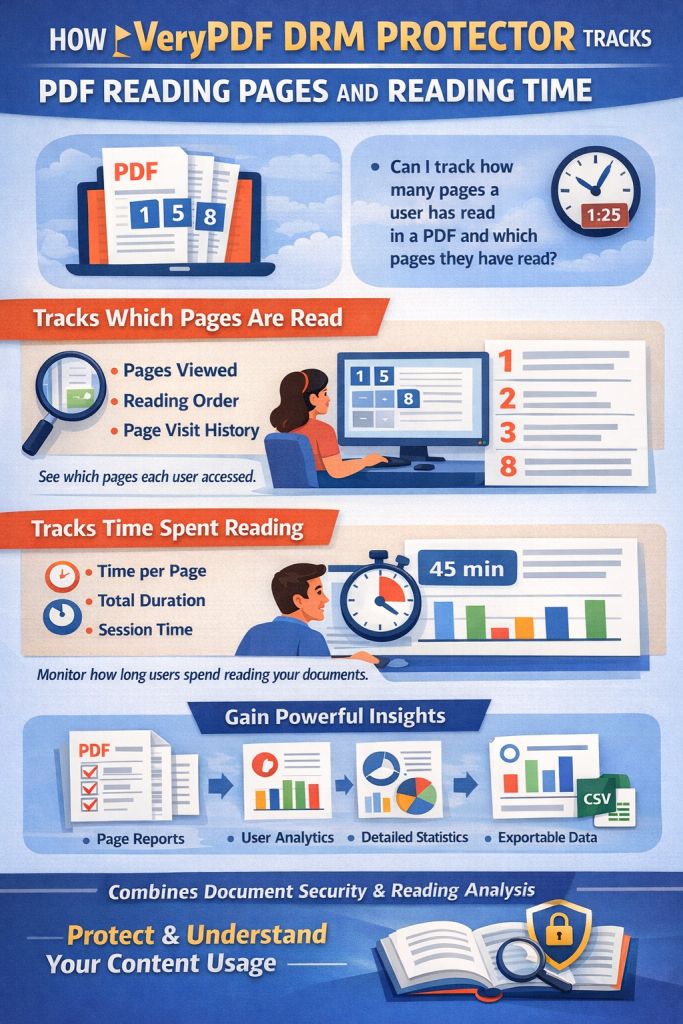
With its powerful features, VeryPDF DRM Protector helps professors like you protect your PDFs by restricting access, preventing printing, blocking copying, and even stopping conversion. But it's more than just a security tool—it's a practical, easy-to-use solution that allows you to maintain full control over your materials, ensuring that your hard work stays protected.
The Growing Concern: Students Sharing PDFs Without Permission
As teachers, we often distribute lecture slides, homework assignments, and course notes in PDF format. But what happens when those PDFs end up being shared with people who shouldn't have access to them? Whether it's a student forwarding a homework PDF to a friend or someone uploading a lecture slide to an online forum, the consequences can be damaging. Not only does this undermine the value of your content, but it can also lead to issues with plagiarism or the unauthorized distribution of your work.
To make matters worse, many students use tools that allow them to bypass protections. They copy, paste, or even convert your PDF files into Word documents or images. This loss of control can feel like a constant battle, one that many of us face when distributing digital content.
How VeryPDF DRM Protector Helps
This is where VeryPDF DRM Protector steps in. Think of it as a lock for your PDFs—one that you can control from start to finish. With a simple setup, you can make sure that only your students have access to the content, and that access is tightly regulated. Here's how it works:
-
Restrict Access to Enrolled Students
You can easily ensure that only students enrolled in your course have access to your materials. This means you no longer have to worry about unauthorized users viewing your PDFs. -
Prevent Printing, Copying, and Forwarding
With the click of a button, you can disable the ability to print, copy, or forward your PDFs. This is crucial for preventing the illegal redistribution of your course materials. -
Stop Conversion to Word, Excel, or Images
Ever had a student try to convert a PDF into another format? With DRM protection, you can stop them in their tracks, preventing the conversion of PDFs into Word, Excel, or image files. -
Dynamic Watermarks to Deter Redistribution
Add dynamic watermarks that display user details such as their name or email address on every page of your PDF. This helps deter students from sharing content, knowing that they'll be easily traced if the document gets passed around. -
Expiry and Self-Destruct Options
Set an expiration date for your PDF materials. Whether you want them to expire after a certain number of views, days, or prints, this feature ensures that your students only have access to the content for as long as they need it.
Real Classroom Scenarios: How DRM Protects Your Work
Imagine you're teaching a course with 100 students, and you've just uploaded a critical lecture slide deck. You're worried about students who may share the slides with others or even post them online. Thanks to VeryPDF DRM Protector, you can lock the file to specific students and restrict printing or copying. If one of your students tries to share the file, the dynamic watermark will display their details, discouraging them from distributing it further.
But it doesn't stop there. Say you want to release a homework assignment in PDF form. You can set an expiry date, ensuring that the file becomes inaccessible after the due date, or restrict it to be viewed only a certain number of times. And if you suspect a leak, you can revoke access to the document at any time—no need to wait for the next semester to control who has access.
Key Benefits of VeryPDF DRM Protector for Professors
-
Control Over Distribution
VeryPDF DRM Protector ensures that your materials are only distributed to authorized users. There's no more worrying about PDFs ending up in the wrong hands or being shared without your permission. -
Protect Your Content from Piracy
With strong DRM encryption and security measures, your PDFs are protected from unauthorized copying, printing, and conversion. It's an extra layer of protection against piracy that keeps your intellectual property safe. -
Simple to Use
Even if you're not tech-savvy, VeryPDF DRM Protector is designed to be user-friendly. Setting up DRM protection on your PDFs takes just a few minutes, and you don't need to be a software expert to get started. -
Time-Saving
As a professor, your time is valuable. DRM Protector saves you time by eliminating the need to constantly chase down stolen or misused materials. You can focus on teaching, knowing that your content is secure. -
No Need for Login Credentials
Unlike traditional document sharing systems, where users must sign in and passwords can be shared or compromised, DRM protection in VeryPDF ensures that documents are securely locked to specific devices. This means that even if students share their credentials, they can't access your protected PDFs on another device.
Conclusion: Protect Your PDFs Today
If you're tired of worrying about your PDFs being shared, copied, or converted without your permission, I highly recommend trying VeryPDF DRM Protector. It's a simple yet powerful tool that allows you to protect your course materials and regain control over your digital content.
Start using VeryPDF DRM Protector today and enjoy peace of mind knowing your lecture slides, homework, and course materials are safe from piracy. You can start your free trial here: https://drm.verypdf.com.
Frequently Asked Questions
-
How can I limit student access to my PDFs?
You can restrict access to your PDFs by locking them to specific students or devices. Only authorized users will be able to open or view your protected files. -
Can students still read the PDFs without copying, printing, or converting them?
Yes, students can still read the PDFs, but all other features, such as printing, copying, and converting to other formats, will be disabled or restricted. -
How do I track who accessed my files?
VeryPDF DRM Protector includes features like dynamic watermarks that display user-specific information, such as their name or email address, on the document. This makes it easy to track who accessed or shared the file. -
Does it prevent PDF piracy and unauthorized sharing?
Yes, VeryPDF DRM Protector stops unauthorized copying, printing, and sharing of your PDFs. It also prevents students from converting the files into other formats like Word or images. -
How easy is it to distribute protected lecture slides and homework?
It's very easy. Once you apply DRM protection to your PDFs, you can distribute them through email, web links, or USB sticks. The recipients won't be able to bypass the security measures you've set.
Tags/Keywords
protect course PDFs, prevent PDF piracy, stop students sharing homework, secure lecture materials, prevent DRM removal, anti-conversion PDF DRM