 Business Challenges in Document Security
How to Safeguard Your Business from Data Theft and Information Leakage with Secure Document Control
As a business owner, I often worry about my market research reports being leaked or shared without permission. In today's competitive landscape, protecting confidential business documents is more important than ever. Just a few months ago, I sent out a report containing sensitive insights about our new product strategy. Within days, I discovered it being circulated in places it shouldn't have been, raising questions about how secure my documents truly were. Could my market research be at risk of theft? Could my intellectual property be exposed? How do I ensure my company's confidential information remains in safe hands?
The simple answer? Strong document control—especially through a tool like VeryPDF DRM Protector. Let me take you through how this solution can help safeguard your business from data theft, prevent unauthorized sharing, and ensure your sensitive reports and documents are fully protected.
Business Challenges in Document Security
Many businesses face the same challenges when it comes to protecting their most valuable information—market research, strategy documents, client contracts, and more. The biggest pain points often include:
-
Unauthorized Sharing of Market Research Reports
When I first started sharing business reports with stakeholders, I never anticipated the extent to which they could be shared without my knowledge. I sent out a few reports via email to my team, and soon, I noticed those same documents floating around forums and websites I didn't approve. The issue? Lack of control. Without an effective security measure in place, it's easy for unauthorized users to download and share sensitive content. -
Risk of Document Leakage
Whether it's a market research report, a product strategy document, or confidential business plans, there's always a chance that these reports could leak. Sometimes it's a well-meaning employee, and other times it could be an intentional attempt to harm the business. How do you stop the spread of confidential data once it's out in the wild? -
Unauthorized Conversion or Printing
Another frustrating issue I've encountered involves unauthorized copying or converting of my reports into Word, Excel, or even image files. This can lead to the distortion or manipulation of my sensitive content. There have even been instances where I've discovered that competitors could access these files and use them to their advantage. This is a risk no business should have to deal with.
These are common concerns for many businesses, and the damage caused by these risks is often irreversible. So, what can be done to avoid these threats and maintain full control over your sensitive documents? The answer lies in Digital Rights Management (DRM) technology.
Protecting Confidential Data with VeryPDF DRM Protector
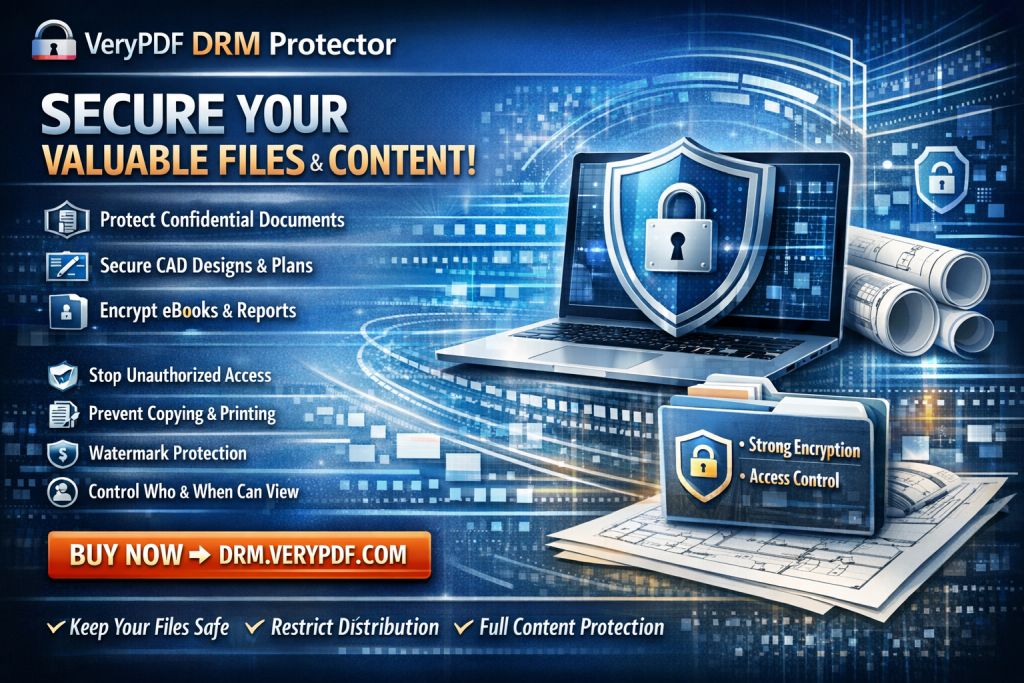
VeryPDF DRM Protector is a solution that addresses all these concerns by providing powerful, customizable document control for your PDFs. This tool ensures that confidential business documents are not just accessible to authorized users, but also protected from piracy and misuse. Here's how it works:
-
Restrict Access to Authorized Users
The first step in protecting your business data is ensuring that only the right people can view it. With VeryPDF DRM Protector, you can restrict access to your reports to specific users or departments. This prevents unauthorized team members or external parties from viewing confidential data, keeping your business information safe. -
Prevent Copying, Printing, or Forwarding
Another great feature of DRM Protector is that it blocks users from copying, printing, or forwarding the document. This is especially important when sharing sensitive market research or business strategy reports. Even if someone gains access to your PDF, they won't be able to copy the content into a Word document or print it out for distribution. -
Protect Against Unauthorized Conversion
PDFs are often converted into other file formats, like Word or Excel, by people who want to extract and manipulate the content. VeryPDF DRM Protector prevents this by ensuring that your document remains locked in its original format. There's no chance of unauthorized conversion, which helps preserve the integrity of your reports and proprietary information. -
Full Control Over Distribution and Access
One of the most powerful features of DRM is the ability to track document access and control distribution. You can set expiration dates, revoke access at any time, and even track who's viewing your documents. This is crucial for preventing unauthorized sharing and ensuring that sensitive data only reaches those with permission.
Real-World Example: How DRM Protector Saved My Market Research
A while ago, I shared an exclusive market research report with a select group of clients. I knew the information inside was valuable—too valuable for it to be leaked or misused. I used VeryPDF DRM Protector to ensure only the clients I approved could access the report. Thanks to the tool's access control, I knew that if any unauthorized users tried to open the file, they'd be blocked. Plus, I could see who had viewed the document, how long they'd spent on it, and whether they tried to print or copy it.
The best part? A few weeks later, I received a message from a competitor trying to access the report. Thanks to the DRM restrictions, they were unable to get their hands on it, saving my company from a potential data breach.
Anti-Piracy Benefits of DRM Protector
Document piracy is one of the most insidious threats businesses face today. The ability for competitors, unauthorized personnel, or malicious actors to gain access to sensitive documents can be a devastating blow. DRM Protector offers significant anti-piracy protection:
-
Stops Unauthorized Sharing and Distribution
DRM technology prevents your reports from being distributed beyond the intended audience. If someone tries to forward the document or share it with others, the tool blocks it. This keeps your data secure and ensures that only the authorized recipients can access it. -
Prevents Document Conversion
As I mentioned earlier, competitors may attempt to convert your PDFs into editable formats like Word or Excel. DRM Protector ensures that the document remains in its original PDF format, preserving the integrity of your content. -
Ensures Full Document Security
The most critical advantage of DRM Protector is the ability to maintain total control over your documents. From encryption to tracking access, DRM technology guarantees that your sensitive reports are protected from unauthorized access, ensuring no one can manipulate or distribute them.
Why I Recommend VeryPDF DRM Protector
If you're looking for a way to keep your confidential documents safe and ensure that unauthorized access is completely blocked, I highly recommend VeryPDF DRM Protector. Whether you're dealing with market research reports, business strategy documents, or any other sensitive files, this tool will give you full control over who can access, view, print, or share your data. The security and peace of mind it offers are invaluable to any business owner.
I've used this tool extensively to safeguard not just my company's data, but also the market research that is critical to our business's success. It's straightforward to use, and the results speak for themselves. DRM Protector has allowed me to rest easy knowing that my company's confidential documents are protected from unauthorized sharing or conversion.
Try it now and protect your business reports: https://drm.verypdf.com
Start your free trial today and keep your market research secure.
FAQ
How can I limit access to confidential business documents?
With VeryPDF DRM Protector, you can restrict document access to specific users or departments, ensuring that only authorized individuals can view or share the documents.
Can I prevent others from copying, printing, or converting my reports?
Yes, DRM Protector blocks actions like copying, printing, and converting documents to other formats, ensuring that your content remains protected and secure.
How do I track who accessed my business reports?
DRM Protector allows you to track document access by providing detailed logs showing who viewed the document, how long they spent on it, and whether they tried to manipulate the content.
Does DRM technology prevent unauthorized sharing of PDFs?
Absolutely. DRM technology ensures that your PDFs cannot be forwarded or shared with anyone not authorized to view them.
How easy is it to distribute protected business reports to clients or colleagues?
It's simple! You can securely distribute protected documents via email or other platforms, and only authorized recipients will be able to open and view them.
Tags or Keywords
-
protect business reports
-
secure market research
-
prevent PDF piracy
-
stop unauthorized access
-
protect confidential data
-
prevent PDF conversion