 Why Do You Need DRM to Protect Your Course PDFs?
How Universities Can Secure Course PDFs Against Copying, Sharing, or Printing by Students
As a professor, it's always frustrating when you spend hours creating detailed lecture materials, only to hear that students are sharing those PDFs with others, or worse, uploading them online. We all know the struggle of wanting to ensure our intellectual property is protected—whether it's lecture notes, assignments, or supplementary materials. Unfortunately, traditional password protection often falls short. But what if there was a way to secure PDFs, control who accesses them, and even prevent students from printing, copying, or converting them to other formats?
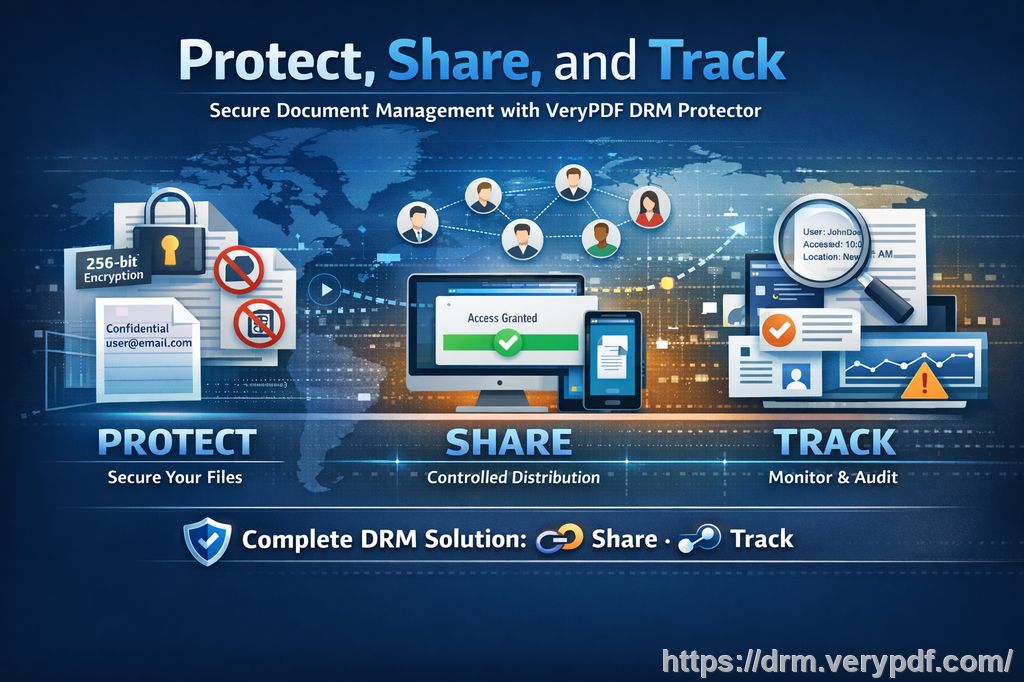
With VeryPDF DRM Protector, universities can ensure that their digital course materials stay secure and accessible only to those who need them. In this article, I'll show you how DRM (Digital Rights Management) can help you lock down your PDFs and prevent students from sharing, copying, or pirating your content.
Why Do You Need DRM to Protect Your Course PDFs?
If you've ever had a student email you asking for a copy of a lecture PDF, you might have felt the temptation to just send it, no questions asked. But what happens when that student shares your materials with someone else? Or worse, when they upload it to a file-sharing site where anyone can access it?
The truth is, once you send out an unprotected PDF, you lose control over who can view or distribute it. This can be a huge problem for professors, lecturers, and educational content creators who rely on their materials being used within the confines of a specific course or institution.
Some common problems that you might face include:
-
Students sharing PDFs: Even if you distribute your course PDFs with the best of intentions, students might pass them around, unknowingly or not, leading to unauthorized access.
-
Unauthorized printing or copying: Students may copy sections of your work or print your materials to share with others, undermining your control over the content.
-
Loss of control over paid materials: If you're selling or licensing your course materials, ensuring they don't get leaked is crucial to your revenue stream.
How VeryPDF DRM Protector Solves These Issues
So, how does VeryPDF DRM Protector address these issues? Let's break it down.
1. Restrict Access to Enrolled Students
With DRM protection, you can limit access to your PDFs based on the student's login credentials, IP address, or device. This ensures that only the students enrolled in your course have access to the materials. No more worrying about a student sharing a file with someone not in your class.
2. Prevent Printing, Copying, and Converting
You can set restrictions that stop students from printing your materials or copying sections of text. This feature is especially helpful for protecting valuable intellectual property, like textbooks, proprietary course notes, or exam papers. It also prevents students from converting your PDFs into Word or Excel documents.
3. Expire and Revoke Access
One of the most powerful features of DRM protection is the ability to set expiry dates for your PDFs. You can have the document automatically expire after a certain number of views, days, or even prints. If you're worried about your students sharing your course materials once the course is over, you can easily revoke their access.
4. Dynamic Watermarks for Extra Protection
Watermarks aren't just for aesthetics—they're a deterrent to those who might be tempted to share your content illegally. VeryPDF DRM Protector lets you add dynamic watermarks to your documents. These watermarks can display the user's name, email address, or the date and time of access, making it clear who is responsible for any leaks or unauthorized sharing.
5. Prevent Screen Capturing
Let's face it: students can get creative when it comes to getting around security measures. VeryPDF DRM Protector also blocks screen recording and screen grabbing tools, so even if your students try to capture your content during a Zoom lecture, they won't be able to save or share it.
Real-Life Examples of How DRM Protects Your Course Content
Let me share a few real-life examples to illustrate how DRM protection works in the classroom:
-
Example 1: A professor created a set of PDFs containing notes and exam materials for an advanced course. One of the students, who wasn't enrolled, obtained the materials through a friend and uploaded them to a file-sharing website. After implementing VeryPDF DRM Protector, the professor could ensure that only enrolled students had access to the PDFs and could limit their ability to print or share the content.
-
Example 2: A lecturer who offered online courses was concerned that students would take screenshots of the lecture slides and share them on social media. By applying DRM protection with screen capture prevention, the lecturer ensured that only authorized users could view the content and that no one could share or capture the slides without being identified.
-
Example 3: After teaching a set of workshops, a professor used DRM to ensure that the course materials expired after a few weeks, preventing past students from accessing the content long after the course ended. The tool also allowed the professor to revoke access immediately if needed, ensuring full control over the material.
Why Traditional Methods Aren't Enough
While using passwords to protect PDFs may seem like a good idea, it has its flaws. Passwords can be shared or forgotten, and they do nothing to prevent unauthorized printing or copying. Also, relying on insecure methods like JavaScript or browser-based tools leaves a backdoor open for students to bypass your security measures.
With VeryPDF DRM Protector, the protection is stronger and more reliable. You're using a secure method that doesn't rely on weak passwords or plugins, and it keeps your materials safe from unauthorized access and distribution.
Additional Features of VeryPDF DRM Protector
Let's quickly highlight some other features that make VeryPDF DRM Protector a must-have for professors and educational content creators:
-
Offline Access: Your PDFs can be locked to specific devices, ensuring that students can only access them from approved locations. No need to worry about someone sharing their login details to access your content remotely.
-
Flexible Permissions: You can control how your PDFs are used—limit how many times they can be viewed, restrict printing, or even lock them to a specific device or USB stick for offline use.
-
Comprehensive Tracking and Analytics: Track who accesses your PDFs and when. This helps you identify any leaks or unauthorized access, giving you peace of mind.
Conclusion: Take Control of Your Course PDFs Today
With the increasing use of digital materials in education, protecting your course PDFs has never been more important. VeryPDF DRM Protector offers a comprehensive solution to keep your intellectual property safe and your teaching materials secure. Whether you're worried about students sharing PDFs, copying your work, or losing control of your paid content, this tool provides the peace of mind you need.
I highly recommend this to anyone distributing PDFs to students. The ability to prevent unauthorized access, control printing, and set expirations gives you full control over your materials. You can focus on teaching without worrying about piracy or misuse.
Try it now and protect your course materials: https://drm.verypdf.com
Start your free trial today and regain control over your PDFs.
FAQs
1. How do I limit student access to PDFs?
With VeryPDF DRM Protector, you can lock access to your PDFs based on the student's IP address, device, or login credentials, ensuring that only authorized individuals can view the content.
2. Can students still read without copying, printing, or converting?
Yes, you can restrict all editing functions. Students can view the PDFs, but they cannot copy, print, or convert the content to other formats.
3. How do I track who accessed the files?
The DRM Protector provides detailed tracking, allowing you to monitor who accessed your PDFs, when, and for how long.
4. Does it prevent PDF piracy and unauthorized sharing?
Absolutely. DRM protection prevents students from sharing, copying, or uploading your content to unauthorized platforms. You can also use dynamic watermarks to deter piracy.
5. How easy is it to distribute protected lecture slides and homework?
Distributing DRM-protected PDFs is easy. You can share them through email, online platforms, or USB drives, and the protection will stay intact.
Tags or Keywords
-
protect course PDFs
-
prevent PDF piracy
-
stop students sharing homework
-
secure lecture materials
-
prevent DRM removal
-
anti-conversion PDF DRM