 As a professor, one of my biggest worries is that the lecture PDFs I spend hours creating might be shared or converted...
As a professor, one of my biggest worries is that the lecture PDFs I spend hours creating might be shared or converted without my permission. I know the materials are meant to be used by my students only, but it's hard to ensure that's the case when digital content can be copied, printed, or even converted into a different format like Word. This kind of unauthorized distribution not only threatens academic integrity but can also lead to piracy and potential revenue loss, especially for paid course materials. That's where tools like VeryPDF DRM Protector come into play, offering practical solutions to secure and protect these materials.
The Struggle: How Can We Safeguard Our Digital Content?
In today's digital age, professors and educators are increasingly relying on digital content—whether it's lecture slides, homework assignments, or even research papers. But with this shift comes a pressing concern: how do we ensure our content isn't misused or pirated? Here are just a few common scenarios many of us face:
-
Students Sharing PDFs: It's easy for students to share lecture PDFs or assignments, either with classmates who were absent or through social media. This can quickly spiral into widespread distribution, which is difficult to control.
-
Unauthorized Printing or Copying: Students might print out a PDF, make a copy, or even convert the content into another format, bypassing the intended limitations and spreading it outside the classroom.
-
Loss of Control Over Paid Content: When course materials are sold, we expect students to access them only through official channels. However, once those PDFs are out in the open, they can easily end up being shared beyond the intended audience.
The Solution: VeryPDF DRM Protector
So, how can we effectively prevent these problems? One powerful solution I've found is VeryPDF DRM Protector, a tool designed specifically for protecting PDFs from unauthorized access, sharing, or modification. Here's how it helps solve the common pain points in education:
-
Lock PDFs to Specific Users or Devices: This ensures that only the students enrolled in your course can access the materials. You can restrict access based on devices or even lock PDFs to a specific location or IP address, ensuring that unauthorized users can't view your content.
-
Prevent Printing, Copying, and Converting: One of the standout features is that DRM Protector stops students from printing, copying, or converting PDFs into Word or image files. No matter how many times a student tries, they won't be able to manipulate or redistribute the content.
-
Expiry Controls: If you want to limit the access to your materials after a set period or after a certain number of views, DRM Protector can automatically expire the documents, ensuring that students don't hold onto them indefinitely. This is especially useful for time-sensitive content like exam papers or lecture slides.
-
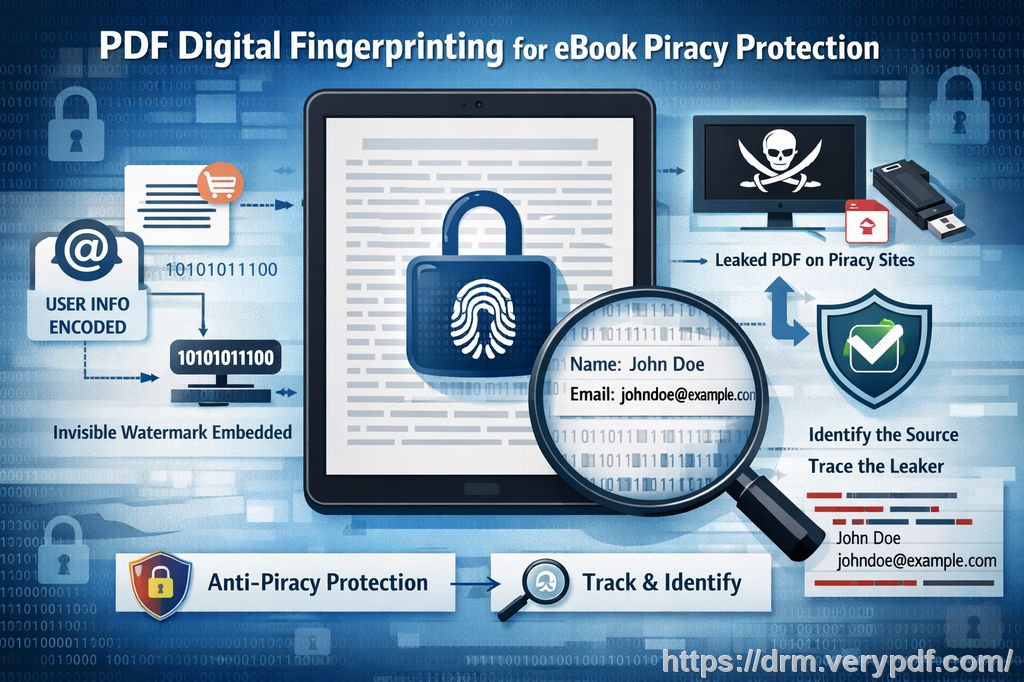
Dynamic Watermarks: Adding dynamic watermarks with user-specific details (like the student's name, email, or ID) makes it easy to track the source of any potential leaks. These watermarks cannot be easily removed and serve as a deterrent against unauthorized redistribution.
-
Revocation and Tracking: What happens if a student misuses the material? With DRM Protector, you can revoke access to a document at any time—even after it has been distributed. This feature gives you complete control over your content.
Real Classroom Scenarios: Why DRM Matters
Let's put this in a real-world context. Imagine you've just uploaded your course materials for the semester: lecture slides, study guides, and assignments. Everything is going well until you find out that some of your students are sharing these materials with others, either on Facebook or via email. Now, your carefully crafted content is out there for anyone to see, and you've lost control over it.
Or, consider a situation where you've distributed exam papers digitally. A student could easily print the paper and take it home, making a copy for another student or sharing it with someone outside the class. How can you be sure that your intellectual property stays protected?
This is where DRM Protector comes in. By securing your PDFs with encryption and restricting their usage, you can ensure that these materials aren't shared beyond your intended audience. You'll be able to prevent printing, copying, and even taking screenshots or screen grabs of the documents.
Benefits of Using DRM Protector
-
Peace of Mind: Knowing your content is protected from unauthorized distribution, piracy, and misuse is a huge relief. It allows you to focus on teaching without constantly worrying about your materials being shared or altered.
-
Maintains Academic Integrity: By restricting access and use, you can ensure that students only have access to the materials they're supposed to, preserving the integrity of your course.
-
Easy to Use: DRM Protector is simple to set up and use. You don't need any technical expertise to apply the necessary security settings to your PDFs. Once the software is installed, you can apply protection to your content with just a few clicks.
-
Cost-Effective: DRM protection offers an affordable way to secure your digital materials compared to the costly process of creating and managing secure data rooms or other less-effective systems.
Real Stories: How DRM Protector Helps Educators
As a lecturer, I've used VeryPDF DRM Protector to safeguard my digital course materials for the last few semesters. One particular instance stands out: I had uploaded a set of final exam PDFs to my course portal, but I was concerned about the potential for cheating or sharing before the exam date. With DRM Protector, I was able to restrict access to the files, set an expiration date for access, and prevent students from copying or printing them. This simple step ensured that the content stayed secure, and I didn't have to worry about leaks.
Another time, I found that a student had shared a homework assignment PDF with a classmate who hadn't completed the task. With DRM Protector, I added a dynamic watermark to the document, showing the student's name and email address. This not only discouraged further distribution but also allowed me to easily track the source of the leak.
Conclusion: Take Control of Your Digital Content
After using VeryPDF DRM Protector, I can confidently say that it's an essential tool for anyone distributing digital content in education. It not only helps prevent unauthorized sharing and piracy but also gives you complete control over your PDFs, ensuring they are viewed and used only as intended. If you're looking for a way to protect your lecture slides, homework, and other digital materials, I highly recommend giving it a try.
Start your free trial today and protect your course materials: https://drm.verypdf.com.
FAQ
1. How do I limit student access to my PDFs?
You can restrict access to your PDFs by locking them to specific devices or locations. You can also set expiry dates or limit the number of views or prints allowed.
2. Can students still read the PDFs without copying, printing, or converting them?
Yes, DRM Protector allows students to view the PDFs, but it disables the copy, print, and convert features to prevent unauthorized distribution.
3. How can I track who accessed the PDFs?
With dynamic watermarks, you can track who accessed or printed a document. Watermarks display user-specific details, such as their name or email address.
4. Does DRM Protector prevent PDF piracy and unauthorized sharing?
Yes, DRM Protector prevents unauthorized copying, printing, and converting. It also prevents students from sharing the documents via email or social media.
5. How easy is it to distribute protected lecture slides and homework?
Once your PDFs are secured with DRM Protector, you can distribute them via email, online portals, or even USB sticks, knowing they are protected.
6. Can I revoke access to a document after it has been distributed?
Yes, you can revoke access to any document at any time, even if it has already been distributed.
Tags/Keywords
-
protect course PDFs, prevent PDF piracy, stop students sharing homework, secure lecture materials, prevent DRM removal, anti-conversion PDF DRM