 The Risks of Unprotected Business Documents
How to Safeguard Your Most Sensitive Business Documents from Unauthorized Access and Piracy
As a business owner, there's nothing more unsettling than realizing your market research, business strategy documents, or proprietary reports have been shared or leaked outside your control. Whether it's a competitor gaining access to your confidential market insights or sensitive data being passed around within the company without proper oversight, the risks are high, and the consequences can be severe.
This is a problem many businesses face daily, particularly those dealing with valuable intellectual property, financial data, or confidential reports. The unauthorized sharing of sensitive documents can lead to financial losses, reputational damage, and the loss of competitive advantage.
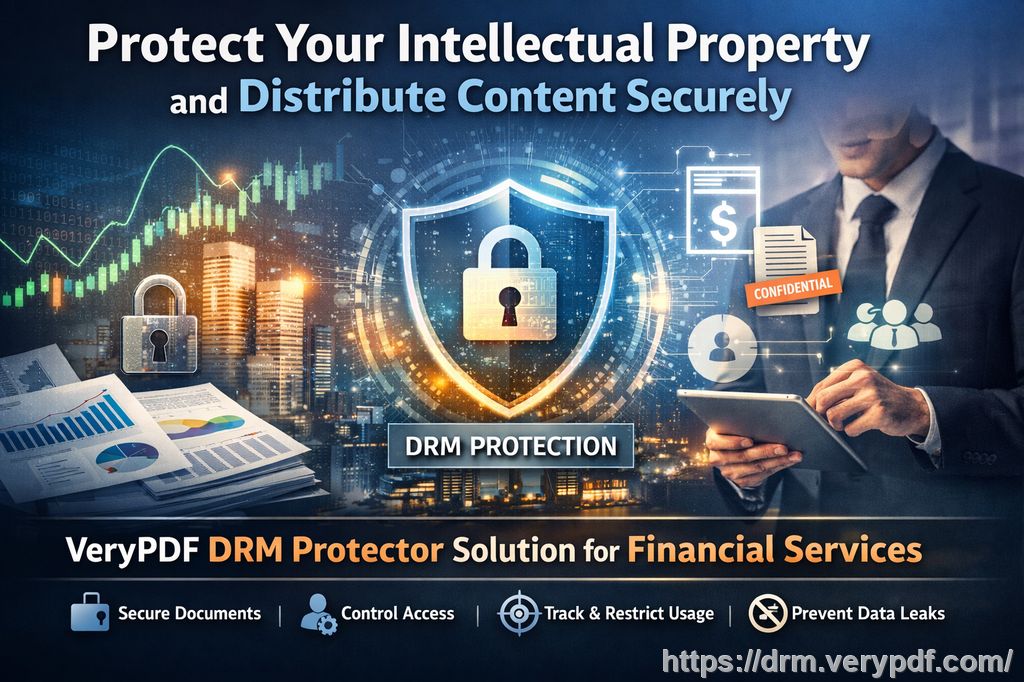
Fortunately, there's a solution that can help businesses like yours protect their documents and maintain control over who can access, share, or modify them—Digital Rights Management (DRM) technology.
In this article, I'll walk you through how DRM, specifically VeryPDF DRM Protector, can safeguard your sensitive documents, prevent unauthorized sharing, and help you maintain complete control over your valuable business reports.
The Risks of Unprotected Business Documents
Let's face it: most businesses rely on PDF files to store and share important reports, strategies, and financial data. But without proper protection, these documents are vulnerable to unauthorized access, duplication, and distribution. In fact, many businesses I know have faced the nightmare of market research, business plans, or even confidential client-facing reports being leaked or shared without permission.
Here are just a few common scenarios businesses often encounter:
-
Unauthorized Sharing of Market Research Reports: Imagine you've spent months collecting and analyzing market data to create a strategy that gives you a competitive edge. You send this data to key stakeholders, only to find out that it's being shared with competitors or used by other companies.
-
Loss of Control Over Business Plans: You've spent countless hours perfecting your business strategy, but suddenly, the document is circulated outside of the intended department or shared with external parties. You now have no control over who has access to it or how it's being used.
-
Risk of Data Leakage: Sensitive documents such as financial reports, contracts, and intellectual property are crucial to business operations. If these fall into the wrong hands, the consequences could be disastrous.
-
Unauthorized Conversion and Printing: Even if your document isn't shared directly, someone could still convert it into another format, print it out, or extract critical information without your permission.
These scenarios are more common than many would think. With the rise of remote working and easy document sharing, businesses have lost control over how their documents are accessed and distributed. But there's a way to stop this before it happens.
The Solution: VeryPDF DRM Protector
This is where VeryPDF DRM Protector comes in. It's an easy-to-use tool that allows businesses to take full control of their PDFs and other sensitive documents. By implementing DRM protection, you can restrict access, prevent unauthorized copying, and stop the conversion of your files into other formats.
Let's take a look at how VeryPDF DRM Protector addresses the key pain points businesses face when it comes to document security:
1. Restrict Access to Only Authorized Users
When you share business documents—whether it's a market research report or a financial document—you want to ensure that only the people who are authorized to view the document can actually access it. VeryPDF DRM Protector allows you to set restrictions on who can open your documents, ensuring that only selected individuals or departments have access.
For example, when I was sharing a confidential market analysis report with my team, I used VeryPDF DRM Protector to set permissions so that only specific people could open the document. I was able to add a password for an extra layer of security, preventing unauthorized access.
2. Prevent Printing, Copying, or Forwarding
One of the biggest concerns when sharing sensitive documents is the risk of them being printed, copied, or forwarded to unauthorized parties. Even if your report is only intended for internal use, employees might print it or send it to others.
With VeryPDF DRM Protector, you can restrict these actions. You can block printing, copying, or forwarding the document entirely. In my own experience, I found this feature particularly useful when sharing highly sensitive client reports. It gave me peace of mind knowing that no one could print or copy the information and leak it outside the company.
3. Stop Unauthorized Conversion
Perhaps one of the most concerning risks is the conversion of your PDFs into other file formats like Word or Excel. Once a document is converted, it's much easier for unauthorized users to edit, redistribute, or extract data from it.
With VeryPDF DRM Protector, you can prevent this by disabling file conversions entirely. For example, when sending out a proprietary market research report, I made sure that the document could not be converted into any other format. This gave me total control over the document, and I knew it would remain secure and uneditable.
4. Control Document Distribution
Once a document is out of your hands, it's difficult to track who's sharing it and with whom. But with DRM protection, you can not only restrict access but also track document usage.
VeryPDF DRM Protector provides detailed logs of who accessed the document and when. This tracking feature helps me monitor exactly who is viewing the document, which adds an extra layer of accountability and transparency. If I see that an unauthorized user has accessed a report, I can take immediate action.
Real Business Examples
Let me share a couple of stories of how VeryPDF DRM Protector has helped businesses protect their valuable documents.
Example 1: Protecting Market Research Reports
A marketing consultant I know used to spend months gathering data for a major client. Once the report was completed, it was sent out to the client's leadership team. Unfortunately, the report was later found circulating with a competitor. This resulted in the loss of the client's trust and a significant financial setback.
After using VeryPDF DRM Protector, the consultant was able to prevent unauthorized access to the document and ensure that only the leadership team could view it. Additionally, the tool's tracking feature allowed them to monitor when the document was opened and by whom, preventing future leaks.
Example 2: Securing Business Strategy Documents
In another case, a small business owner was preparing a strategic plan to expand into new markets. The plan was sent to various internal stakeholders for review, but one of the stakeholders inadvertently shared it with an external party.
Using VeryPDF DRM Protector, the business owner was able to restrict access and prevent anyone outside of the designated group from viewing or sharing the document. The owner was also able to revoke access if necessary, ensuring that the strategy remained confidential.
Conclusion: The Importance of DRM Protection
In today's business world, the security of your documents is paramount. VeryPDF DRM Protector offers an effective, easy-to-use solution that ensures your most sensitive business materials—whether market research, business plans, or proprietary documents—remain protected from unauthorized access, copying, and sharing.
I highly recommend this tool to anyone who needs to protect their confidential business reports. It's simple to use, yet powerful enough to provide robust security for your most important documents.
Start your free trial today and keep your business reports secure: https://drm.verypdf.com
FAQs
1. How can I limit access to confidential business documents?
With VeryPDF DRM Protector, you can set restrictions to ensure only authorized users can access your documents. You can require passwords, limit access to specific departments, and even revoke access if necessary.
2. Can I prevent others from copying, printing, or converting my reports?
Yes! VeryPDF DRM Protector allows you to disable printing, copying, and file conversions to ensure your documents remain protected.
3. How do I track who accessed my business reports?
The tool provides detailed logs that show when and by whom a document was accessed, giving you full visibility over who is viewing your confidential materials.
4. Does DRM technology prevent unauthorized sharing of PDFs?
Absolutely. DRM protection ensures that only authorized users can view your documents, and it prevents them from forwarding, printing, or sharing the document without your permission.
5. How easy is it to distribute protected business reports to clients or colleagues?
It's easy! Once your document is protected with DRM, you can securely share it via email or other platforms, knowing that only authorized users will be able to access it.
Keywords:
protect business reports, secure market research, prevent PDF piracy, stop unauthorized access, protect confidential PDFs, prevent PDF conversion