Stop Udemy Piracy: Why Your Courses are Stolen and How VeryPDF DRM Protector Secures Your Intellectual Property and Revenue

The Silent Thief in the Classroom: Why Your Hard Work is Being Sold for Pennies—and How to Lock the Vault Forever

You spent six months in a dark room, fueled by caffeine and a vision. You quit your job. You identified a market gap. You meticulously edited 12 hours of high-definition content, ensuring every frame, every explanation, and every resource was “the most refined of all time.” You didn’t just build a course; you built a legacy.

Then, the notification pings. Your first sale! A moment of triumph. An hour later: Refunded. The next morning: Your entire life’s work is sitting on a “Premium” pirate site or a Telegram channel with 5,000 subscribers, being sold for $25—or worse, given away for free alongside a cocktail of malware.

If this story sounds familiar, it’s because it is the lived reality for thousands of Udemy instructors. Today, we aren’t just talking about “losing a few sales.” We are talking about the systematic theft of intellectual property that is crushing the spirits of creators worldwide.

In this article, we will examine why the current “strategies” of course protection are failing, why Udemy’s built-in safeguards are not enough, and why the VeryPDF DRM Protector is the only definitive answer to reclaiming your income and your dignity.

Stop Udemy Piracy: Why Your Courses are Stolen and How VeryPDF DRM Protector Secures Your Intellectual Property and Revenue


The Heartbreak of the “One-Sale Pirate”

Consider the harrowing testimony of a recent instructor who saw their dream turn into a nightmare in just 48 hours:

“I launched my course a week ago, got one sale, and a couple of days later, already found my course content stolen and uploaded to a pirate site… I can see exactly how it happened. There was a ‘student’ who obviously created an account… bought both my courses… and shortly refunded them. On the 13th, both courses appeared on page 1 of Google.”

This is the Refund-to-Piracy Pipeline. It is a calculated, professional business model. Pirates use Udemy’s generous refund policy as a revolving door to strip-mine content. They don’t just steal the video; they steal the metadata, the resources, and the structure. For a creator who earned a “grand total of $2” while the pirate earns hundreds in “premium memberships,” the feeling is more than just financial loss—it’s a violation.

The Death of the “Dream Project”

Another creator, working within the Arabic 3D community, shared an even more soul-crushing experience. After quitting their job and launching a massive marketing campaign, they realized that despite their effort, the “market” was simply bypassing them:

“A friend texted me that an anonymous account has been messaging my every follower on Instagram and telling them that they have my course and they sell it for only $25 (original is $110)… The pirated version got so popular that everyone is having it and everyone is buying it from everyone, except me.”

Their conclusion? “To have faith was a mistake.”

When your own followers—the people you spent months engaging with—are being poached by pirates using your own content, the platform has failed you. Standard streaming protection is a sieve. If a pirate can see it, they can record it. If they can download it, they can redistribute it.


Why Conventional “Strategies” Don’t Work

Instructors often try to fight back with DIY methods. Let’s look at why these fail:

  1. Drip-Feeding Content (The “25% Strategy”): One instructor suggested uploading only a fraction of the course to “bore” the pirates. The Reality: Pirates are patient. They will wait for the update, or simply pirate the 25% and mark it as “Part 1.” It only hurts your real students who want the full experience they paid for.
  2. Watermarking/Stenography: This helps you identify who stole it after the fact, but it doesn’t stop the theft. By the time you find your watermark on a pirate site, the damage is done. Your sales have already plummeted.
  3. DMCA Takedowns: It’s like playing Whack-A-Mole with a hydra. You take down one Telegram link; three more appear. You delist one Google result; the pirate site moves to a new domain.

The Solution: VeryPDF DRM Protector

If you want to stop the “instant refund and pirate” cycle, you have to move beyond platform-level security. You need Digital Rights Management (DRM) that travels with the file, ensuring that even if a student downloads your video, they cannot play it without your explicit, authenticated permission.

VeryPDF DRM Protector is designed specifically for the high-stakes world of intellectual property. Here is why it is the “Nuclear Option” against course piracy:

1. Identity-Bound Encryption

Unlike standard video files, content protected by VeryPDF is encrypted. To view the course, the user must have a unique license key tied to their specific device (PC, Mac, iOS, or Android). If a “student” buys your course, downloads it, and then refunds it, you simply revoke the license key. The files on their hard drive become useless encrypted junk.

2. Prevention of Screen Recording

Pirates often use “stream rippers” or screen recording software to bypass Udemy’s player. VeryPDF DRM Protector features advanced anti-screen capture technology. If a recording tool is detected, the video window goes black. This stops the “record and upload to Telegram” method in its tracks.

3. No Internet? No Problem (But With Control)

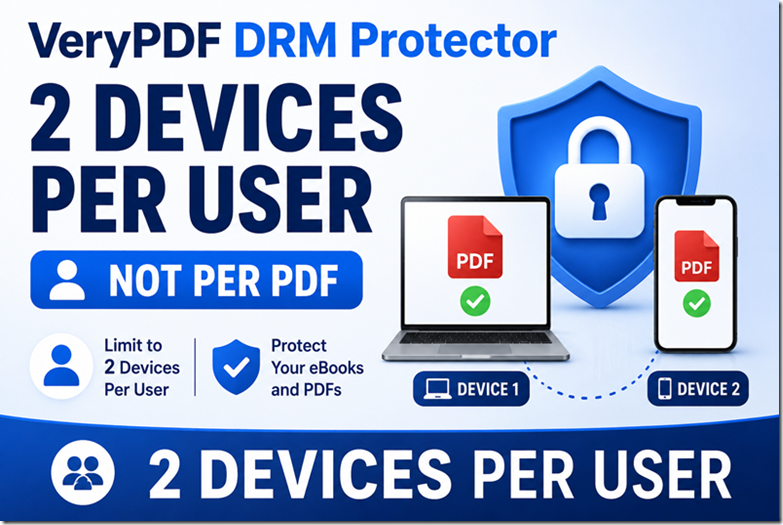
You can allow students to view content offline while still maintaining the DRM heartbeat. You set the expiration dates. You decide how many devices can access the content. You are the sovereign of your own work.

4. Dynamic Watermarking

While static watermarks are easily cropped, VeryPDF allows for dynamic, floating watermarks that display the buyer’s email address or ID across the screen. This acts as a massive psychological deterrent for anyone thinking of sharing their login.


A Call to Action for the Udemy Community

To the instructor who said, “My life is ruined,” and to the one who felt their “hopes for success were killed in a week”: Don’t give up. Change the game.

The pirates are winning because they are using better technology than you. They are using automated scripts to scrape content while you are using basic upload tools. It is time to level the playing field.

By using VeryPDF DRM Protector, you are sending a clear message: My expertise is not a commodity for you to steal. My 6 months of labor is not your $25 profit.

Protect your legacy. Secure your income. Don’t let another “student” turn your dream into their payday.

Visit VeryPDF today and secure your courses with Professional DRM Protection.

Your Udemy Course Is Being Stolen Right Now — And Most Creators Only Realize It When It’s Too Late

A Wake-Up Call for Every Udemy Course Creator: Why “Passive Protection” Is No Longer Enough, and How Smart Instructors Are Moving to DRM-Level Defense with VeryPDF DRM Protector


There is a moment every online instructor fears, but very few are prepared for.

It is not the moment you publish your first course.

It is not the moment you get your first sale.

It is not even the moment you receive your first negative review.

It is the moment you discover your course — something you spent weeks, months, or even years building — has already been copied, redistributed, and uploaded to piracy websites without your consent.

By the time you see it, the damage is already done.

This is exactly what happened to a Udemy instructor recently in a public post on the Udemy Community forum titled “My Udemy Course Has Been Pirated” by user Beti P, accessible here:

https://community.udemy.com/en/discussion/160921/my-udemy-course-has-been-pirated

In her post, she explains how her newly launched course, “Baneful Magic for Protection and Power – Return to Sender,” was quickly pirated and uploaded to multiple unauthorized websites shortly after release. She describes how a suspicious account purchased her course using an email such as Xqrjbdsue5748@Hotmail.com, immediately requested a refund, and the content was then distributed across piracy platforms.

She also discovered that this was not an isolated case. Other instructors were experiencing the same issue simultaneously.

Her frustration is evident, and her questions reflect the reality of thousands of online educators:

  • Has anyone successfully taken down pirated content from these sites?
  • Is there a fast way to file DMCA or identify hosting providers?
  • Are there tools or strategies to prevent future piracy?

Her final sentence is the most important:

“I’d appreciate any insight or moral support — it’s honestly so disheartening to see this happen right away.”

This is not just an emotional reaction.

This is a structural problem in the online education economy.

And every Udemy Course Creator needs to understand one thing very clearly:

If your content has value, it will be stolen.

The only question is whether you are prepared for it.

Your Udemy Course Is Being Stolen Right Now — And Most Creators Only Realize It When It’s Too Late


1. The Illusion of Platform Protection: Why Udemy Alone Is Not Enough

Most Udemy instructors operate under a comforting assumption:

“I publish on Udemy, so my content is safe.”

This assumption is understandable, but it is fundamentally incomplete.

Udemy provides a marketplace, hosting, payment infrastructure, and visibility. However, Udemy does not function as a full-scale digital rights management system for your intellectual property outside its ecosystem.

Once your course is consumed, downloaded (via screen recording), or accessed by a paying user with malicious intent, Udemy has limited control over where that content goes next.

The reality is simple:

Udemy protects distribution inside its platform, not outside of it.

Once a pirate records or extracts your course, it becomes a digital asset that can be redistributed infinitely across forums, file-sharing platforms, private Telegram groups, torrent networks, and “free course” websites.

This is exactly what happened in Beti P’s case. Within days, her newly released content appeared on multiple unauthorized websites.

This is not rare. It is routine.

And it is accelerating.


2. The Real Mechanics of Modern Course Piracy

To understand why Udemy courses are so frequently pirated, you need to understand how modern piracy actually works.

It is no longer about hackers breaking encryption or stealing databases.

It is much simpler:

Step 1: Purchase the course using disposable or fake accounts
Step 2: Download or screen-record the content
Step 3: Request a refund (or use stolen payment methods)
Step 4: Upload the content to piracy sites
Step 5: Monetize indirectly through ads, SEO traffic, or file lockers

The instructor in the Udemy post mentioned a suspicious Hotmail account that purchased and refunded the course immediately. This is a classic pattern.

Piracy operators often automate this process at scale. They do not care about the refund. The real value is in the content extraction.

Once your course is extracted:

  • It is re-uploaded within hours or days
  • It spreads across multiple mirror sites
  • It becomes nearly impossible to fully remove
  • It continues circulating for years

This is why DMCA takedown requests alone are often insufficient.

You are not fighting one site.

You are fighting an ecosystem.


3. The Emotional Reality No One Talks About

What makes this situation worse is not just financial loss.

It is psychological impact.

When an instructor discovers piracy, the immediate reactions are often:

  • Frustration: “I just launched this course”
  • Betrayal: “Someone paid just to steal it”
  • Helplessness: “What can I even do?”
  • Exhaustion: “Is it even worth continuing?”

In Beti P’s post, the emotional tone is clear: disappointment and discouragement.

And this is important because piracy does not only steal revenue.

It steals motivation.

For many independent instructors, especially those building niche or deeply specialized content, this can lead to:

  • Reduced willingness to publish new courses
  • Lower investment in production quality
  • Shift away from long-form educational content
  • Abandonment of platform-based teaching entirely

This is the hidden cost of piracy.

It does not just take your content.

It changes your behavior as a creator.


4. Why DMCA Alone Is Not a Strategy

One of the most common responses to piracy is:

“Just file a DMCA takedown.”

This is partially correct, but incomplete.

Yes, DMCA can remove content from specific sites.

However, in practice:

  • Sites re-upload content quickly
  • Mirror domains appear constantly
  • Hosting providers are often offshore or unresponsive
  • Enforcement speed is slower than piracy replication
  • New leaks appear faster than old ones are removed

In Beti P’s case, the instructor asked whether there is a fast way to identify hosts or remove content.

The underlying truth is:

DMCA is reactive, not preventive.

It is cleanup, not protection.

If your strategy begins after your content is stolen, you are always one step behind.


5. The Real Question Udemy Creators Should Be Asking

Most instructors ask:

“How do I remove pirated content?”

But the more important question is:

“How do I prevent high-quality extraction in the first place?”

This is where most creators reach a difficult realization:

You cannot rely on platform goodwill or post-incident legal action alone.

You need technical protection that travels with your content.

Not just hosting protection.

Not just marketplace protection.

But content-level protection.


6. Introducing a Different Approach: DRM-Level Content Protection

This is where VeryPDF DRM Protector becomes relevant.

Unlike traditional “watermark-only” or “PDF password” solutions, VeryPDF DRM Protector is designed to enforce access control at the document and content level.

It focuses on a core principle:

Even if the file is accessed, it should not be freely reusable.

For Udemy Course Creators who distribute downloadable materials, PDFs, slides, training manuals, or supplementary resources, this distinction matters.

VeryPDF DRM Protector provides several key protection mechanisms:

6.1 Encrypted Content Access Control

Content is protected using strong encryption (including AES-level protection), ensuring that files cannot be opened outside authorized environments.

This is not just password protection.

It is structured access control tied to user authorization.

6.2 Dynamic Watermarking

One of the most powerful deterrents against piracy is traceability.

Dynamic watermarking allows each user’s content view to be marked with identifying information such as:

  • Email address
  • User ID
  • Timestamp
  • License information

If a leak occurs, the source can be traced.

Pirates hate traceability because it removes anonymity.

6.3 Access Revocation

One of the biggest weaknesses in traditional course distribution is permanence.

Once a file is downloaded, it often stays accessible indefinitely.

VeryPDF DRM Protector allows instructors to revoke access even after distribution.

This is crucial in cases like refund abuse or account compromise, similar to the pattern described in Beti P’s post.

6.4 View, Print, and Copy Control

In many piracy cases, the simplest attack vector is:

  • Copy text
  • Print PDF
  • Screenshot or screen-record content

DRM-level control can restrict:

  • Copy/paste functionality
  • Printing permissions
  • Unauthorized screen capture behavior (depending on environment)

6.5 Usage Analytics and Access Tracking

One of the most overlooked features in content security is behavioral visibility.

Understanding:

  • Who accessed your content
  • When they accessed it
  • How often they accessed it
  • From where they accessed it

This is critical for early detection of suspicious behavior patterns, such as mass downloading or automated scraping.


7. Why Udemy Course Creators Are High-Value Targets

There is a reason Udemy courses are heavily pirated:

They are structured, high-value, and easy to redistribute.

Unlike fragmented content, a full course includes:

  • Complete learning pathways
  • Ready-made curriculum
  • Professional explanations
  • Downloadable resources

To pirates, this is equivalent to a packaged digital product.

Even niche courses like the one mentioned by Beti P (“Baneful Magic for Protection and Power – Return to Sender”) are targeted because niche audiences are highly monetizable in underground communities.

The more specific your knowledge, the more valuable it becomes in unauthorized markets.


8. The Economic Reality: Piracy Scales Faster Than Creation

Let’s be blunt:

Creating a course takes weeks or months.

Pirating it takes hours.

That imbalance is the core problem.

Once your content is online:

  • One pirate upload becomes 10 mirrors
  • 10 mirrors become 100 reposts
  • 100 reposts become search engine indexed content

At that point, removal becomes an endless cycle.

The only scalable defense is prevention or controlled access.


9. Why “Waiting Until You Are Targeted” Is a Costly Strategy

Many instructors adopt a reactive mindset:

“I will deal with piracy if it happens.”

The problem is that by the time it happens:

  • Your content is already indexed
  • Your revenue has already been impacted
  • Your audience may already be accessing stolen versions
  • Your brand authority may be diluted

Beti P’s experience demonstrates this clearly: piracy occurred almost immediately after launch.

This is increasingly common.

Piracy is no longer delayed.

It is fast.


10. A Strategic Shift: From Content Publishing to Content Ownership

Udemy Course Creators need to evolve their mindset.

You are not just publishers.

You are digital asset owners.

And digital assets require protection strategies similar to:

  • Software licensing
  • Enterprise document control
  • Intellectual property enforcement systems

This is where DRM-based systems like VeryPDF DRM Protector align with modern content economics.

Instead of treating piracy as an external legal issue, you treat it as an internal access control issue.


11. Practical Integration: How Creators Can Use DRM in Real Workflows

A practical approach for Udemy creators includes:

  • Protecting downloadable course PDFs
  • Securing supplementary training materials
  • Controlling distribution of worksheets, templates, and guides
  • Embedding tracking into premium resources
  • Issuing controlled access to high-value content outside Udemy

This creates a layered protection model:

Udemy platform + DRM protected assets + traceable distribution


12. Addressing the Common Objection: “Won’t This Be Too Complicated?”

Many creators hesitate because they assume DRM systems are complex.

In reality, modern DRM tools are designed for usability, not enterprise complexity.

The goal is not to block your students.

The goal is to prevent uncontrolled redistribution.

Most instructors find that once set up, DRM protection becomes a background process integrated into publishing workflows.


13. Reframing the Conversation: Piracy Is Not a Rare Event

The biggest misconception among instructors is that piracy is exceptional.

It is not.

It is routine.

The post by Beti P is not an isolated incident. It is a visible example of a systemic pattern affecting instructors across categories, from business to spirituality to technical education.

Once you accept this, the strategy changes.

You stop asking:

“Why did this happen to me?”

And start asking:

“How do I ensure this does not scale further?”


14. A Call to Udemy Course Creators

If you are building courses on Udemy, you are participating in one of the most powerful knowledge economies in the world.

But power attracts exploitation.

Your content is valuable because it is useful.

And anything useful will eventually be copied.

The question is whether you allow that copying to happen freely, or whether you introduce controlled boundaries.

The experience shared by Beti P is a warning, but also an opportunity.

It is a reminder that visibility without protection is vulnerability.


15. Conclusion: Protection Is No Longer Optional

The era where instructors could rely solely on platform trust is ending.

Piracy is faster, more automated, and more distributed than ever before.

DMCA alone is not sufficient.

Manual enforcement alone is not sufficient.

Hope alone is not sufficient.

What is required is structured content protection that operates at the file and access level.

This is where solutions like VeryPDF DRM Protector become relevant for modern Udemy Course Creators who want to preserve both their revenue and their intellectual ownership.

If you are investing time into creating educational content, then protecting that content is not an optional upgrade.

It is part of the creation process itself.

Because once your course leaves your hands, you should still control how it is used.

Not the pirates.

Not the redistribution networks.

Not the anonymous uploaders.

You.

I Uploaded My Udemy Course and It Was Pirated Within Days — No Help, No Protection, No Answers (The Reality Every Digital Creator Faces in 2026)

There is a moment every digital creator dreads.

Not the moment you finish your course.

Not the moment you hit publish.

But the moment you discover that your work, your intellectual effort, your structured teaching, your nights of refinement, has already been copied, redistributed, and uploaded somewhere else without your permission.

That is exactly what happened to a course creator who published a niche Udemy course on piano for musicians.

Within a week of uploading it, before it even had a chance to gain traction, the course was already circulating on multiple piracy websites.

And what followed was not resolution, but frustration.

Emails were sent to platforms, hosting providers, search engines, and takedown services. Reports were filed with Google, Bing, Cloudflare, and other enforcement channels. Even Udemy was contacted directly in hopes of support or intervention.

The response was not action.

It was silence, automation, and deflection.

Each organization redirected responsibility to another. Each system required proof that was difficult to establish in a way they would accept. Even authorship claims were questioned in some cases, making enforcement even more difficult.

Eventually, after repeated attempts and no meaningful resolution, the creator made a decision many others quietly make in similar situations: the course was removed from Udemy and moved to another platform.

Not because the content failed.

But because the protection ecosystem failed.

I Uploaded My Udemy Course and It Was Pirated Within Days — No Help, No Protection, No Answers (The Reality Every Digital Creator Faces in 2026)


The uncomfortable truth about modern course platforms

Most creators assume that publishing on a major platform means their content is protected. Platforms like Udemy, YouTube, and similar marketplaces give the impression of safety because they are large, established, and widely trusted.

But in reality, these platforms are primarily distribution systems, not protection systems.

They help you reach audiences.

They do not prevent copying.

Once your content is uploaded, it exists in an environment where:

  • It can be downloaded or recorded
  • It can be redistributed externally
  • It can be re-uploaded within hours
  • It can spread beyond your control before you are even aware of it

The key misunderstanding many creators have is assuming that publishing equals protection.

In practice, publishing only means availability.

It does not mean control.


Why reporting piracy often feels ineffective

When creators attempt to resolve piracy issues, they usually enter a fragmented system involving multiple entities:

  • Search engines that index content
  • Hosting providers that store content
  • CDN services that distribute content
  • Takedown platforms that process reports

Each system operates independently. Each has its own requirements. Each often requires proof of ownership in a format that is not always straightforward to provide.

This leads to a cycle that many creators experience:

  • Report the issue
  • Receive automated confirmation
  • Get redirected to another service
  • Submit additional documentation
  • Wait for review
  • Receive no clear resolution

In many cases, no direct action is taken, or the process takes so long that the content continues to circulate freely while the case is still under review.

This creates a disconnect between urgency and enforcement.

Piracy spreads quickly.

Enforcement moves slowly.


The emotional impact creators rarely talk about

Beyond the technical frustration, there is a deeper emotional impact.

Creators often describe feelings such as:

  • Losing control over their own work
  • Feeling ignored by platforms they trusted
  • Being treated as if they are the problem rather than the victim
  • Experiencing fatigue from repeated reporting processes
  • Questioning whether protecting digital content is even possible

Over time, this leads to something more damaging than piracy itself: disengagement.

Some creators stop publishing. Some remove their content entirely. Others shift platforms in search of better protection, often without success.

The result is not just financial loss, but creative discouragement.


The core issue: ownership without enforcement

One of the most important lessons from these experiences is that ownership alone is not enough.

Having created the content does not automatically ensure control over it once it is distributed online.

In practical terms:

Ownership means you have rights.

Enforcement determines whether those rights can actually be protected.

And in many digital ecosystems, enforcement is reactive rather than preventive.

This is why piracy continues to be a recurring issue for course creators, educators, coaches, and digital publishers.


Why traditional platforms are not designed for protection

Platforms like Udemy are optimized for:

  • Hosting content
  • Managing users
  • Facilitating payments
  • Providing learning environments

They are not optimized for:

  • Preventing unauthorized redistribution
  • Controlling file-level access outside their ecosystem
  • Blocking external downloads or leaks
  • Enforcing real-time content restrictions across the internet

Once content leaves the platform environment, it is effectively outside their control.

This is the fundamental limitation that many creators only fully understand after experiencing piracy firsthand.


A different approach: controlling access instead of chasing leaks

Instead of reacting after piracy occurs, a more effective strategy is to control access at the content level from the beginning.

This is where digital rights management solutions become relevant.

One example is VeryPDF DRM Protector, which focuses on preventing unauthorized access rather than attempting to recover content after it has been stolen.

Instead of relying on external platforms to enforce protection, it allows creators to define how their content is accessed, used, and distributed.


What DRM protection changes in practice

With a proper DRM system in place, content protection is no longer dependent on platform enforcement or manual reporting.

Instead, creators can:

  • Restrict who can open the content
  • Control which devices can access it
  • Set expiration dates for access
  • Prevent copying, printing, or redistribution
  • Disable access instantly if misuse is detected
  • Apply user-specific watermarks for traceability

This changes the security model from reactive to preventive.

Rather than trying to remove leaked content after it spreads, the content is designed so that unauthorized copies are unusable from the beginning.


Why this matters for course creators specifically

Online courses are particularly vulnerable because they are:

  • High-value intellectual property
  • Easy to record or download
  • Frequently shared in private groups
  • Often distributed across multiple platforms

Even if a course is hosted on a reputable platform, the content itself can still be extracted and redistributed.

This is why many creators eventually realize that platform security and content security are not the same thing.

Platform security protects the environment.

Content security protects the actual material.

Both are needed, but only one gives direct control to the creator.


The shift happening in 2026

The digital content landscape is changing rapidly.

Distribution is faster than ever. Content duplication is easier than ever. AI tools and automated scraping technologies have increased the speed at which content can be copied and republished.

In this environment, relying solely on platform policies or manual takedown processes is increasingly insufficient.

Creators are now moving toward models that prioritize:

  • Access control
  • Encryption-based protection
  • User-level authorization
  • Real-time permission management

This shift is not about restricting legitimate users.

It is about ensuring that access remains intentional rather than uncontrolled.


What creators need to reconsider

For anyone publishing educational or premium digital content, there are critical questions to consider:

  • If your content is downloaded once, can it be redistributed without limitation?
  • Do you have control over access after distribution?
  • Can you revoke access if misuse is detected?
  • Are you relying entirely on platforms to enforce protection?

If the answer to most of these questions is no, then your content is exposed to the same risks experienced by the Udemy course creator in this story.


Conclusion: visibility without protection is vulnerability

Publishing content online creates visibility, but visibility without protection creates vulnerability.

The experience of having a course pirated within days of release is not an isolated incident. It reflects a broader structural issue in how digital content is distributed and protected.

Platforms facilitate access, but they do not guarantee control.

Reporting systems exist, but they do not guarantee resolution.

Ownership exists legally, but enforcement in practice is inconsistent.

This is why many creators are now rethinking their approach to digital distribution entirely.

Solutions like VeryPDF DRM Protector represent a shift in mindset—from reacting to piracy after it happens to preventing unauthorized access before it begins.

For creators who rely on their content as intellectual property, education material, or business assets, this shift is no longer optional.

It is becoming essential.

Because in the current digital environment, the question is no longer whether content can be copied.

The question is whether it can still be controlled once it is released.

4 Surefire Ways to Prevent Your Ebook From Being Stolen (And How to Actually Stay in Control in 2026)

4 Surefire Ways to Prevent Your Ebook From Being Stolen (And How to Actually Stay in Control in 2026)

Let’s be honest for a second.

If you’ve ever written an ebook, you already know it’s not “just a PDF”.

It’s nights you didn’t sleep. It’s weekends you gave up. It’s ideas you refined, deleted, rewrote, and rebuilt until it finally felt valuable enough to charge for.

And then the moment you publish it… it feels like a small victory.

Sales come in. People say nice things. You feel like you’ve built something real.

Then reality hits.

Someone messages you:
“Hey, just saw your ebook floating around in my WhatsApp group.”

Or worse, you find it yourself being sold on some random website you’ve never heard of. No credit. No permission. No control.

That’s the part nobody warns you about when you start selling digital products.

Ebook theft isn’t rare. It’s normal.

So the real question isn’t “Can I stop piracy completely?”

It’s:
“How do I make stealing my ebook so inconvenient that people stop bothering?”

That’s what this guide is about.

And more importantly, how tools like VeryPDF DRM Protector help you shift from “hope it doesn’t get stolen” to “I control how it’s accessed, used, and distributed.”

Let’s break it down properly.

4 Surefire Ways to Prevent Your Ebook From Being Stolen (And How to Actually Stay in Control in 2026)


Why Ebook Theft Happens So Easily

Before fixing the problem, you need to understand something uncomfortable:

Digital files are designed to be copied.

That’s literally how PDFs, EPUBs, and documents work.

Once someone downloads your file, it’s no longer “yours” in a technical sense. It becomes theirs to duplicate, forward, screenshot, upload, or modify.

And people do it for a few predictable reasons:

  • It’s easy
  • It feels harmless (“it’s just sharing”)
  • There’s no immediate consequence
  • They don’t see the creator losing money

Most ebook piracy isn’t even malicious. It’s convenience-driven.

That’s why traditional thinking like “just trust your customers” doesn’t work at scale.


The Most Common Types of Ebook Theft (Expanded Reality)

Let’s go deeper than the usual surface-level explanation.

1. Customer-to-Friend Sharing (The Silent Killer)

This is the most common.

One buyer becomes five readers. Then ten. Then fifty.

It usually happens like this:

  • “Hey, this ebook is useful, I’ll just send it to you”
  • WhatsApp forwards
  • Telegram groups
  • Slack communities
  • Email chains

No resale. No profit. Just uncontrolled distribution.

And yet, this alone can destroy 30–80% of your potential revenue.


2. Reselling Without Permission

This one is more aggressive.

Someone:

  • Buys your ebook once
  • Renames it
  • Repackages it
  • Sells it on Gumroad, Etsy, or their own website

Sometimes they even improve the landing page and outperform you temporarily.

This is direct intellectual property theft disguised as entrepreneurship.


3. Free Upload Piracy (The “Archive Effect”)

Your ebook ends up:

  • On random download sites
  • Shared in forums
  • Indexed by search engines
  • Hosted on file-sharing platforms

This is the hardest to contain once it spreads.

At that point, you’re no longer fighting individuals, you’re fighting distribution networks.


4. Corporate or Internal Leakage

This one surprises many creators.

A company buys one copy, then:

  • Shares internally with teams
  • Uploads it to internal drives
  • Forgets access restrictions

One purchase becomes organization-wide usage.


5. Account Sharing / Credential Abuse

If your ebook is behind a login system:

  • People share passwords
  • Accounts get reused
  • One subscription becomes multiple users

The Hard Truth: There Is No 100% Anti-Piracy Solution

Let’s remove the illusion early.

If someone is determined enough, they can:

  • Screenshot pages
  • Re-type content
  • Record screens
  • Rebuild PDFs manually

So the goal is NOT total prevention.

The goal is:

Make piracy harder than paying you.

That’s the entire game.


The 4 Real-World Ways to Protect Your Ebook

Now let’s get practical.

1. Use a DRM-Based Distribution System (Best Option)

This is where serious creators eventually land.

Instead of selling a “file”, you sell controlled access.

This is exactly where VeryPDF DRM Protector becomes powerful.

Instead of giving users a downloadable PDF, you can:

  • Restrict downloads completely
  • Force online reading only
  • Control device access
  • Add expiration rules
  • Block unauthorized sharing
  • Track usage behavior

Why this works better than traditional methods

Because even if someone “gets access”, they don’t get ownership of the file.

They get a controlled viewing experience.


Key Features That Actually Matter in Real Life

1. Read-Only Online Access

Your customers read the ebook in-browser.

No file to forward. No PDF to upload. No offline duplication.

2. No Download Option

This alone eliminates 80% of casual piracy.

3. Access Control Rules

You can define:

  • Expiry dates
  • Device limits
  • Login restrictions

4. Instant Delivery After Payment

No manual sending. No email attachments. No human error.

5. Centralised Control Dashboard

You can revoke access instantly if abuse is detected.


What this changes for you

Instead of:

“I hope people don’t steal my ebook”

You move to:

“Even if they try, they can’t extract a usable copy.”


2. Controlled File Sharing (Google Docs / Drive Style Access)

This method is more “manual but effective”.

You:

  • Upload your ebook to Google Docs or Drive
  • Set permission to “View Only”
  • Add customer emails individually

Pros

  • Simple to set up
  • Free or low-cost
  • Some control over access

Cons (important)

  • Manual onboarding
  • Easy to screenshot or copy text
  • Hard to scale
  • Weak enforcement

This works for small audiences, but breaks quickly at scale.


Why creators still upgrade to DRM systems

Because tools like VeryPDF DRM Protector automate what Google Drive cannot:

  • Payment integration
  • User provisioning
  • Access revocation
  • Usage tracking

3. Product License Keys and Activation Systems

This is a more traditional software-style approach.

Each buyer gets:

  • A unique license key
  • Or activation code
  • Or encrypted download token

They must:

  • Enter the key to access content
  • Validate it against a server

Advantages

  • Strong identity tracking
  • Harder to casually share
  • Useful for premium content

Disadvantages

  • Adds friction
  • Customers may get confused
  • Support requests increase
  • Still vulnerable to account sharing

Real-world issue

If your onboarding experience is complicated, customers won’t complain about piracy, they’ll just abandon purchase.


4. Copyright Protection + Legal Enforcement

This is your “backup weapon”.

Yes, ebooks are automatically copyrighted once created, but formal registration gives you:

  • Legal proof of ownership
  • Stronger takedown power
  • Ability to issue DMCA claims
  • Grounds for legal action

What copyright does NOT do

  • Prevent copying
  • Stop distribution instantly
  • Monitor piracy automatically

What it DOES do

  • Gives you enforcement power
  • Helps remove stolen copies
  • Protects you in disputes

Think of it as insurance, not prevention.


Advanced Strategies Most Creators Ignore

Now let’s go beyond basics.

1. Watermark Everything (Invisible or Visible)

You can embed:

  • Buyer email
  • Order ID
  • Timestamp

This turns every copy into a traceable asset.

Pirates hate traceability.


2. Make Piracy Less Valuable

If your ebook is:

  • Regularly updated
  • Linked to tools
  • Connected to live resources

Then stolen versions become outdated quickly.


3. Use Behavioral Deterrence

Inside your ebook:

  • Mention tracking
  • Mention licensing
  • Mention controlled access

Even simple messaging reduces casual sharing.


4. Pricing Strategy Matters

Cheap ebooks get shared more.

Why?

  • People don’t value them enough to protect them

Higher perceived value = higher respect = lower piracy rate.


5. Build an Ecosystem, Not a File

This is where serious creators win.

Instead of selling:

“a PDF”

You sell:

  • membership access
  • updates
  • bonuses
  • community
  • tools

Pirating a system is harder than pirating a file.


How VeryPDF DRM Protector Solves This End-to-End

Let’s connect everything clearly.

VeryPDF DRM Protector is not just a “file protector”.

It’s a distribution control system.

Here’s how it fits into your workflow:

Step 1: Upload your ebook

You convert your PDF into a protected format.

Step 2: Set access rules

  • Online-only reading
  • Expiry date
  • Device limits

Step 3: Connect payment system

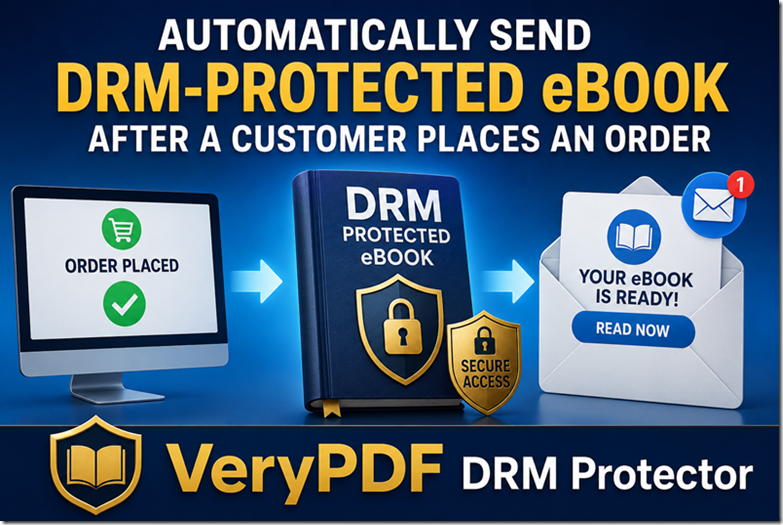
Users automatically get access after purchase.

Step 4: Deliver controlled access

No PDF file is ever handed over.

Step 5: Monitor usage

You see how content is accessed.

Step 6: Revoke if needed

One click to disable access.


DRM vs Traditional Methods (Simple Comparison)

Method

Protection Level

Scalability

Ease of Use

Piracy Resistance

Google Docs sharing

Low

Low

Medium

Low

License keys

Medium

Medium

Medium

Medium

Manual PDF delivery

Very low

High

High

Very low

Copyright only

Legal only

High

High

None (prevention)

DRM system (VeryPDF DRM Protector)

High

High

High

High


The Real Strategy That Works in 2026

If you strip everything down, successful ebook protection looks like this:

  1. Don’t rely on trust
  2. Don’t rely on file security alone
  3. Don’t rely on legal action alone
  4. Combine control + friction + automation

And ideally:

Remove the “file” entirely from the equation.

That’s what modern DRM systems are built for.


A Simple 30-Minute Setup Plan

If you want to implement this quickly:

  1. Upload your ebook to VeryPDF DRM Protector
  2. Enable online-only reading mode
  3. Turn on access restrictions
  4. Connect payment or delivery system
  5. Test access as a customer
  6. Launch

That’s it.

No complicated infrastructure. No manual delivery. No guessing.


Final Thoughts

Ebook theft will never fully disappear.

But the way you respond to it determines whether:

  • it becomes a minor inconvenience
    or
  • it becomes a business problem that eats your revenue

The smartest creators don’t try to eliminate piracy.

They design systems where piracy doesn’t matter.

And that’s the shift, from protection mindset to control mindset.

If you’re serious about protecting your work while still selling it smoothly, tools like VeryPDF DRM Protector are no longer optional, they’re infrastructure.

Because in the digital world, your content isn’t just something you sell.

It’s something you have to continuously defend.