PDF Reading Analytics for Sales: PDF Tracking, Proposal Engagement Analytics, Document Viewer Insights & Revenue Intelligence

In modern B2B sales and digital marketing, one of the biggest challenges is not creating content, it is understanding what happens after the content is sent.

A sales representative emails a proposal. A marketer shares a product brochure. A consultant sends a pricing deck. A founder forwards an investor presentation.

Then silence.

Did the recipient open the file?
Did they read it carefully?
Which pages interested them most?
Did they stop at the pricing page?
Did they forward it internally?
Did they spend ten minutes reviewing the proposal, or close it after five seconds?

Traditional PDFs provide no answers.

This is why PDF Reading Analytics for Sales is becoming one of the fastest-growing software opportunities in the digital document industry. It transforms static PDF files into measurable, trackable, data-driven sales assets. Instead of guessing customer intent, teams gain visibility into real reading behavior.

Imagine a system similar to link analytics tools such as Bitly, but designed specifically for PDF content.

You upload a PDF, share a secure web link, and instantly see:

  • Whether the PDF was opened
  • Who opened it
  • When it was opened
  • Which pages were viewed
  • How long each page was viewed
  • Total reading time
  • Which page was viewed most frequently
  • Which page had the longest engagement
  • Whether readers dropped off early
  • Whether multiple stakeholders viewed it
  • How engagement changes over time

This is not just analytics. It is sales intelligence.

And for organizations that already have a plugin-free web PDF viewer, the technical barrier is lower than many people think. An MVP can be built quickly because the core reading environment already exists.

The market demand is enormous. In many cases, the potential audience for PDF Analytics is 100 times larger than traditional DRM-only markets because nearly every sales team, marketer, recruiter, trainer, consultant, agency, and SaaS company shares PDFs.

This article explores why PDF Reading Analytics matters, how the system works, what features customers need, why it creates long-term user dependence, and why now is the perfect time to build it.

PDF Reading Analytics for Sales: PDF Tracking, Proposal Engagement Analytics, Document Viewer Insights & Revenue Intelligence


The Hidden Problem with Traditional PDFs

PDF remains one of the most widely used business formats in the world. It is universal, professional, printable, and easy to distribute.

Companies use PDFs for:

  • Sales proposals
  • Product brochures
  • Price lists
  • Case studies
  • White papers
  • Investor decks
  • Reports
  • Contracts
  • Training manuals
  • Product catalogs
  • Technical documentation
  • Lead magnets
  • Event materials

But traditional PDF workflows have a major weakness:

Once sent, the sender loses visibility.

A salesperson may spend hours preparing a proposal, but after sending it, they know nothing about buyer engagement.

A marketer may run campaigns driving traffic to a downloadable brochure, but cannot measure reading depth.

A founder may send an investor deck but cannot tell whether investors reviewed the financial slides.

This lack of visibility creates three major business problems:

1. Poor Follow-Up Timing

Sales teams often follow up too early or too late.

Without engagement data, they cannot know whether the prospect has reviewed the document.

2. Weak Qualification

Not all leads are equal. Some prospects deeply study the proposal. Others ignore it.

Without analytics, both appear identical.

3. Lost Optimization Opportunities

If page 3 consistently causes readers to exit, something is wrong. If pricing pages receive the most attention, that insight should shape strategy.

Without measurement, improvement is impossible.


What Is PDF Reading Analytics?

PDF Reading Analytics is a cloud-based system that combines:

  1. PDF hosting
  2. Web-based viewing
  3. Real-time event tracking
  4. Engagement analytics
  5. Sales notifications
  6. Historical reporting

Instead of emailing a raw PDF attachment, the user uploads the PDF to the platform and shares a trackable web link.

When recipients open the link in a browser, the built-in web viewer records behavioral events such as:

  • Open event
  • Session start
  • Page entered
  • Page exited
  • Scroll behavior
  • Zoom behavior
  • Time spent
  • Device type
  • Location (optional)
  • Repeat visits
  • Completion percentage

All of this is converted into dashboards, alerts, and insights.

The result is simple:

Your PDF becomes a measurable sales funnel.


Real Example: Proposal Tracking in Action

Imagine a salesperson named Sarah sends a 12-page proposal to a prospect.

At 10:14 AM, the system notifies her:

Prospect opened your proposal.

Then she sees:

  • Total reading time: 8 minutes 42 seconds
  • Pages viewed: 1–8
  • Page 5 viewed for 3 minutes 12 seconds
  • Page 6 viewed twice
  • Closed after page 8
  • Reopened later at 2:17 PM

What does this tell Sarah?

  • The prospect is genuinely interested
  • Pricing or ROI on page 5 matters most
  • Internal review may be happening
  • This is the right time to call

Without analytics, Sarah would be guessing.

With analytics, she acts with confidence.


Why Sales Teams Love This Product

Among all business users, sales professionals often become the most emotionally attached users of document analytics systems.

Why?

Because sales is a game of timing, psychology, and momentum.

Every signal matters.

The “God View” Advantage

Once a salesperson becomes used to seeing buyer behavior in real time, it feels like having a strategic superpower.

Instead of operating blindly, they can see:

  • Who is engaged
  • What matters most
  • When interest rises
  • When to follow up
  • Which deal is hot
  • Which lead is cold

Taking that away feels like losing control.

That is why this product category has strong retention.

It is not just useful, it becomes addictive.


Why Marketers Need PDF Analytics Too

This system is not only for sales teams.

Marketers share PDFs constantly:

  • Lead magnets
  • eBooks
  • White papers
  • Industry reports
  • Product one-pagers
  • Event brochures
  • Webinar decks
  • Media kits

Most marketing analytics stop at:

  • Clicks
  • Downloads
  • Form submissions

But downloads do not equal engagement.

A user may download a report and never open it.

PDF analytics adds the missing layer:

  • Did they read it?
  • How much did they read?
  • Which topics interested them?
  • Where did they drop off?

This allows marketers to optimize campaigns based on real content consumption.


Core Features of a Powerful PDF Reading Analytics Platform

To compete successfully, the platform should include a strong feature set.


1. Trackable PDF Links

Upload any PDF and generate a shareable link.

Benefits:

  • No attachment limits
  • Easy sharing
  • Controlled access
  • Real-time tracking
  • Update content without changing link

2. Real-Time Open Notifications

Know instantly when someone opens the document.

Use cases:

  • Follow up while interest is high
  • Prioritize active prospects
  • React during live negotiations

3. Per-Page Time Tracking

One of the most valuable features.

Measure exactly how long a reader stays on each page.

Examples:

  • Page 1: 5 seconds
  • Page 2: 14 seconds
  • Page 5 (pricing): 180 seconds
  • Page 6: 45 seconds

This reveals attention patterns impossible to see otherwise.


4. Most Viewed Page

Identify which page receives the highest number of visits.

This often reveals what buyers care about most:

  • Pricing
  • ROI
  • Testimonials
  • Features
  • Implementation
  • Security

5. Longest Engagement Page

Which page kept readers the longest?

This may indicate:

  • Strong interest
  • Confusion
  • Need for clarification
  • Internal discussion

Either way, it is valuable intelligence.


6. Total Reading Time

Measure the total time spent on the entire PDF.

This helps qualify engagement levels:

  • 10 seconds = weak interest
  • 2 minutes = moderate interest
  • 15 minutes = serious review

7. Repeat Visits

Returning readers are often stronger prospects.

Track:

  • Number of sessions
  • Time between sessions
  • Reopened pages
  • Last activity time

8. Session Timeline

Visualize the reading journey:

10:00 Opened
10:01 Page 1
10:02 Page 2
10:05 Page 5
10:08 Closed

This creates a story from behavior.


9. Viewer Identification

Depending on workflow, identify readers through:

  • Named links
  • Email-gated access
  • CRM-linked sessions
  • Shared recipient links

This allows engagement to be tied to real leads.


10. Historical Analytics

Store all interaction history over time.

This is extremely important.

Why?

Because historical data becomes a strategic asset.

You can compare:

  • Prospect A vs Prospect B
  • Proposal Version 1 vs Version 2
  • Quarter-over-quarter engagement
  • Campaign performance by content type

Why Historical Data Creates Lock-In

One reason users stay with platforms like CRM systems is data history.

The same applies here.

When months or years of buyer engagement records are stored inside the platform, switching providers becomes difficult.

Because leaving means losing:

  • Lead behavior history
  • Proposal engagement trends
  • Team performance benchmarks
  • Content effectiveness insights
  • Buyer journey records

That creates powerful retention.

The software becomes more valuable over time.


Use Cases Across Industries

Although sales is the strongest use case, many industries need this.


SaaS Companies

Track interest in:

  • Product decks
  • Security PDFs
  • Pricing proposals
  • Onboarding guides

Agencies

Track:

  • Client proposals
  • Strategy decks
  • Campaign reports

Real Estate

Track:

  • Property brochures
  • Investment memorandums
  • Buyer guides

Finance

Track:

  • Investor decks
  • Product disclosures
  • Loan proposals

Education

Track:

  • Course catalogs
  • Enrollment guides
  • Sponsored programs

Consulting

Track:

  • Proposals
  • Research reports
  • Transformation roadmaps

Recruitment

Track:

  • Candidate packs
  • Employer branding decks
  • Compensation documents

Why This Market Is Bigger Than DRM

Traditional DRM solves security and access control.

That is valuable, but it targets narrower pain points.

PDF Analytics solves a universal business need:

Understanding engagement.

Almost every organization that shares PDFs can benefit.

Consider the audience:

  • Sales teams
  • Marketing teams
  • Founders
  • Consultants
  • Recruiters
  • Agencies
  • Customer success teams
  • Trainers
  • Investors
  • Real estate brokers
  • Partnerships teams

This is why the addressable market can be dramatically larger than DRM alone.

Security matters to some buyers.

Analytics matters to nearly everyone.


Built on Existing Technology: Fast Time to Market

For companies that already own a web-based PDF viewer, this opportunity is especially attractive.

Much of the hard work is already done:

  • Browser rendering
  • Page navigation
  • Zoom
  • Search
  • Mobile compatibility
  • Access links
  • Hosting

What remains is the analytics layer.

That means development can move quickly.


MVP Architecture

A minimum viable product can be launched rapidly using:

Front-End Viewer Events

Track events such as:

  • Open
  • Close
  • Page change
  • Scroll depth
  • Time on page
  • Session duration

Backend API

Receive events and store them.

Database

Store:

  • User
  • Document
  • Session
  • Event
  • Metrics

Dashboard

Show analytics in charts and tables.

Notification Engine

Email or push alerts for opens and activity.


One-Week Prototype Possibility

If a stable web viewer already exists, a basic prototype may be achievable in a short timeline.

Week 1 could include:

Day 1: Upload + share links
Day 2: Event tracking
Day 3: Page time analytics
Day 4: Dashboard
Day 5: Notifications
Day 6: QA
Day 7: Launch beta

The speed advantage matters.

Many companies overcomplicate software opportunities. But sometimes the strongest products come from combining existing assets in a focused way.


Key Metrics Customers Want to See

A successful dashboard should clearly present metrics such as:

  • Total opens
  • Unique viewers
  • Average reading time
  • Completion rate
  • Top engaged documents
  • Most viewed pages
  • Highest drop-off pages
  • Repeat viewers
  • Recent activity
  • Conversion by document

These metrics turn PDFs into performance assets.


Integrations Increase Value

To win in the sales market, integrations are important.

CRM Integrations

Connect with:

  • Salesforce
  • HubSpot
  • Zoho
  • Pipedrive

Then sales reps can see document engagement directly inside lead records.

Email Tools

Track PDFs sent via outreach sequences.

Slack / Teams

Send instant activity alerts.

Marketing Automation

Trigger workflows based on reading behavior.

Example:

If viewer spends 2+ minutes on pricing page → notify sales rep.


Pricing Model Opportunities

This category supports strong SaaS pricing.

Possible plans:

Free Plan

  • Limited documents
  • Basic analytics
  • Branding included

Pro Plan

  • Unlimited links
  • Full analytics
  • Notifications
  • Custom branding

Team Plan

  • Multi-user
  • Shared dashboards
  • CRM integration

Enterprise Plan

  • SSO
  • API
  • Advanced permissions
  • Compliance
  • White-label

Because ROI is tied to revenue, customers are often willing to pay.

If one closed deal is influenced by analytics, the software pays for itself.


Competitive Positioning Against Generic File Sharing

Why not just use email attachments or cloud storage links?

Because those tools answer only one question:

Was the file sent?

They do not answer:

  • Was it read?
  • Which pages mattered?
  • How serious is the lead?
  • When should I follow up?

That difference is the product’s core value.


Privacy and Ethical Design

Analytics products should be transparent and responsible.

Best practices include:

  • Consent notices when required
  • Privacy controls
  • Region-based compliance
  • Secure storage
  • Role permissions
  • Data retention settings
  • Anonymized analytics options

Trust increases adoption.


Future Features

After launching the core platform, many advanced features can be added.


AI Insights

Use AI to summarize engagement:

Prospect focused heavily on pricing and implementation pages. Recommend ROI follow-up.


Lead Scoring

Automatically score viewers based on behavior.

Example:

  • Opened = +5
  • 5 minutes reading = +10
  • Pricing page viewed = +20
  • Reopened twice = +15

Heatmaps

Visual page heatmaps showing engagement concentration.


A/B Testing

Compare two brochure versions.

Which converts better?


Team Performance Analytics

Which sales reps send the most effective content?


Auto Follow-Up Suggestions

Recommend next actions based on reading signals.


Why Users Become Dependent

The strongest SaaS products become part of daily workflow.

PDF Reading Analytics can achieve that because it influences real decisions every day.

A sales rep checks active prospects each morning.

A marketer reviews engagement after every campaign.

A manager monitors content performance weekly.

Once teams rely on these signals, removing the platform creates discomfort.

They return to guessing.

And nobody wants to go back to guesswork.


Why This Opportunity Is Timely Now

Several trends make this ideal now:

Remote Selling

Buyers increasingly review materials digitally.

Data-Driven Sales

Teams demand measurable signals.

Browser-Based Workflows

Users prefer no-installation tools.

AI + Automation

Behavioral data becomes more valuable when combined with AI.

Rising Competition

Teams need an edge in follow-up timing and qualification.

All trends favor document intelligence.


Why Existing PDF Companies Should Consider It

If a company already has expertise in:

  • PDF rendering
  • Web viewers
  • Document hosting
  • Security
  • Permissions
  • SaaS infrastructure

Then they are closer to this market than they may realize.

Instead of competing only in crowded utility categories like “PDF to Word” or “Merge PDF,” they can move into a higher-value recurring SaaS market tied directly to revenue outcomes.

That is a major strategic shift.


Example Customer Story

A software company sends 100 proposals per month.

Before analytics:

  • Reps guess follow-up timing
  • Weak prioritization
  • Low visibility
  • Generic outreach

After analytics:

  • Reps call engaged leads first
  • Pricing-focused prospects receive targeted follow-up
  • Managers identify winning proposal formats
  • Marketing improves content based on real reading behavior

Close rates improve.

Sales cycles shorten.

Team confidence rises.


Final Thoughts

PDFs are everywhere in business, but most are still silent.

They are sent, opened, ignored, reviewed, forwarded, compared, and discussed without giving any feedback to the sender.

That silence represents lost intelligence.

PDF Reading Analytics for Sales changes that.

It turns every PDF into a measurable customer interaction channel.

Instead of sending documents into a black hole, companies gain visibility into:

  • Buyer intent
  • Content performance
  • Engagement timing
  • Funnel progression
  • Revenue opportunities

The market is large. The need is real. The retention potential is strong. And for teams that already have a plugin-free web PDF viewer, the path to launch can be surprisingly fast.

This is more than a PDF feature.

It is a new category of sales intelligence built on one of the world’s most common business file formats.

The future of PDFs is not just viewing.

It is understanding.

Track PDF Engagement, Views, and User Activity: Complete Guide to VeryPDF DRM Protector Analytics & Secure PDF Tracking Software

In today’s digital-first business environment, PDF documents are no longer static files, they are dynamic assets used for marketing, training, compliance, sales enablement, and intellectual property distribution. Whether you’re sharing product brochures, confidential reports, eBooks, or internal documentation, understanding how recipients interact with your PDFs is critical.

Yet most organizations still operate blindly. They send documents and hope for engagement, but have no visibility into what actually happens next.

This is where VeryPDF DRM Protector fundamentally changes the game.

This article explores, in depth, how PDF tracking works, why it matters, the limitations of traditional tracking methods, and how VeryPDF DRM Protector delivers secure, reliable, and actionable analytics, without compromising document control or data privacy.

Track PDF Engagement, Views, and User Activity: Complete Guide to VeryPDF DRM Protector Analytics & Secure PDF Tracking Software


Track PDF with Detailed Analytics

Want to know exactly how your audience interacts with your digital publications?

With VeryPDF DRM Protector’s detailed analytics, you gain real-time visibility into reader behavior. Instead of guessing, you can measure engagement with precision.

You can:

  • See who is viewing your online PDF
  • Identify which pages receive the most attention
  • Analyze how long readers stay on each section
  • Discover what content drives engagement

This transforms your PDFs from passive files into measurable performance assets, enabling smarter decisions and continuous improvement.


Track PDF with VeryPDF DRM Protector’s Statistics

Tracking PDF Views

Understanding document reach is the first step in measuring performance.

VeryPDF DRM Protector provides a clear and intuitive tracking system that allows you to:

  • Select a specific timeframe
  • Instantly view total PDF opens
  • Analyze trends through visual charts

There’s no need to parse raw logs or complex datasets. The platform simplifies everything into actionable insights.

This is especially useful for:

  • Marketing campaigns (tracking brochure engagement)
  • Sales teams (monitoring proposal views)
  • Training departments (measuring course material usage)

Find Out Which Pages Perform Best

Not all content performs equally and now you can prove it.

With page-level tracking, you can:

  • Identify most-viewed pages
  • Detect drop-off points
  • See which pages are skipped entirely

This enables you to:

  • Optimize underperforming sections
  • Highlight high-performing content
  • Improve document structure and storytelling

For example, if users consistently abandon a PDF after page 5, you know exactly where to focus improvements.


Check Average Time Spent on Reading

Engagement is not just about clicks, it’s about attention.

VeryPDF DRM Protector provides time-based analytics, showing:

  • Average reading time per page
  • Engagement patterns across the document
  • Sections that hold attention vs. those that don’t

Using visual bar graphs, you can quickly:

  • Spot trends
  • Compare sections
  • Identify weak content areas

This is invaluable for:

  • Educational materials
  • Technical documentation
  • Sales presentations

Hotspot and Interaction Analysis

Beyond reading behavior, the system also tracks interactive elements.

Reports allow you to organize hotspots by:

  • Type
  • Page
  • Total clicks

This helps you understand:

  • Which links or CTAs perform best
  • What interactive content users engage with
  • How to optimize conversion pathways

PDF Document Tracking: Beyond Basic Analytics

Track PDF Documents & Files

VeryPDF DRM Protector enables you to track:

  • PDF opens (views)
  • PDF prints
  • Document usage patterns

This goes beyond traditional analytics, it provides full lifecycle tracking.


Secure PDF Tracking You Can Trust

Unlike conventional tools, VeryPDF ensures that tracking:

  • Cannot be removed
  • Is tied to authorized users
  • Works regardless of file location

This means you always know:

  • Who accessed the document
  • When it was accessed
  • Where it was used

PDF Tracking Software Capabilities

Using Enterprise PDF DRM Security software, you can:

  • See which users are opening your documents
  • Monitor usage frequency
  • Track timestamps of access
  • Analyze print activity (when, where, how often)
  • Track documents regardless of storage location
  • Prevent users from removing tracking controls
  • Instantly revoke access if misuse is detected

This combination of analytics + control is what differentiates DRM-based tracking from traditional solutions.


Monitor Real-Time Analytics Dashboard

Once your PDF is live, everything is visible from a centralized dashboard.

What You Can Track

  • Real-time view tracking and analytics
  • Page-by-page engagement metrics
  • Geographic location insights
  • Device and browser analytics
  • Email capture capabilities
  • Security features (password protection)
  • GDPR compliance and data privacy

Key Metrics Explained

  • Total Views – Number of times the PDF was opened
  • Unique Visitors – Individual readers interacting with the document
  • Page Analytics – Most and least engaging pages
  • Geographic Data – Audience location
  • Device Insights – Desktop vs mobile vs tablet
  • Time Analytics – When users access the document
  • Engagement Depth – How far users read or scroll

This provides a complete performance profile of your document.


Document Tracking & Analytics for Business Outcomes

Understanding engagement is not just about data, it’s about action.

With these insights, you can:

  • Follow up with leads at the right time
  • Personalize communication
  • Improve content strategy
  • Close deals faster

You’ll know exactly which pages your recipients care about most, allowing targeted and confident follow-ups.


Tracking PDF Files: How Does It Work?

Tracking PDF usage sounds simple, but technically, it involves several mechanisms.

In theory, tracking should tell you:

  • Who opened the document
  • When it was opened
  • Where it was accessed
  • Whether it was printed

However, implementation matters, and not all methods are reliable.


Why Track PDF Documents?

There are three primary reasons:

1. Marketing Analysis

  • Measure document popularity
  • Identify repeat readers
  • Optimize content performance

2. Authorized Use Monitoring

  • Detect unauthorized access
  • Identify suspicious locations
  • Track document distribution

3. Compliance Requirements

Standards like ISO 9000 require:

  • Controlled document distribution
  • Ongoing document management

Tracking helps demonstrate full compliance.


How to Implement PDF Tracking

There are traditionally two approaches:

1. Page Server Method

  • Delivers content page-by-page
  • Requires constant internet connection

2. Reporting Server Method

  • Sends usage data from client to server
  • More flexible but still limited

Key Limitation

Both methods require documents to “phone home”, meaning:

  • Users must be online
  • Offline access is restricted

This creates significant usability challenges.


Privacy Considerations in PDF Tracking

Privacy is a critical concern, especially in regions governed by regulations like GDPR.

In many jurisdictions:

  • IP addresses are considered personal data
  • You must disclose tracking practices
  • Users must provide informed consent

Organizations must implement:

  • Policies and procedures
  • Transparent data usage practices

VeryPDF DRM Protector supports GDPR compliance, helping businesses align with regulatory requirements.


Challenges in Identifying Users

Tracking a PDF does not always mean identifying a real person.

Common Issues

  • Shared devices
  • Shared login credentials
  • VPNs masking IP addresses
  • Generic email accounts

This makes traditional tracking methods unreliable.


Tracking by IP or Email: Limitations

IP Address Tracking

  • Users can change IPs
  • VPNs mask real location
  • ISPs share IPs across many users

Email Tracking

  • Freemail accounts reduce reliability
  • Shared inboxes obscure identity

Conclusion: These methods provide approximate data, not certainty.


Can PDF Downloads Be Tracked?

Yes, but with limitations.

Download tracking typically logs:

  • IP address
  • User account details

However:

  • Files can be shared after download
  • Tracking stops once the file leaves the system

This makes it useful mainly for basic analytics, not security.


Can You Detect PDF Editing?

Tracking edits is complex.

Methods and Limitations

Metadata

  • Easily altered
  • Not reliable

Digital Signatures

  • Stronger, but not foolproof

Cloud Collaboration

  • Tracks changes, but:
    • Requires internet
    • Allows copying and sharing

Best Practice

  • Use tracking during draft phase
  • Disable editing after distribution
  • Allow comments instead of modifications

Why VeryPDF DRM Protector Is Superior

Traditional tracking methods rely on:

  • Tracking pixels
  • Download logs
  • Cloud-based analytics

These can be:

  • Removed
  • Bypassed
  • Circumvented

DRM-Based Tracking Advantages

VeryPDF DRM Protector ensures:

  • Tracking cannot be removed
  • Documents are tied to authorized devices
  • Access is controlled in real time

Advanced Security Features

VeryPDF DRM Protector offers far more than tracking:

  • Prevent Save As and format conversion
  • Block copying and editing
  • Control or disable printing
  • Lock PDFs to specific devices or locations
  • Set expiration conditions (time, views, prints)
  • Prevent screen capture
  • Apply dynamic watermarks
  • Revoke access instantly

This ensures complete control over document distribution and usage.


Best Way to Track Views on PDF Files

Most PDF tracking tools use hidden tracking pixels.

Problem with Tracking Pixels

  • Easily removed
  • Broken by printing or conversion
  • Ineffective against technical users

DRM-Based Tracking: The Reliable Solution

Using DRM:

  • Tracking is embedded in access control
  • Cannot be bypassed
  • Ensures accurate user identification

VeryPDF’s secure reader:

  • Locks documents to devices
  • Verifies access rights in real time
  • Enables instant revocation

FAQs

How to Tell If a PDF Has Tracking?

Some tools display warnings, while others use invisible methods.

VeryPDF allows publishers to:

  • Inform users explicitly
  • Provide terms of use pages

Can a PDF Owner Track You?

Yes, but effectiveness depends on the technology used.

Weak solutions can be bypassed. DRM-based solutions cannot.


Can You Track Who Opens a Document?

Yes, with proper licensing and device control.

VeryPDF DRM Protector ensures accurate user tracking.


Can You Track Where a PDF Is Opened?

Yes, but IP tracking is unreliable.

VeryPDF allows location-based restrictions, improving accuracy.


Can Downloads Be Tracked?

Yes, but only partially.

The real challenge is tracking post-download behavior, which DRM solves.


Can a Downloaded PDF Be Tracked?

Yes, with VeryPDF DRM Protector.

You can track:

  • Device used
  • Time of access
  • Location of access

Even after download.


Conclusion: Transform PDFs into Intelligent, Secure Assets

PDF tracking is no longer optional, it’s essential.

However, not all tracking solutions are equal.

Traditional methods:

  • Provide incomplete data
  • Are easy to bypass
  • Lack security

VeryPDF DRM Protector delivers:

  • Comprehensive analytics
  • Real-time tracking
  • Unbreakable security controls
  • Regulatory compliance

By combining analytics with DRM, it ensures that your documents are not only measured, but also protected.


If you’re serious about understanding your audience, protecting your content, and making data-driven decisions, VeryPDF DRM Protector provides the most complete PDF tracking and analytics solution available today.

How to Track PDF Views – Simple Guide for Freelancers & Small Businesses Using VeryPDF DRM Protector

In today’s digital workflow, PDFs are no longer static attachments, they are marketing assets, sales documents, training materials, and lead-generation tools. But there is one critical question most freelancers and small businesses struggle with:

“Are people actually reading my PDF?”

With VeryPDF and its advanced VeryPDF DRM Protector, you can track PDF views, measure engagement, and protect your documents, all in one secure system.

This guide explains how PDF tracking works, why it matters, and how you can set it up in just a few minutes.

How to Track PDF Views – Simple Guide for Freelancers & Small Businesses Using VeryPDF DRM Protector


Why Tracking PDF Views Matters

Simply sending a PDF via email or download link gives you zero visibility. You don’t know:

  • Whether the file was opened
  • How long the reader stayed on each page
  • Which sections were ignored
  • Whether the document was forwarded

PDF tracking solves this by turning every document into an analytics-enabled asset.

Key benefits of tracking PDF views:

  • Measure real engagement instead of assumptions
  • Identify high-performing content and weak sections
  • Capture leads through controlled access
  • Improve conversion rates for proposals and sales decks
  • Protect sensitive documents with controlled access
  • Understand audience behavior across devices and regions

For freelancers, consultants, and small businesses, this insight can directly improve revenue and client conversions.


How Do You Track PDF Views with VeryPDF DRM Protector?

With VeryPDF DRM Protector, PDF tracking is designed to be simple, fast, and secure. You don’t need technical skills, just follow a few steps.


Step 1: Choose a Professional PDF Tracking System

Start by using a secure platform like VeryPDF DRM Protector that provides:

  • Real-time view tracking
  • Page-by-page engagement analytics
  • Geographic location tracking
  • Device and browser insights
  • Email capture (lead generation)
  • Access control and encryption
  • GDPR-compliant data handling

Unlike basic file-sharing tools, DRM-based tracking ensures your document remains protected even after it is accessed.


Step 2: Upload Your PDF Document

Upload your PDF file into the DRM Protector system.

Once uploaded:

  • The system scans the file for security risks
  • The document is converted into a secure tracking format
  • A protected viewing environment is created

This ensures your original PDF cannot be freely redistributed without control.


Step 3: Configure Tracking and Security Settings

This is where you define how your document behaves.

View Tracking Options

  • Total views and unique visitors
  • Session duration tracking
  • Page-by-page analytics

Access Control Options

  • View-only mode (disable downloads)
  • Password protection
  • Expiry-based access links

Lead Capture Options

  • Email requirement before access
  • Name or company data collection
  • Integration with CRM workflows

Security Controls

  • Encryption protection
  • Anti-sharing controls
  • GDPR-compliant tracking rules

This step transforms your PDF from a simple file into a controlled digital asset.


Step 4: Share Your Secure Tracking Link

After configuration, generate a secure tracking link.

You can share it via:

  • Email campaigns
  • Client proposals
  • Social media
  • Website downloads
  • Internal corporate distribution

Every interaction is now tracked automatically in the background.


Step 5: Monitor Real-Time Analytics Dashboard

Once your PDF is live, you can monitor everything from your dashboard.

You can track:

  • Total Views – How many times your PDF was opened
  • Unique Visitors – How many individual readers engaged
  • Page Analytics – Which pages get the most attention
  • Geographic Data – Where your audience is located
  • Device Insights – Mobile, desktop, or tablet usage
  • Time Analytics – When your PDF is being read
  • Engagement Depth – How far users scroll or read

This gives you a complete picture of document performance.


Advanced Features of PDF Tracking with VeryPDF DRM Protector

1. Page-by-Page Engagement Tracking

Understand exactly where readers lose interest or stay engaged.

This helps you:

  • Improve proposals
  • Optimize marketing PDFs
  • Refine training materials
  • Increase conversion rates

2. Real-Time Notifications

Get instant alerts when someone opens your PDF.

This is especially useful for:

  • Sales teams tracking proposals
  • Freelancers monitoring client interest
  • Educators tracking course material engagement

3. Secure View-Only Access

Prevent users from downloading or redistributing your document.

This ensures:

  • Your content stays protected
  • All engagement remains trackable
  • No loss of control over sensitive files

4. Data Retention & Privacy Compliance

VeryPDF DRM Protector follows strict data policies:

  • Session data retention: 30 days
  • Summary analytics retention: up to 26 months
  • Automatic data cleanup
  • GDPR-compliant tracking system

Best Practices for PDF Tracking Success

1. Define Your Objective First

Ask yourself:

  • Do you want leads?
  • Do you want engagement data?
  • Do you want content protection?

2. Use Clear File Names

Avoid generic names like “final.pdf”. Use meaningful names such as:

  • Proposal-WebDesign-2026.pdf
  • Training-Module-Sales.pdf

3. Segment Your Audience

Use separate tracking links for:

  • Different clients
  • Marketing campaigns
  • Internal vs external users

4. Review Analytics Regularly

Don’t just collect data, act on it.

Look for:

  • Drop-off pages
  • High-engagement sections
  • Repeat viewers

Common PDF Tracking Challenges (and Solutions)

Challenge 1: “People download instead of viewing”

Solution:
Enable view-only mode in VeryPDF DRM Protector to ensure all activity happens inside the tracked environment.


Challenge 2: “I don’t know who viewed my PDF”

Solution:
Enable email capture before access. This turns anonymous views into qualified leads.


Challenge 3: “I can’t see page-level analytics”

Solution:
Use DRM Protector’s page-by-page tracking to identify exactly which sections are read most.


Challenge 4: “I manage many client documents”

Solution:
Use separate tracking links and organize dashboards by project or client.


Frequently Asked Questions (FAQ)

How fast can I set up PDF tracking?

Setup takes less than 2 minutes. Upload your PDF, configure settings, and share your link.


Can I track PDFs already sent to clients?

Yes. Simply replace old links with new DRM-protected tracking links.


What data can I see?

You can track:

  • Views and unique users
  • Geographic location
  • Device and browser
  • Page-by-page engagement
  • Session duration

Is PDF tracking legal?

Yes. When implemented transparently and in compliance with GDPR, PDF tracking is fully legal and widely used in business environments.


Can I export analytics data?

Yes, you can export reports for CRM integration, sales reporting, or business analysis.


Final Thoughts

PDFs are no longer passive documents, they are measurable digital assets. With VeryPDF DRM Protector, freelancers and small businesses can finally understand:

  • Who is reading their content
  • What sections matter most
  • How to improve engagement and conversions

Instead of guessing, you can now make data-driven decisions based on real reader behavior.

If you want to turn every PDF into a powerful tracking and lead-generation tool, VeryPDF DRM Protector gives you everything you need in one secure platform.

Heartbeat Tracking for PDF Documents: Real-Time PDF Analytics, Reading Behavior Tracking, and Engagement Insights

In today’s digital environment, PDF documents are widely used for education, corporate training, compliance distribution, research publication, and paid content delivery. However, while PDFs are easy to distribute and open, they have traditionally provided very limited insight into how users actually interact with the content.

Most traditional PDF tracking systems can only answer basic questions such as: Was the file opened? When was it opened? Was it downloaded or printed? These metrics are no longer sufficient for organizations that need to understand real user engagement.

To solve this gap, Heartbeat Tracking in VeryPDF DRM Protector introduces a much deeper level of document intelligence. It transforms static PDF access logs into continuous behavioral insights that reflect how users truly read a document.

Heartbeat Tracking for PDF Documents: Real-Time PDF Analytics, Reading Behavior Tracking, and Engagement Insights


1. The Core Problem: Opening a PDF Does Not Mean Reading It

One of the biggest misconceptions in digital document distribution is assuming that an “open event” equals “reading behavior”.

In reality, users often:

  • Open a document and close it within seconds
  • Leave the file open in the background without reading
  • Skip large portions of content
  • Jump directly to specific pages without context
  • Download files but never actually engage with them

For publishers, educators, and enterprises, this creates a serious blind spot. They cannot reliably answer:

  • Did the user actually read the material?
  • How deeply did they engage with it?
  • Which parts of the document were actually consumed?

Heartbeat Tracking directly addresses this problem by continuously measuring user interaction over time.


2. What Is Heartbeat Tracking?

Heartbeat Tracking is a behavior-based monitoring system that periodically records user engagement signals while a PDF is open. Instead of relying on single events (like open/close), it collects ongoing “heartbeat” signals that reflect real-time activity.

These signals allow the system to reconstruct reading behavior with much higher accuracy.

Rather than simply recording access, it observes:

  • Whether the document window is active
  • Whether the user is interacting with the page
  • Whether reading is continuous or interrupted
  • How long each section of the document is actually viewed

This transforms PDF analytics from static logs into dynamic reading intelligence.


3. Key Insights Provided by Heartbeat Tracking

3.1 Total Reading Time per Document

One of the most important metrics is total reading duration. Unlike simple session duration, Heartbeat Tracking distinguishes between:

  • Active reading time
  • Idle or background time

This ensures a more realistic measurement of actual engagement.

Business value:

  • Training completion validation
  • Content consumption analysis
  • User engagement scoring

3.2 Time Spent on Each Page

Heartbeat Tracking records how long a user stays on each page of a document.

This provides a page-level breakdown such as:

  • Which pages were carefully read
  • Which pages were skipped quickly
  • Which pages were revisited multiple times

Business value:

  • Identify the most important or confusing sections
  • Improve educational materials
  • Optimize document structure based on real usage

3.3 Active vs Idle Reading Behavior

A critical improvement over traditional tracking is the ability to distinguish between active reading and passive open sessions.

For example:

  • If a user leaves the document open but switches tabs, the system detects inactivity
  • If there is no interaction for a period of time, it is marked as idle
  • Only active engagement is counted as meaningful reading time

Business value:

  • Prevent false compliance reporting
  • Ensure accurate engagement measurement
  • Improve trust in analytics data

3.4 Page Navigation Patterns

Heartbeat Tracking also records how users move through the document:

  • Sequential reading (page 1 → page 2 → page 3)
  • Skipping behavior (jumping to later sections)
  • Back-and-forth navigation (review behavior)

Business value:

  • Understand user reading strategies
  • Detect confusing or high-interest sections
  • Improve document design and structure

3.5 Engagement Signals and Reading Depth

Beyond time and navigation, engagement signals provide a deeper layer of insight:

  • Whether the document is in focus
  • Whether the user is actively scrolling or interacting
  • Whether the user returns to previous sections

This helps estimate reading depth rather than just surface interaction.

Business value:

  • Measure content effectiveness
  • Identify highly engaging sections
  • Support premium content pricing models

4. Key Customer Pain Points Solved

Heartbeat Tracking is not just a technical feature—it directly addresses several critical business problems.


4.1 “We don’t know if users actually read the document”

This is the most common and important pain point.

Traditional systems only confirm access, not attention.

Heartbeat Tracking solves this by providing:

  • Active reading time
  • Page-by-page engagement
  • Idle detection

So organizations can finally distinguish between opened and read.


4.2 Lack of visibility into content engagement

Without detailed analytics, content providers cannot answer:

  • Which parts are valuable?
  • Which sections are ignored?
  • Where do users lose interest?

Heartbeat Tracking provides granular insights that help optimize content quality.


4.3 Compliance and training verification challenges

In corporate training and education, compliance is critical.

Organizations need to prove that:

  • Employees completed training
  • Students actually engaged with learning materials
  • Mandatory reading requirements were met

Heartbeat Tracking provides structured evidence of engagement, not just access logs.


4.4 Inefficient content design decisions

Without behavioral data, content improvement is based on assumptions.

With Heartbeat Tracking, organizations can:

  • Identify weak sections
  • Improve document structure
  • Optimize learning flow

This leads to better user outcomes and more effective communication.


4.5 Uncertainty in paid content value

For publishers and digital content sellers, a key question is:

“Are users actually consuming what they paid for?”

Heartbeat Tracking helps measure real consumption, supporting:

  • Subscription models
  • Premium content pricing
  • Usage-based insights

5. Why Heartbeat Tracking Matters

The shift from basic tracking to heartbeat-based analytics represents a fundamental change:

  • From “file access” → “reading behavior”
  • From “download metrics” → “engagement intelligence”
  • From “static logs” → “continuous monitoring”

This allows organizations to finally understand the real value of their documents.


6. Conclusion

Heartbeat Tracking transforms PDF documents from passive files into measurable learning and engagement systems. By capturing real user behavior—such as reading time, page engagement, activity levels, and navigation patterns—it solves one of the most persistent problems in digital document distribution: the lack of visibility into actual reading behavior.

With this capability, organizations can improve education effectiveness, ensure compliance, optimize content design, and better understand user engagement at a granular level.

In short, it answers a question that traditional PDF systems have never been able to answer well:

Not just “Was it opened?” but “Was it actually read?”

Unlock Powerful Document Intelligence: Advanced PDF Reading Analytics with VeryPDF DRM Protector Heartbeat Tracking for Education, Corporate Training, Compliance, and Secure Digital Content Distribution

In today’s digital-first world, PDF documents are no longer just static files. They are the foundation of education materials, corporate training content, legal contracts, financial reports, research papers, and paid digital publications. Organizations distribute millions of PDF files every day, but there is one fundamental problem that almost every publisher, educator, and enterprise faces:

They do not actually know whether users are truly reading the content.

Opening a PDF does not mean reading it. Downloading a document does not mean understanding it. Even scrolling through pages does not guarantee engagement.

VeryPDF DRM Protector solves this long-standing industry problem by introducing a powerful Advanced PDF Reading Analytics and Heartbeat Tracking System, designed to capture real reading behavior in a reliable, continuous, and resilient way, even when the browser crashes or the user unexpectedly closes the document.

This feature transforms traditional DRM protection into a full-scale document intelligence and behavioral analytics platform, enabling organizations to finally understand how their content is consumed in the real world.

Unlock Powerful Document Intelligence: Advanced PDF Reading Analytics with VeryPDF DRM Protector Heartbeat Tracking for Education, Corporate Training, Compliance, and Secure Digital Content Distribution


The Hidden Problem in Digital Document Distribution: Visibility Without Truth

For years, organizations have relied on basic PDF usage metrics such as:

  • File download count
  • Open events
  • Simple access logs
  • IP-based access tracking
  • Basic time-on-page estimation

However, these methods all suffer from the same core limitation: they do not reflect real reading behavior.

In practice, organizations face serious blind spots:

1. No proof of actual reading

A student may download a textbook but never open it again.
An employee may open a training document and immediately switch tabs.
A client may open a contract but never review the key terms.

Yet, all systems report the same misleading status: “file accessed”.

2. No insight into engagement quality

Even when a PDF is opened, there is no reliable way to know:

  • Which pages were actually read
  • Which sections were skipped
  • How long attention was sustained
  • Whether the document was carefully reviewed or quickly dismissed

3. Data loss caused by unexpected events

Traditional tracking systems rely heavily on exit events such as:

  • Closing the browser tab
  • Clicking a “finish reading” button
  • Manual submission of reading status

But in real-world usage, these events are unreliable. Users frequently:

  • Close tabs abruptly
  • Experience browser crashes
  • Lose internet connectivity
  • Shut down devices unexpectedly
  • Switch applications without warning

In all these cases, valuable reading data is lost.


Introducing Heartbeat-Based Reading Analytics in VeryPDF DRM Protector

VeryPDF DRM Protector introduces a fundamentally different approach: a Heartbeat-based continuous tracking system.

Instead of relying on a single final event (such as closing a document), the system continuously records reading behavior at regular intervals during document interaction.

This creates a live, evolving picture of how users interact with PDF content.

The system captures:

  • Current page viewing behavior
  • Time spent on each page
  • Page switching patterns
  • Reading session continuity
  • Partial session recovery after interruptions

Most importantly, it ensures that even if the browser crashes or the session is unexpectedly terminated, the majority of reading data has already been safely recorded.

This is not just analytics. It is resilient behavioral data capture.


How Heartbeat Tracking Works in Advanced Settings

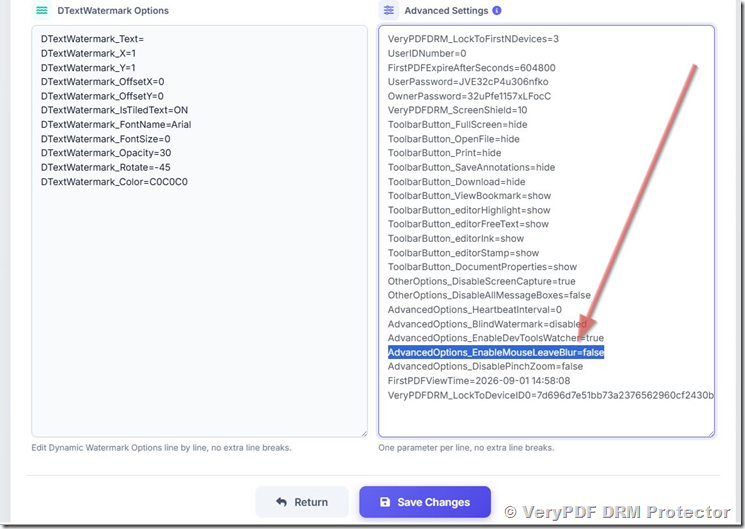
This feature is enabled through the Advanced Settings configuration system inside VeryPDF DRM Protector.

Administrators can activate heartbeat-based reading analytics using the following parameter:

AdvancedOptions_HeartbeatInterval=60

This configuration defines the interval (in seconds) at which the system sends reading activity updates to the server.

Click Actions button at the right of a book

Unlock Powerful Document Intelligence: Advanced PDF Reading Analytics with VeryPDF DRM Protector Heartbeat Tracking for Education, Corporate Training, Compliance, and Secure Digital Content Distribution

In the Advanced Settings configuration field, you can add or modify the value of the “AdvancedOptions_HeartbeatInterval” parameter, then click the Save button to apply the changes.

This value is measured in seconds. For example, setting “AdvancedOptions_HeartbeatInterval” to 60 will configure the system to send a HeartbeatNotification every 60 seconds.

Unlock Powerful Document Intelligence: Advanced PDF Reading Analytics with VeryPDF DRM Protector Heartbeat Tracking for Education, Corporate Training, Compliance, and Secure Digital Content Distribution

Configuration rules and constraints

To ensure system performance and prevent excessive server load, the following rules apply:

  • The value is measured in seconds
  • The minimum valid interval is greater than 10 seconds
  • If the value is 10 seconds or less, the system will not send heartbeat notifications
  • The recommended interval is 60 seconds or higher for production environments

This design ensures a balance between data accuracy and system efficiency.

Short intervals may generate excessive network traffic and unnecessary backend processing load, while longer intervals provide a stable and scalable analytics pipeline.

After you set the value for “AdvancedOptions_HeartbeatInterval” option, you will see “HeartbeatNotification” in the Activity Details,

https://drm.verypdf.com/wp-admin/admin.php?page=VeryPDFDRMActivityDetails

You can click the eye icon to view a detailed statistics report sent via heartbeat notifications.

Unlock Powerful Document Intelligence: Advanced PDF Reading Analytics with VeryPDF DRM Protector Heartbeat Tracking for Education, Corporate Training, Compliance, and Secure Digital Content Distribution

The following screenshot shows the statistics report generated via heartbeat notifications.

Unlock Powerful Document Intelligence: Advanced PDF Reading Analytics with VeryPDF DRM Protector Heartbeat Tracking for Education, Corporate Training, Compliance, and Secure Digital Content Distribution


Why the Heartbeat Interval Must Be Carefully Configured

Unlike traditional logging systems, heartbeat tracking operates continuously during user interaction. This means that every interval directly impacts:

  • Server load
  • Network traffic volume
  • Data storage requirements
  • Real-time processing cost

If the interval is too short, the system may generate large volumes of redundant data, leading to performance inefficiencies.

If the interval is too long, the system may lose granularity in reading behavior analysis.

Therefore, VeryPDF DRM Protector enforces a strict threshold:

  • Below or equal to 10 seconds: heartbeat tracking is disabled
  • Above 10 seconds: heartbeat tracking is enabled

This ensures system stability while still allowing flexible configuration for different use cases.


Core Benefits of Heartbeat-Based PDF Reading Analytics

The introduction of heartbeat tracking fundamentally changes how organizations understand document usage.

Below are the most important benefits.


1. True Visibility Into Real Reading Behavior

Traditional analytics systems only show access data. Heartbeat tracking reveals actual engagement.

With this system, organizations can now understand:

  • How long users spend on each page
  • Which sections receive the most attention
  • Which pages are skipped entirely
  • Whether users read sequentially or jump between sections

This transforms document usage from guesswork into measurable behavioral data.

Instead of asking “Did the user open the document?”, organizations can now answer:

“Which parts of the document did the user actually read, and for how long?”

such as,

— Statistics Report —
{
“total_read_time”: “15.6 minutes”,
“active_time_counter”: “0 seconds”,
“Stat_ReportSendCount”: 4,
“page_stats”: {
“page 1”: “5 seconds”,
“page 2”: “10 minutes”,
“page 3”: “5 seconds”
},
“longest_page”: {
“page”: “page 2”,
“seconds”: “10 minutes”
},
“max_page”: 205
}


2. Reliable Data Recovery Even After Browser Crashes

One of the most significant weaknesses of traditional analytics systems is data loss caused by unexpected interruptions.

VeryPDF DRM Protector solves this by continuously storing reading activity during the session.

Because data is recorded at regular intervals:

  • Partial reading progress is preserved
  • Page-level time tracking remains intact
  • Session continuity can be reconstructed
  • Unexpected shutdowns do not result in total data loss

This is especially important in real-world environments where users frequently switch devices, close browsers abruptly, or experience unstable network conditions.


3. Page-Level Engagement Intelligence

Heartbeat tracking enables detailed page-level analysis, allowing organizations to identify:

  • High-engagement pages
  • Low-engagement or ignored pages
  • Content sections that require improvement
  • Pages that confuse or lose user attention

This level of insight is critical for optimizing:

  • Educational materials
  • Training manuals
  • Marketing documents
  • Product documentation
  • Legal and compliance content

By analyzing reading patterns, organizations can continuously improve document quality based on real user behavior.


4. Compliance, Audit, and Legal Proof of Reading

In industries such as legal services, finance, insurance, and government operations, it is often necessary to prove that users have actually reviewed important documents.

Heartbeat-based tracking provides:

  • Verified reading duration records
  • Page-by-page engagement logs
  • Continuous session tracking
  • Evidence of document interaction

This can support compliance requirements, internal audits, and legal verification processes.

For example:

  • Confirming that employees have read compliance policies
  • Verifying that clients have reviewed contract terms
  • Demonstrating that training materials were accessed and studied

This turns document tracking into a legally meaningful audit system.


5. Near Real-Time Reading Analytics

Because data is transmitted at regular intervals, administrators can gain near real-time insights into document usage.

This enables:

  • Monitoring active reading sessions
  • Identifying currently engaged users
  • Detecting drop-off points as they happen
  • Tracking engagement trends over time

This is particularly valuable for:

  • Online learning platforms
  • Corporate training systems
  • Subscription-based content services
  • High-value document distribution platforms

6. Improved Content Strategy and Optimization

One of the most powerful applications of reading analytics is content optimization.

By analyzing heartbeat data, organizations can identify:

  • Which chapters are most engaging
  • Which sections are too complex or uninteresting
  • Where users stop reading
  • How content structure affects engagement

This allows teams to continuously refine documents based on actual user behavior rather than assumptions.

Over time, this leads to:

  • Higher engagement rates
  • Better learning outcomes
  • Improved user satisfaction
  • Increased content value

Industries That Benefit Most from Heartbeat-Based Reading Analytics

This feature is not designed for casual document viewing. It is built for environments where reading behavior matters.


Education and E-Learning Platforms

Educational institutions can use this system to:

  • Track student engagement with course materials
  • Identify difficult learning sections
  • Measure reading completion rates
  • Improve teaching materials based on behavior data

This is essential for online education platforms where student accountability is critical.


Corporate Training and HR Systems

Organizations can ensure that employees:

  • Complete onboarding materials
  • Read internal policies
  • Engage with compliance training documents

This provides measurable proof of training completion and engagement.


Legal, Financial, and Insurance Industries

These industries require strong proof of document interaction.

Heartbeat tracking helps:

  • Verify contract review behavior
  • Reduce legal risk exposure
  • Provide evidence of informed consent
  • Support compliance audits

Digital Publishing and Paid Content Platforms

Publishers can:

  • Confirm that paid content is actually read
  • Analyze reader engagement patterns
  • Improve monetization strategies
  • Optimize content structure based on behavior

This increases both content value and revenue potential.


Government and Regulatory Institutions

Government and regulated environments can:

  • Track internal document access
  • Ensure policy compliance
  • Maintain audit trails for sensitive materials

Business Impact: From Document Protection to Document Intelligence

VeryPDF DRM Protector is not just a document protection system. With heartbeat-based analytics, it evolves into a full document intelligence platform.

Organizations move from:

  • Basic access tracking
    to
  • Deep behavioral analysis
    to
  • Audit-ready reading verification
    to
  • Real-time engagement intelligence

This transformation enables a new level of control, insight, and accountability in digital document distribution.


Conclusion: Why Heartbeat-Based Reading Analytics Is a Game Changer

In a world where digital documents are central to education, business operations, legal agreements, and knowledge distribution, understanding how users interact with content is no longer optional.

VeryPDF DRM Protector’s Advanced Heartbeat Reading Analytics system ensures that:

  • Every reading action is continuously recorded
  • Every engagement can be measured accurately
  • Every session remains traceable even after failure
  • Every document becomes a source of actionable intelligence

This is not simply a tracking feature. It is a shift in how organizations understand digital content.

By enabling AdvancedOptions_HeartbeatInterval in the system, organizations gain the ability to transform passive PDF files into active, measurable, and intelligent digital assets.

In practical terms, this means moving from uncertainty to clarity, from assumptions to evidence, and from static documents to dynamic behavioral intelligence.

For any organization serious about digital content security, engagement measurement, and compliance verification, this feature represents a significant upgrade in capability and value.