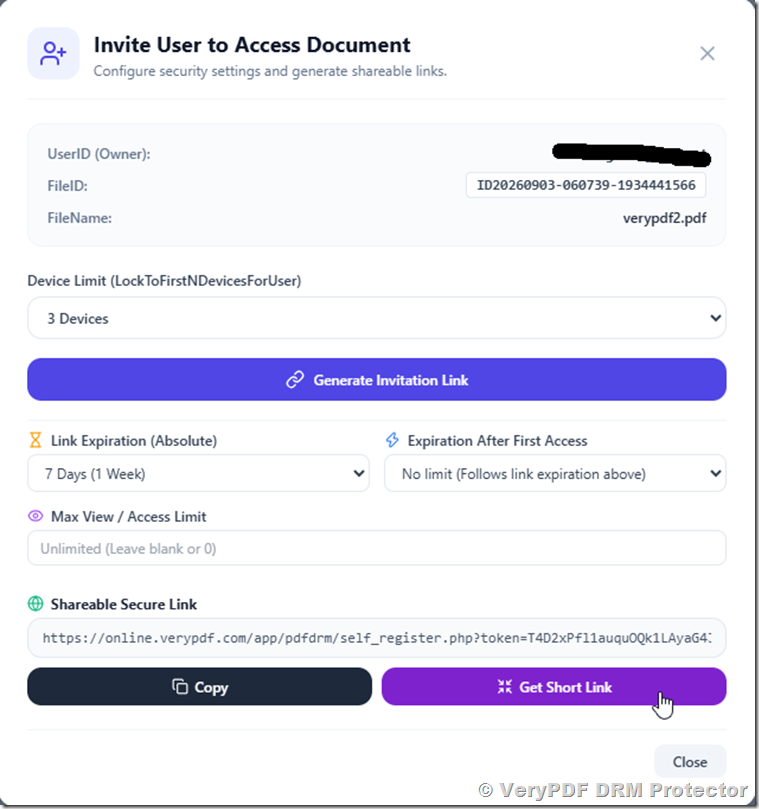
VeryPDF DRM Protector: Dynamic Watermarking, PDF Security, Document Protection, and Secure File Sharing with Real-Time Tracking and Access Control

VeryPDF DRM Protector is a modern document security and rights management solution designed to address one of the most persistent problems in the digital age: uncontrolled document sharing. In today’s business, education, and professional environments, sensitive information is constantly exchanged through PDFs, Word documents, PowerPoint presentations, and other digital formats. Once these files leave the creator’s hands, they can easily be forwarded, copied, screenshotted, or redistributed without permission. Traditional protection methods such as passwords or basic encryption are no longer sufficient because they do not provide visibility, traceability, or control after access is granted.

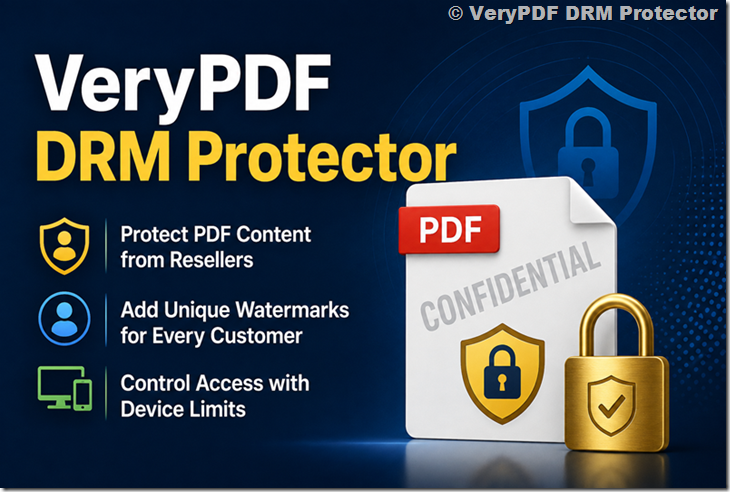
VeryPDF DRM Protector solves this challenge by combining dynamic watermarking, advanced access control, batch processing capabilities, and real-time analytics into a unified platform. At its core, the system focuses on one powerful idea: every document should carry a visible and intelligent identity that travels with it wherever it goes. This is achieved through dynamic watermarking, which transforms ordinary documents into traceable and controlled assets.

This article provides a detailed overview of VeryPDF DRM Protector, its dynamic watermarking technology, key features, use cases, and the value it brings to organizations that need to protect sensitive information at scale.

VeryPDF DRM Protector: Dynamic Watermarking, PDF Security, Document Protection, and Secure File Sharing with Real-Time Tracking and Access Control


1. The Problem of Modern Document Sharing

Before understanding the value of VeryPDF DRM Protector, it is important to recognize the challenges organizations face today.

Digital documents are extremely easy to distribute. A single PDF can be emailed to hundreds of recipients within seconds. A PowerPoint presentation used in a meeting can be saved and shared outside the organization without any restriction. Even confidential Word documents containing business strategies, financial data, or intellectual property can be copied and forwarded instantly.

The main problems include:

  • Loss of control once a document is shared
  • Difficulty tracking who leaked or forwarded files
  • Ineffective password-based protection
  • Lack of visibility into document usage
  • High risk of intellectual property theft
  • Compliance risks in regulated industries

Passwords, while commonly used, are fundamentally weak. Once a password is shared, the document is effectively unprotected. Encryption alone does not solve the distribution problem because it only protects storage or access, not behavior after access.

Organizations need a solution that goes beyond static protection. They need a system that can actively identify users, embed accountability into documents, and provide visibility into usage patterns. This is where VeryPDF DRM Protector and its dynamic watermarking system become essential.


2. Introduction to VeryPDF DRM Protector

VeryPDF DRM Protector is a digital rights management platform designed to protect sensitive documents from unauthorized distribution while maintaining ease of access for legitimate users.

Instead of simply locking files with passwords, it applies intelligent controls that follow the document wherever it is accessed. One of its most powerful features is dynamic watermarking, which ensures that every document carries identifiable user information.

The system supports multiple file formats, including:

  • PDF documents
  • Microsoft Word files
  • Microsoft PowerPoint presentations
  • Apple Keynote files

This broad compatibility ensures that organizations can protect their entire document ecosystem without changing their workflows.

VeryPDF DRM Protector is particularly useful in industries such as:

  • Education (protecting teaching materials and exams)
  • Finance (protecting reports and client data)
  • Legal services (protecting contracts and case files)
  • Corporate environments (protecting internal documentation)
  • Publishing (protecting digital content and drafts)

3. Dynamic Watermarking: The Core Protection Technology

The most important feature of VeryPDF DRM Protector is dynamic watermarking. Unlike static watermarks, which are permanently embedded and identical for all users, dynamic watermarks change based on the viewer.

This means that every person who opens a document sees a watermark that is uniquely generated for them.

3.1 What Makes It “Dynamic”?

A dynamic watermark automatically pulls real-time data about the viewer and embeds it into the document. This can include:

  • Viewer email address
  • IP address
  • Date of access
  • Time of access
  • User identity or account information

For example, if two different users open the same document, they will see different watermark information. This makes every copy of the document traceable to a specific user session.


3.2 Why Dynamic Watermarking Is Powerful

Dynamic watermarking solves a critical problem that static watermarks cannot address: accountability.

If a document is leaked or shared without permission, organizations can immediately identify the source based on the embedded watermark information.

Key benefits include:

  • Strong deterrent against unauthorized sharing
  • Ability to trace leaks to specific users
  • Increased accountability among document viewers
  • Reduced risk of internal data leaks
  • Strong compliance support for regulated industries

Even if a user takes a screenshot or exports the document, the watermark remains visible, ensuring that ownership and identity are preserved.


3.3 Real-World Example

Consider a company distributing confidential financial reports to multiple clients. Each client receives the same document content, but with a personalized watermark such as:

“Confidential – John Smith – john@example.com – 192.168.1.10 – 2026-05-01 10:45”

If this document is later leaked online, the company can immediately identify which client account was responsible for the breach.

This level of traceability is not possible with traditional PDF protection tools.


4. Smart Protection for Sensitive Documents

VeryPDF DRM Protector is not just about watermarking, it is about intelligent document protection.

The system enhances watermark effectiveness by automatically inserting viewer-specific data. This creates a strong psychological and technical deterrent against misuse.

4.1 Automatic Information Embedding

The system automatically pulls and inserts:

  • User identity (email or account ID)
  • Device or network information (IP address)
  • Timestamp of access

This automation removes the need for manual configuration and ensures consistency across all documents.

4.2 Security Through Visibility

Unlike hidden encryption systems, dynamic watermarking makes security visible. The viewer is constantly reminded that:

  • Their activity is tracked
  • Their identity is attached to the document
  • Any misuse can be traced back

This visible accountability is often more effective than invisible restrictions.


5. Full Control Over Watermark Appearance

VeryPDF DRM Protector provides complete customization over how watermarks appear in documents.

Organizations are not restricted to a single format. Instead, they can tailor watermarks to match branding, security needs, and document design requirements.

5.1 Custom Text Support

Users can define custom watermark text, such as:

  • Confidential
  • Internal Use Only
  • Company Name
  • Document Classification Labels

This allows organizations to align watermarks with internal policies.

5.2 Visual Customization Options

The platform allows full control over:

  • Font color
  • Position on the page
  • Rotation angle
  • Transparency level (depending on configuration)

This ensures that watermarks are visible but not intrusive.

5.3 Multi-Format Support

Watermarks can be applied to:

  • PDF files
  • Word documents
  • PowerPoint presentations
  • Keynote files

This ensures consistent protection across different types of business documents.

5.4 Balancing Security and Usability

A key advantage of this flexibility is balance. Organizations can make watermarks:

  • Subtle enough for readability
  • Strong enough for deterrence
  • Consistent across document types

This balance is essential in professional environments where both security and usability matter.


6. Efficient Batch Processing for Multiple Documents

One of the most practical challenges in document security is handling large volumes of files. Many organizations need to distribute dozens or even hundreds of documents at once.

Applying watermarks individually is time-consuming and inefficient. VeryPDF DRM Protector solves this problem through its batch processing system.

6.1 Uploading to a Secure Space

Users can upload multiple documents into a centralized “Space.” This acts as a secure workspace where documents can be managed together.

Once uploaded, watermarking rules can be applied globally.

6.2 One-Click Watermark Application

Instead of processing files one by one, users can:

  • Apply dynamic watermark settings to all files at once
  • Ensure consistency across documents
  • Reduce manual workload significantly

6.3 Single-Link Sharing

After processing, all documents can be shared through a single secure link. This simplifies distribution and improves user experience.

Instead of sending multiple attachments, organizations can send:

  • One link
  • Multiple protected documents
  • Unified access control

This is especially useful for:

  • Training materials
  • Course content
  • Legal document sets
  • Corporate reports

6.4 Time Savings and Operational Efficiency

Batch processing reduces document preparation time from hours to minutes. This efficiency is critical for organizations dealing with frequent document distribution.


7. Secure Document Sharing with Real-Time Analytics

Beyond protection, VeryPDF DRM Protector also provides visibility into document usage through real-time analytics.

7.1 Tracking Document Access

Organizations can monitor:

  • Who opened a document
  • When it was opened
  • Where it was accessed from
  • How frequently it is accessed

This information is crucial for understanding document behavior.

7.2 Usage Intelligence

Analytics provide insights such as:

  • Most active users
  • Popular documents
  • Access patterns over time
  • Geographic distribution of access

7.3 Security Monitoring

Real-time analytics also act as a security tool. Unusual behavior can be quickly identified, such as:

  • Unexpected access locations
  • High-frequency downloads
  • Suspicious sharing patterns

7.4 Compliance and Auditing

Many industries require detailed auditing of document access. VeryPDF DRM Protector supports compliance by providing:

  • Access logs
  • User activity records
  • Time-stamped interactions

8. Use Cases Across Industries

VeryPDF DRM Protector is highly versatile and can be used across multiple industries.

8.1 Education

  • Protect exam papers
  • Secure teaching materials
  • Prevent student sharing

8.2 Corporate Training

  • Secure internal training content
  • Track employee engagement
  • Prevent unauthorized redistribution

8.3 Legal Industry

  • Protect contracts and case files
  • Ensure client confidentiality
  • Track document access

8.4 Finance

  • Secure financial reports
  • Control investor document distribution
  • Maintain compliance standards

8.5 Publishing

  • Protect drafts and manuscripts
  • Control pre-release distribution
  • Track content leaks

9. Advantages Over Traditional DRM Methods

Compared to traditional DRM systems, VeryPDF DRM Protector offers:

  • Easier deployment (cloud-based)
  • Dynamic, not static watermarking
  • Real-time analytics
  • Multi-format support
  • Batch processing capabilities
  • User-friendly document sharing

Traditional systems often focus only on access control. VeryPDF DRM Protector focuses on both control and visibility.


10. Conclusion

VeryPDF DRM Protector represents a modern approach to document security in a world where information is constantly shared and redistributed. Its dynamic watermarking technology transforms every document into a traceable, intelligent asset that carries user identity information wherever it goes.

By combining automatic user-based watermarking, full visual customization, efficient batch processing, and real-time analytics, the platform provides a comprehensive solution for organizations that need to protect sensitive documents without disrupting workflows.

Whether used in education, corporate environments, legal services, or finance, VeryPDF DRM Protector ensures that documents remain secure, traceable, and under control, even after they are shared.

In a digital landscape where data leaks and unauthorized sharing are increasingly common, this level of protection is no longer optional, it is essential.

VeryPDF DRM Protector: A DRM Platform Built by Customers, Introducing Annotations Sharing for Secure Collaboration

When people think about DRM software, they usually think about locking files, preventing downloads, and stopping unauthorized sharing.

But modern digital publishing has evolved.

Today, creators, educators, enterprises, and training providers don’t just want protection, they want interaction, collaboration, feedback, and engagement, without sacrificing security.

That is exactly why VeryPDF DRM Protector has evolved into something unique:

A DRM platform shaped directly by real customer needs.

VeryPDF DRM Protector is not simply software designed in isolation. Many of its most powerful features exist because customers requested them to solve real operational problems.

One of the best examples of this philosophy is Annotations Sharing, a feature born from a real-world use case and now transforming how secure documents are used.

VeryPDF DRM Protector: A DRM Platform Built by Customers, Introducing Annotations Sharing for Secure Collaboration


A Product Built by Customers, Not Just Developers

At VeryPDF, DRM development follows a simple principle:

Security must never destroy user experience.

Traditional DRM systems often focus only on restriction:

  • Disable printing
  • Block copying
  • Prevent downloads
  • Restrict access

While these protections are essential, they often introduce a new problem:

Protected files become difficult to work with.

Customers began asking a different question:

“Can we keep files protected while still allowing collaboration?”

One customer needed users to review protected documents, provide feedback, and interact inside the file itself, without exposing the original content.

Instead of forcing users to switch between emails, chat apps, and external tools, they wanted everything to happen inside the DRM-protected environment.

That request led to the creation of Annotations Sharing.

VeryPDF DRM Protector truly became a product built by customers.


What Is Annotations Sharing in DRM?

Annotations Sharing is an advanced DRM capability that allows authorized users to view and share annotations inside encrypted, DRM-protected content.

Users can:

  • Write comments
  • Highlight text
  • Draw markups
  • Add notes
  • Provide feedback
  • Review responses

All while the file remains fully protected by DRM encryption.

Only users who are explicitly authorized, and whose DRM policy permits annotation visibility, can access shared annotations.

This means collaboration happens securely, without losing control over the content.


Secure Collaboration Without Losing Control

Annotations Sharing is part of VeryPDF’s Advanced DRM Policies, designed to balance two goals:

✔ Maximum content protection
✔ Modern collaborative workflows

When enabled:

  • Specific users or groups can view annotations made by others
  • Content remains encrypted and access-controlled
  • Sharing permissions remain centrally managed
  • Administrators maintain full ownership and oversight

The feature operates exclusively within the VeryPDF Web Viewer, ensuring:

  • No file downloads
  • No uncontrolled distribution
  • No local copies
  • Read-only protection of the original document

Users collaborate inside the secure viewer, not outside it.


Why Traditional Feedback Workflows Fail

Before annotations sharing, organizations typically relied on fragmented workflows:

  • PDFs emailed back and forth
  • Feedback sent through chat apps
  • Screenshots shared via messaging tools
  • Multiple document versions created

This leads to:

  • Version confusion
  • Data leaks
  • Loss of document control
  • Reduced productivity

Every additional communication channel becomes a potential security risk.

Annotations Sharing solves this by turning the protected document itself into a collaboration space.


Real-World Use Cases for Annotations Sharing

Because the feature was created from real customer needs, it naturally fits many practical scenarios.

1. Education and Online Learning

Teachers can distribute protected course materials while allowing interaction.

Examples include:

  • Students answering questions inside protected worksheets
  • Teachers reviewing annotations without downloading files
  • Secure online examinations
  • Classroom discussions within learning materials

Students engage actively, while educational content remains protected against redistribution.


2. Content Review and Feedback Collection

Publishers, course creators, and authors often need structured feedback.

Annotations Sharing allows:

  • Beta readers to comment directly in documents
  • Editors to review protected manuscripts
  • Clients to provide feedback without receiving editable files

No external review platforms are required.


3. Corporate Collaboration and Team Management

Businesses frequently handle confidential documents such as:

  • Strategy reports
  • Internal policies
  • Product documentation
  • Training manuals

Department heads can instantly see team comments and insights without exposing sensitive files.

Collaboration improves, security remains intact.


4. Surveys and User Insight Analysis

Annotations also become a powerful data source.

Organizations can:

  • Observe how users interact with content
  • Identify confusing sections
  • Collect structured feedback
  • Conduct guided surveys within documents

The document evolves into an interactive communication channel.


How Annotations Sharing Improves User Experience

Many DRM solutions unintentionally create friction.

VeryPDF takes a different approach.

Annotations Sharing improves UX by allowing users to:

  • Work directly inside the content
  • Avoid switching between applications
  • View collective feedback in one place
  • Collaborate naturally while staying secure

Users experience DRM protection without feeling restricted.

This balance between usability and security is what modern digital workflows demand.


Productivity and Teamwork Benefits

Organizations adopting annotations sharing typically see improvements in:

Faster Feedback Cycles

Comments appear instantly within the same file environment.

Better Collaboration

Teams communicate through the document itself rather than external tools.

Reduced Administrative Overhead

No file duplication or version tracking.

Stronger Security Compliance

Sensitive files never leave the protected ecosystem.


Advanced DRM Protection Still Comes First

Despite the collaborative capabilities, core DRM protection remains uncompromised.

VeryPDF DRM Protector continues to enforce:

  • Strong encryption
  • User authentication
  • Access control policies
  • Device authorization
  • Anti-copy protection
  • Anti-sharing enforcement
  • Secure web viewing

Annotations enhance collaboration without weakening security.


The Philosophy Behind VeryPDF DRM Protector

Annotations Sharing represents something larger than a single feature.

It reflects how VeryPDF develops its DRM technology:

  • Listen to real customers
  • Solve real operational challenges
  • Improve usability alongside security
  • Continuously evolve based on feedback

Instead of forcing users to adapt to rigid DRM systems, VeryPDF adapts DRM to real workflows.

That is why VeryPDF DRM Protector can honestly be described as:

DRM software built by customers.


The Future of Secure Digital Content

Digital content is no longer static.

Modern organizations expect protected files to be:

  • Interactive
  • Collaborative
  • Insightful
  • Easy to use

Annotations Sharing moves DRM beyond simple protection into a new category:

Secure collaboration platforms powered by DRM.

Whether you are an educator, enterprise team, publisher, or course creator, VeryPDF DRM Protector enables you to protect intellectual property while encouraging meaningful interaction.


Conclusion

VeryPDF DRM Protector proves that DRM software does not have to choose between security and user experience.

Through customer-driven innovation, features like Annotations Sharing allow organizations to:

  • Protect sensitive content
  • Enable collaboration
  • Collect feedback efficiently
  • Improve productivity
  • Maintain complete control

The result is a smarter DRM solution, one shaped not just by technology, but by the real needs of the people who use it every day.

VeryPDF DRM Protector isn’t just DRM software.
It’s DRM built together with its customers.

How to Protect PDF Files from Unauthorized Sharing, Copying, Printing, and Distribution to Prevent Data Leaks and Content Piracy

How to Protect PDF Files to Prevent Sharing

A Complete Guide to Securing Business Documents with VeryPDF DRM Protector


Introduction: The Hidden Risk Behind Every Shared PDF

Hello!

At first glance, sharing a PDF feels safe.

You export a report, attach it to an email, send training materials to partners, or distribute confidential documents to clients and colleagues. PDFs are universally readable, easy to distribute, and professionally accepted across industries. For decades, organizations have trusted PDFs as the standard format for contracts, internal policies, financial reports, product documentation, research papers, and digital learning materials.

But here is the uncomfortable truth many businesses discover too late:

A PDF file is only secure until it reaches the first authorized recipient.

After that moment, control is often lost.

A document forwarded once becomes forwarded infinitely. A confidential file saved locally can be uploaded elsewhere. Sensitive information intended for a small audience suddenly spreads beyond your organization without permission, tracking, or accountability.

Modern organizations no longer ask whether documents will be shared. Instead, they ask:

  • How can we allow access without losing control?
  • How do we prevent unauthorized sharing?
  • How can we protect intellectual property after distribution?

This article explains the complete journey of PDF protection, from traditional methods like passwords and encryption to advanced Digital Rights Management (DRM) protection, and demonstrates how VeryPDF DRM Protector provides a powerful, practical solution for preventing unauthorized access, copying, and distribution.

How to Protect PDF Files from Unauthorized Sharing, Copying, Printing, and Distribution to Prevent Data Leaks and Content Piracy


Why Protecting PDFs Has Become a Business Necessity

Digital transformation has dramatically changed how organizations operate.

Documents are no longer stored only on office servers. They move constantly between:

  • Remote employees
  • Contractors
  • Clients
  • Educational platforms
  • Cloud storage systems
  • Personal devices
  • Mobile work environments

The modern workplace relies heavily on document sharing, but each transfer introduces risk.

Consider common real-world situations:

  • A company sends financial projections to external consultants.
  • A training provider distributes paid course materials.
  • A law firm shares contracts with clients.
  • A publisher releases premium reports.
  • A software company delivers confidential documentation to partners.

In every case, documents must be accessible, yet protected.

The challenge is not simply preventing access. The real challenge is controlling what happens after access is granted.


Traditional Method 1: Password Protecting PDF Files

One of the oldest and most widely used protection methods is password security.

How Password Protection Works

A password-protected PDF requires users to enter a secret key before opening the document. Only individuals who know the password can access the file.

This approach offers several advantages:

  • Simple to implement
  • Supported by most PDF software
  • Prevents accidental viewing
  • Adds basic access control

If a document is mistakenly sent to the wrong recipient, they cannot open it without the password.

The Hidden Weaknesses of Password Protection

Despite its popularity, password protection has significant limitations.

1. Passwords Can Be Shared

Once an authorized user receives the password, nothing prevents them from sharing it with others. A single forwarded message can instantly compromise the entire protection system.

2. Password Management Becomes Complex

Organizations often handle dozens or hundreds of documents simultaneously. Maintaining lists of passwords quickly becomes impractical and insecure.

3. Password Cracking Tools Exist

Modern password recovery software can sometimes bypass weak password protection, especially when users choose simple passwords.

4. No Usage Control

Most importantly, password protection only controls opening a document. It does not control:

  • Printing
  • Copying text
  • Screenshots
  • Forwarding
  • Re-distribution

Once opened, the document behaves like any ordinary file.


Traditional Method 2: PDF Encryption

Encryption represents a more advanced step in document security.

What Encryption Does

Encryption converts document data into unreadable code during storage or transmission. Only authorized users with the correct decryption key can access the content.

Organizations widely use encryption to:

  • Secure documents stored locally
  • Protect cloud-based files
  • Safeguard email attachments
  • Prevent interception during transmission

Encryption is essential for protecting documents in transit.

Why Encryption Alone Is Not Enough

Encryption solves only one part of the problem.

After an authorized user decrypts a document, the protection ends.

The user can then:

  • Save the file locally
  • Copy its contents
  • Print unlimited copies
  • Share it with others
  • Upload it to public platforms

Encryption protects delivery, not usage.

For businesses handling sensitive intellectual property, this limitation is critical.


The Real Question: What Happens After Access Is Granted?

Modern document security must answer a deeper question:

How do you control documents even after they leave your organization?

Traditional protection methods assume trust after access is granted. However, modern risks include:

  • Insider leaks
  • Accidental forwarding
  • Partner misuse
  • Data resale
  • Course piracy
  • Intellectual property theft

Organizations increasingly realize they need persistent protection, security that travels with the document itself.

This is where Digital Rights Management becomes essential.


Digital Rights Management (DRM): The Next Level of PDF Protection

Digital Rights Management (DRM) introduces a fundamentally different approach to document security.

Instead of protecting only the file, DRM protects how the file can be used.

DRM combines multiple technologies:

  • Encryption
  • Access licensing
  • Authentication
  • Usage permissions
  • Activity monitoring
  • Dynamic restrictions

The result is a controlled document environment where organizations maintain authority over documents even after distribution.


Introducing VeryPDF DRM Protector

VeryPDF DRM Protector is a professional document security platform designed specifically to prevent unauthorized PDF sharing and distribution.

Rather than relying on passwords alone, VeryPDF DRM Protector transforms ordinary PDFs into secure, controlled digital publications.

Organizations can distribute documents confidently while maintaining complete control over:

  • Who can open files
  • Where documents can be accessed
  • How long access remains valid
  • Whether printing is allowed
  • How many times documents can be viewed
  • Whether content can be copied or shared

VeryPDF acts as a DRM service provider delivering enterprise-grade document protection without complicated infrastructure.


Core DRM Features That Prevent Unauthorized Sharing

1. Setting Expiry Dates for Documents

One of the most powerful DRM capabilities is automated document expiration.

Businesses often need temporary access control. Examples include:

  • Subscription reports
  • Training materials
  • Project documents
  • Trial content
  • Confidential proposals

With VeryPDF DRM Protector, documents can automatically expire:

  • On a fixed calendar date
  • After a defined number of days
  • After specific viewing counts
  • After limited printing usage

Once expired, the document becomes inaccessible, even if users still possess the file.

This prevents outdated versions from circulating indefinitely and ensures there is always only one valid version.


2. Disabling or Controlling Printing

Printing is one of the most common methods of unauthorized distribution.

A printed document can easily be scanned, photographed, or shared physically.

VeryPDF DRM Protector allows organizations to:

  • Completely disable printing
  • Limit the number of prints allowed
  • Enforce grayscale or black-and-white printing
  • Track every print action
  • Apply dynamic watermarks to printed pages

Dynamic watermarks can automatically include:

  • User name
  • Email address
  • Date and time
  • Device information

These visible identifiers strongly discourage misuse because every printed copy becomes traceable.


3. Preventing Copying, Editing, and Screenshots

Traditional PDFs allow users to highlight, copy, and reuse content freely.

DRM protection introduces strict control over content extraction.

VeryPDF DRM Protector can:

  • Disable copy-and-paste
  • Prevent text extraction
  • Block editing
  • Restrict screenshots
  • Prevent screen recording
  • Stop saving unprotected copies

These controls are essential for protecting intellectual property such as:

  • eBooks
  • Research reports
  • Training manuals
  • Technical documentation
  • Educational content

4. Location-Based Access Control

Modern workplaces increasingly adopt BYOD (Bring Your Own Device) policies. Employees work from homes, cafés, airports, and personal devices.

While flexibility improves productivity, it introduces security risks.

VeryPDF DRM Protector allows organizations to restrict document access based on:

  • IP address
  • Geographic location
  • Corporate network access
  • Authorized devices

For example:

  • Internal documents may open only within company networks.
  • Confidential files may be blocked outside approved countries.
  • Sensitive reports may require secure VPN environments.

This ensures documents remain accessible only in trusted environments.


5. User Authentication and Licensing Control

Instead of sharing static files, DRM transforms documents into licensed digital assets.

Each user receives individualized access rights.

Organizations can:

  • Grant or revoke access instantly
  • Limit simultaneous devices
  • Control user permissions individually
  • Disable access remotely

If an employee leaves the company or a partnership ends, access can be revoked immediately, without needing to retrieve the distributed files.


6. Usage Tracking and Activity Monitoring

Visibility is a crucial component of modern security.

VeryPDF DRM Protector provides usage analytics such as:

  • Who opened the document
  • When access occurred
  • How often it was viewed
  • Printing activity logs
  • Access location data

This level of monitoring helps organizations detect suspicious behavior and maintain compliance with data protection requirements.


Why DRM Is Essential for Modern Organizations

DRM protection is not only about security; it also supports business growth.

Protecting Intellectual Property

Knowledge is often a company’s most valuable asset. DRM ensures that proprietary information cannot be redistributed freely.

Supporting Monetization Models

Publishers, educators, and consultants can safely sell digital content without fear of piracy.

Maintaining Compliance

Industries handling sensitive data must meet strict regulatory requirements. DRM adds strong governance over document usage.

Reducing Operational Risk

Instead of relying on trust, organizations enforce consistent automated controls.


Real-World Use Cases for VeryPDF DRM Protector

Corporate Document Security

Businesses protect:

  • Financial reports
  • Strategic plans
  • Internal policies
  • M&A documents

DRM ensures documents remain confidential even when shared externally.


Training and Online Courses

Course creators frequently face piracy problems.

VeryPDF DRM Protector allows training materials to function like secure digital textbooks that cannot be copied or redistributed.


Publishing and Research Distribution

Publishers distribute premium reports while preventing unauthorized sharing that undermines revenue.


Legal and Professional Services

Law firms and consulting agencies can safely share sensitive documents while maintaining strict control over usage.


Comparing Protection Methods

Protection Method

Prevent Opening

Prevent Sharing

Control Usage

Expiry Control

Password

Yes

No

No

No

Encryption

Yes

No

No

No

DRM Protection

Yes

Yes

Yes

Yes

The difference is clear: DRM provides persistent protection.


Building a Secure Document Distribution Strategy

Effective document security involves multiple layers:

  1. Identify sensitive documents.
  2. Define access policies.
  3. Apply DRM protection.
  4. Monitor usage activity.
  5. Adjust permissions dynamically.

VeryPDF DRM Protector integrates these steps into a single streamlined workflow.


The Business Advantage of Using VeryPDF DRM Protector

Organizations adopting DRM protection gain several long-term advantages:

  • Reduced data leakage risk
  • Stronger intellectual property protection
  • Secure collaboration with partners
  • Controlled digital publishing
  • Increased customer trust
  • Simplified compliance management

Rather than reacting to security incidents, businesses proactively prevent them.


Conclusion: Control Is the New Security Standard

Allowing only authorized people to view documents is no longer enough.

In today’s digital ecosystem, true security means controlling what users can do after access is granted.

Passwords and encryption remain useful tools, but they cannot prevent sharing, copying, or misuse once a document is opened.

Digital Rights Management fills this critical gap.

VeryPDF DRM Protector adds an intelligent security layer that travels with your document wherever it goes. By combining encryption, licensing, expiration control, printing restrictions, location-based access, and detailed monitoring, organizations maintain continuous authority over their digital content.

In a world where information moves instantly and intellectual property carries immense value, DRM protection is no longer optional, it is essential.

If your organization distributes confidential reports, paid content, business documents, or sensitive knowledge assets, adopting VeryPDF DRM Protector is a practical and future-ready step toward secure digital publishing and controlled document sharing.


Thank you for reading.

Protect your documents. Protect your knowledge. Stay in control with VeryPDF DRM Protector.

How to Prevent Unauthorized PDF Sharing and Course Piracy: The Ultimate Guide to Secure Read-Only PDF Distribution and Kindle-Style DRM Publishing with VeryPDF DRM Protector

How to Prevent Unauthorized Distribution of PDF Reports and Online Courses

The Complete Guide to Building a Read-Only, Kindle-Style Publishing System with VeryPDF DRM Protector


Introduction: The Hidden Crisis Facing Modern Digital Publishers

A niche journal publisher recently asked a question that perfectly captures a growing problem in the digital knowledge economy:

“We want to sell PDFs directly on our website, but customers must only read them, not download or share them. Something like Kindle. Is a read-only PDF distribution model possible?”

This question is no longer rare.

Academic journals. Training organisations. Independent researchers. Professional associations. Course creators. Consultancy firms.

All of them face the same paradox:

  • Digital distribution makes selling knowledge easier than ever.
  • But the moment a PDF is downloaded… control is lost forever.

A single forwarded file can erase months, or years, of intellectual work.

Traditional PDF delivery methods were never designed for commercial publishing in the modern internet era. What publishers really want is:

✅ View-only access
✅ No downloads
✅ No forwarding
✅ No uncontrolled sharing
✅ Controlled reading access like Kindle
✅ Revocable permissions
✅ Monetizable distribution

This article is a practical guide explaining:

  • Why PDFs are easily redistributed
  • Why common protection methods fail
  • What a real read-only publishing workflow looks like
  • How Digital Rights Management (DRM) solves the problem
  • How to build your own private Kindle-style platform using VeryPDF DRM Protector

How to Prevent Unauthorized PDF Sharing and Course Piracy: The Ultimate Guide to Secure Read-Only PDF Distribution and Kindle-Style DRM Publishing with VeryPDF DRM Protector


Part 1, Why PDF Distribution Is Fundamentally Broken

The Traditional PDF Workflow

Most publishers distribute PDFs using one of these approaches:

  • Email attachment after purchase
  • Website download link
  • Marketplace platforms (Gumroad, Shopify, etc.)
  • Cloud storage sharing (Google Drive / Dropbox)

At first glance, these methods seem convenient.

But technically, they all share one fatal flaw:

The user receives a permanent copy of the file.

Once downloaded, the file can be:

  • Forwarded instantly
  • Uploaded to piracy sites
  • Shared in private communities
  • Sold illegally
  • Stored forever without permission control

Your intellectual property becomes impossible to reclaim.


Why Publishers Want a Kindle-Like Experience

Platforms like Amazon Kindle changed expectations.

Readers don’t download raw files.

Instead:

  • Content opens inside a controlled reader.
  • Access belongs to the account, not the file.
  • Permissions can change anytime.
  • Publishers retain ownership.

That is the model journals and training providers now want:

Sell access, not files.


Part 2, The Reality of PDF Forwarding

Let’s answer the core question directly:

Can you stop someone from forwarding a normal PDF?

No.

Not reliably.

Because standard PDFs are designed as documents, not licensed digital assets.

Even when protected, users can:

  • Copy the file
  • Upload it elsewhere
  • Send via messaging apps
  • Store locally forever

Traditional protection only slows sharing, it does not prevent it.


Part 3, Common PDF Protection Methods (And Their Limits)

Many organisations try multiple approaches before discovering DRM.

Let’s examine each method honestly.


1. Password Protection

What it does

Adds an open password to the PDF.

Problem

Passwords travel with the file.

If one user shares:

  • the PDF
  • and the password

…security instantly disappears.

Result: Access control fails.


2. Encryption

Encryption protects data during transmission.

But once a user decrypts the file:

  • They now own a readable copy.

Encryption protects storage, not distribution.


3. Allow/Block Viewer Lists

Some systems attempt user control.

However:

  • Users still download files.
  • Files can still be redistributed.

Access lists cannot follow files once copied.


4. Watermarking

Watermarks discourage sharing.

They do NOT prevent sharing.

Pirates often ignore watermarks entirely.

Watermarks are forensic tools, not security systems.


5. Converting PDF to Images

Publishers sometimes convert PDFs into images.

This makes copying harder but creates new problems:

  • Large file sizes
  • Poor accessibility
  • Still shareable
  • Screenshots remain possible

Security improvement: minimal.


6. Cloud Link Sharing

Google Drive “View Only” mode seems promising.

But users can still:

  • Download via loopholes
  • Print to PDF
  • Capture screens
  • Share credentials

Cloud storage platforms were not built for paid publishing.


7. Secure Sharing Platforms

Many platforms claim secure distribution.

Most still allow:

  • Offline access
  • Cached files
  • File extraction

The platform controls the environment, not you.


8. Digital Rights Management (DRM)

This is where the paradigm changes.

Instead of protecting the file, DRM protects usage rights.

DRM answers the real question:

What is the user allowed to do after receiving access?


Part 4, What DRM Actually Means

Digital Rights Management transforms a PDF into a licensed digital product.

Users do not receive a transferable document.

They receive controlled reading permission.

With DRM, you can:

  • Prevent downloading
  • Prevent copying
  • Prevent printing
  • Prevent forwarding
  • Require authentication
  • Revoke access anytime
  • Limit devices
  • Set expiration dates
  • Track usage

In short:

You sell access, not files.


Part 5, The Publisher’s Ideal Scenario

Let’s revisit the journal publisher’s requirements:

✔ Sell PDFs online
✔ Users can only read
✔ No downloading
✔ No forwarding
✔ Similar to Kindle
✔ Access via link
✔ Screenshot attempts allowed but discouraged

This is exactly the use case DRM was designed for.


Part 6, Introducing VeryPDF DRM Protector

To achieve true read-only distribution, publishers need a professional DRM solution.

One of the most complete platforms available today is:

https://drm.verypdf.com/

VeryPDF DRM Protector is a dedicated Digital Rights Management system designed specifically for secure PDF publishing and monetization.

It enables organisations to distribute documents safely while maintaining full control over usage.


Part 7, How VeryPDF DRM Protector Works

Instead of sending a downloadable PDF, the workflow becomes:

Step 1, Upload Your PDF

You upload your publication to the DRM system.

Step 2, Apply Security Policies

Define exactly what readers can do.

Examples:

  • View only
  • No download
  • Disable printing
  • Disable copy/paste
  • Disable screen capture
  • Limit devices
  • Set expiration date

Step 3, Encrypt with DRM

The system converts your PDF into a protected format.

The original file is never exposed.

Step 4, Deliver Access Link

Customers receive a reading link or login access.

Step 5, Controlled Viewing

Readers open the document inside a secure viewer.

They cannot extract or redistribute the content.


Part 8, Building Your Own Private Kindle

Using VeryPDF DRM Protector, you effectively create:

Your Own Private Kindle Platform

Without building software from scratch.

Your workflow becomes:

  1. Customer purchases publication.
  2. Payment system triggers access.
  3. Reader logs in.
  4. Document opens securely.
  5. No downloadable file exists.

This is the modern publishing model used by:

  • Academic publishers
  • Corporate training providers
  • Certification programs
  • Subscription journals
  • Professional research databases

Part 9, Advanced Protection Features

VeryPDF DRM Protector goes far beyond basic protection.


Read-Only Viewing Mode

Users can:

✅ Read
❌ Download
❌ Save
❌ Export

Exactly matching the original requirement.


Screenshot Protection

While no technology can stop photography entirely, DRM can:

  • Block screen capture tools
  • Disable OS screenshot APIs
  • Deter mass copying

This dramatically raises piracy difficulty.


Dynamic Watermarking

Each reader can receive personalized watermarks showing:

  • Name
  • Email
  • Account ID
  • Timestamp

If leaks occur, the source is identifiable.


Device Authorization

Limit access to:

  • One device
  • Two devices
  • Approved hardware only

Shared accounts become ineffective.


Expiration Control

Perfect for:

  • Subscriptions
  • Course access
  • Membership journals
  • Limited research licenses

Access automatically expires.


Instant Revocation

If misuse is detected:

You can revoke access instantly.

Even after delivery.


Offline Secure Reading

Readers may view content offline, but only within DRM protection.

Files remain encrypted and controlled.


Analytics and Tracking

Know:

  • Who opened documents
  • When they accessed them
  • How often content is viewed

This transforms publishing into a measurable business.


Part 10, Why Gumroad and Similar Platforms Fail for This Use Case

Platforms like Gumroad are excellent for selling digital downloads.

But they operate on a download ownership model.

Once downloaded:

  • Platform control ends.
  • Piracy risk begins.

VeryPDF DRM Protector solves a fundamentally different problem:

Secure access distribution.


Part 11, Sharing PDFs as Secure Links (Done Properly)

Many publishers attempt link sharing manually.

DRM makes link sharing secure by adding:

  • Authentication requirements
  • Access permissions
  • Viewer control
  • Expiration policies
  • Usage tracking

Benefits include:

Controlled Access

Only authorized readers can open documents.

Reduced Leakage

No transferable file exists.

Real-Time Updates

Update content without redistributing files.

Access Revocation

Remove access anytime.

Professional Monetization

Sell subscriptions instead of static downloads.


Part 12, Practical Use Cases

Academic Journals

Sell biannual publications securely.

Prevent institutional redistribution.


Training Organizations

Protect course manuals from piracy.

Limit access to enrolled students.


Corporate Research Reports

Distribute confidential intelligence securely.

Prevent competitor leaks.


Consultants & Analysts

Sell premium reports without fear of resale.


Membership Knowledge Platforms

Build recurring subscription revenue.


Part 13, Advanced Anti-Forwarding Strategy

The strongest protection combines multiple layers:

  1. DRM encryption
  2. View-only reader
  3. Device limits
  4. Dynamic watermarking
  5. Screenshot protection
  6. Expiration policies
  7. Access tracking

VeryPDF DRM Protector integrates all layers into one system.


Part 14, Why DRM Is Becoming Mandatory in 2026

The digital publishing economy has changed.

Knowledge is now the product.

But piracy is automated:

  • Telegram sharing groups
  • Course resale markets
  • AI scraping tools
  • Community archives

Publishers relying on downloadable PDFs will increasingly lose revenue.

DRM is no longer optional.

It is infrastructure.


Part 15, Implementation Strategy

You do NOT need to build software.

A typical deployment looks like:

  1. Create account on VeryPDF DRM Protector.
  2. Upload PDFs.
  3. Configure permissions.
  4. Integrate payment system.
  5. Deliver protected access links.

Deployment can happen within days.


Part 16, Customization and Enterprise Options

VeryPDF is not only a software provider.

It also offers:

  • Custom DRM workflows
  • API integrations
  • White-label platforms
  • Enterprise deployments
  • Private cloud hosting
  • Custom viewer development

This allows journals and publishers to create fully branded reading environments.


Part 17, Addressing the Screenshot Reality

Many publishers ask:

“What if users take screenshots?”

Important truth:

No system can stop photography.

Even Kindle cannot.

Security is about raising the cost of piracy.

DRM achieves this by:

  • Preventing bulk extraction
  • Preventing automated copying
  • Identifying leakers
  • Removing easy redistribution

Piracy becomes inconvenient instead of effortless.

And inconvenience dramatically reduces abuse.


Part 18, From PDF Files to Digital Publishing Platforms

The biggest mindset shift is this:

You are no longer selling PDFs.

You are operating a knowledge access platform.

DRM transforms static documents into:

  • Licensed content
  • Subscription assets
  • Controlled intellectual property

Part 19, Business Benefits Beyond Security

Using VeryPDF DRM Protector enables:

Higher Pricing

Premium content becomes defensible.

Subscription Revenue

Recurring income replaces one-time sales.

Institutional Licensing

Sell controlled access to organizations.

Brand Authority

Professional reader experience increases trust.


Part 20, The Future of Secure Knowledge Distribution

The question publishers should ask is no longer:

“How do we protect a PDF?”

Instead ask:

“How do we control access to knowledge?”

The answer is DRM-based publishing.


Conclusion, The Only Real Read-Only PDF Solution

Returning to the original publisher’s requirement:

✔ Customers can read
✔ No downloading
✔ No forwarding
✔ Link-based access
✔ Kindle-like experience

Yes, this is absolutely achievable.

But not with traditional PDFs.

It requires Digital Rights Management.

VeryPDF DRM Protector provides a practical, proven way to:

  • Prevent unauthorized distribution
  • Deliver true read-only publications
  • Monetize digital research safely
  • Build your own secure publishing ecosystem

If you publish valuable knowledge, journals, reports, training materials, or courses, protecting your intellectual property is no longer optional.

It is the foundation of sustainable digital publishing.

Start building your secure publishing platform today:
https://drm.verypdf.com/


Your content deserves readers, not pirates.