
Best SignNow Alternative: VeryPDF Sign for SMEs Seeking an Affordable Browser-Based Electronic Signature Platform with Batch Processing Support
affordable browser-based electronic signature platform with batch processing support is quickly becoming the difference between deals that stall and deals that close. If you’ve ever waited days for a contract to come back signed, chased people through email threads, or watched a sales opportunity cool off because “someone still needs to print and sign it”, you already know the cost of outdated workflows.
I’ve seen it across HR teams, legal departments, sales orgs, and operations units. The pattern is always the same: everything looks fine until signatures are involved. Then the entire process slows down, visibility disappears, and risk quietly creeps in.
And that’s exactly where VeryPDF Sign comes in.
In most businesses, document signing still feels like it belongs in another decade. Someone uploads a file, prints it, signs it, scans it, emails it back, and hopes nothing gets lost in the process. Multiply that by ten contracts, five stakeholders, and three departments, and suddenly you’ve built an operational bottleneck no one budgeted for.
The worst part isn’t just the delay. It’s the uncertainty. You don’t know who has signed, who hasn’t, or where the latest version of the document even lives. People forward attachments, rename files, and before you know it, there are six versions of the “final agreement”.
I’ve watched teams lose days just trying to confirm a signature status. That’s not work. That’s administrative firefighting.
Then there’s the security issue. Signed documents get emailed around without encryption, stored in personal inboxes, or left sitting on desktops. For industries dealing with compliance, legal exposure, or sensitive data, that’s not just inefficient. It’s dangerous.
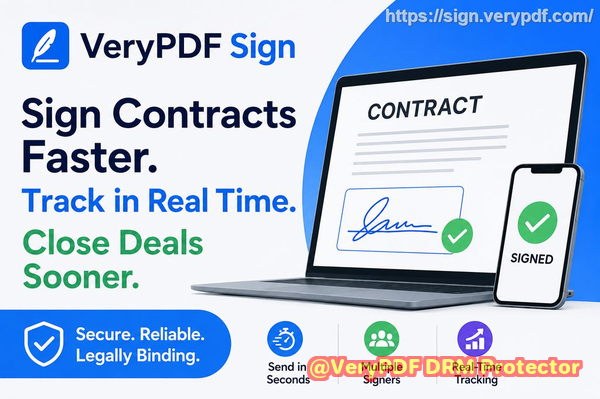
This is where I started paying attention to VeryPDF Sign, a practical and affordable browser-based electronic signature platform with batch processing support built for real business workflows, not just personal use.
It’s not trying to be complicated. It’s trying to remove friction.
You upload a document, sign it, send it, and track it. That’s it.
No installs. No training. No “how do I make this work with our system” headaches.
Just execution.
You can explore it here: VeryPDF Sign
What makes VeryPDF Sign stand out is how directly it solves the three biggest pain points in document signing workflows.
First, speed. You can send documents for secure electronic signatures in seconds. Upload a PDF, Word file, Excel sheet, or even an image, and it converts everything into a clean signing format instantly. I’ve seen teams go from “we’ll send it tomorrow” to “it’s already signed” in under an hour.
Second, visibility. Every document has real-time tracking. You can see exactly who has signed, who is pending, and what stage the document is in. No guessing. No chasing. Just clarity.
Third, security. Every file is protected with 256-bit SSL encryption, and documents are automatically deleted after processing unless saved. On top of that, signed files are tamper-proof and legally binding under frameworks like ESIGN, UETA, and eIDAS.
That combination alone removes most of the stress from digital contract workflows.
Let me give you a real-world example.
A sales team I worked with was struggling with enterprise deals getting stuck at the final stage. Everything would move fast until the contract stage, then silence. Follow-ups took days. Sometimes weeks.
After switching to a digital signing workflow using VeryPDF Sign, they changed one thing: contracts were sent instantly after verbal agreement. No waiting for internal admin. No formatting delays.
The result?
Deals closed faster. Not slightly faster. Dramatically faster. Some contracts that previously took five days to return signed were completed within hours.
That speed directly translated into revenue acceleration.
Another example comes from an HR team onboarding remote employees.
Before, onboarding meant printing offer letters, scanning IDs, and manually tracking signatures across email threads. It was messy, slow, and inconsistent.
After switching, they built a simple flow:
-
Upload offer letter
-
Add signature fields and dates
-
Send signing link to candidate
-
Track completion in real time
New hires signed from their phones. HR saw updates instantly. Onboarding time dropped from days to under an hour in many cases.
That’s not optimisation. That’s transformation.
Here’s how the process actually works in VeryPDF Sign, broken down simply:
-
Upload your document: PDF, Word, Excel, PowerPoint, or image. It auto-converts.
-
Create your signature: Draw it, type it, or upload an image.
-
Place and customise: Drag signatures, initials, checkboxes, and date fields exactly where needed.
-
Send or download: Either download immediately or send for signature with tracking enabled.
It’s designed so that even non-technical users can execute a full signing workflow in under a minute.
No training manuals. No onboarding sessions.
Beyond basic signing, what impressed me most is how flexible the platform is for real business use cases.
You can use it for:
-
Employment contracts and offer letters
-
Sales agreements and proposals
-
Vendor onboarding documents
-
Legal affidavits and compliance forms
-
Internal approvals and policy acknowledgements
-
Finance documents and purchase orders
And it handles batch-style workflows well, which is critical for SMEs scaling operations. Instead of treating each document as a one-off task, you can process multiple documents efficiently and consistently.
That’s where the real productivity gains come from.
From a features perspective, here’s what stands out in plain language:
-
Browser-based access: Works on Mac, Windows, Linux, iOS, and Android without installation.
-
Full form filling: Add text fields, checkboxes, initials, and dates anywhere.
-
Real-time tracking: Know exactly where every document is in the signing process.
-
Legally binding signatures: Compliant with global standards like ESIGN and eIDAS.
-
Audit trails: Every action is logged for compliance and accountability.
-
Secure file handling: Encrypted transfers with automatic file deletion options.
-
Branding support: Send documents from your company email with branding.
-
API and integrations: Plug signing workflows into existing systems.
-
Unlimited usage model: No artificial caps holding teams back.
This isn’t just a signing tool. It’s a workflow enabler.
Let’s talk about what actually changes when teams adopt this kind of system.
First, approval cycles shrink. What used to take days now takes hours.
Second, accountability improves. Everyone knows what they’ve signed and what’s pending.
Third, risk drops significantly. No more lost files, no more unsecured attachments floating around inboxes.
And fourth, teams stop wasting time on admin work and start focusing on actual revenue-driving activity.
That’s the real win.
If you’re thinking practically about implementation, here’s how I would roll this out in a business:
-
Start with one document type (like contracts or offer letters)
-
Standardise templates to remove manual formatting
-
Train one team first (sales or HR usually works best)
-
Use real-time tracking to eliminate follow-up emails
-
Expand to other departments once the workflow stabilises
Keep it simple. Don’t over-engineer it.
The goal is momentum, not complexity.
I highly recommend this for anyone handling contracts and approvals daily. Once you’ve experienced real-time signing with full visibility, going back to email-based workflows feels like stepping backwards in time.
You can start here: VeryPDF Sign
Try it now and streamline your document signing workflow. Start your free trial today and eliminate paper-based signing delays.
Target Keywords
-
affordable browser-based electronic signature platform with batch processing support
-
electronic contract signing solution for SMEs
-
online document approval workflow software
-
digital signature workflow for business teams
-
secure e-signature platform for HR and legal teams
-
browser-based document signing tool
-
legally binding electronic signature software
These keywords naturally reflect how teams search when they’re trying to fix broken approval systems, reduce delays, and modernise contract workflows.
FAQs
Is electronic signature legally valid?
Yes. VeryPDF Sign supports legally binding electronic signatures compliant with ESIGN, UETA, eIDAS, and other global regulations. It’s designed to hold up in formal business and legal contexts.
Can multiple parties sign the same document?
Yes. You can send a single document to multiple signers and track each signature in sequence or in parallel depending on your workflow.
Can I track who has signed and who hasn’t?
Absolutely. You get real-time status tracking so you always know which stage each document is in.
Does it support mobile signing?
Yes. It works in any browser, meaning users can sign from smartphones, tablets, laptops, or desktops without installing anything.
How secure are digitally signed documents?
Documents are encrypted with 256-bit SSL, processed securely in the cloud, and automatically deleted after a set period unless saved. Audit logs also ensure full traceability.
Can I send documents in bulk or batch workflows?
Yes. It supports efficient processing of multiple documents, making it ideal for SMEs handling repetitive signing tasks at scale.
Do recipients need an account to sign?
No. Recipients can sign via secure links without creating an account, reducing friction and speeding up completion times.
When you strip away the complexity, what matters is simple: faster agreements, fewer delays, and less operational friction.
That’s exactly what an affordable browser-based electronic signature platform with batch processing support delivers when it’s done right, and that’s exactly what VeryPDF Sign is built for.