
Securely Redact Sensitive Data from PDFs with AI-Powered Offline Tool
Last month, our legal team shared a set of PDF contracts with multiple partners, only to discover afterward that several files still contained unredacted personal and financial information. The realization hit hardthese documents had already been downloaded by external stakeholders, exposing us to potential GDPR violations and reputational damage. If that scenario sounds familiar, you’re not alone. Businesses everywhere struggle with safely sharing documents while ensuring sensitive information remains private.
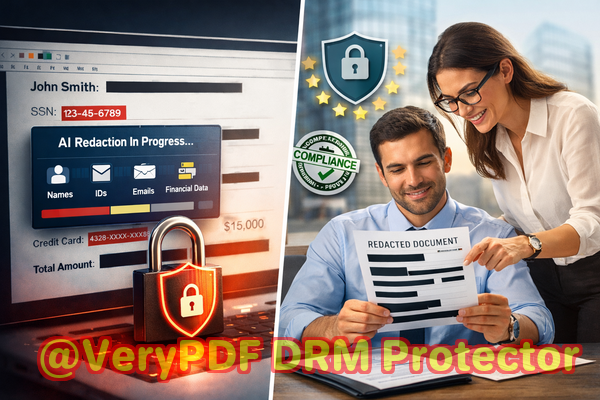
One common challenge is that manual redaction often fails. You might black out a name or number in a PDF, but unless done correctly, the underlying text can still be copied or recovered. Employees often resort to online redaction tools thinking it’s convenient, but these platforms upload your files to third-party serversintroducing new risks of data leakage and exposure. For any organization handling contracts, HR records, financial statements, or legal documents, this is a high-stakes issue.
This is where VeryPDF AI PDF Redaction Tool Command Line comes in. It’s designed to automatically detect and permanently remove confidential information, including names, emails, phone numbers, financial data, and legal clausesall without sending your documents online. By processing entirely offline, your PDFs remain secure from potential leaks, while AI ensures no sensitive data slips through.
Many organizations face visible business risks every day. Here are three common pain points:
-
Exposing sensitive data accidentally PDFs often contain personal identifiable information (PII), such as social security numbers, email addresses, or bank account details. Sharing these documents without proper redaction can result in fines, regulatory scrutiny, and reputational damage.
-
Incomplete manual redaction Simply using a black marker tool or visually covering text isn’t enough. Anyone can copy, highlight, or extract the original content unless the data is fully removed.
-
Unsafe online tools Uploading confidential files to cloud-based redaction services may seem convenient but can unintentionally put your documents in the hands of unauthorized third parties.
VeryPDF AI PDF Redaction Tool Command Line addresses these problems with precision. Here’s how:
-
Automatic detection of sensitive data The AI identifies names, emails, phone numbers, IDs, financial figures, and confidential clauses without manual effort.
-
Permanent removal Unlike traditional redaction that hides text visually, this tool completely deletes sensitive information from the PDF, leaving no recoverable trace.
-
Offline processing All operations occur on your own machine, ensuring 100% privacy. Your documents never leave your computer, which eliminates exposure risks.
Imagine an HR department preparing annual payroll reports for external auditors. Traditionally, someone would manually black out employees’ social security numbers and salaries. Even with careful attention, human error can occur. With VeryPDF AI PDF Redaction Tool Command Line, the HR team can process the PDFs in seconds: the AI identifies all sensitive fields, applies permanent redaction, and generates a clean version ready to share. No accidental exposures, no compliance worries.
Legal teams also benefit significantly. Consider a law firm sharing case files with a client while redacting sensitive witness details. Manually masking information is time-consuming and prone to mistakes. AI-powered redaction automates the process, ensuring that confidential witness identities and sensitive legal clauses are fully removed before distribution, all while keeping the files offline for maximum security.
The tool also streamlines workflow with clear, step-by-step processes:
-
Load your PDF Open your document in the command-line interface.
-
Detect sensitive data The AI scans the document for names, IDs, financial data, and confidential clauses.
-
Review detected fields Optional step to verify which data needs redaction.
-
Apply redaction Permanently remove the selected sensitive information.
-
Export clean PDF Share or archive the sanitized file safely.
Common types of data businesses need to redact include:
-
Personal identifiable information (PII) Names, addresses, phone numbers, emails, social security numbers.
-
Financial data Bank account numbers, invoices, credit card information.
-
Business secrets Trade secrets, intellectual property, strategic plans.
-
Legal or confidential clauses Sensitive contract terms, non-disclosure agreements, or confidential addendums.
Many businesses have already seen tangible benefits. A multinational company avoided a potential GDPR violation by switching from online redaction tools to this offline solution. Another organization prevented sensitive client data from leaking to competitors when distributing contract PDFs to external partners. Even teams handling medical or financial records have reported increased confidence and efficiency, knowing that AI ensures no confidential details are accidentally shared.
I highly recommend VeryPDF AI PDF Redaction Tool Command Line for anyone who handles sensitive documents regularly. It’s practical, fast, and secure, making it far superior to manual methods or online redaction services. By incorporating it into your workflow, you can confidently share PDFs without worrying about data breaches or compliance issues.
Try it now and securely redact your PDFs: https://veryutils.com/smart-redact-server-ai-powered-pdf-redaction-software
Start your free trial today and ensure your sensitive data is permanently removed before sharing.
Frequently Asked Questions
-
How can I permanently remove sensitive data from a PDF instead of just hiding it?
VeryPDF AI PDF Redaction Tool Command Line completely deletes sensitive information rather than just masking it, making recovery impossible.
-
Can others recover redacted information from my PDF?
No. The AI tool ensures redacted data is permanently removed and cannot be copied or recovered.
-
Is it safe to use online PDF redaction tools?
Using online tools carries risk because your documents are uploaded to external servers. Offline solutions like VeryPDF ensure your files never leave your computer.
-
Does this tool work completely offline?
Yes. All redaction operations happen locally, giving you 100% privacy and eliminating any risk of exposure.
-
What types of sensitive data can be automatically detected and removed?
Names, emails, phone numbers, IDs, financial data, legal clauses, and other confidential information are automatically detected by the AI.
-
How can I ensure compliance with GDPR when sharing documents?
By permanently removing PII and confidential data using an offline AI redaction tool, you reduce the risk of accidental exposure, helping meet GDPR and other regulatory requirements.
-
Can I review what the AI detects before redaction?
Yes. The workflow allows you to verify detected sensitive fields before applying permanent redaction.
-
Is the tool suitable for large PDF files or batches of documents?
Absolutely. The command-line interface supports batch processing, making it ideal for large-scale document management.
-
Can it handle financial or medical documents?
Yes. The AI is capable of identifying sensitive data in a variety of contexts, including financial statements, HR records, and medical reports.
-
How long does the redaction process take?
Redaction is typically completed within seconds, depending on file size, with no loss of formatting or readability.
-
Does it maintain the original layout of the PDF?
Yes. All redacted documents retain their original layout and formatting, ensuring they remain professional and readable.
Keywords: redact sensitive data, remove confidential information, PDF redaction tool, protect privacy in PDFs, prevent data leaks, offline PDF redaction, secure document sharing, AI PDF redaction, GDPR compliance, permanent PDF redaction