
Maximizing Sales Insights: How PDF Tracking Protects Reports and Reveals Client Engagement
Secure your business reports and market research while tracking exactly how clients engage with your PDFs.
As a business manager, there’s nothing more frustrating than spending weeks compiling market research or drafting a detailed proposal, only to suspect that parts of it have been shared without your permission. I’ve been theresending out a carefully prepared PDF to a prospective client, only to realize later that I have no idea which sections they actually read, whether they forwarded it to others, or if it was converted into an editable Word or Excel file. The lack of visibility is stressful, and it’s a real risk when sensitive data is involved.
Many businesses face this problem daily: confidential reports and business insights are vulnerable to leaks, unauthorized copying, and uncontrolled distribution. You might think sending a PDF is safe, but without proper protection and tracking, your documents can end up in the wrong hands or lose their intended impact. That’s where VeryPDF DRM Protector and PDF Analytics come in.
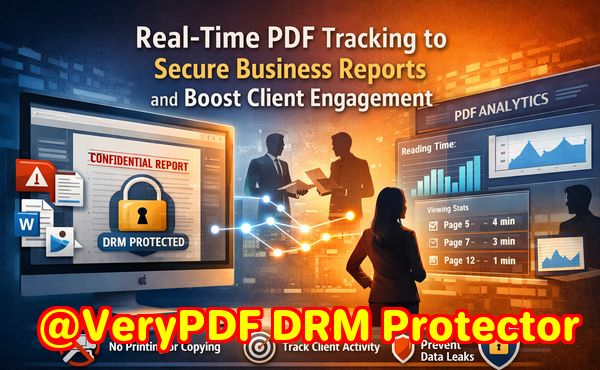
One of the biggest challenges I’ve seen is managing sensitive business documents across different prospect segments. Here are the main pain points:
-
Unauthorized sharing or distribution: Market research reports, strategy documents, and proposals often end up circulating outside the intended audience. A competitor could gain access, or sensitive client data could leak.
-
Loss of control over content: PDFs can be printed, copied, or converted into other formats like Word or Excel without restrictions, making it impossible to enforce confidentiality.
-
Limited insight into client engagement: Sending a document isn’t enoughyou need to know which sections your clients are reading, how long they spend on each page, and whether they’re engaging with key sections.
To solve these issues, VeryPDF DRM Protector combined with PDF Analytics provides a practical, business-focused solution.
How PDF Analytics Secures Your Documents
With DRM Protector, you can restrict access to your PDFs to authorized users or specific teams. This ensures that only intended recipients can open the file. It prevents printing, copying, forwarding, or removing DRM protection. Even if someone tries to bypass these restrictions, the PDF remains secure, eliminating the risk of unauthorized conversion to Word, Excel, or images.
Tracking Client Engagement in Real Time
PDF Analytics goes beyond security. It allows you to monitor exactly how your clients interact with each document. For example:
-
See which pages a client viewed.
-
Track the time spent on each page.
-
Measure total reading duration for the entire document.
-
Receive alerts when a prospect engages with high-priority sections, like pricing or product specifications.
For instance, I once sent a market analysis report to a prospective partner. PDF Analytics showed me that they spent a significant amount of time on the competitive landscape section and only skimmed the introduction. That insight allowed me to tailor my follow-up email, addressing their concerns directly. The deal moved forward faster than it would have otherwise.
Real-Life Benefits
-
Preventing leaks: A colleague accidentally forwarded a PDF to an unintended client. Thanks to DRM protection, the recipient couldn’t open it. Confidential data stayed safe, and the mistake didn’t turn into a security issue.
-
Actionable sales insights: For another project, PDF Analytics revealed which pages potential clients lingered on. Our sales team used that information to focus calls on the most relevant sections, increasing conversion rates.
-
Control over distribution: I can update a document in real time and track who has accessed the latest version. No more worrying about outdated proposals floating around.
Step-by-Step Use Case for Sales Teams
-
Upload your PDF: Market research, proposals, or internal reports.
-
Set access controls: Limit viewing to specific recipients or teams.
-
Enable anti-copying and anti-printing features: Prevent unauthorized distribution.
-
Distribute the document: Share via email or secure links.
-
Monitor engagement: Use PDF Analytics to track which pages were viewed, for how long, and by whom.
-
Take action: Follow up with prospects based on engagement signals, tailor your messaging, and close deals faster.
The result? You maintain full control over confidential business documents, prevent piracy, and gain insights that directly inform your sales strategy.
I can’t overstate how much of a difference this makes. One project saved me hours of follow-up work. Instead of guessing which clients were interested in specific sections of a proposal, I could see it in real time. Our team prioritised outreach, addressed concerns proactively, and prevented unauthorized sharing simultaneously.
For managers, marketers, and business owners, this is a game-changer. It reduces risk, saves time, and ensures that sensitive information is only in the hands of people who should see it.
Protecting Market Research Reports
Market research often contains proprietary data that competitors could exploit if leaked. By securing PDFs with DRM protection, you ensure that the insights you’ve invested in remain confidential. PDF Analytics adds another layer by revealing which sections are most valuable to your clients, helping you refine presentations, proposals, and follow-ups.
Practical Tips for Maximizing PDF Analytics
-
Segment your audience: Track engagement by department, company size, or prospect type. Insights can guide your next steps.
-
Set alerts for high-value sections: Know immediately when a client engages with critical pages, such as pricing or case studies.
-
Update content securely: If you need to revise a report, previous analytics remain intact, and only authorized recipients see the newest version.
-
Combine insights with CRM tools: Integrate PDF engagement data with your CRM to automate follow-ups based on real client behavior.
Using these strategies, your team can move from reactive follow-ups to proactive, data-driven sales engagement.
Conclusion
Using VeryPDF DRM Protector with PDF Analytics addresses the biggest challenges I’ve faced with business documents: unauthorized access, limited insight into client engagement, and risk of data leaks. It not only secures confidential reports but also provides actionable insights that improve sales and client interaction. I highly recommend this to anyone distributing sensitive business documents and wanting clarity on how clients engage with their content.
Try it now and protect your business reports: https://drm.verypdf.com
Start your free trial today, secure your market research, and track PDF engagement.
FAQs
Q: How can I limit access to confidential business documents?
A: You can restrict PDF access to specific recipients, departments, or teams using DRM Protector, ensuring only authorized users can open your documents.
Q: Can I prevent others from copying, printing, or converting my reports?
A: Yes, DRM protection blocks printing, copying, forwarding, and converting PDFs to Word, Excel, or image formats, maintaining document integrity.
Q: How do I track which pages my clients are reading and how long they spend?
A: PDF Analytics provides real-time insights into page views, time spent per page, and total reading duration, allowing you to see client engagement at a granular level.
Q: Does DRM technology prevent unauthorized sharing of PDFs?
A: Absolutely. DRM ensures that only approved recipients can open the file, even if it’s forwarded or shared accidentally.
Q: How easy is it to distribute protected business reports to clients or colleagues?
A: Distribution is simpleshare secure links or emails with authorized recipients, and the DRM settings and analytics are applied automatically.
Q: Can I update a PDF after distribution and still maintain security and tracking?
A: Yes, you can update PDFs, and the latest version remains protected. PDF Analytics continues tracking engagement for authorized users without compromising security.
Q: Will using PDF Analytics help my sales team prioritize follow-ups?
A: Definitely. By knowing which sections clients focus on, your sales team can target follow-ups strategically, improving conversion rates and efficiency.
Tags/Keywords
protect business reports, secure market research, prevent PDF piracy, stop unauthorized access, track PDF engagement, protect confidential data, monitor PDF reading, PDF analytics for sales, DRM protected PDFs, client engagement tracking