Amazon DRM & Kindle Publishing: Why Indie Authors Are Facing Challenges and How VeryPDF DRM Protector Can Help

In the world of self-publishing, Amazon’s Kindle Direct Publishing (KDP) has been the go-to platform for indie authors seeking to reach a wide audience. However, recent developments have left many authors questioning whether the platform’s DRM (Digital Rights Management) policies are doing more harm than good. While KDP Select promises higher royalties, it requires authors to agree to exclusivity with Amazon, leaving them vulnerable to piracy and Amazon’s unreliable DRM protection. In this article, we will delve into the issues authors are facing with Amazon DRM and the KDP Select program, and show how VeryPDF DRM Protector can offer a better solution for protecting your ebooks from piracy and unauthorized sharing.
Amazon DRM & Kindle Publishing: Why Indie Authors Are Facing Challenges and How VeryPDF DRM Protector Can Help

What Is Amazon DRM and How Does It Work?

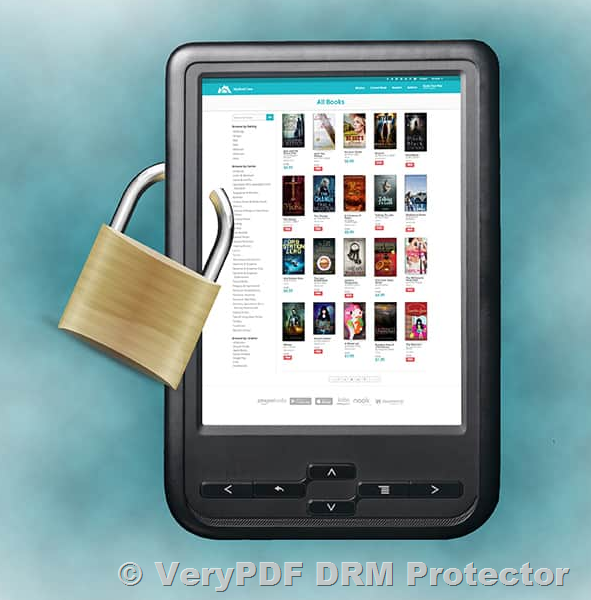
Amazon’s DRM is a feature that protects Kindle ebooks from being copied, printed, or shared by unauthorized users. When you publish an ebook on Amazon, it is automatically set to be protected by this DRM, which means that the ebook can only be opened on Kindle devices or compatible apps.

However, despite its intent, Amazon’s DRM has a significant flaw. It is easily cracked, allowing pirates to remove the protection and distribute the ebook freely. Over the years, software such as Calibre and Epubor have made it simple to strip DRM from Kindle books, rendering Amazon’s security measures largely ineffective.

The Pitfalls of KDP Select and Exclusivity

One of the key features of Amazon’s KDP Select program is its promise of higher royalties, up to 70%, in exchange for giving Amazon exclusive rights to distribute your ebook. While this sounds appealing, it comes with a major drawback: if your book is found to be available on any other platform—even if it’s illegally pirated—Amazon may remove your book from the platform without warning.

Indie authors like Raven Kennedy, Carissa Broadbent, and Ruby Dixon have experienced this firsthand, with their books being removed due to suspected piracy, despite having evidence that their books were being distributed without their permission. This situation highlights a major issue with Amazon’s DRM: its inability to effectively prevent piracy, which ends up punishing authors for a failure in Amazon’s own security system.

Why You Should Consider DRM Outside of Amazon

While Amazon’s DRM is a necessary evil for authors who wish to sell on the platform, it does not provide adequate protection against piracy. Authors who rely solely on Amazon DRM are putting their work at risk, as the protection can be easily bypassed. Moreover, Amazon’s monopoly on the ebook market leaves authors with few alternatives and places them at the mercy of the company’s policies.

So, what’s the alternative?

If you’re looking for better control over your digital content, VeryPDF DRM Protector offers a more robust solution for protecting your ebooks. VeryPDF DRM Protector allows you to securely distribute your ebooks from your own website, providing protection against unauthorized sharing, copying, and printing.

How VeryPDF DRM Protector Can Help Protect Your Ebooks?

VeryPDF DRM Protector is an advanced Digital Rights Management solution that ensures your ebooks remain secure. Here’s how it works:

  • Encryption and Licensing: VeryPDF DRM Protector uses strong AES 256-bit encryption to protect your ebook files. Access to these files is controlled through licensing, meaning only authorized users can view them. You can set up various restrictions, such as limiting the number of devices on which the file can be opened or specifying which countries the ebook can be accessed from.
  • Prevent Copying and Sharing: Unlike Amazon’s DRM, which can be easily bypassed, VeryPDF DRM Protector prevents users from copying, editing, and sharing the ebook. You can even block screenshots and printing, ensuring that your content cannot be stolen or redistributed.
  • Dynamic Watermarks: To discourage piracy, VeryPDF DRM Protector allows you to add dynamic watermarks to your ebooks. These watermarks display the customer’s name, making it easier to track any unauthorized sharing or distribution.
  • Cross-Platform Support: Unlike Amazon’s Kindle DRM, which locks ebooks to Kindle devices, VeryPDF DRM Protector works across multiple platforms. You can view protected ebooks on Windows, Mac, iOS, Android, and even in a browser. This flexibility ensures that your customers can access their purchased books on the devices they prefer, without compromising security.
  • Easy Integration: VeryPDF DRM Protector can be integrated with your ecommerce store, allowing for instant, automated access to your ebooks after purchase. This makes selling directly from your website simple and secure.

Benefits of Selling Ebooks on Your Own Website

Selling ebooks through Amazon may seem like the easiest route, but it comes with many drawbacks, including the large percentage Amazon takes from each sale and the risk of having your book removed for piracy. By selling ebooks from your own website, you retain full control over your content, pricing, and distribution. Plus, you can implement a powerful DRM solution like VeryPDF DRM Protector to ensure your ebooks are protected from unauthorized sharing.

Free Trial of VeryPDF DRM Protector

If you’re interested in taking control of your ebook security, VeryPDF DRM Protector offers a free trial online. You can try the software at https://drm.verypdf.com/online/ to see firsthand how it can protect your ebooks from piracy.

Conclusion: Take Control of Your Ebook Security

While Amazon’s DRM and KDP Select program may be convenient for indie authors, they do not offer adequate protection against piracy. By choosing to sell ebooks on your own website and using VeryPDF DRM Protector, you can ensure your digital content is safe from unauthorized sharing and piracy. Take advantage of the free trial at https://drm.verypdf.com/online/ and start protecting your ebooks today.


FAQs

1. Does VeryPDF DRM Protector offer protection for Kindle or EPUB files?
No, VeryPDF DRM Protector only protects PDF files.

2. Can I use VeryPDF DRM Protector for audiobooks?
Currently, VeryPDF DRM Protector is designed for ebooks in PDF format, not audiobooks.

3. Is it legal to remove DRM from Kindle books?
The legality of removing DRM varies by country. It’s advisable to consult a legal professional before taking any action.

4. Can I sell my DRM-protected ebooks on other platforms?
Yes, you can sell your DRM-protected ebooks on any platform or your own website, with full control over the distribution and security.

5. Does VeryPDF DRM Protector offer customer support?
Yes, VeryPDF DRM Protector provides excellent customer support to help you implement and manage DRM for your ebooks.
How to Lock a Google Doc: Prevent Editing, Copying, and Sharing with VeryPDF DRM Protector?

Google Docs is an exceptional platform for collaboration, enabling teams to work together seamlessly in real time. However, when the collaboration ends, safeguarding the document’s content becomes crucial. Businesses and individuals often struggle to lock Google Docs securely against unauthorized editing, copying, or sharing. This article explores why Google Docs’ in-built security features are inadequate and introduces VeryPDF DRM Protector as a robust solution for document protection.

How to Lock a Google Doc: Prevent Editing, Copying, and Sharing with VeryPDF DRM Protector?


The Limitations of Google Docs’ Built-in Restrictions

Google Docs offers basic security measures to restrict editing and sharing:

  • Viewer or Commenter Permissions: Granting these roles prevents users from downloading, printing, and copying the document.
  • Activity Dashboard: Tracks who has viewed the document and their activities.

Unfortunately, these restrictions are easily bypassed. Users can disable JavaScript or switch to Google Docs’ mobile version to copy, print, or download the document. Additionally, users can opt out of activity tracking, rendering the dashboard ineffective.

This means Google Docs’ native tools offer only superficial protection, leaving sensitive information vulnerable. To ensure real security, using an external DRM solution like VeryPDF DRM Protector is essential.


Securely Locking Google Docs with VeryPDF DRM Protector

VeryPDF DRM Protector provides advanced encryption and document control features, enabling you to securely lock your Google Docs and prevent unauthorized access. Here’s how:

Step 1: Convert Your Google Doc to a PDF

  1. Open your Google Doc.
  2. Navigate to File > Download > PDF Document to save it as a PDF.

Step 2: Apply DRM Protection

  1. Upload PDF file to https://drm.verypdf.com/online/ and select Make Secure PDF.
  2. Configure your desired restrictions:
    • Disable editing, copying, and printing.
    • Add dynamic watermarks to identify users.
    • Set expiration dates or limit the number of views.
  3. Click Publish to encrypt the PDF and apply DRM controls.

Step 3: Distribute Securely

Upload the protected PDF to Google Drive or share it via email. Only authorized users with a matching license file installed on their devices can access the document using the VeryPDF Viewer application. This ensures the file remains secure even if shared inadvertently.


Tracking Document Views and Usage

Unlike Google Docs’ Activity Dashboard, VeryPDF DRM Protector provides comprehensive tracking that cannot be bypassed. Administrators can log:

  • Every document view and print action.
  • Details of who accessed the document and when.
  • Trends in document usage.

To enable tracking:

  1. Open the protected PDF in the Safeguard Admin system.
  2. Enable logging for views and print requests.
  3. View detailed user activity reports for complete oversight.

Preventing Unauthorized Sharing

With Google Docs, preventing unauthorized sharing is challenging. Users can share links or account credentials, bypassing restrictions. VeryPDF DRM Protector eliminates this risk by:

  • Encrypting files with AES 256-bit encryption.
  • Binding access to specific devices using license files.
  • Disabling screenshots, copying, and printing by default.

To prevent sharing:

  1. Open the Environment Controls tab in the DRM settings.
  2. Enable options to block screenshots and unauthorized device access.
  3. Apply watermarks to identify users who attempt to capture content visually.

Using VeryPDF DRM Protector Web Viewer

For users who rely on browser-based tools, VeryPDF DRM Protector offers a secure web viewer. While slightly less secure than the desktop application, it still provides features like:

  • Document expiration by date or view count.
  • Dynamic watermarks for identification.
  • Blocking copy-paste and disabling printing.

Publishing to the web viewer is straightforward, and users can access their documents through a secure online portal.


Why Choose VeryPDF DRM Protector?

Google Docs’ in-built tools fall short for businesses handling sensitive or confidential information. VeryPDF DRM Protector bridges this gap, providing robust security without compromising usability. Key benefits include:

  • Comprehensive Control: Lock documents from editing, copying, printing, and sharing.
  • Advanced Encryption: AES 256-bit encryption ensures files remain secure.
  • User Tracking: Monitor document views and prints without user opt-out.
  • Cross-Platform Support: Securely distribute documents across multiple platforms.

Try VeryPDF DRM Protector for Free

Secure your Google Docs today with VeryPDF DRM Protector. Experience its powerful features with a free online trial at https://drm.verypdf.com/online/. Take control of your documents and ensure your sensitive information remains protected.


FAQs

1. Does VeryPDF DRM Protector prevent anonymous access?

Yes, only authorized users with matching license files can access protected documents.

2. Can users copy or print protected documents?

No, DRM controls prevent copying and printing by default. Administrators can adjust these settings if necessary.

3. How does VeryPDF DRM Protector handle sharing?

Files are encrypted, and access is device-specific. Unauthorized users cannot view the content, even if they receive the file.

4. Is the web viewer secure?

Yes, the web viewer provides enhanced security compared to Google Docs, with features like dynamic watermarks and usage logging.

Protect your documents effectively with VeryPDF DRM Protector and ensure your sensitive information is always secure.

Mastering PDF Security: Sanitize, Optimize, Compress, and Protect Your Files with Ease

PDF files often contain more than meets the eye. Beyond visible content, they can include metadata, JavaScript, annotations, and other hidden elements that might compromise security or inflate file sizes. Whether you’re preparing documents for distribution or simply managing sensitive information, it’s essential to sanitize, optimize, compress, and secure your PDFs effectively.

This guide explores how to handle these tasks using VeryPDF DRM Protector, a powerful solution offering robust security features and efficient PDF management. Try it for free online at VeryPDF DRM Protector.

Mastering PDF Security: Sanitize, Optimize, Compress, and Protect Your Files with Ease


Why Remove PDF Metadata, JavaScript, and Hidden Information?

Every PDF file contains metadata that reveals information about the document’s creator, modification history, and more. Hidden elements like JavaScript, annotations, blank pages, and attachments can also carry sensitive information or pose security risks. By sanitizing your PDFs, you can:

  • Protect confidential data.
  • Reduce file size for better performance.
  • Enhance security by removing potential vulnerabilities.

Sanitizing PDFs to Improve Security

Using VeryPDF DRM Protector

VeryPDF DRM Protector simplifies PDF sanitization with an intuitive interface and powerful features:

  1. Upload PDF to https://drm.verypdf.com/online/ and select “Make secure PDF.”
  2. Tick “Optimize PDF” and press the settings (cog) icon.
  3. Choose sanitization options, such as:
    • Remove annotations
    • Remove attachments
    • Remove metadata
    • Remove JavaScript
    • Remove blank pages
  4. Press “Publish” to complete the process.

By default, VeryPDF DRM Protector automatically removes metadata and JavaScript for enhanced security. Customization options allow you to tailor the sanitization process to your needs.


Optimizing PDF Files to Reduce File Size

Optimization removes unused or redundant elements, improving load times and responsiveness—ideal for sharing via web browsers or resource-limited devices.

How to Optimize PDFs with VeryPDF DRM Protector?

  1. Upload PDF to https://drm.verypdf.com/online/ and select “Make secure PDF.”
  2. Tick “Optimize PDF” and press the settings (cog) icon.
  3. Choose optimization options, such as:
    • Remove unused objects
    • Remove unused streams
    • Link duplicate streams
  4. Optionally, select sanitization options (e.g., remove metadata or JavaScript) for additional savings.
  5. Press “Publish” to save your optimized PDF.

Optimization ensures smaller file sizes without compromising functionality or visual quality, making it easier to share and store your PDFs.


Compressing PDFs to Reduce File Size

Compression primarily targets images and multimedia within PDFs, reducing their size for faster downloads and improved user experience.

How to Compress PDFs with VeryPDF DRM Protector

  1. Upload PDF to https://drm.verypdf.com/online/ and select “Make secure PDF.”
  2. Tick “Optimize PDF” and press the settings (cog) icon.
  3. Tick “Compress Images” and set a quality level (e.g., 85 for balanced quality and size).
  4. Optionally, skip specific pages by specifying page numbers or ranges.
  5. Combine with optimization options (e.g., remove unused objects) for further compression.
  6. Press “Publish” to create your compressed PDF.

VeryPDF DRM Protector ensures that your compressed PDF is also secure, preventing unauthorized access, editing, printing, or copying.


Securing PDFs with VeryPDF DRM Protector

Unlike password-based protection, VeryPDF DRM Protector uses advanced Digital Rights Management (DRM) to enforce robust security:

  • Prevent unauthorized access by locking PDFs to specific devices.
  • Restrict user actions like copying, printing, or screenshots.
  • Add watermarks and expiry dates to control document usage.
  • Revoke access to documents or users remotely.
  • Track usage with detailed analytics.

How to Secure PDFs

  1. Follow the steps for sanitizing, optimizing, or compressing your PDF.
  2. Choose the desired security settings, such as:
    • Restricting printing or screenshots.
    • Adding an expiry date or watermark.
  3. Press “Publish” to finalize your secure PDF.

Why Choose VeryPDF DRM Protector?

While other tools like Adobe Acrobat offer basic sanitization and compression, VeryPDF DRM Protector provides unparalleled security and flexibility. Key benefits include:

  • Password-free protection to prevent circumvention.
  • Modular controls for detailed access management.
  • Compatibility with secure web viewers and offline environments.
  • Advanced compression and optimization tools for efficient file sharing.

Try VeryPDF DRM Protector for free online at drm.verypdf.com.


FAQs

What is PDF sanitization?

Sanitization removes hidden elements like metadata, JavaScript, and annotations to enhance security and reduce file size.

Can I compress and secure a PDF simultaneously?

Yes, VeryPDF DRM Protector allows you to compress and secure PDFs in one streamlined process.

How does VeryPDF DRM Protector differ from Adobe Acrobat?

Unlike Adobe’s password-based security, VeryPDF DRM Protector enforces robust DRM measures, including device-locking, anti-screenshot capabilities, and document revocation.

Can I track usage of my protected PDFs?

Yes, VeryPDF DRM Protector provides detailed analytics, including views, prints, and user activity.

Secure your PDFs with confidence using VeryPDF DRM Protector. Start your free trial today at drm.verypdf.com.

What is DMCA Protection & Copyright Protection?

Copyright protection is essential for creators, authors, and businesses to safeguard their intellectual property. Digital rights management (DRM) and the Digital Millennium Copyright Act (DMCA) are two major tools used to protect digital content from piracy and unauthorized distribution. However, while both provide protection, they have their limitations. In this article, we will explore what DMCA protection and copyright are, how they work, and how VeryPDF DRM Protector can offer a superior solution for preventing piracy and unauthorized use of digital content.

What is DMCA Protection & Copyright Protection?

What is DMCA?

The Digital Millennium Copyright Act (DMCA) is a U.S. law that provides protection to copyright holders by regulating digital content distribution. DMCA was enacted to help prevent the illegal reproduction and distribution of copyrighted works in the digital world. The law criminalizes the circumvention of copy-prevention systems and provides a safe harbor for Internet Service Providers (ISPs) and web hosts when it comes to copyright infringement.

The law also allows copyright holders to send DMCA takedown notices to the websites or platforms hosting infringing content. This is a mechanism used to get unauthorized content removed from the internet. While DMCA serves as an important tool for many copyright holders, it has several limitations that hinder its effectiveness.

What is Protected by DMCA?

DMCA protects any form of digital content, such as music, movies, text, images, software, and other types of copyrighted material. The protection is automatically granted to any work as soon as it is created. Contrary to common misconceptions, registration of a copyright is not necessary to benefit from DMCA protection. However, having a registered copyright can be advantageous if you decide to take legal action and pursue monetary damages in case of infringement.

DMCA Protection – Limitations and Shortcomings

Despite its intention to protect digital works, DMCA protection is far from perfect and may not always help copyright holders in cases of infringement. There are several reasons why DMCA protection can fail:

  1. Jurisdictional Issues: Many countries do not comply with DMCA or similar copyright laws. The DMCA is a U.S. law, meaning that only U.S. citizens or entities can use it effectively. Additionally, pirates can host infringing content in countries that are not subject to DMCA regulations, making it difficult to enforce.
  2. Circumvention of Laws: Pirates and unauthorized distributors often use technologies to circumvent DMCA protections. For instance, they might use tools to bypass restrictions or host content anonymously.
  3. Inconsistent Enforcement: DMCA takedown notices are effective only when the parties responsible for hosting the infringing content comply. Some websites or content hosts ignore or dispute DMCA takedown requests, making it hard for copyright holders to protect their works effectively.
  4. Piracy in Private Networks: Piracy often occurs within private networks, which are harder to detect and control. As a result, DMCA takedown requests may have little impact on infringing content shared in closed systems.
  5. Re-uploading of Content: Even if a piece of content is successfully removed through a DMCA takedown, it can be re-uploaded quickly to other platforms, making the process seem like a never-ending game of whack-a-mole.

What DMCA Does Not Protect

While DMCA protects your intellectual property from online theft, it does not guarantee that your work will be safe from unauthorized use. DMCA takedown notices are typically only effective if the infringing content is hosted in a jurisdiction that follows the law. If pirates hide their activities well enough, DMCA is unlikely to help.

Moreover, DMCA’s focus on the takedown of infringing material means that it is a reactive solution rather than a preventive one. It deals with content after it has already been exposed or pirated.

The Need for Prevention: DRM & Encryption

To truly prevent digital piracy and protect your intellectual property, you need to control who can view, copy, and share your content. This is where Digital Rights Management (DRM) comes into play. DRM offers a preventive solution that locks down your content to ensure it remains in the hands of authorized users only. With encryption and secure access controls, DRM ensures that unauthorized users cannot access or use your digital assets.

While DMCA may help remove illegal content after it is exposed, DRM can stop piracy in the first place. By preventing unauthorized copying, editing, and distribution, DRM technologies allow content creators to safeguard their work from being shared without permission.

How VeryPDF DRM Protector Prevents Copyright Infringement?

VeryPDF DRM Protector is a robust DRM solution designed specifically for document protection. With its array of features, it helps prevent unauthorized access, piracy, and distribution of your digital documents, ensuring that your intellectual property remains safe.

Here’s how VeryPDF DRM Protector offers superior protection:

  1. Strong Encryption: The software uses powerful encryption to secure PDF documents, ensuring that only authorized users can open, view, or share the files. Without the appropriate decryption key, the file is rendered useless, making unauthorized copies irrelevant.
  2. Secure Viewer Application: VeryPDF DRM Protector requires users to open encrypted documents through a secure viewer application. This prevents the extraction of content outside the viewer, blocking common methods of piracy such as copying, editing, or printing.
  3. Watermarks for Traceability: The software supports dynamic watermarks, which embed user-specific information like names and email addresses. This serves as a deterrent against unauthorized sharing and provides a traceable path back to the original recipient in case of a leak.
  4. Control User Actions: DRM allows you to set restrictions on what users can do with the document. You can prevent users from printing, editing, or copying content. You can even block screenshots to protect sensitive information.
  5. Expiration and Revocation: VeryPDF DRM Protector enables you to set expiry dates or limits on how many times a document can be viewed or printed. You can also revoke access at any time, even after distribution, if you suspect unauthorized activity or fraud.
  6. Offline Document Access: The software also allows for offline access to documents, but with controls in place to ensure that documents are not misused even in offline mode.

Take Advantage of the Free Trial

You can experience the full potential of VeryPDF DRM Protector with its free online trial available at https://drm.verypdf.com/online/. This trial allows you to protect your documents with advanced DRM features without committing to a subscription. Whether you are an author, publisher, or business, VeryPDF DRM Protector provides the tools you need to safeguard your intellectual property from unauthorized copying and distribution.

Conclusion

While DMCA is a valuable tool for copyright holders, it is not foolproof, especially in the digital age. DRM, on the other hand, offers a proactive approach to preventing piracy and unauthorized sharing of your content. VeryPDF DRM Protector provides a comprehensive suite of features to protect your documents, from encryption and secure viewers to watermarks and expiration dates.

If you are serious about protecting your intellectual property and preventing piracy, VeryPDF DRM Protector is the best solution. Start securing your documents today with the free online trial at https://drm.verypdf.com/online/.

Secure file sharing, P2P, Web, FTP, Email, Cloud document sharing: The Best Ways to Share Documents and How DRM Can Protect Sensitive Information

In today’s fast-paced business world, secure file sharing is critical. Whether you’re sending sensitive documents or collaborating on a project, the security of your files is paramount. However, there are various methods of sharing files, each with its advantages and pitfalls. This article will discuss common file-sharing methods, their security flaws, and how VeryPDF DRM Protector provides a superior solution to protect your confidential files.

Secure file sharing, P2P, Web, FTP, Email, Cloud document sharing: The Best Ways to Share Documents and How DRM Can Protect Sensitive Information

Common File Sharing Methods and Their Security Risks

1. Secure File Sharing with FTP

The File Transfer Protocol (FTP) is one of the oldest methods of transferring files over the internet. It’s often used by server admins to modify and manage files remotely. However, FTP is not secure and relies on clear-text usernames and passwords. This makes it vulnerable to man-in-the-middle attacks, where attackers can intercept sensitive data and credentials. While SFTP (SSH File Transfer Protocol) offers encryption, it still doesn’t prevent unauthorized users from editing, copying, or sharing files once downloaded to a local PC.

2. Cloud Storage and File Sharing Sites

Cloud services like Dropbox, Google Drive, and OneDrive have become popular choices for file sharing. They offer encryption for files in transit and at rest, but this is only the minimum level of protection. These services often lack the ability to control what users can do with the files once they’ve been downloaded. For example, users can still easily share login credentials, circumvent JavaScript-based protections, or even bypass download restrictions.

While cloud storage services may be acceptable for sharing non-sensitive files, they are not sufficient for highly confidential documents.

3. Secure Document Sharing and Collaboration Services

Services like Google Docs or Adobe Experience Manager allow real-time collaboration and document sharing. However, they rely on browser-based protections such as disabling print buttons, copy/paste restrictions, and more. Unfortunately, these controls can often be bypassed through simple methods like turning off JavaScript or using browser developer tools. Furthermore, preventing screenshots and screen recordings is nearly impossible. These issues make them unsuitable for protecting sensitive or confidential documents.

4. Email Encryption

Secure email services like ProtonMail and Hushmail offer end-to-end encryption for messages and attachments. However, sending encrypted emails has its drawbacks. The maximum file size for email attachments is usually limited to 25MB, and there is always the possibility of authorized users sharing their account credentials. Moreover, email encryption tools still do not offer control over what the recipient can do with the document once it’s downloaded.

Why DRM is the Best Solution for Secure Document Sharing?

Digital Rights Management (DRM) is a robust solution that offers superior security for sharing sensitive documents. VeryPDF DRM Protector stands out as an ideal DRM tool for businesses that need to ensure their documents remain secure during distribution. Unlike FTP, cloud storage, or email, VeryPDF DRM Protector provides a comprehensive set of features that protect your PDFs and ensure that only authorized users can access and use the files.

How VeryPDF DRM Protector Enhances Document Security?

  • Strong Encryption
    VeryPDF DRM Protector uses strong encryption to secure PDFs, ensuring that only authorized users with a valid license can open and view the document. Unlike password protection, which can be easily shared, DRM encryption locks the content to the user’s device.
  • Control Over User Actions
    DRM allows businesses to enforce restrictions on what users can do with documents. For example, VeryPDF DRM Protector prevents users from copying, editing, printing, or sharing files. You can even prevent screenshots, which is a significant vulnerability in browser-based systems.
  • Dynamic Watermarks
    VeryPDF DRM Protector supports dynamic watermarks, which are embedded with user-specific information (e.g., name, email address). This discourages unauthorized sharing, as it makes it easy to trace leaked documents back to the original recipient.
  • Expiration and Revocation
    Documents protected by VeryPDF DRM Protector can be set to expire based on conditions like the number of views, prints, or days since the document was first opened. You can also revoke access at any time, even after a document has been downloaded or distributed.
  • Secure Viewing Environment
    The VeryPDF DRM Protector app provides a secure viewing environment where the content is only decrypted in memory and can’t be accessed or copied outside of the viewer. This means that unauthorized actions, like copying text or printing the document, are prevented at the application level.
  • Document Management and Real-Time Analytics
    With VeryPDF DRM Protector, you can manage document access and track how documents are used in real time. This feature provides insight into who is accessing the document, what actions they are taking, and how long they’ve been viewing the content.

Getting Started with VeryPDF DRM Protector

VeryPDF DRM Protector is easy to use and can protect PDF files in minutes. Once you encrypt a file using VeryPDF DRM Protector, you can share it securely via email or any other method. Only authorized users, who have received a license file and installed the Safeguard Reader application, can open and view the protected document.

You can even try VeryPDF DRM Protector for free online at https://drm.verypdf.com/online/, allowing you to experience the advanced document protection features before committing to a subscription.

Conclusion

While there are several methods available for sharing files and documents, none offer the level of control and security that DRM provides. VeryPDF DRM Protector offers a robust solution that prevents unauthorized sharing, copying, editing, printing, and screenshots. By combining encryption with advanced access controls and dynamic watermarks, it ensures that your confidential documents remain secure.

For businesses that need to share sensitive files and documents securely, VeryPDF DRM Protector is the best choice. Protect your intellectual property and confidential information with DRM and experience the peace of mind that comes with knowing your files are safe. Start using VeryPDF DRM Protector today with a free online trial at https://drm.verypdf.com/online/.