 Protecting Paid Course PDFs and Preventing Unauthorized...
As a professor, one of my greatest frustrations is the worry that my carefully prepared lecture PDFs, assignments, and course materials might be shared, copied, or printed without my consent. I pour hours into creating valuable educational content, only to have it risk being distributed to the wrong people or, worse yet, modified and used out of context. It's a common concern among educators—protecting course materials from unauthorized access while still providing easy access to enrolled students.
This is where DRM (Digital Rights Management) solutions like VeryPDF DRM Protector come into play. They offer a practical and powerful solution for securing PDFs, ensuring they're only available to the registered users and protecting against unauthorized copying, printing, or conversion. If you're in the online education space, this could be a game-changer for how you manage and safeguard your digital course content.
Protecting Paid Course PDFs and Preventing Unauthorized Sharing
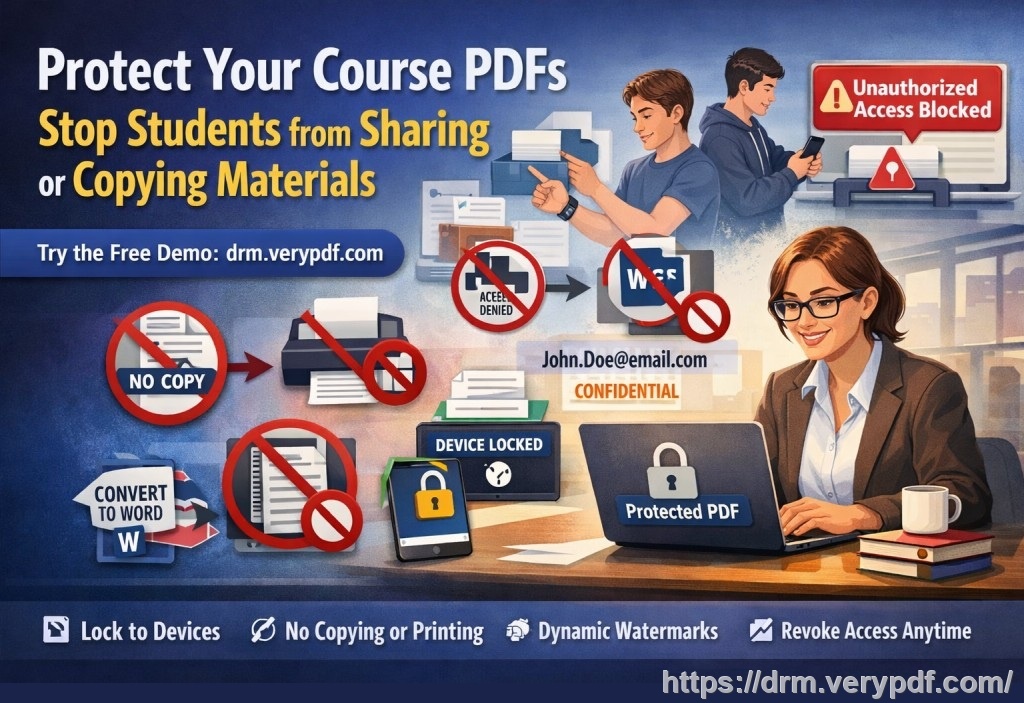
Imagine you've created a comprehensive course with hundreds of pages of lecture notes, study guides, and video materials, all stored as PDFs. You've uploaded these documents for your students, but you're concerned that someone might share them on third-party sites, allowing anyone to download them without paying for the course. Or, perhaps a student could modify or print your course material, undermining the intellectual property you've worked hard to produce. This could happen at any point—right after your material is shared, or after it's been distributed in the classroom.
So, what can you do to ensure your PDFs are secure?
VeryPDF DRM Protector enables you to apply stringent security measures to your PDFs, allowing only authorized users to access them while blocking any attempts at unauthorized printing, sharing, or conversion.
Common Teaching Pain Points and How DRM Helps
As educators, we face many challenges when it comes to sharing digital content with our students. Below are some of the most common problems, and how DRM can address them:
1. Students Sharing PDFs Without Permission
Students sometimes share their PDF course materials with friends or others who are not enrolled in the course. This can result in piracy and unauthorized distribution of your work. It's a frustrating situation, especially when you've invested significant time in preparing the content.
Solution: VeryPDF DRM Protector prevents unauthorized distribution by locking the content to specific devices and user accounts. Even if a student attempts to share the document, the system won't allow access on a device or user ID that isn't registered.
2. Unauthorized Printing, Copying, or Converting PDFs
Another common issue is students or others attempting to print or copy PDFs for personal use or to share them. In some cases, students convert the PDF files into Word or other editable formats, completely bypassing your original work.
Solution: With DRM protection, you can restrict printing and copying capabilities entirely or allow limited prints, such as only a specific number of pages or prints per user. You can also disable the option to convert the document to another format, ensuring your work remains unchanged.
3. Loss of Control Over Paid Course Materials
When distributing paid course content, you want to maintain control over how your material is accessed and used. Without DRM protection, there's a risk that your paid materials could be shared outside of your control, undermining your ability to monetize your work.
Solution: With features like access expiry, you can limit how long students can view your materials or when they become inaccessible. For instance, you could set access to expire after a certain number of views or a fixed date, which ensures that students cannot keep accessing your content indefinitely.
4. Protecting Your Lecture Slides and Homework
As a professor, I also have to worry about protecting specific materials like homework PDFs or lecture slides that are shared with my students. These resources are often reused in multiple courses, and protecting them is critical to prevent academic dishonesty and maintain the integrity of the course content.
Solution: VeryPDF DRM Protector ensures that only authorized users can access specific resources. You can even apply dynamic watermarks to discourage students from photocopying or taking screenshots of your lecture slides, ensuring your work stays protected from unauthorized distribution.
Real Classroom Examples and How DRM Protector Solves These Problems
Here are a couple of real-life scenarios where VeryPDF DRM Protector could make a significant difference in how you manage your course materials:
-
Preventing Unauthorized Sharing of Homework PDFs
In one instance, I had a student who, after receiving a homework PDF, sent it to a group chat with non-enrolled students. The result? Non-paying individuals had access to my exclusive content. By using DRM, I could have prevented this by locking the document to the student's specific device, ensuring only they could access it. -
Protecting Lecture Slides from Being Printed and Shared
I've also experienced situations where students print out lecture slides and, instead of using them for studying, share them online. With DRM, I could have prevented printing altogether or limited the number of pages a student could print, ensuring that the materials stayed in the right hands and were used responsibly. -
Controlling Access to Paid Course Content
I once offered a paid online course, and soon after, I discovered that some of my materials were being shared among people who hadn't paid for the course. Using DRM to set expiration dates or restrict access to only registered users would have prevented this from happening, ensuring that only those who paid for the course could access the content.
Anti-Piracy Benefits of DRM
One of the most significant advantages of using DRM technology is the level of anti-piracy protection it provides. DRM tools like VeryPDF DRM Protector ensure that your PDFs are not only locked to specific users or devices but also prevent screen sharing, screenshots, and unauthorized conversions.
This kind of security is essential in preventing hackers or students from bypassing your protections and redistributing your work without your permission.
Key Features of VeryPDF DRM Protector
-
Device Locking: Lock your PDFs to specific devices or user accounts to prevent unauthorized access.
-
Printing and Copying Restrictions: Control whether students can print or copy your documents, or limit the number of allowed prints.
-
Dynamic Watermarks: Apply watermarks that include identifying information like the user's name or email to deter piracy.
-
Access Expiry: Set your documents to expire after a specific number of views or days, ensuring that content access is temporary.
-
Revocation: If necessary, revoke access to documents at any time, even after they've been distributed.
Conclusion: Protect Your Course Materials Today
In today's digital age, protecting your intellectual property is more important than ever, especially in the realm of online education. VeryPDF DRM Protector offers a practical solution to the common problems educators face—protecting course PDFs, preventing unauthorized sharing, and maintaining control over paid materials.
I highly recommend VeryPDF DRM Protector to anyone distributing digital course materials. It provides the peace of mind that your hard work will remain secure, ensuring that only registered students can access your content while preventing unauthorized use.
Try it now and protect your course materials: https://drm.verypdf.com
Start your free trial today and regain control over your PDFs!
FAQ
1. How can I limit student access to PDFs?
You can restrict access to specific devices or user accounts, ensuring that only enrolled students can view the PDFs. You can also set expiration dates or limits on how many times the document can be viewed or printed.
2. Can students still read the PDF without copying, printing, or converting?
Yes, you can allow students to view the PDF without the ability to copy, print, or convert it to other formats. You can also disable the print screen feature to prevent screenshots.
3. How can I track who accessed my protected files?
VeryPDF DRM Protector includes detailed audit logs that track who has accessed your documents, ensuring that you know exactly when and by whom your content was viewed.
4. Does DRM prevent PDF piracy and unauthorized sharing?
Yes, DRM technology is specifically designed to prevent piracy by locking content to specific users, disabling sharing and copying, and applying dynamic watermarks that identify the user.
5. How easy is it to distribute protected lecture slides and homework?
It's simple to distribute your protected documents via email, online platforms, or USB drives. Once protected, you can confidently share your content knowing it's secure.
Tags:
-
protect course PDFs, prevent PDF piracy, stop students sharing homework, secure lecture materials, prevent DRM removal, anti-conversion PDF DRM