 The Challenges Educators Face with PDF Security
How to Protect Your Course PDFs from Unauthorized Sharing, Printing, and Copying
As a professor, one of my biggest concerns is that my course materials—particularly PDFs—will be shared without permission or worse, copied and redistributed without my consent. It's frustrating to spend hours creating and curating lecture slides, assignments, and other valuable content, only to feel that my intellectual property is at risk.
We all know that securing our documents, especially PDF course materials, is vital. With the rise of digital content sharing, students and external parties can easily bypass our security measures. That's where VeryPDF DRM Protector comes in—a simple yet powerful tool that helps secure PDFs against unauthorized copying, printing, and sharing.
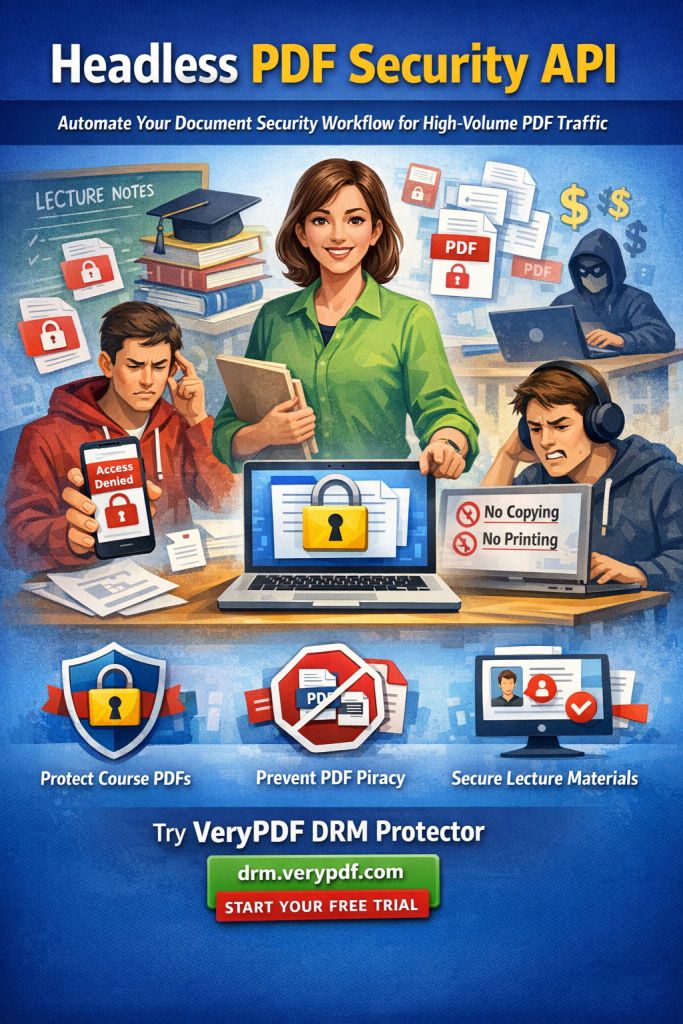
In this article, I'm going to walk you through how DRM (Digital Rights Management) protection can safeguard your course PDFs, prevent unauthorized access, and ensure that your hard work remains in your control. Let's dive into some common pain points educators face and explore how DRM protection can solve these challenges.
The Challenges Educators Face with PDF Security
1. Students Sharing PDFs with Others
Have you ever found your lecture slides or homework assignments circulating among students who weren't part of your class? It's an issue that many professors encounter, especially when we share our course PDFs digitally. Without proper protection, students can easily share these files with their peers or post them on unofficial sites, leading to potential misuse of copyrighted material.
2. Unauthorized Copying, Printing, or Conversion
Another challenge is that students or external parties may attempt to copy or convert your PDF content into other formats, like Word documents or images. This is particularly problematic when your materials include sensitive or proprietary information, such as exam papers, case studies, or lecture notes that should remain exclusive to your students.
3. Losing Control Over Paid Course Materials
If you're offering paid courses, you might be particularly concerned about losing control over your digital content. Once your PDF materials are shared without restriction, you lose the ability to track how they're used. Worse, they could end up on torrent sites or in the hands of people who never paid for access, undermining your business.
Solution: How VeryPDF DRM Protector Can Help
The solution to these problems is simple: use DRM protection to lock down your PDFs. VeryPDF DRM Protector allows you to prevent unauthorized access and ensure your course content stays secure, no matter where it's shared or distributed. Here's how it works:
1. Restrict Access to Enrolled Students
One of the most important features of DRM protection is that it allows you to restrict access to your PDFs based on the user's identity or enrollment status. Only students who are registered for your course can view or access the materials. This means you have full control over who sees your documents, ensuring that unauthorized users are locked out.
2. Prevent Printing, Copying, and Forwarding
With DRM protection, you can easily disable printing, copying, or forwarding of your PDFs. This helps prevent students from printing out materials or sharing them with others, keeping your intellectual property safe. You can even control how many times a PDF can be printed, offering an additional layer of security for sensitive materials like exams or graded assignments.
3. Prevent Conversion to Other Formats
Have you ever worried that students might convert your PDFs into other file formats like Word or Excel? This can be easily prevented with DRM protection. It ensures that your files remain locked in their original PDF format, stopping unauthorized conversions. This is especially important when your documents include formatting or proprietary elements that can't be easily replicated in another format.
4. Dynamic Watermarks for Extra Protection
To further deter unauthorized sharing or redistribution, DRM protection adds dynamic watermarks to your PDFs. These watermarks can include user-specific information like names, email addresses, or dates, making it clear who accessed or printed the document. This not only discourages students from sharing your PDFs but also helps you track leaks if they occur.
5. Self-Destruct and Expiry Features
One of the most innovative features of VeryPDF DRM Protector is the ability to set expiry dates on your PDFs. You can make your documents self-destruct after a certain number of views or days, or even set fixed expiration dates. This ensures that once a document is no longer needed, it's inaccessible, keeping your content secure.
Real Classroom Examples of DRM Protection in Action
Let's take a look at some real-world scenarios to see how DRM protection can be a game-changer in your classroom.
Scenario 1: Securing Lecture Slides
Imagine you've spent hours creating a comprehensive set of lecture slides for your upcoming course. You upload them to your course website, but you're worried that students might share them with others or, worse, upload them to third-party sites. By applying DRM protection, you can ensure that only your students can access the slides, and you can prevent them from printing, copying, or sharing the files. If a student tries to convert the file into a different format or share it with someone else, they won't be able to do so.
Scenario 2: Protecting Paid Course Materials
Suppose you're teaching an online course where students pay for access to your materials. You offer downloadable PDFs of assignments, study guides, and exams. Without DRM protection, you risk having these materials redistributed illegally, costing you time and money. DRM protects your PDFs by preventing unauthorized access and distribution. You can even set expiry dates for access or revoke access if you discover that someone has shared the file without permission.
Scenario 3: Preventing Screen Grabs During Online Lectures
In an online teaching environment, students may attempt to capture your content by taking screenshots or recording your lectures. With DRM protection, you can prevent screen grabbing and even block students from sharing their screens during virtual meetings. This ensures that your content remains secure, even when teaching remotely.
Why Choose VeryPDF DRM Protector Over Secure Data Rooms?
You might be familiar with secure data rooms, which are often touted as a solution for sharing sensitive documents. However, these platforms come with their own vulnerabilities. For example, users can share their login credentials, which means that anyone with access can view your documents. VeryPDF DRM Protector eliminates this problem by locking access to devices and preventing users from sharing credentials. Plus, your documents never leave your local computer unprotected, so you don't have to worry about your content being exposed during transit.
Conclusion: Protect Your PDFs Today
If you're tired of worrying about students sharing your PDFs, copying your materials, or losing control over your paid content, I highly recommend trying VeryPDF DRM Protector. It's a straightforward, effective way to ensure that your PDF materials stay secure and protected from unauthorized use. Whether you're a professor, lecturer, or educational content creator, DRM protection gives you peace of mind and control over your intellectual property.
Start protecting your course materials today. Try VeryPDF DRM Protector now: https://drm.verypdf.com.
Frequently Asked Questions
1. How can I limit student access to PDFs?
With DRM protection, you can restrict access to specific users, such as enrolled students, by locking your PDFs to their devices. This ensures that only authorized individuals can view or interact with your materials.
2. Can students still read my PDFs without copying, printing, or converting?
Yes, DRM protection allows students to view your PDFs, but it prevents them from copying, printing, or converting them into other formats, ensuring that your content remains secure.
3. How can I track who accessed my PDFs?
VeryPDF DRM Protector offers dynamic watermarks that display user-specific information, such as their name or email address, on the document. This helps you identify who accessed or printed the file.
4. Does DRM protection prevent PDF piracy and unauthorized sharing?
Absolutely. DRM protection stops unauthorized users from sharing or distributing your PDFs, ensuring that your content remains exclusive to those who are authorized to access it.
5. How easy is it to distribute protected lecture slides and homework?
Distributing DRM-protected PDFs is simple. You can share the files via email, upload them to your course website, or even distribute them on USB drives. The protection is automatically applied, ensuring your materials remain secure wherever they're shared.
6. Can I revoke access to a PDF after it's been distributed?
Yes, with VeryPDF DRM Protector, you can revoke access to your PDFs at any time, even after they've been distributed. This gives you complete control over your content.
7. Can I set an expiry date for my PDFs?
Yes, DRM protection allows you to set an expiry date for your PDFs, so they will become inaccessible after a certain number of views, days, or prints. This feature ensures that your content is only available for as long as necessary.
Keywords
protect course PDFs, prevent PDF piracy, stop students sharing homework, secure lecture materials, prevent DRM removal, anti-conversion PDF DRM