 Common Business Pain Points and How to Address Them
How to Control Access to Your Business Documents and Prevent Unauthorized Sharing
As a business owner, one of the things I always worry about is my sensitive data being shared without permission. Whether it's market research, business strategy documents, or proprietary plans, it's critical to ensure they stay protected from unauthorized access. Imagine this scenario: you've just sent a confidential market report to a client, but a few weeks later, you find that the document is being circulated within competitor networks. The frustration of losing control over your own intellectual property can be overwhelming.
This is a real challenge that many businesses face today. Confidentiality breaches are not only costly but can also damage your company's reputation. What's the solution to prevent these leaks and maintain control over who has access to your documents? The answer lies in using a robust tool like VeryPDF DRM Protector, which provides a comprehensive way to protect your business reports and confidential data from unauthorized sharing, copying, and even piracy.
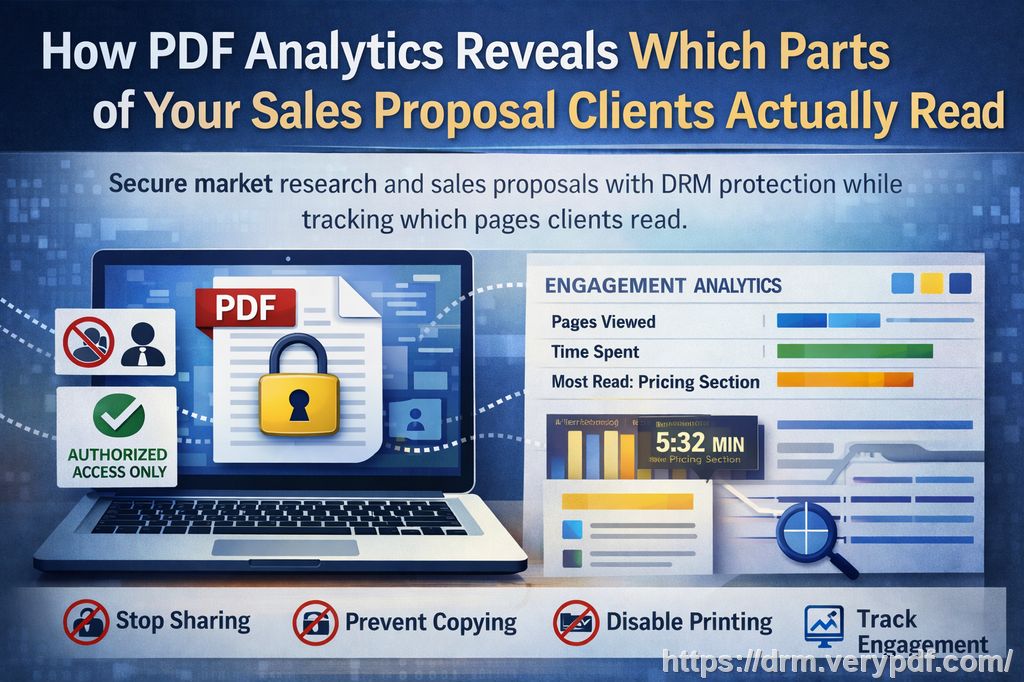
Common Business Pain Points and How to Address Them
1. Unauthorized Sharing of Business Documents
If you're like me, you've probably shared confidential documents with clients, partners, or employees, only to realize later that those documents are being shared beyond the intended circle. This is particularly common with market research or internal business reports. Once shared, it's out of your control, and there's nothing you can do to stop it from being forwarded, printed, or stored by people who shouldn't have access to it.
Solution: VeryPDF DRM Protector
With VeryPDF DRM Protector, you can restrict access to your documents and control who can view or distribute them. You can specify who within your organization or outside can access specific reports, ensuring that only authorized personnel or clients can read your sensitive files.
2. Loss of Control Over Document Editing and Printing
How often have you sent a business document to someone, only for them to print or copy sensitive information without your permission? Worse, they could convert the PDF into Word or Excel files and share them further. This compromises the security of your data and could lead to the loss of intellectual property.
Solution: Prevent Copying and Printing with DRM
VeryPDF DRM Protector ensures that once you send your business reports or research documents, the recipient cannot copy, print, or convert them into another format. This means that even if someone gains access to your document, they can't exploit it by editing, printing, or converting it into an editable format.
3. Risk of Document Leakage or Piracy
We all know how easy it is to accidentally send a confidential document to the wrong person or have it exposed due to poor internal controls. Once a document is out there, it's hard to take back. The risk of piracy—where unauthorized parties download, copy, and share your business documents—becomes very real, especially with market reports and business strategies.
Solution: Digital Rights Management (DRM) for Enhanced Security
VeryPDF DRM Protector is built to prevent unauthorized copying or downloading of your files. The tool encrypts your PDF documents and prevents unauthorized users from bypassing security measures. The content remains secure, even if the document is forwarded or shared online.
Real Business Use Cases
Protecting Market Research Reports
As a market research analyst, I know firsthand how valuable these reports can be. They contain detailed insights into market trends, consumer behavior, and competitor analysis that give companies a competitive edge. Losing control of this data is like giving away your business secrets.
With VeryPDF DRM Protector, I've been able to safeguard these documents from unauthorized access. For example, after implementing DRM, I sent a confidential report to a client, ensuring only they could access it. Even if the document was forwarded to someone else, it remained secure, as I could set expiry dates and revoke access anytime. No more worrying about sensitive reports being leaked or shared with competitors.
Securing Internal Business Plans and Strategy Documents
Your business plans are crucial to your success. They contain strategies, financial projections, and future initiatives that competitors would love to get their hands on. The challenge is how to share these documents with stakeholders without risking unauthorized access or copying.
DRM as the Solution
Using DRM technology to protect internal business documents ensures that even if someone receives the file, they can't share, print, or convert it into an editable format. With VeryPDF DRM Protector, I can set restrictions based on user roles, so only people within specific departments or designated stakeholders can access key documents.
Protecting Proprietary Content
For content creators or intellectual property holders, protecting your original materials is vital. Whether it's a new product design, a marketing campaign, or a unique research methodology, these documents represent the essence of your business. Once they are shared without protection, they are at risk of being copied, used, or sold by others.
Proven Protection with VeryPDF DRM
With DRM protection in place, I can rest assured that my proprietary content remains mine. When distributing documents to clients or partners, I no longer worry about piracy or leaks, as the encryption ensures my intellectual property is safe. Even if someone tries to bypass the security, the encryption and DRM measures prevent unauthorized access, keeping my content protected.
Why VeryPDF DRM Protector Is the Best Solution
-
Easy-to-Use Interface
I've always appreciated tools that are intuitive, and VeryPDF DRM Protector is no exception. Its user-friendly interface makes it simple to apply security measures to any document, regardless of technical expertise. With just a few clicks, I can encrypt a PDF and restrict access to it, preventing copying, printing, or conversion. -
Complete Control Over Distribution
With DRM, I have full control over my business documents. I can set specific permissions for who can view the document, whether it's just read-only access, or if the user can print, copy, or share the file. The flexibility to define permissions gives me peace of mind knowing that sensitive information won't fall into the wrong hands. -
Anti-Piracy Features
VeryPDF DRM Protector is designed to prevent piracy and document leakage. It ensures that only authorized users can access and use the files. The tool makes sure that documents can't be shared, converted, or printed without the appropriate permissions, keeping your business reports and proprietary data secure. -
Audit and Tracking Capabilities
For business owners, tracking who accesses your documents is key. VeryPDF DRM Protector allows you to monitor access and activity, providing a detailed audit trail. This way, you can easily track when and by whom a document was opened, ensuring accountability and security.
Conclusion: Keep Your Business Data Secure with VeryPDF DRM Protector
If you're in charge of managing confidential business documents, you know the importance of keeping them safe from unauthorized access and sharing. VeryPDF DRM Protector offers a reliable and straightforward solution to prevent document leakage, unauthorized conversion, and piracy. I highly recommend this tool to anyone looking to protect their business reports, market research data, or any confidential documents.
Try it now and protect your business reports: https://drm.verypdf.com
Start your free trial today and keep your market research secure.
Frequently Asked Questions
1. How can I limit access to confidential business documents?
With VeryPDF DRM Protector, you can set specific permissions for each document, determining who can view, print, copy, or convert it. This ensures that only authorized users can access sensitive files.
2. Can I prevent others from copying, printing, or converting my reports?
Yes, VeryPDF DRM Protector allows you to restrict copying, printing, and converting your documents into other formats, providing full control over your content.
3. How do I track who accessed my business reports?
The software offers tracking features that allow you to monitor document access. You can view detailed logs of who opened the document and when, ensuring accountability.
4. Does DRM technology prevent unauthorized sharing of PDFs?
Yes, DRM technology ensures that documents can't be shared or distributed outside of authorized users. It prevents unauthorized users from bypassing security measures.
5. How easy is it to distribute protected business reports to clients or colleagues?
Distributing DRM-protected documents is simple. You can securely share protected PDFs, knowing that access restrictions are in place, and recipients can only view the file according to the permissions you set.
6. Can I revoke access to my documents at any time?
Absolutely! One of the key features of VeryPDF DRM Protector is the ability to revoke access to your documents at any time, giving you complete control over your content.
Tags or Keywords
-
protect business reports, secure market research, prevent PDF piracy, stop unauthorized access, protect confidential PDFs, prevent PDF conversion