 Why You Need Protection for Your Teaching Materials
How to Protect Your Teaching Materials: A Practical Guide for Professors and Educators
As a professor, there's always a nagging worry in the back of my mind—what if my lecture PDFs or course materials end up in the wrong hands? I've spent hours preparing these resources, and the last thing I want is for students to share them or, worse, convert them into something else without my permission.
It's a common dilemma many educators face. Whether it's a detailed homework assignment, a set of lecture slides, or even a paid course material, once these PDFs are out there, it's hard to control how they're used. While we can trust our students, there's always the risk of these documents being shared with others, copied, printed, or converted into other formats that can't be controlled. If you've ever found yourself worrying about how your content is being used, you're not alone.
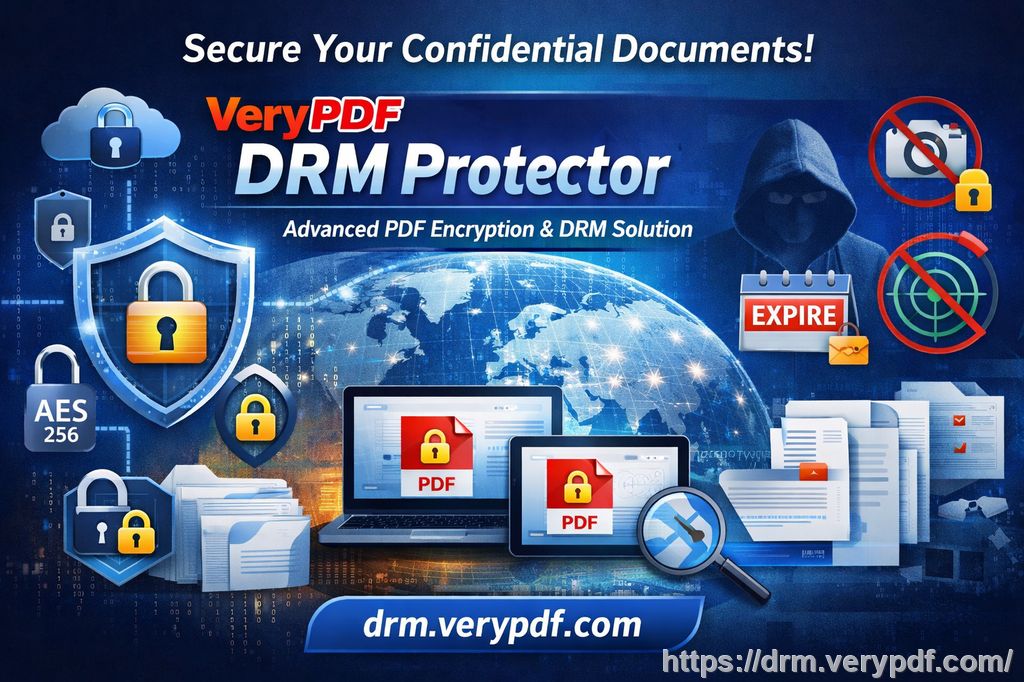
But here's the good news: it doesn't have to be this way. With the right protection tools, you can lock down your digital teaching materials and maintain full control, even after sharing them. That's where VeryPDF DRM Protector comes in—a tool that not only secures your PDFs but gives you the power to control how and when your content is accessed, preventing unauthorized sharing or piracy.
Why You Need Protection for Your Teaching Materials
Imagine this: you've just shared a set of lecture slides with your students. They're vital to the course and contain years of research and personal notes. The next thing you know, a few students have uploaded them to online forums or sent them to others. You've lost control of your work.
Or perhaps you're sharing a set of paid course materials. You've spent countless hours designing these, only to find that someone has printed them, scanned them, or converted them into a Word document. It happens more often than you'd think.
These situations, though frustrating, are avoidable with the right protective measures in place. By using a tool like VeryPDF DRM Protector, you can safeguard your PDFs from unauthorized sharing, copying, and printing. But more importantly, you can control how and when the content is accessed, preventing these materials from being shared or converted without your knowledge.
How DRM Protection Works: The Simple Solution to Prevent Piracy and Misuse
VeryPDF DRM Protector provides a straightforward and effective way to lock down your digital course materials. It offers a range of tools that make it easier to control access and protect against unauthorized distribution. Here are just a few ways it can solve the key issues educators face:
1. Prevent Unauthorized Copying and Sharing
One of the biggest challenges for educators is ensuring that once a PDF is shared, it doesn't get copied, forwarded, or re-shared without permission. VeryPDF DRM Protector solves this by preventing users from copying, printing, or modifying the PDF. This means your content stays secure, and students can't redistribute it to others.
2. Control Printing and Conversion
Have you ever shared a PDF, only to discover that someone printed it out and then scanned it into another format? With DRM protection, you can stop this from happening. The tool lets you control how many times a PDF can be printed, or even disable printing altogether. And it doesn't stop there—VeryPDF DRM Protector also stops students from converting your PDFs into other formats like Word, Excel, or image files. You maintain full control over your content, no matter what.
3. Expiry and Self-Destruct Features
One of the most useful features of DRM protection is the ability to set expiry dates on your PDFs. You can configure the document to automatically expire after a certain number of views, days, or prints. This is especially useful for course materials that are time-sensitive, like homework assignments or exam papers. Once the content expires, access is revoked, preventing any further misuse.
4. Dynamic Watermarks for Identification
To further discourage unauthorized sharing, VeryPDF DRM Protector adds dynamic watermarks to your PDFs. These watermarks display user-specific information, such as the student's name, email, and the date/time the document was accessed. These watermarks can't be removed, and they help trace any leaks back to the source.
5. Locking PDFs to Specific Devices
If you're concerned about the security of your course materials on students' devices, you can lock PDFs to specific devices. This ensures that only the enrolled student can view the document on their assigned computer or mobile device. Even if someone else tries to open the file, they won't be able to access it.
6. Revocation and Control Over Distribution
What happens if a document is shared or accessed by someone who shouldn't have it? With VeryPDF DRM Protector, you can instantly revoke access to any document, even after it's been distributed. This gives you peace of mind knowing that you can prevent misuse at any stage, even if the document has already been sent out.
Real Classroom Examples: How DRM Protection Saves Time and Prevents Misuse
Let me tell you about a recent situation I faced. I had a set of detailed lecture slides for a particular module. I shared them via email with my students, but a few days later, I noticed that they were being uploaded to an external website. This was a huge issue because the content was meant for paid subscribers only.
In the past, this kind of thing would have been a nightmare to manage. But thanks to VeryPDF DRM Protector, I was able to revoke access to the file and stop any further distribution within minutes. The ability to instantly remove access to the document and add dynamic watermarks really made a difference in safeguarding my content.
In another case, I had a set of homework PDFs that I shared with students for a group project. One of the students printed the document and tried to convert it to Word so they could edit the content. Again, this was something I could prevent using the DRM features. I disabled printing and conversion, ensuring the PDF remained intact, exactly as I intended.
These real-life scenarios show how DRM protection can simplify your workflow, prevent content leakage, and save you time. It's a straightforward solution to a complex problem, and it works every time.
Conclusion: Why DRM Protection is a Must for Educators
As an educator, protecting your teaching materials is crucial. With VeryPDF DRM Protector, you can rest assured that your PDFs are secure and that your content won't be shared, copied, or converted without your permission. It's an easy-to-use tool that puts you in control, allowing you to maintain the integrity of your course materials.
I highly recommend this to anyone distributing PDFs to students. Whether you're sharing lecture slides, homework assignments, or paid course materials, this tool will help you safeguard your content and prevent piracy.
Start your free trial today and regain control over your PDFs: https://drm.verypdf.com
FAQs
How do I limit student access to PDFs?
You can limit student access by locking PDFs to specific devices or by setting expiry dates that automatically revoke access after a certain period or number of views.
Can students still read the PDFs without copying, printing, or converting them?
Yes! VeryPDF DRM Protector allows students to view the PDF, but restricts actions like copying, printing, and converting to other formats.
How can I track who accessed my PDFs?
VeryPDF DRM Protector adds dynamic watermarks to your documents, which display user-specific information (like name and email) whenever the document is viewed or printed. This helps trace any misuse.
Does it prevent PDF piracy and unauthorized sharing?
Yes, it's designed specifically to stop unauthorized sharing, copying, and printing. You can also revoke access to documents at any time, even after they've been distributed.
How easy is it to distribute protected lecture slides and homework?
It's incredibly easy. You can share protected PDFs via email, cloud storage, or even USB drives. Your content stays secure no matter how it's distributed.
Tags or Keywords
-
protect course PDFs
-
prevent PDF piracy
-
stop students sharing homework
-
secure lecture materials
-
prevent DRM removal
-
anti-conversion PDF DRM