 1. Students Sharing PDFs with Friends
As a professor, I'm always trying to create engaging course materials that my students can refer to. But there's a nagging concern that keeps me up at night: "What if my lecture PDFs or assignments get shared online without my permission?" It's a valid fear. With just a few clicks, students can upload documents to social media or file-sharing platforms, and that's when control over my content slips away.
For many of us in academia, we put in countless hours crafting the perfect lecture slides, assignments, and supplementary materials, only for those materials to be freely shared without our consent. But what if there was a way to protect our PDFs, ensuring they are only accessible to the right people and cannot be shared or tampered with? This is where DRM (Digital Rights Management) technology comes in, and I've found a solution that really works: VeryPDF DRM Protector.
Why DRM Protection Is a Game-Changer for Educators
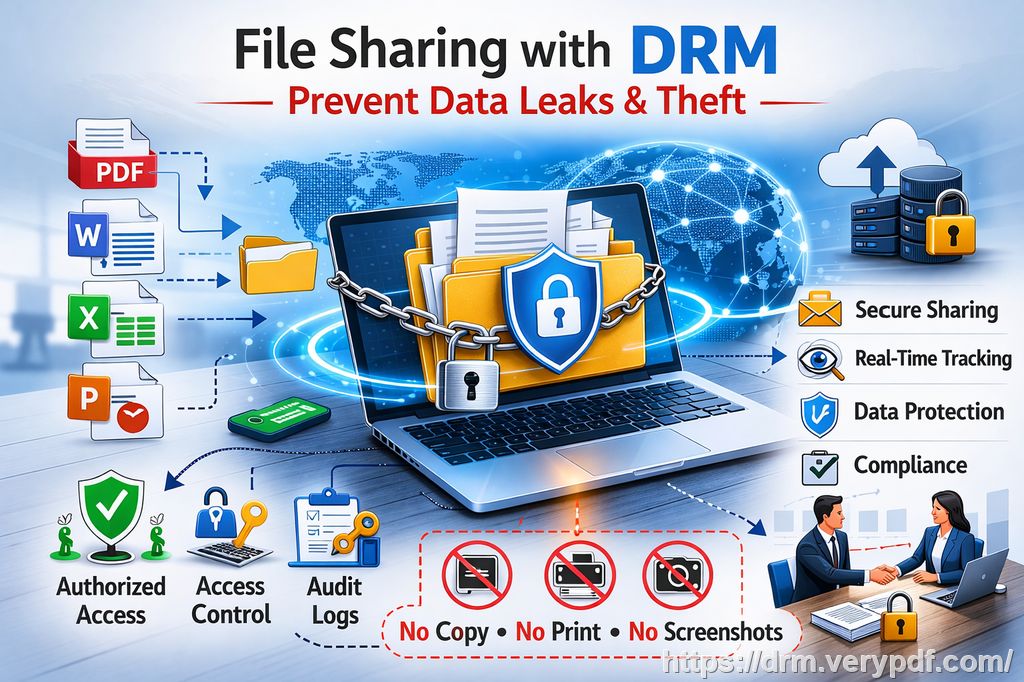
The idea of DRM protection may seem like something reserved for the corporate world or digital media industries, but its benefits are huge for educators too. Whether you're teaching a large online course, running a small class, or even distributing homework assignments, protecting your PDFs should be a priority.
Here are some common classroom pain points many of us face—and how DRM protection can help solve them:
1. Students Sharing PDFs with Friends
One of the biggest fears for teachers today is when students share class materials with others outside the class. Maybe it's a paid course PDF, or perhaps it's an important lecture slide. When the materials reach the wrong hands, it's out of our control. DRM protection can ensure that only enrolled students have access to the PDF.
Using tools like VeryPDF DRM Protector, you can restrict access to only those who are authorized, like the students who have paid for the course or are enrolled in your class. No more worrying about a student emailing their homework to someone who shouldn't see it.
2. Unauthorized Copying, Printing, or Converting
It's frustrating when students download your carefully curated lecture slides or homework assignments and convert them to Word or another format, which makes it too easy for them to modify the content. Worse yet, they could print out your PDF or take screenshots of it during a video lecture, undermining the effort you've put into creating high-quality, secure materials.
With DRM protection, you can completely stop copying, printing, or converting your PDFs. You can set up restrictions that prevent students from printing or even limit the number of prints. Plus, you can stop the content from being converted into other formats like Word, Excel, or image files. This ensures your content remains intact.
3. Loss of Control Over Paid Content
Many professors are now offering paid online courses or selling their lecture materials. Once these materials are shared freely, your ability to earn revenue from them is severely impacted. DRM protection helps to secure the value of your paid content by preventing unauthorized distribution and use.
VeryPDF DRM Protector is designed to help you maintain control over your content, no matter where it is distributed. By locking your PDFs to specific devices, limiting access to a set number of views, and even using dynamic watermarks, you can ensure that your content remains protected.
How VeryPDF DRM Protector Can Help
VeryPDF DRM Protector is a robust tool designed to protect PDFs from unauthorized access, distribution, and tampering. It goes beyond simple password protection and offers a suite of features that are ideal for securing your teaching materials.
Here's how it can benefit you as an educator:
1. Restrict Access to Specific Users or Devices
One of the first steps to securing your content is ensuring it's only accessible to those who need it. VeryPDF DRM Protector allows you to restrict PDF access to specific devices or even specific users. For example, if you're teaching an online course, you can lock access to the course PDFs to enrolled students or to specific devices, like their laptops or tablets. This eliminates the risk of your content being shared with unauthorized individuals.
2. Prevent Unauthorized Printing, Copying, and Converting
Another major advantage of DRM protection is its ability to control how your PDFs are used. You can restrict printing entirely or limit it to a certain number of prints. This is especially useful for assignments or materials that you don't want students to share in physical form.
You can also prevent copying or converting the content to other formats, such as Word or Excel. By disabling these functions, you ensure that students can only view the content as intended, without the risk of it being altered or redistributed.
3. Watermarks to Deter Piracy
VeryPDF DRM Protector allows you to add dynamic watermarks to your PDFs. These watermarks can display user-specific information like the student's name or email address. This serves as both a deterrent and a traceable mark to identify who is distributing the material. If a student leaks your materials, the watermark can help you trace the leak back to the individual responsible.
4. Expiry and Revocation of Access
With DRM protection, you can set an expiration date for your PDFs. This means that after a certain number of views or days, the PDF will no longer be accessible. For example, if you're teaching a short-term course, you can set your lecture slides to expire after a few weeks, ensuring that the content can't be accessed indefinitely.
Additionally, if you discover that a student is distributing your content without permission, you can revoke access at any time. This ensures that even if your PDFs are shared, you maintain control over who can view them.
5. Anti-Screen Sharing and Screenshot Protection
With more online learning taking place, screen sharing and screenshots have become a major issue. VeryPDF DRM Protector includes a feature that blocks screen sharing during virtual meetings. It prevents students from taking screenshots of your PDFs, even if they're attending a Zoom class or similar online lecture. This further protects your content from unauthorized use.
Real Classroom Scenarios
Let me share a few real stories that demonstrate just how effective DRM protection can be:
-
Preventing Homework Leakage: I had a student who was repeatedly sharing their completed assignments with others. They would print them out and take photos of the printed sheets to share via social media. After implementing DRM protection, I was able to restrict access to my homework PDFs to their personal devices only, stopping the problem in its tracks.
-
Protecting Lecture Slides: During a particularly busy semester, I created a series of PDF-based lecture slides that I wanted to distribute to my online class. One of the students downloaded them, converted them to Word, and distributed them to their classmates. With DRM protection, I've now locked the slides to student devices, prevented them from being converted, and added dynamic watermarks to discourage future sharing.
Why DRM Protection Matters
In an age where content piracy and unauthorized sharing are rampant, DRM protection offers peace of mind. As educators, we deserve to retain control over the materials we create. Whether it's a lecture slide, a homework assignment, or an entire course, DRM protection ensures our work is not misused. It helps us maintain the integrity of our teaching, preserve revenue streams from paid content, and reduce student misuse of resources.
Conclusion: Protect Your Course Materials Today
I highly recommend VeryPDF DRM Protector to any educator looking to secure their PDFs. This tool provides an all-in-one solution to protect your lecture materials, assignments, and paid content from unauthorized sharing, copying, and piracy. Whether you're teaching in-person, online, or distributing materials to a large audience, VeryPDF DRM Protector can help you keep control over your intellectual property.
Try it now and protect your course materials: https://drm.verypdf.com
Start your free trial today and regain control over your PDFs.
Frequently Asked Questions
-
How can I limit student access to PDFs?
You can lock access to your PDFs to specific users or devices, ensuring that only authorized students can view the materials. -
Can students still read without copying, printing, or converting?
Yes! You can configure the settings to allow students to read the PDF, but prevent them from copying, printing, or converting it to another format. -
How do I track who accessed the files?
VeryPDF DRM Protector can generate dynamic watermarks that include user-specific information. This helps you trace who has accessed or shared the content. -
Does it prevent PDF piracy and unauthorized sharing?
Absolutely! The software prevents copying, printing, converting, and screen capturing, which are common methods of piracy. -
How easy is it to distribute protected lecture slides and homework?
Distributing your protected PDFs is easy. Simply upload them to your chosen distribution platform, and they'll be automatically secured with DRM protection.
Tags:
protect course PDFs, prevent PDF piracy, stop students sharing homework, secure lecture materials, prevent DRM removal, anti-conversion PDF DRM