 How to Secure Online Course PDFs and Prevent Students from Sharing, Printing, or Copying Your Paid...
How to Secure Online Course PDFs and Prevent Students from Sharing, Printing, or Copying Your Paid Materials
As an educator, one of my biggest concerns when distributing course materials online is the risk of students sharing, printing, or copying my PDFs without permission. I put a lot of time and effort into creating quality content for my students, whether it's lecture slides, homework assignments, or study guides. Unfortunately, once I share these materials digitally, I lose some control over how they're used. Some students might pass them along to others, while others might try to convert the documents into formats they can edit, share, or misuse.
But here's the good news: it doesn't have to be this way. You can protect your valuable digital content and regain control over your PDFs with VeryPDF DRM Protector. This powerful tool allows you to secure your course materials with digital rights management (DRM) and stop unauthorized printing, copying, and sharing.
The Problem: Loss of Control Over Course Materials
When we send out PDFs of our course content, we trust that our students will use them appropriately. However, the reality is that many students try to share these materials with their friends or other individuals outside of the course. This isn't just inconvenient—it's also a violation of intellectual property rights. Worse yet, some students may go as far as converting your PDFs to Word documents or images, making them easier to distribute.
A few scenarios that highlight the frustration educators face include:
-
Students Sharing PDFs: A student might upload your lecture slides to a file-sharing platform, allowing anyone to download them without your permission.
-
Unauthorized Printing or Copying: Some students might print out your homework PDFs or copy sections of them to use in their own assignments or share with others.
-
Content Misuse: A student might attempt to extract text or images from your materials to use in their own work or share them with others.
As educators, we often feel powerless in these situations, but the truth is, we don't have to accept this. There's a solution that ensures your content stays protected, no matter where or how it's shared.
The Solution: VeryPDF DRM Protector
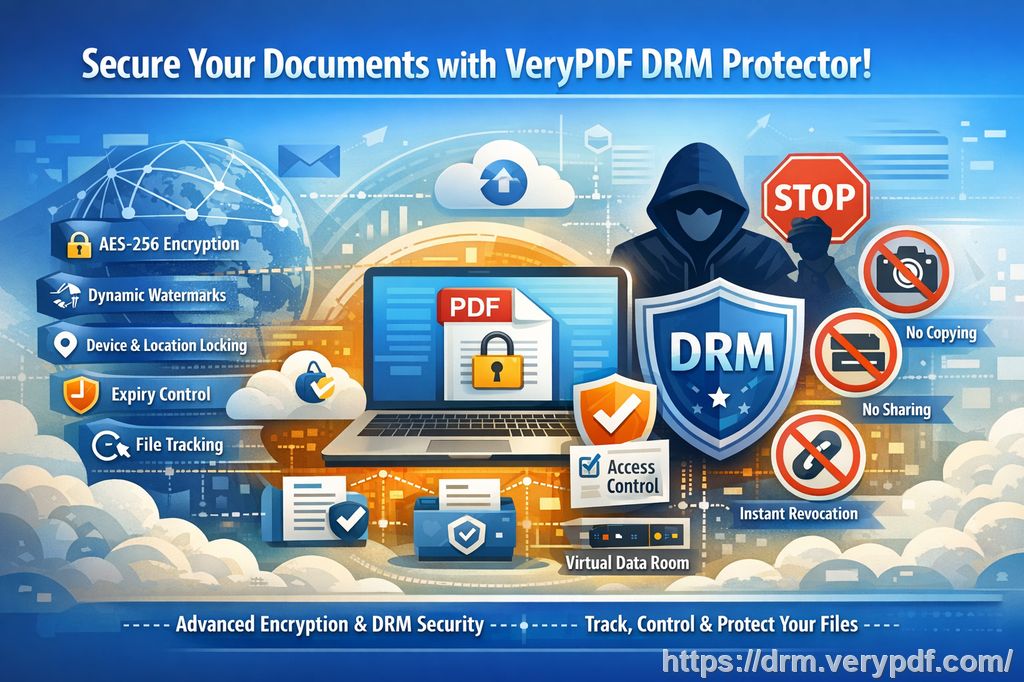
VeryPDF DRM Protector is a comprehensive tool that allows you to lock down your PDF files, making it nearly impossible for students or unauthorized individuals to copy, share, or modify them. It's simple to use, and the best part is, it doesn't require any special technical knowledge. Here's how it works in real-life classroom scenarios:
-
Restrict PDF Access to Specific Users: You can limit access to your PDFs by locking them to specific users or devices. This way, only your enrolled students can access the course materials, and others are blocked from viewing them.
-
Prevent Printing, Copying, and Forwarding: With DRM Protector, you can completely disable printing and copying, or set strict limits. For example, you can prevent students from printing out the documents, ensuring that they can only view the materials on their devices.
-
Protecting Paid or Sensitive Materials: If you're teaching a paid online course, your course materials are your intellectual property. DRM Protector ensures that these materials can't be freely shared, downloaded, or redistributed.
-
Dynamic Watermarks to Deter Redistribution: One of the unique features of VeryPDF DRM Protector is the ability to add dynamic watermarks. These watermarks display user-specific information (like name or email address) on the PDF, making it clear who the document belongs to. This not only deters students from redistributing the material but also helps you trace any leaks back to the source.
-
Expiry and Revocation Controls: You can set expiration dates for your PDFs, making sure that access to your materials automatically ends after a certain period. This is particularly useful for protecting time-sensitive content, like quizzes, assignments, or lectures that are only relevant for a specific time. Additionally, if you need to revoke access after distribution, you can do so at any time.
How DRM Protector Solves Common Classroom Pain Points
Here's how VeryPDF DRM Protector can solve specific problems that we often face as educators:
1. Prevent Students from Sharing Homework PDFs
We've all had that moment when we realize a student has shared their homework PDF with someone outside the class. With DRM Protector, you can prevent unauthorized sharing by locking the file to specific devices or IP addresses. That way, only the student who's enrolled in your course can access the homework materials, and no one else can distribute them.
2. Stop Students from Converting PDFs to Word or Images
One of the most frustrating issues is when a student takes your PDF and converts it into an editable Word document or image to make changes. DRM Protector ensures that your PDF cannot be easily converted, copied, or extracted. This keeps your content safe from being altered or misused in ways you didn't intend.
3. Control Printing and Prevent Unauthorized Copies
Sometimes, students might print out your materials and distribute them physically. With DRM Protector, you can disable printing altogether or limit the number of prints allowed per document. You can even enforce print quality to ensure that the printed material is of a suitable quality and can't be used for redistribution.
4. Protect Lecture Slides from Being Screen Captured
In today's virtual learning environment, it's common to conduct online classes through platforms like Zoom or WebEx. Unfortunately, screen sharing and screenshot apps can easily capture your materials without your consent. DRM Protector blocks screen sharing and screen recording features, ensuring that no one can take screenshots of your documents during online sessions.
Real-Life Example: How DRM Protector Helped Me
As an online educator, I've often worried about students accessing my course materials in ways I didn't intend. Last semester, one of my students uploaded my homework PDFs to a file-sharing platform, and I noticed that a few students outside my class had started downloading them. I was frustrated and concerned about losing control over my intellectual property.
That's when I decided to give VeryPDF DRM Protector a try. After implementing the software, I could set clear restrictions on who could access my course materials, limit the number of times students could print out PDFs, and add dynamic watermarks to deter unauthorized sharing. The result? No more students sharing my materials without permission, and I had peace of mind knowing that my content was protected.
Why VeryPDF DRM Protector is Better Than Secure Data Rooms
Many people use secure data rooms to protect sensitive information, but these platforms often come with vulnerabilities. While they claim to secure documents, they rely on login credentials that can be shared, giving unauthorized users access. With DRM Protector, you don't need any login credentials, which eliminates the possibility of sharing access details. Documents are encrypted and locked to the user's device, ensuring that they remain secure even if distributed across multiple channels (email, web, USB).
Conclusion: Protect Your Course Materials Today
If you're tired of worrying about your course PDFs being shared, printed, or converted without your permission, I highly recommend giving VeryPDF DRM Protector a try. It's easy to use and provides a level of security that ensures your intellectual property remains safe from piracy and unauthorized use.
Try it now and protect your course materials: https://drm.verypdf.com
Start your free trial today and regain control over your PDFs.
Frequently Asked Questions
1. How can I limit student access to my PDFs?
You can lock your PDFs to specific devices or users, ensuring only enrolled students can access the content.
2. Can students still read my PDFs without copying, printing, or converting them?
Yes, students can still read your PDFs, but all the options to copy, print, or convert them are restricted.
3. How do I track who accessed the files?
Dynamic watermarks display user-specific information, which helps you track who viewed or printed your materials.
4. Does DRM Protector prevent PDF piracy and unauthorized sharing?
Absolutely. It locks your documents to specific users or devices and prevents copying, printing, or sharing without your permission.
5. How easy is it to distribute protected lecture slides and homework?
It's very simple! You can distribute protected PDFs via email, web, or USB without worrying about unauthorized access.
Tags or Keywords:
protect course PDFs, prevent PDF piracy, stop students sharing homework, secure lecture materials, prevent DRM removal, anti-conversion PDF DRM