 How Accounting Firms Can Protect Financial Reports and Client Statements in PDF...
How Accounting Firms Can Protect Financial Reports and Client Statements in PDF Format
As an accounting professional, the security of financial reports and client statements is paramount. These documents contain sensitive, often confidential, information that needs to be protected from unauthorized access, copying, printing, or sharing. But how can you ensure that your PDFs, often shared with clients and colleagues, are kept secure? How do you prevent clients from accidentally or intentionally distributing these documents beyond the intended audience?
Today, let's talk about a real-world solution that solves these problems: VeryPDF DRM Protector. This tool doesn't just secure your PDFs; it offers a comprehensive approach to preventing data leaks and information breaches. Whether you're working with audit reports, tax returns, or any other financial documentation, securing your PDFs is easier than you might think.
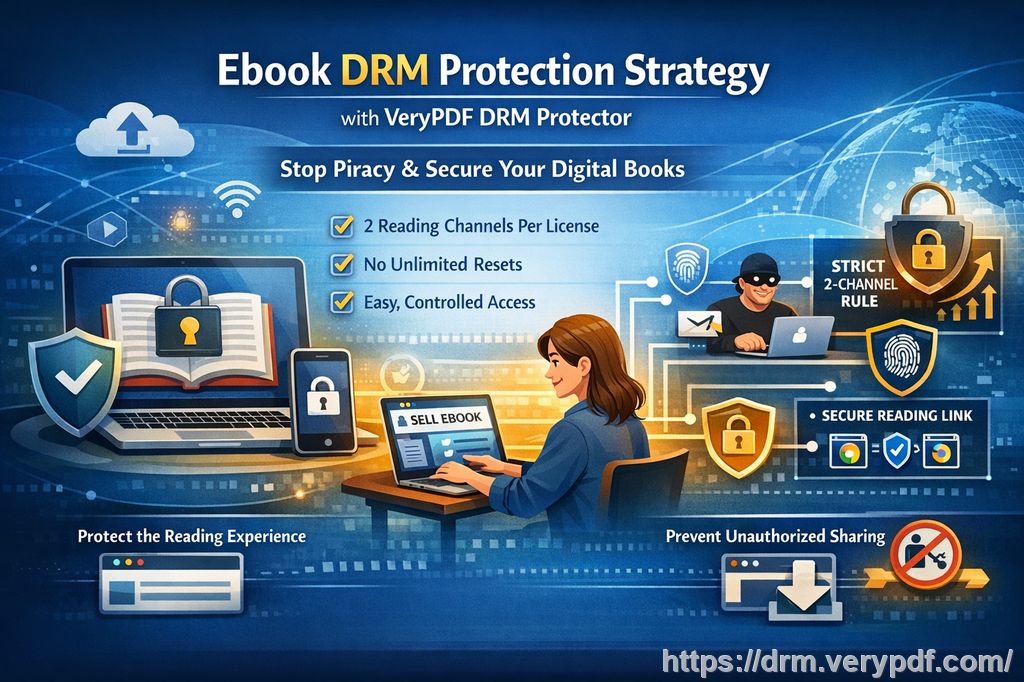
Addressing Common Pain Points in Financial Document Security
In the accounting world, we all know that security breaches and data leaks are a major risk. Here are a few key concerns I hear from my colleagues in the industry:
-
Unauthorized Sharing: We've all been there. A client shares a financial report with someone they shouldn't. Whether it's an email attachment or a poorly managed cloud folder, you have little control once that document is out of your hands.
-
Printing and Copying: Financial reports often contain sensitive data. You don't want clients or colleagues to print the document and leave it lying around. Similarly, clients might want to copy and paste sections, leading to potential misuse of your work.
-
Document Modification: I've also experienced the frustration of discovering that a report was altered in some way after being distributed. Someone could change figures or manipulate the document, leading to credibility issues.
These problems have real consequences, whether it's unauthorized distribution, client dissatisfaction, or even legal ramifications. But there's good news: VeryPDF DRM Protector has been designed to address exactly these issues.
How VeryPDF DRM Protector Solves These Problems
VeryPDF DRM Protector is more than just a tool—it's a full-fledged security suite for your PDFs. Here's how it can help you:
-
Restrict Access to Specific Users: You can lock down access to your PDFs, ensuring that only authorized users can open and view them. Whether it's a single client or a group of accountants, the access control is as tight as you need it to be.
-
Prevent Printing and Copying: VeryPDF DRM Protector allows you to stop the printing of your documents entirely, or you can enforce limits on how many times a document can be printed. Similarly, it can prevent clients from copying text or images, ensuring that the data stays intact.
-
Stop Screen Grabs and Sharing: Perhaps one of the most worrying issues is screen sharing and screenshots. How many times have you joined a Zoom meeting and seen someone grab a screenshot of your document? VeryPDF DRM Protector can prevent this entirely, securing your content even in online meetings.
-
Expire Access and Revocation: You can set expiry dates on your PDFs, so clients can only access the document for a specific period. Additionally, if there's ever a need to revoke access (e.g., if a document is shared with an unauthorized user), you can terminate access instantly.
Real-Life Example: Protecting Client Reports
Let's imagine you're sending a tax report to a client. The document contains financial figures, personal data, and tax calculations that must remain confidential. Without protection, there's always a risk that the document might be shared with others or printed and left in a public space. This could result in severe consequences for both you and your client.
By using VeryPDF DRM Protector, you can enforce a no-printing policy, prevent copying of content, and even set an expiry date. After the client downloads the file, they can view it, but once the time limit expires or they try to print it, access is blocked. Moreover, with dynamic watermarks, you can add a custom watermark with the client's name, email address, or other identifiers, discouraging anyone from sharing it.
Protecting Client Statements with Anti-Piracy Features
One of the primary concerns of accounting firms is ensuring that their reports and statements are not pirated or distributed without permission. Here's how VeryPDF DRM Protector helps you with that:
-
Stop PDF Piracy: The software prevents unauthorized copying, modification, or redistribution of your PDFs. It's a robust defense against piracy, ensuring that your documents stay secure.
-
Watermarking for Identification: By embedding dynamic watermarks, the software identifies the user (client or colleague) who has accessed the document. This is an excellent deterrent against unauthorized sharing. If someone tries to print or share a document, they'll know their identity is permanently stamped on it.
-
Prevent Conversion to Other Formats: One of the sneaky ways people try to circumvent document security is by converting PDFs to Word or Excel files. VeryPDF DRM Protector prevents this by blocking the conversion process entirely.
Step-by-Step Guide: How VeryPDF DRM Protector Works
Step 1: Protect Your PDFs
Once you've installed the tool, protecting a PDF is as simple as uploading it to the software interface. From there, you can apply various security features like print restrictions, watermarking, and access control.
Step 2: Set Access Control
You can restrict access to specific users by locking the document to a particular device or IP address. If the user tries to access it from a different device or location, they won't be able to open the file.
Step 3: Apply Expiry or Revocation
If you want to limit how long the document is available for viewing, set an expiry date or number of views. After the set threshold is reached, the PDF becomes inaccessible. You can also revoke access at any time, even after the document has been shared.
Step 4: Monitor Usage
The software provides detailed reports on who accessed the document, when they accessed it, and whether they attempted any unauthorized actions (like printing or copying). This is a valuable feature for accountability.
Conclusion: The Ultimate PDF Protection Solution
I highly recommend VeryPDF DRM Protector to anyone distributing sensitive financial documents in PDF format. Whether you're sharing reports, tax documents, or client statements, this tool offers an easy-to-use, comprehensive solution to protect your work from unauthorized access, piracy, and modification.
Call to Action
Try it now and protect your financial reports: https://drm.verypdf.com
Start your free trial today and regain control over your PDFs.
FAQs
-
How can I limit access to my PDFs?
You can lock PDFs to specific users, devices, or locations, ensuring only authorized individuals can open them. -
Can my clients still read the document without copying, printing, or converting?
Yes, they can view the document, but actions like copying, printing, or converting to other formats are completely blocked. -
How do I track who accessed my files?
VeryPDF DRM Protector offers detailed access logs that show who viewed the document, when, and whether they attempted any unauthorized actions. -
Does this solution prevent PDF piracy and unauthorized sharing?
Absolutely. It stops copying, printing, and screen grabbing, and even allows you to apply dynamic watermarks to identify the user. -
How easy is it to distribute protected lecture slides and homework?
Very easy! Once the protection is applied, you can distribute the PDFs through email, USB, or any other method, and the document will remain secure. -
Can I revoke access to a document after it's been shared?
Yes, you can revoke access at any time, even after the document has been downloaded or shared. -
Does it support offline viewing?
Yes, you can enable offline viewing for your protected PDFs, while still maintaining full control over access and usage.
Keywords
-
Protect course PDFs, prevent PDF piracy, stop students sharing homework, secure lecture materials, prevent DRM removal, anti-conversion PDF DRM.