 Why DRM Protection is Crucial for Course PDFs
As an educator, it's frustrating to spend hours crafting the perfect PDF document for my students—whether it's a lecture slide, an assignment, or a course reading—and then have to worry about students sharing or misusing that content. It's a real concern for professors who want to protect their intellectual property and ensure that students aren't sharing paid course materials or violating content policies.
But here's the issue: it's hard to control what happens to PDFs once they're out in the world. Even if I attach a password, students can still find ways to share it. Worse yet, they can print, copy, or convert my lecture slides into another format—things that are nearly impossible to prevent without the right tools. This is where DRM (Digital Rights Management) protection comes in, and more specifically, how VeryPDF DRM Protector helps solve these problems.
Why DRM Protection is Crucial for Course PDFs
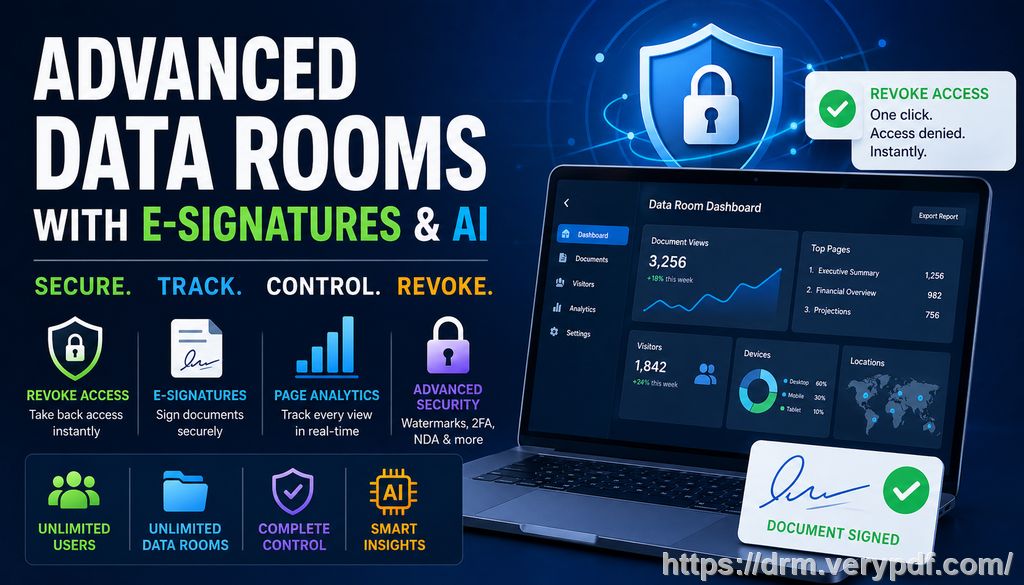
PDF piracy is a growing problem, and it's not limited to just textbooks or textbooks-like materials. As more and more professors, lecturers, and educational content creators like myself share lecture slides, assignments, and study guides in PDF format, it becomes easier for these files to be misused. Whether it's a student sharing the content with someone outside of the class or a hacker trying to extract information, it's clear that PDF security is more important than ever.
Here are some common issues I've faced:
-
Students sharing PDFs: Imagine spending hours preparing a course syllabus, only for it to be passed around the class or shared on a student's personal blog. It's frustrating to think that this information—designed to be exclusive to my class—is now out there for anyone to use.
-
Unauthorized printing, copying, or conversion to other formats: I've found students taking a PDF and converting it into Word or even printing it, only to scan it or screenshot it. This compromises the security of the material.
-
Loss of control over paid or restricted course content: After all the effort I put into creating detailed homework assignments or course materials, it's a huge concern when that content can be freely shared, printed, or converted by anyone with access.
That's where VeryPDF DRM Protector has been a game-changer.
How VeryPDF DRM Protector Solves These Issues
Let's talk about how VeryPDF DRM Protector works to address these classroom challenges. As a professor who's constantly distributing PDFs for assignments, lecture slides, and readings, I can't afford to have my materials hijacked or misused. VeryPDF DRM Protector helps me enforce security without the hassle of overly complicated controls.
Here's how it protects my PDFs:
Restricting Access
One of the biggest concerns I have is who has access to my PDFs. With VeryPDF DRM Protector, I can restrict access to only specific students or enrolled users. This means I can control who views the content and prevent unauthorized sharing. No more worrying about students handing out my lecture slides to non-classmates.
Preventing Unauthorized Actions
Printing, copying, and converting are all actions that can easily compromise the integrity of my content. I can stop all of these with a few clicks. No more worrying that a student might print out my lecture slides, then share them with others. I can even stop screen grabs from third-party apps or during online meetings, like Zoom or WebEx.
Protecting Lecture Slides and Homework PDFs
This is where the real value lies—protecting paid or restricted course content. I can add dynamic watermarks to each page, showing the student's information (like their name, email, or IP address). These watermarks make it clear that the content is linked to a specific user, and it's a deterrent for anyone thinking of distributing the materials without my permission.
Expiry & Revocation
Another useful feature is the expiry control. I can set PDFs to expire after a set number of views, prints, or even a specific date. This ensures that the content is only available for a limited time, keeping it secure and relevant. If a student were to violate my trust by attempting to share it, I can revoke access even after the document has been distributed.
Real-World Example: How It Saved My Materials
I remember last semester when I posted my lecture slides online for my students. Within a day, I discovered that the file had already been shared outside the class, and one of my students even emailed me asking about a version that was easier to read. That's when I decided to implement VeryPDF DRM Protector.
With it, I restricted access to only the students enrolled in the course. The watermarks were dynamic, so I knew exactly who had downloaded and viewed each PDF. I also set the expiry date for the materials so that they couldn't be accessed indefinitely. This approach not only kept my materials secure but also gave me peace of mind.
Anti-Piracy Benefits
VeryPDF DRM Protector isn't just about controlling access—it's also about preventing piracy. By locking down the PDFs and preventing them from being copied or converted, I'm essentially creating a digital fortress around my teaching materials. Even if someone tries to share a protected file, it's useless without the decryption key, which is securely stored on the user's device.
This is a massive step up from relying on basic password protection, which can be easily bypassed by those who know what they're doing. The anti-piracy features provided by VeryPDF DRM Protector make it incredibly difficult for unauthorized users to manipulate or distribute the files.
Simple, Effective, and Time-Saving
What I love about VeryPDF DRM Protector is how easy it is to use. The interface is simple and intuitive, which means I don't have to spend hours configuring settings. I can focus on teaching and let the software handle the security.
Additionally, the self-destruct feature is a great way to ensure that sensitive documents are automatically deleted after a certain period or once they've been viewed a set number of times. This is especially useful for homework assignments and other time-sensitive materials.
Conclusion: Protect Your Course Materials Now
In conclusion, VeryPDF DRM Protector has become an essential tool for anyone distributing PDFs in the educational world. It provides real-time control over how my content is used, ensures that I maintain full authority over who accesses my materials, and protects against piracy.
If you're like me and you want to protect your hard work, I highly recommend giving it a try.
Try it now and protect your course materials: https://drm.verypdf.com
Start your free trial today and regain control over your PDFs.
FAQs
Q: How can I limit student access to PDFs?
A: With VeryPDF DRM Protector, you can restrict access to only specific students by using unique licenses tied to their devices or user IDs.
Q: Can students still read the PDFs without copying, printing, or converting them?
A: Yes! You can disable copying, printing, and converting while still allowing students to read the PDF content.
Q: How do I track who has accessed my PDFs?
A: VeryPDF DRM Protector allows you to track user activity, including who opened the PDF and when, thanks to dynamic watermarks and access logs.
Q: Does it prevent PDF piracy and unauthorized sharing?
A: Absolutely! The software locks your PDFs, preventing unauthorized sharing, copying, and conversion, while also allowing you to revoke access if needed.
Q: How easy is it to distribute protected lecture slides and homework?
A: Very easy. You can distribute the protected PDFs via email, USB, or web platforms without worrying about the files being tampered with.
Tags or Keywords
-
Protect course PDFs
-
Prevent PDF piracy
-
Stop students sharing homework
-
Secure lecture materials
-
Prevent DRM removal
-
Anti-conversion PDF DRM