 The Pain of Losing Control Over Course Materials
How to Protect Your Course PDFs: A Practical Solution for Preventing Unauthorized Sharing and Piracy
As a professor, I've always been a bit anxious about how easily my lecture materials could be shared without my permission. Whether it's homework PDFs being circulated among students or my carefully crafted lecture slides ending up on some random forum, the fear of losing control over my intellectual property is real. It's not just about trust—it's about protecting my work and maintaining control over how it's shared. That's where PDF protection tools, like VeryPDF DRM Protector, come into play.
In this article, I'll share some practical ways to protect your teaching materials using DRM (Digital Rights Management) solutions and explain how VeryPDF DRM Protector can help prevent the most common forms of piracy and misuse in educational environments.
The Pain of Losing Control Over Course Materials
For most educators, the loss of control over teaching materials is a major concern. Here are a few common issues I've encountered that many other professors face:
-
Unauthorized Sharing of PDFs: Students sharing PDFs of lecture slides, homework, or study guides without permission.
-
Printing and Copying: The ability to print, copy, or convert course content into other formats like Word or Excel without restrictions.
-
Piracy of Paid Content: When course materials, especially paid ones, end up circulating online, making it difficult to control access.
These problems are not just frustrating—they also affect the integrity of your teaching process and your ability to manage your content effectively. Thankfully, there's a solution.
How DRM Protector Can Help You Control and Secure Your PDFs
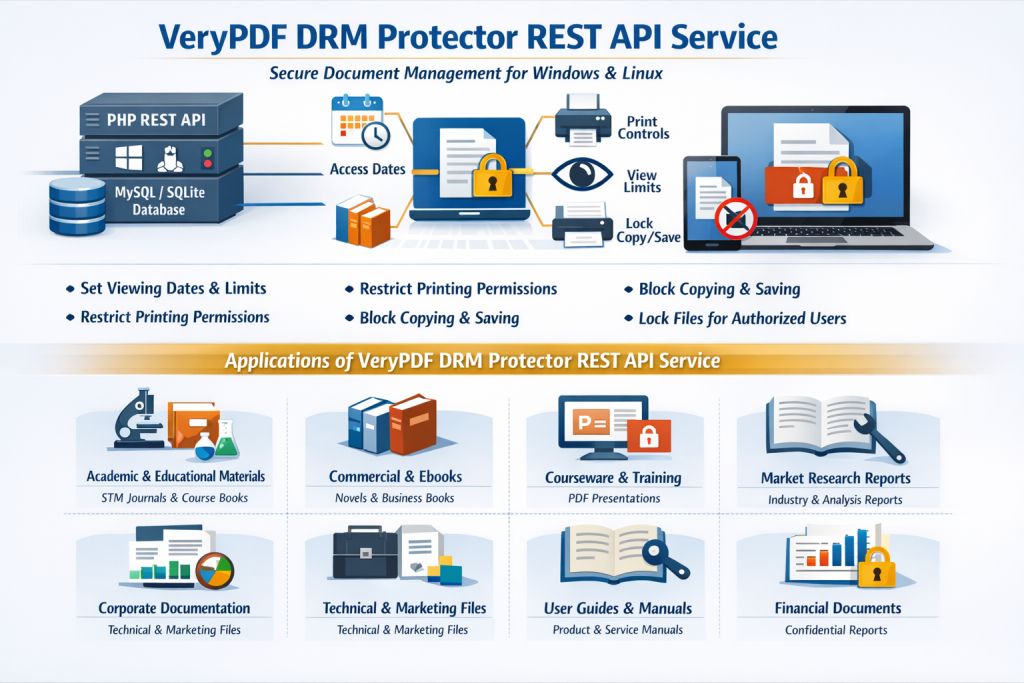
VeryPDF DRM Protector provides an easy-to-use solution for locking down your PDFs and ensuring they can't be shared, copied, or printed without your permission. Here's a closer look at how it solves some of the key challenges faced by educators:
1. Prevent Unauthorized Sharing and Access
One of the biggest fears as a professor is that my students will share PDFs of my lecture slides or homework assignments with others, potentially breaching copyright or disrupting the learning process. With DRM, you can ensure that only authorized individuals—such as enrolled students—can access your materials. VeryPDF DRM Protector allows you to:
-
Restrict Access: Limit access to PDFs based on device, location, or user credentials, ensuring only authorized users can open the files.
-
Enforce Expiry Dates: Set automatic expiration for your PDFs, so after a certain date or number of views, they are no longer accessible.
This means that even if students try to share your PDFs, the system will prevent unauthorized access, making your content safe and secure.
2. Stop Printing and Copying of PDFs
Another common problem I've faced is students printing out lecture slides, copying the text, or converting them into other formats like Word or Excel. With DRM protection, you can stop this from happening.
VeryPDF DRM Protector enables you to:
-
Disable Printing: Prevent students from printing out course materials altogether, or limit the number of prints allowed per document.
-
Stop Copying and Editing: With the content copy function disabled, students won't be able to select, copy, or paste content from your PDFs into other documents.
By restricting these actions, you can ensure that your course materials stay within the classroom and aren't easily distributed or misused.
3. Protect Against Screen Captures and Piracy
One of the more covert ways students (or anyone) can steal content is by taking screenshots during online lectures or meetings. This can be particularly concerning during virtual classes or when using platforms like Zoom or WebEx.
With VeryPDF DRM Protector, you can:
-
Prevent Screen Captures: Block screen grab applications, print screens, and other methods of capturing content from your PDFs during online sessions.
-
Add Dynamic Watermarks: A watermark displaying user-specific information (such as their name, email, and date) can be applied to any viewed or printed content, making it easy to trace any leaks back to the source.
These features add an extra layer of protection to your PDFs, ensuring your content remains secure even in digital environments.
4. Full Control Over Distribution
Sometimes, the solution isn't just about stopping students from doing something—it's about maintaining complete control over the distribution and lifecycle of your content.
With VeryPDF DRM Protector, you can:
-
Lock Documents to Specific Devices: You can lock your PDFs to a specific computer, mobile device, or even a USB stick. This means that your materials can only be accessed from those devices, reducing the risk of unauthorized sharing.
-
Audit Use and Identify Leaks: With usage tracking, you can see who has accessed your content and when, helping you monitor distribution and identify potential leaks.
This level of control makes it much easier to manage your PDFs, ensuring that they are only accessible to the people who are supposed to have access.
Real Classroom Examples of How DRM Protection Helps
Here's an example from my own experience: I once uploaded a set of lecture slides to our online learning portal, thinking they would be safely contained there. A few weeks later, I discovered that they had made their way into an online forum where they were being shared freely. While the students involved were likely well-meaning, this breach of trust made me realize how easily educational materials can be misused without the right safeguards in place.
With VeryPDF DRM Protector, I've been able to prevent similar issues from happening. Now, when I upload course materials, I can control who sees them, who can print them, and who can share them. This peace of mind allows me to focus on teaching without worrying about unauthorized distribution.
Conclusion: Protect Your Content, Protect Your Work
If you're tired of worrying about students sharing, printing, or copying your materials without permission, I highly recommend giving VeryPDF DRM Protector a try. It offers an intuitive, robust solution for controlling access to and distribution of your PDFs. With DRM protection, you can regain control over your teaching materials and stop the unauthorized sharing and piracy that undermines your work.
Try it now and protect your course materials: https://drm.verypdf.com
Start your free trial today and regain control over your PDFs.
FAQ
-
How can I limit student access to PDFs?
You can restrict access based on devices or locations, ensuring only authorized users can open the files. -
Can students still read the PDFs without copying, printing, or converting?
Yes, with DRM protection, students can view the PDFs but won't be able to copy, print, or convert them. -
How can I track who accessed my files?
VeryPDF DRM Protector offers audit features that track access, so you can see who has viewed your materials and when. -
Does DRM Protector prevent PDF piracy and unauthorized sharing?
Absolutely. It restricts printing, copying, and sharing, and it can lock PDFs to specific devices to prevent unauthorized access. -
How easy is it to distribute protected lecture slides and homework?
Very easy. You can distribute your PDFs securely via email, web, or even USB sticks, with full control over access and expiration. -
Can I revoke access to PDFs after they've been distributed?
Yes, you can revoke access at any time, regardless of where the files are located.
Tags or Keywords
-
protect course PDFs, prevent PDF piracy, stop students sharing homework, secure lecture materials, prevent DRM removal, anti-conversion PDF DRM