 The Need for PDF Security in Accounting
How Accounting Firms Can Implement PDF DRM to Safeguard Financial Documents and Ensure Compliance
As an accounting professional, one of the most challenging aspects of managing sensitive financial documents is ensuring their security. Whether it's tax records, internal reports, or financial statements, the risk of unauthorized access, copying, or redistribution is always a concern. In today's digital age, protecting these documents from being shared without permission is more critical than ever.
Imagine you've just prepared a confidential financial report for a client, only to find out that it was shared with unauthorized individuals. Or perhaps an employee mistakenly emailed a sensitive tax record, leading to a data breach. These are real scenarios that accounting firms face regularly, and they highlight the importance of document security.
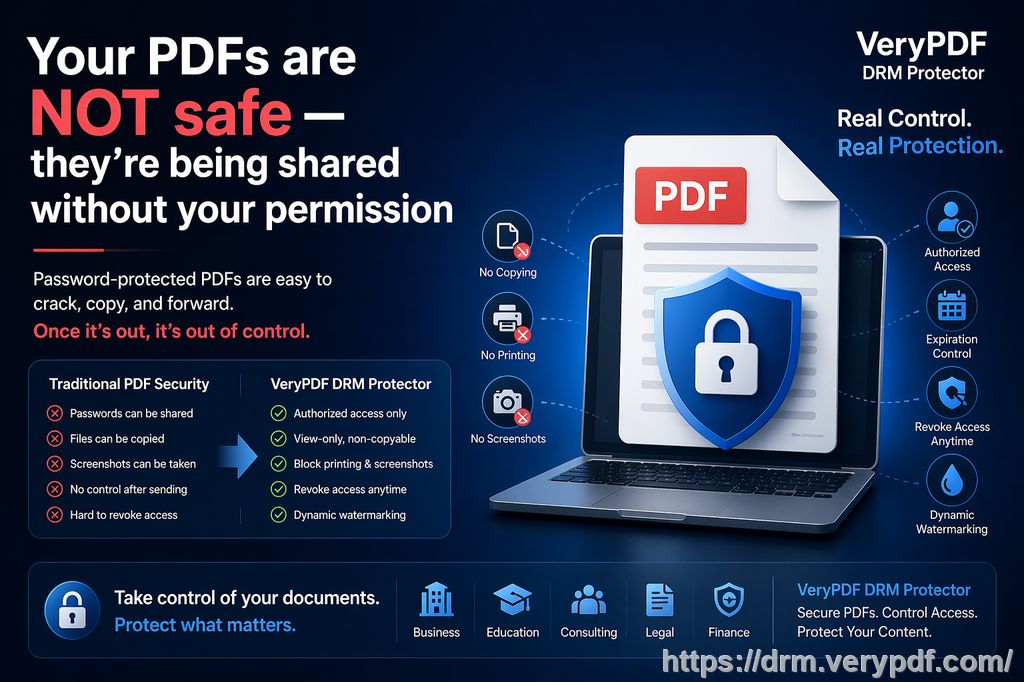
Fortunately, there's a solution: VeryPDF DRM Protector. This powerful tool allows accounting firms to implement PDF Digital Rights Management (DRM), providing enhanced protection against unauthorized copying, printing, and sharing. In this article, we'll explore how accounting firms can use VeryPDF DRM Protector to secure their financial documents and maintain confidentiality, all while staying compliant with industry regulations.
The Need for PDF Security in Accounting
Financial documents like tax records, internal reports, and financial statements contain critical information that must remain confidential. If these documents end up in the wrong hands, it can lead to serious financial and reputational damage. But how can you control the distribution of these documents once they're shared?
Here are a few key challenges that accounting firms face when it comes to protecting PDF documents:
-
Loss of control: Once a PDF is shared, it's often difficult to control who accesses it. Employees or clients may forward the document to unauthorized individuals without realizing the risk.
-
Unauthorized printing or copying: Clients or employees may print the document, take screenshots, or copy sensitive data, all of which could result in data leakage.
-
Compliance risks: Accounting firms are subject to strict data protection regulations, such as GDPR or financial privacy laws. A breach could lead to hefty fines and legal issues.
The solution to these challenges is implementing a robust DRM solution like VeryPDF DRM Protector, which provides the tools needed to safeguard financial documents from unauthorized use, while ensuring compliance with industry standards.
How VeryPDF DRM Protector Works to Secure PDFs
VeryPDF DRM Protector offers a comprehensive suite of features that allow accounting firms to control how their PDF documents are accessed, shared, and used. Let's take a closer look at some of the key features that can help prevent unauthorized redistribution of financial documents:
1. Lock PDFs to Specific Devices
With VeryPDF DRM Protector, you can lock PDFs to specific devices or locations, ensuring that only authorized users can access the documents. This means you can restrict access to financial statements or tax records to designated employees or clients, preventing unauthorized access even if the document is shared.
-
Use case: An accounting firm prepares a financial report for a client and locks it to the client's device. Even if the client tries to forward the document to someone else, it won't open unless the recipient is authorized.
2. Stop Unauthorized Printing and Copying
VeryPDF DRM Protector allows you to control whether users can print, copy, or modify PDF documents. You can completely disable printing or restrict it to a certain number of prints. Additionally, users won't be able to copy or extract text from the document, ensuring that sensitive data remains secure.
-
Use case: A financial statement containing sensitive data is locked from printing and copying. This prevents employees from printing the document and taking physical copies or sharing the information electronically.
3. Prevent Screenshot and Screen Recording
With the rise of screen capture software, it's easier than ever for individuals to take screenshots or record their screens during online meetings. VeryPDF DRM Protector stops users from taking screenshots or recording financial documents displayed on their screens, ensuring that your confidential information remains secure during virtual meetings or presentations.
-
Use case: A tax record is presented during a Zoom meeting with a client. VeryPDF DRM Protector prevents the client from taking screenshots or recording the screen, even if they try to use third-party apps.
4. Expiry and Self-Destruct Options
One of the most useful features of VeryPDF DRM Protector is the ability to set an expiration date or limit the number of views or prints. This is particularly helpful for time-sensitive financial documents that need to be viewed only within a specific period.
-
Use case: An accounting firm sends a confidential tax record to a client with an expiration date of 30 days. After 30 days, the document becomes inaccessible, ensuring that the client doesn't retain access to outdated or irrelevant information.
5. Dynamic Watermarks for Added Security
VeryPDF DRM Protector allows you to add dynamic watermarks to your PDFs, which display user-specific information such as their name, email address, and the date and time the document was accessed. These watermarks act as a deterrent against unauthorized redistribution, as the user can easily be traced if the document is leaked.
-
Use case: A financial report is shared with multiple clients. Each document has a unique watermark displaying the client's name and the time the document was opened. If the document is leaked, it can be traced back to the original user.
6. Revoke Documents and User Access
Even after a document has been distributed, VeryPDF DRM Protector gives you the ability to revoke access at any time. This feature allows you to terminate access to a document if you suspect that it's being misused or if an employee or client no longer needs access to it.
-
Use case: A financial report is accidentally sent to the wrong client. The accounting firm can instantly revoke access to the document, preventing the unintended recipient from viewing it.
Why Choose VeryPDF DRM Protector Over Secure Data Rooms?
Many accounting firms rely on secure data rooms to share confidential documents. However, these systems are not foolproof. They often depend on login credentials, which can be shared with others, or they allow users to download unprotected versions of the documents. VeryPDF DRM Protector offers a more secure alternative by ensuring that documents remain protected, even after they're distributed. With features like device locking, watermarking, and document revocation, VeryPDF DRM Protector provides a higher level of security than traditional data rooms.
Real-Life Scenarios: How DRM Protector Saves the Day
Let's take a look at a few examples where VeryPDF DRM Protector has helped accounting firms safeguard their documents and maintain compliance.
Example 1: Preventing Financial Data Breach
An accounting firm accidentally sent a financial report containing sensitive tax information to an unauthorized client. Using VeryPDF DRM Protector, the firm was able to instantly revoke access to the document, preventing the unauthorized client from viewing or sharing the report further.
Example 2: Securing Confidential Tax Records
A client requested a copy of their tax records but needed to ensure that only they could access the document. With VeryPDF DRM Protector, the accounting firm locked the document to the client's device and added a dynamic watermark to deter unauthorized sharing.
Example 3: Controlling Access to Internal Reports
An accounting firm regularly shares internal financial reports with employees. To prevent unauthorized printing or copying, the firm used VeryPDF DRM Protector to restrict printing and copying, ensuring that the documents remained secure.
Conclusion: Protect Your Financial Documents with VeryPDF DRM Protector
In today's digital world, safeguarding your financial documents is more important than ever. By implementing VeryPDF DRM Protector, accounting firms can ensure that their sensitive documents—whether tax records, financial statements, or internal reports—remain secure and confidential. With features like device locking, printing restrictions, dynamic watermarks, and document revocation, VeryPDF DRM Protector provides the ultimate protection for your PDFs, allowing you to focus on your work without worrying about unauthorized distribution or compliance risks.
I highly recommend VeryPDF DRM Protector to any accounting firm looking to enhance the security of their PDF documents. It's an easy-to-use tool that offers peace of mind, knowing that your documents are protected from piracy and misuse.
Try it now and protect your financial documents: https://drm.verypdf.com
Frequently Asked Questions
1. How can I limit client access to PDF financial documents?
You can lock PDFs to specific devices, ensuring that only authorized users can access the document. You can also set expiration dates or limit the number of views or prints.
2. Can clients still read the document without copying, printing, or converting it?
Yes, with VeryPDF DRM Protector, you can disable printing, copying, and converting, while still allowing users to view the document.
3. How can I track who accessed the financial documents?
VeryPDF DRM Protector offers dynamic watermarks that display user-specific information, such as their name and the time the document was accessed, making it easy to track.
4. Does it prevent PDF piracy and unauthorized sharing?
Absolutely. VeryPDF DRM Protector stops unauthorized copying, sharing, and conversion, ensuring that your documents remain secure.
5. How easy is it to distribute protected PDF documents to clients?
It's very easy. You can distribute protected PDFs via email, USB, or web, without worrying about unauthorized access.
6. Can I revoke access to a document after it has been shared?
Yes, you can revoke access to any document at any time, even after it has been distributed.
7. Does VeryPDF DRM Protector work with all devices?
Yes, VeryPDF DRM Protector supports a wide range of devices, including computers, tablets, and mobile phones, ensuring that your documents are protected no matter how they are accessed.
Tags:
protect financial PDFs, stop PDF piracy, secure tax documents, prevent unauthorized sharing, DRM for accounting firms, prevent printing/copying PDFs