 The Struggles Professors Face with Course PDF Protection
As a professor, I've faced many frustrations when it comes to sharing my lecture materials online. I've spent hours perfecting my lecture slides, course notes, and homework assignments, only for them to be shared without my consent. Worse, students sometimes modify, print, or even convert them into different formats, completely bypassing my control. Sound familiar?
In today's digital age, protecting your course materials has become more challenging than ever. As much as we rely on sharing educational PDFs, there's always a risk of these materials being misused or pirated. Whether you're concerned about students sharing your materials with others or want to ensure that your lecture PDFs remain secure and only accessible by authorized individuals, you need a solution that gives you full control over how your content is distributed.
This is where VeryPDF DRM Protector comes in.
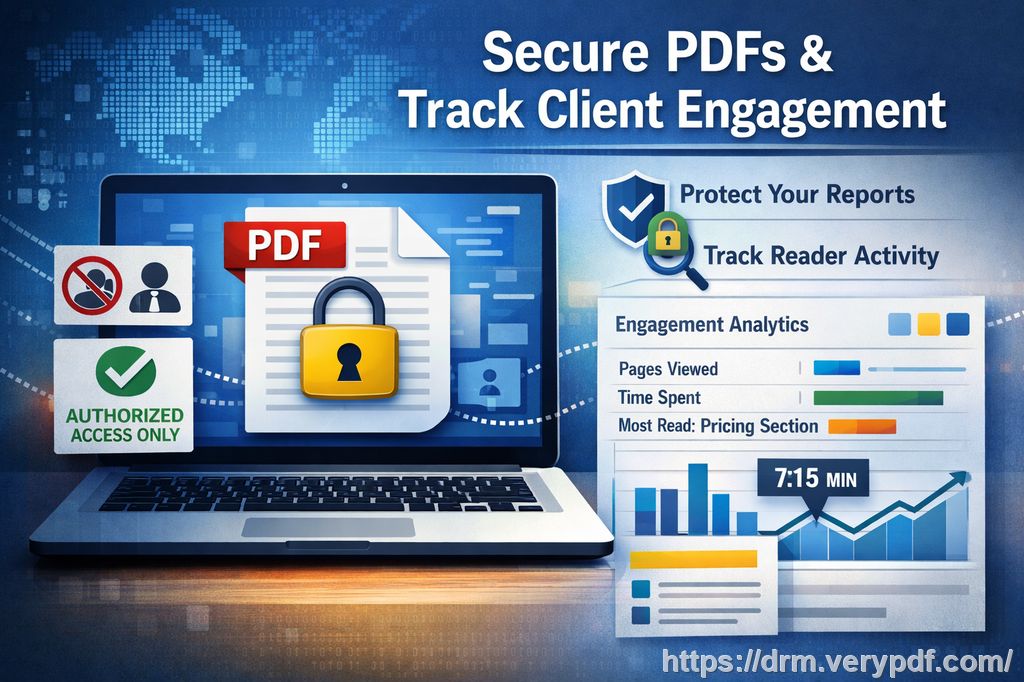
The Struggles Professors Face with Course PDF Protection
Imagine this: You've just uploaded the latest version of your course PDF, which includes a critical reading list for the semester. A few days later, you find out that it's been shared on a public forum. Or worse, students have printed your lecture slides and passed them around, making your carefully crafted content vulnerable to unauthorized use.
These are common pain points that many educators experience, and they can be incredibly frustrating. Other problems include:
-
Unauthorized sharing: Once your PDFs are online, there's no telling who might share them with others, especially with the rise of file-sharing platforms and social media.
-
Printing and copying: If you allow students to download PDFs for offline viewing, they might print out multiple copies or copy content to use without permission.
-
Conversion and editing: Many students or external users can easily convert your PDFs to Word, Excel, or other formats, undermining your control over how your materials are used.
-
Loss of control: When students share or modify your PDFs without permission, you lose the control you once had over your course content.
These issues not only affect your intellectual property but can also complicate your teaching workflow. If you're looking for a way to prevent these headaches and maintain control over your materials, a DRM (Digital Rights Management) solution is your answer.
The Solution: VeryPDF DRM Protector
VeryPDF DRM Protector is a comprehensive tool designed to protect your PDFs from unauthorized sharing, printing, copying, and even conversion to other formats. This software provides a range of features that can help you regain control over your digital content and prevent piracy.
Here's how it works:
-
Device-based access control: You can lock your PDFs to specific devices, ensuring that only authorized users can access them. This eliminates the risk of students sharing login credentials or passing your materials on to others.
-
Stop printing and copying: With DRM Protector, you can restrict the ability to print, copy, or forward your PDFs. Even if someone manages to access your document, they won't be able to reproduce or redistribute it.
-
Prevent conversion: Many students or unauthorized users attempt to convert PDFs into other formats, like Word or Excel, which can then be easily shared or edited. DRM Protector prevents this by locking your documents to specific use cases, making it impossible to convert them.
-
Set expiry dates and self-destruct features: If you want to ensure that your materials are only accessible for a specific period, you can set expiry dates or limits on the number of views or prints. This feature is especially useful for temporary course materials or one-off assignments.
-
Dynamic watermarks: As a deterrent, dynamic watermarks are displayed on every page of the protected PDF, showing the user's name, email address, or date of access. These watermarks make it clear that the document is tracked and discourage students from distributing your content.
These features not only protect your materials from unauthorized access but also prevent students from bypassing security measures. With DRM Protector, you can rest easy knowing that your content is secure, no matter where it is shared.
Real-Life Examples of How DRM Protector Can Help
As an example, I once shared a lecture slide PDF with my class that included sensitive material on a recent case study. A few days later, I noticed that several students had shared the slides with their peers outside the class. With DRM Protector, I was able to revoke access to those materials immediately, even though they had already been distributed. This prevented further unauthorized sharing and gave me back control.
Similarly, I had an assignment PDF that I allowed students to download. A few of them printed multiple copies and shared them with others, but the DRM controls I applied prevented any further printing or conversion. The tool also allowed me to add dynamic watermarks with each student's name and email address, making it clear who had distributed the document.
In another instance, I created a set of paid course materials for a summer course. By using DRM Protector's expiry feature, I ensured that students could only access the materials for a fixed period. After the course was completed, the documents were automatically locked, preventing any unauthorized redistribution.
Why You Should Consider VeryPDF DRM Protector
If you're distributing course PDFs, whether for lectures, assignments, or paid content, DRM Protector offers the ultimate peace of mind. It provides a secure way to share your content while preventing piracy and misuse. Here are some key reasons why you should consider using this tool:
-
Simple to use: DRM Protector is designed to be user-friendly, with an intuitive interface that doesn't require extensive technical knowledge to get started. You can easily apply security settings and distribute your content without a hassle.
-
Complete control: You have full control over your PDFs, from locking access to specific devices to setting expiration dates and limits on views or prints.
-
Protects against piracy: With DRM, you can rest assured that your content will not be copied, shared, or converted without your permission.
-
Dynamic security features: Even after you've distributed your PDFs, you can still revoke access, change restrictions, or apply new watermarks at any time.
-
Cost-effective: DRM Protector is an affordable solution for educators looking to protect their intellectual property and teaching materials.
If you're tired of worrying about students bypassing your content protections or distributing your materials without permission, DRM Protector is the solution you've been searching for.
Conclusion: Take Control of Your PDF Distribution
As a teacher, it's essential to protect the hard work you put into creating your teaching materials. VeryPDF DRM Protector offers an easy, effective solution to prevent unauthorized sharing, printing, copying, and conversion of your course PDFs. With its dynamic features, you'll be able to maintain control over your content and protect it from piracy, ensuring that your materials are only used as you intend.
I highly recommend VeryPDF DRM Protector to any educator who distributes course PDFs. It's a game-changer for preventing misuse and ensuring your content remains secure.
Try it now and protect your course materials: https://drm.verypdf.com
FAQs
How can I limit student access to my PDFs?
With DRM Protector, you can lock PDFs to specific devices or set expiry dates, ensuring that only authorized users can access your documents.
Can students still read the PDFs without copying, printing, or converting them?
Yes! DRM Protector allows you to restrict printing, copying, and converting while still allowing students to read the document.
How can I track who accessed my PDFs?
You can use dynamic watermarks to display user information, such as the student's name or email address, on each page. This helps you identify who accessed or shared the document.
Does DRM Protector prevent PDF piracy and unauthorized sharing?
Yes! DRM Protector ensures that your PDFs are locked down, preventing unauthorized sharing, printing, and conversion.
How easy is it to distribute protected lecture slides and homework?
It's incredibly easy. You can apply DRM protection to your PDFs and then distribute them through email, a learning management system, or even via USB stick, ensuring that your content is secure at every stage.
Tags or Keywords
-
protect course PDFs
-
prevent PDF piracy
-
stop students sharing homework
-
secure lecture materials
-
prevent DRM removal
-
anti-conversion PDF DRM