 The Struggles of Sharing Educational PDFs
How to Protect Your Educational PDFs from Unauthorized Sharing, Copying, and Printing with DRM Solutions
As educators, we're constantly sharing valuable resources like lecture slides, homework assignments, and course materials with students. But here's the problem: what happens when those materials are shared beyond the classroom, altered, or distributed without our permission? Suddenly, that carefully crafted PDF could end up on an open forum, or worse, in the hands of someone who never paid for it.
I've seen this happen firsthand—course content that was supposed to be exclusive and controlled slipping into the wrong hands. And when it's too late, it's impossible to track down who shared it or prevent further misuse. That's where DRM (Digital Rights Management) protection comes in. Let me walk you through how it can help us regain control over our PDFs and prevent the hassle of piracy, sharing, or unauthorized conversions.
The Struggles of Sharing Educational PDFs
If you're a professor or teacher, I'm sure you've encountered these common problems:
-
Students Sharing PDFs: You've worked hard to create a well-designed lecture slide deck, only for students to share it with classmates—or worse, post it online for free. That's frustrating, especially when you're relying on those materials for a paid course or exclusive content.
-
Unauthorized Printing and Copying: A student might download your homework PDF and print it for a friend. Or, they could copy and paste parts of your notes into their own assignment. How do you stop that from happening?
-
Loss of Control: After you upload a PDF online, there's no real way to control how many times it's downloaded, printed, or shared. And once it's out there, it's out there forever. It's especially problematic for paid materials or those you want to keep within a certain group.
These are real pain points, and the traditional ways of securing content, like passwords or restricting access to a file, simply don't cut it. But there's a better way: VeryPDF DRM Protector.
How VeryPDF DRM Protector Can Help
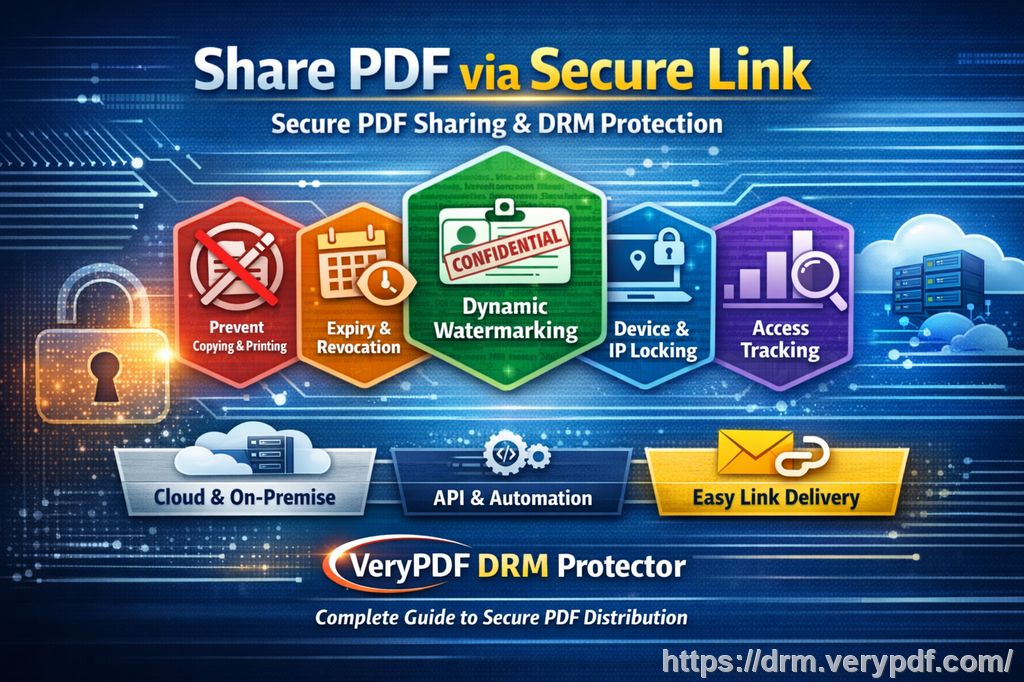
VeryPDF DRM Protector is a comprehensive solution designed to protect your PDFs from unauthorized sharing, copying, and printing. It lets you control exactly how your PDFs are accessed and used, making sure only authorized users can view, print, or share your materials. Here's how it works in real-world classroom scenarios:
Restrict Access to Specific Users
Let's say you've created a set of exclusive lecture slides for your online students. With DRM protection, you can lock access to those PDFs by restricting them to certain users. You can even specify which devices can open them. That means even if a student shares the file, it won't open on someone else's device.
Prevent Copying, Printing, or Forwarding
One of the most common frustrations for educators is the risk of students printing or copying your materials. Whether they're trying to "share" the notes or simply print out your assignment for convenience, it's a loss of control. DRM Protector stops this by:
-
Disabling printing altogether, or allowing you to set print limits.
-
Preventing copying of text or images within the document.
-
Stopping forwarding to others.
Anti-Piracy Features to Stop PDF Leakage
DRM protection goes beyond just limiting access—it also includes anti-piracy features to safeguard against unauthorized distribution. For example, with dynamic watermarks, each document is stamped with the user's information (name, email, etc.), making it clear who's responsible for the content. If someone tries to take a screenshot or distribute your material, the watermark acts as a deterrent.
Expiry and Self-Destruct Features
One of the key features that sets VeryPDF DRM Protector apart is its expiry and self-destruct functionality. You can set your PDFs to expire after a certain number of views, prints, or days. This ensures that even if a student manages to download your PDF, they won't have unlimited access to it.
Imagine you have a PDF for a homework assignment that should only be available for one week. With DRM protection, you can set that expiration date, and after the week is up, the document will automatically lock itself. No more worrying about students keeping old versions long after the deadline.
How DRM Protection Works in Your Classroom
Let's look at a few practical examples of how DRM protection can solve these problems:
-
Example 1: You've prepared a set of lecture slides for your students, but you're concerned about unauthorized sharing. By applying DRM protection, you can lock the slides to specific devices and prevent students from printing or copying any content. Even if a student somehow tries to share the slides, the DRM will block access unless the recipient is authorized.
-
Example 2: You're distributing a set of homework assignments. Students could easily print them out and share them with classmates, or worse, use OCR software to convert the PDFs into editable text. By using DRM protection, you prevent them from making copies or converting the files into another format. Additionally, the dynamic watermarking will display their name or email on the document, discouraging them from sharing it with others.
-
Example 3: You've uploaded a paid course PDF with valuable content, and you want to ensure only enrolled students can access it. DRM Protector allows you to limit access to only students who are logged into your course platform, locking the document to their specific device. If someone tries to share it, they won't be able to open it on any device other than the one you've approved.
Why DRM Protection is Better than Secure Data Rooms
Many educational platforms offer "secure data rooms" for sharing documents. However, these are often not as secure as they claim. The biggest problem? Screen sharing. A student could easily share their screen during an online meeting, allowing others to view your materials, or they might use a screen-capture app to grab your content. DRM protection solves this by stopping screen sharing and screenshots entirely, ensuring your materials remain safe even during virtual classes.
Unlike data rooms, VeryPDF DRM Protector doesn't rely on login credentials or weak protection mechanisms like JavaScript. It uses AES encryption, licensing controls, and device locking to provide robust security that goes beyond the limitations of data rooms.
Protect Your PDFs Today
After using DRM protection for my own materials, I can confidently say it's a game-changer. It's easy to implement, and it has saved me from countless instances of unauthorized access and content leakage. If you're an educator who's tired of worrying about your materials being shared or pirated, I highly recommend trying out VeryPDF DRM Protector.
Start protecting your course materials today by visiting VeryPDF DRM Protector. Try it now and take control of your PDFs!
Frequently Asked Questions
-
How do I limit student access to my PDFs?
You can lock your PDFs to specific devices or users, and even set expiration dates to automatically revoke access. -
Can students still read the PDFs without copying, printing, or converting them?
Yes! DRM protection lets you disable printing, copying, and conversion, while still allowing students to read the documents. -
Can I track who accessed my files?
Yes! DRM protection includes auditing features that let you track who viewed your files, along with when and where. -
Does DRM protection prevent PDF piracy and unauthorized sharing?
Absolutely. With features like device locking, dynamic watermarks, and restrictions on copying and sharing, DRM protection prevents unauthorized distribution. -
How easy is it to distribute protected lecture slides and homework?
Very easy! You can distribute your PDFs via email, cloud storage, or even offline on USB sticks, with full DRM protection intact.
Tags/Keywords: protect course PDFs, prevent PDF piracy, stop students sharing homework, secure lecture materials, prevent DRM removal, anti-conversion PDF DRM