 Real Classroom Challenges Educators Face
How Online Education Providers Can Prevent Students from Redistributing Paid PDF Course Materials Through Email, Cloud Storage, or Social Media Using DRM Measures
As an educator, one of the most frustrating challenges is ensuring that the materials I create for my students, especially the paid course materials, stay secure. We've all had that sinking feeling when we find out that our carefully designed lecture PDFs or homework assignments have been shared with students outside the class or, worse, uploaded to social media platforms for others to access. It's not just a matter of pride—it's about protecting the value of the content I've created and ensuring that students aren't misusing it.
So, how can we prevent this kind of distribution? How can we ensure that our valuable course materials remain secure without creating a headache for our students or ourselves? The answer lies in digital rights management (DRM) solutions, specifically the VeryPDF DRM Protector, which offers a robust way to control and limit access to our PDFs.
Real Classroom Challenges Educators Face
There are a few scenarios that many of us as educators face time and time again:
-
Students Sharing PDFs: After spending hours crafting a well-organized lecture PDF, you find out that a student has forwarded it to a friend, or worse, shared it on a cloud storage service. This kind of sharing puts you in a tough spot, especially if it's paid content.
-
Loss of Control: Once a document is in a student's hands, it can be hard to control. Students can copy text, take screenshots, or convert the file into an editable format, which might lead to unauthorized redistribution.
-
Unauthorized Printing and Copying: Some students prefer to print PDFs or copy content to use in assignments or share further. This can lead to unintended exposure or misuse of your work.
These issues have become even more prevalent with the increase in online learning and the digital sharing of educational resources. Whether it's a PDF of a lecture slide, a homework assignment, or a paid course material, once it's out there, it can be very hard to reel it back in. So, what's the solution?
How DRM Protector Solves These Problems
Enter VeryPDF DRM Protector. This tool offers a powerful yet simple solution to these problems, and it's easy for both educators and students to use. Let's take a closer look at how DRM Protector works to safeguard your digital content.
1. Restricting Access to Enrolled Students
With DRM, you can restrict access to your PDF files by locking them to specific users or devices. This means that only the students enrolled in your course will be able to open and view the materials, preventing unauthorized sharing. Unlike traditional password protection, DRM allows you to control access without the need for cumbersome login credentials.
2. Preventing Printing and Copying
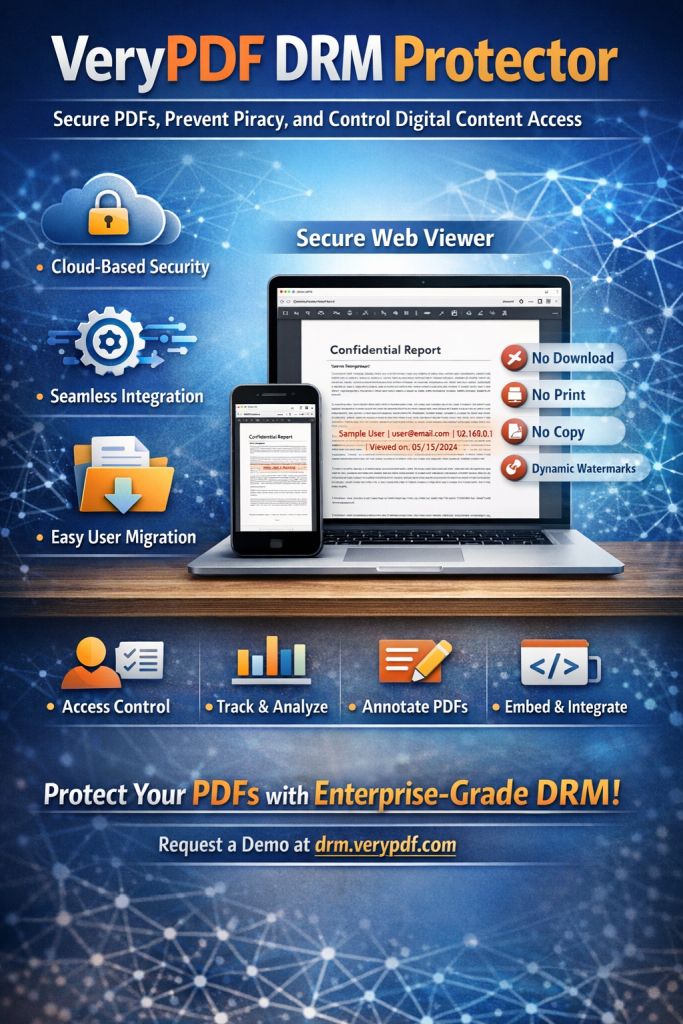
One of the key features of DRM Protector is the ability to prevent students from printing, copying, or converting your PDFs. Whether it's the fear of a student printing your work and handing it out to friends or someone trying to extract content to create their own version of your materials, DRM ensures that your documents cannot be printed, copied, or shared without your permission.
3. Stopping Unauthorized Sharing and Conversions
Preventing students from sharing your content via email, cloud storage, or social media can be a daunting task, but DRM Protector allows you to apply dynamic watermarks and other anti-piracy features. These watermarks, which display unique user information like the student's name or email, act as a deterrent against piracy and unauthorized distribution. Even if someone tries to take a screenshot or copy a section of the PDF, the watermark will make it clear who the original recipient was.
4. Dynamic Watermarks to Deter Distribution
Dynamic watermarks can be added to your documents, displaying unique information about the user who accessed the document. This can include the user's name, email, or the date of access. Not only does this act as a deterrent for anyone thinking about sharing the material, but it also helps you track the source of any unauthorized leaks.
5. Automatic Expiry and Revocation
Another handy feature of DRM Protector is the ability to set expiration dates for your PDFs. You can limit how long a student can access the document—whether it's after a set number of days, views, or prints. This means you can set a time limit on how long students have access to the materials, preventing indefinite sharing and ensuring that the content is only available for the duration of the course.
Additionally, if you notice a student violating your content policies, DRM Protector allows you to instantly revoke access to the document, even if it's already been distributed. This gives you full control over your materials at all times.
Real-Life Examples: How DRM Protector Makes a Difference
Let me share a few examples of how DRM Protector has saved me time and protected my content:
-
Preventing Homework Misuse: I used to worry about students emailing their homework PDFs to others or uploading them to cloud storage. After implementing DRM Protector, I could restrict access to only the students who were enrolled in my course. The watermark also gave me peace of mind knowing that if the document was shared, I could trace it back to the source.
-
Securing Lecture Slides: For years, I spent countless hours designing visually rich lecture slides that would help students understand complex topics. Unfortunately, some students were screenshotting these slides and sharing them online. With DRM Protector, I added watermarks and blocked screenshots, which immediately stopped the unauthorized sharing. I've also set expiration dates for access, so students can only view the materials until the end of the semester.
-
Preventing Unauthorized Conversions: A common concern I've had is students converting my PDFs into Word documents, changing the content, and presenting it as their own. With DRM Protector, I don't need to worry about this anymore. The tool prevents any conversion, maintaining the integrity of my original documents.
Why DRM Is Better Than Secure Data Rooms
Many online educators use secure data rooms to share documents with students. While data rooms promise security, they have limitations, such as screen access vulnerabilities and login credentials that can be shared. DRM Protector goes a step further by ensuring that documents are locked to devices and cannot be shared via login credentials. It also prevents screen sharing, taking screenshots, or printing the documents to other formats—features that data rooms don't fully address.
Conclusion: Protect Your Course Materials Today
In conclusion, if you're looking for a way to protect your valuable course materials, lecture slides, and homework PDFs from unauthorized sharing and piracy, I highly recommend VeryPDF DRM Protector. It offers a simple, effective solution to the growing issue of content protection in the digital age. By using DRM, I've been able to ensure that my content remains secure, my students stay on track, and I maintain control over my materials.
If you're ready to protect your PDFs and prevent them from being shared or tampered with, give it a try. Start your free trial today and regain control over your course materials!
Try it now and protect your course materials
Frequently Asked Questions (FAQs)
1. How do I limit student access to PDFs?
With VeryPDF DRM Protector, you can lock your PDFs to specific devices or users, ensuring that only authorized students can view the materials.
2. Can students still read the PDFs without copying, printing, or converting them?
Yes, students can read the PDFs, but all copying, printing, and converting features can be disabled to protect your content.
3. How do I track who accessed my PDFs?
Dynamic watermarks show the user's name or email on the document, helping you trace any unauthorized sharing or leaks.
4. Does DRM Protector prevent PDF piracy and unauthorized sharing?
Absolutely. It prevents copying, printing, and sharing via cloud storage, email, or social media, and it applies permanent watermarks to deter piracy.
5. How easy is it to distribute protected lecture slides and homework?
It's incredibly easy. Simply upload your PDFs, apply your DRM settings, and distribute them via email, web, or USB. The protection is automatic.
6. How can I revoke access to a document after distribution?
You can instantly revoke access to any distributed document, ensuring that unauthorized users can no longer view the material.
7. Can I set expiry dates on my PDFs?
Yes, you can set expiry dates, limiting access after a certain period, number of views, or prints.
Tags or Keywords
-
protect course PDFs, prevent PDF piracy, stop students sharing homework, secure lecture materials, prevent DRM removal, anti-conversion PDF DRM