 Common Teaching Pain Points and How DRM Can Solve Them
How to Securely Share PDFs with Students: Protecting Your Course Materials from Unauthorized Access, Copying, and Distribution
As a professor, one of the biggest concerns I face is the risk of my course materials being shared, copied, or even converted into something they shouldn't be. It's hard to imagine that your carefully crafted lecture slides, assignments, and notes—something you've spent hours putting together—could be circulated without your permission. But it happens. Whether it's a student forwarding your homework PDF to someone who shouldn't see it or a classmate downloading your materials and making unauthorized copies, the risks are real.
The good news? There are ways to protect your digital content, ensuring your PDFs stay locked down and under your control. That's where VeryPDF DRM Protector comes in. This tool isn't just about restricting access to your PDFs—it's about safeguarding your intellectual property and ensuring your teaching materials don't fall into the wrong hands.
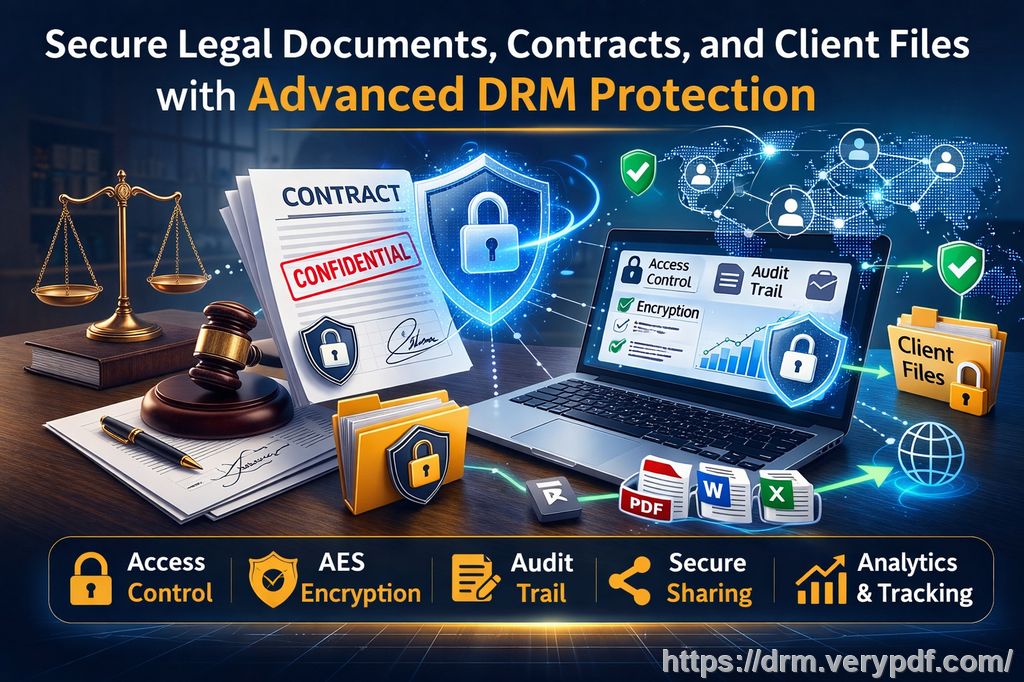
Common Teaching Pain Points and How DRM Can Solve Them
Let's dive into the common challenges professors face when it comes to sharing course PDFs, and how VeryPDF DRM Protector can help solve them:
1. Students Sharing PDFs Without Permission
It's a frustrating scenario: you share a PDF with your students, and before you know it, someone's passed it along to a non-enrolled student. Maybe it's a set of lecture slides or an important assignment PDF, and suddenly, you're losing control over who has access.
With VeryPDF DRM Protector, you can easily restrict access to only those who should be seeing the content. You can lock the PDF to a specific device or location, ensuring that only enrolled students—or specific users—can view the document. Plus, you can even set an expiry date, so the content is no longer accessible after a certain period.
2. Unauthorized Printing, Copying, and Converting of Content
Imagine this: a student downloads your lecture slides, then converts them into Word, prints them out, and shares them with someone else. Not only has your content been replicated, but it's also lost all its formatting, and you have no control over what happens to it next.
VeryPDF DRM Protector stops this in its tracks. It allows you to prevent printing altogether, or at the very least, limit the number of prints a student can make. Furthermore, it prevents your PDF from being converted to other formats, such as Word or Excel, maintaining the integrity of your content.
3. Loss of Control Over Paid or Restricted Content
Let's say you're distributing course materials that are part of a paid course or exclusive content. Without proper protection, students might share these resources with others, causing you to lose control over how your work is distributed. This not only undermines the value of your content but can also lead to loss of revenue if your materials are being shared without your permission.
With VeryPDF DRM Protector, you can ensure that your paid content is fully protected. You can lock PDFs to a particular device, enforce print restrictions, and even track who accesses your content. And if something does go wrong, you have the ability to revoke access to a document at any time—whether it's a student who shared it inappropriately or an unapproved user trying to gain access.
Real Classroom Solutions with DRM Protection
Let's consider a few practical examples to see how VeryPDF DRM Protector can be applied in real classroom scenarios:
-
Lecture Slides: I often share my lecture slides as PDFs with students. But it's concerning to think that these materials could be forwarded to anyone, even those not in my class. With DRM protection, I can lock the PDF to the devices of enrolled students, ensuring that only they can view the slides. If a student tries to share the file with someone else, they won't be able to open it. Plus, I can set an expiry date on the slides, so they're no longer accessible after the semester ends.
-
Homework PDFs: After assigning homework, I often distribute the assignments as PDFs. But some students may try to print or copy the content to make unauthorized changes or share it. By preventing printing and copying, I can ensure that the homework remains secure and unaltered. I also add a dynamic watermark to discourage students from taking photos of their screen or printing unauthorized copies.
-
Paid Course Materials: For paid courses, it's essential to protect my content from being shared beyond the classroom. Using VeryPDF DRM Protector, I can lock the PDF to specific devices, making it accessible only to the person who paid for the course. This protects my intellectual property and ensures that the content stays within the boundaries I've set.
Anti-Piracy Benefits of DRM Protection
Aside from the practical benefits, VeryPDF DRM Protector offers a strong layer of anti-piracy protection. This is especially important when distributing content that holds significant value, like course materials, assignments, and paid lectures.
-
Prevents PDF Piracy: DRM protection stops students from sharing or distributing your PDFs. Even if a student tries to send the file to someone else, it will remain locked to their device and unusable for anyone else.
-
Stops Conversion to Other Formats: PDF to Word or Excel conversions are a common way that students try to alter content. DRM protection ensures that your PDFs stay exactly as they are, without the risk of being converted to another format.
-
Prevents Unauthorized Printing: By restricting printing or limiting the number of prints allowed, you maintain control over your content's physical distribution. You can also block printing to other file formats, such as PDFs or images, to ensure the document stays secure.
Why VeryPDF DRM Protector is the Right Choice
Unlike traditional security methods like passwords, which can be shared or bypassed, VeryPDF DRM Protector uses more robust methods to keep your PDFs secure. The tool leverages AES encryption and public key technology, ensuring your content is locked down even if it's distributed. The dynamic watermarks and device locking add an extra layer of protection, making it virtually impossible for anyone to misuse your content.
One of the standout features is the ability to revoke access to documents, even after they've been distributed. So, if you discover that a student has shared the file with someone else, you can instantly cut off their access. This flexibility makes it easy to maintain control over your content and ensures that only authorized users can view your PDFs.
Conclusion: Protect Your Course Materials with DRM Protection
As educators, we pour a lot of time and energy into creating valuable resources for our students. Protecting those resources should be just as important. VeryPDF DRM Protector gives you the tools you need to safeguard your PDFs from unauthorized access, copying, printing, and distribution. It's a practical solution that not only protects your intellectual property but also simplifies the process of managing and distributing your course materials.
I highly recommend this tool to anyone distributing PDFs to students. It's easy to use, highly effective, and ensures that your content stays secure—no matter how or where it's shared.
Try it now and protect your course materials: https://drm.verypdf.com
Start your free trial today and regain control over your PDFs.
Frequently Asked Questions (FAQs)
Q1: How can I limit student access to my PDFs?
With VeryPDF DRM Protector, you can lock PDFs to specific devices, such as laptops, tablets, or USB sticks. You can also set expiry dates to ensure access is limited to a specific period.
Q2: Can students still read my PDFs without copying, printing, or converting them?
Yes, the tool allows students to read the PDF, but it prevents them from copying, printing, or converting the content to another format, ensuring that your materials remain secure.
Q3: How can I track who has accessed my files?
You can monitor access to your PDFs through the dynamic watermark feature, which includes user information such as name, email, and date/time of access.
Q4: Does DRM protection prevent PDF piracy and unauthorized sharing?
Yes, VeryPDF DRM Protector stops students from sharing, copying, or converting your PDFs. You can also revoke access at any time to prevent unauthorized distribution.
Q5: How easy is it to distribute protected lecture slides and homework?
It's very simple. You can distribute protected PDFs via email, USB, or online sharing methods without worrying about unauthorized access or distribution.
Q6: What happens if I need to revoke access to a PDF?
You can instantly revoke access to any distributed document, ensuring that no one can view it once their access has been terminated.
Q7: Is VeryPDF DRM Protector compatible with all devices?
Yes, the tool works across all devices, including computers, tablets, and mobile phones. You can also lock PDFs to specific devices for added security.
Tags or Keywords
-
protect course PDFs, prevent PDF piracy, stop students sharing homework, secure lecture materials, prevent DRM removal, anti-conversion PDF DRM