 The Growing Risk of Unauthorized Sharing in Business
Why Digital Rights Management (DRM) is Crucial for Protecting Your Market Research in a Competitive Business Environment
As a business owner, I've often found myself in situations where my market research reports—some of my company's most valuable assets—are at risk of being shared or leaked without permission. I vividly remember one instance when a confidential market report, which had taken months to compile, ended up on a competitor's website. The fear of losing control over sensitive business information is something every entrepreneur and manager can relate to. After all, in today's fast-paced market, proprietary business data and market research are the lifeblood of any company.
This is why protecting business reports, market research, and other confidential documents has become more critical than ever. The risk of unauthorized access, copying, or sharing of sensitive data can lead to lost opportunities, intellectual property theft, and even severe reputational damage. But the question is: how can you effectively prevent unauthorized access and maintain control over your confidential materials?
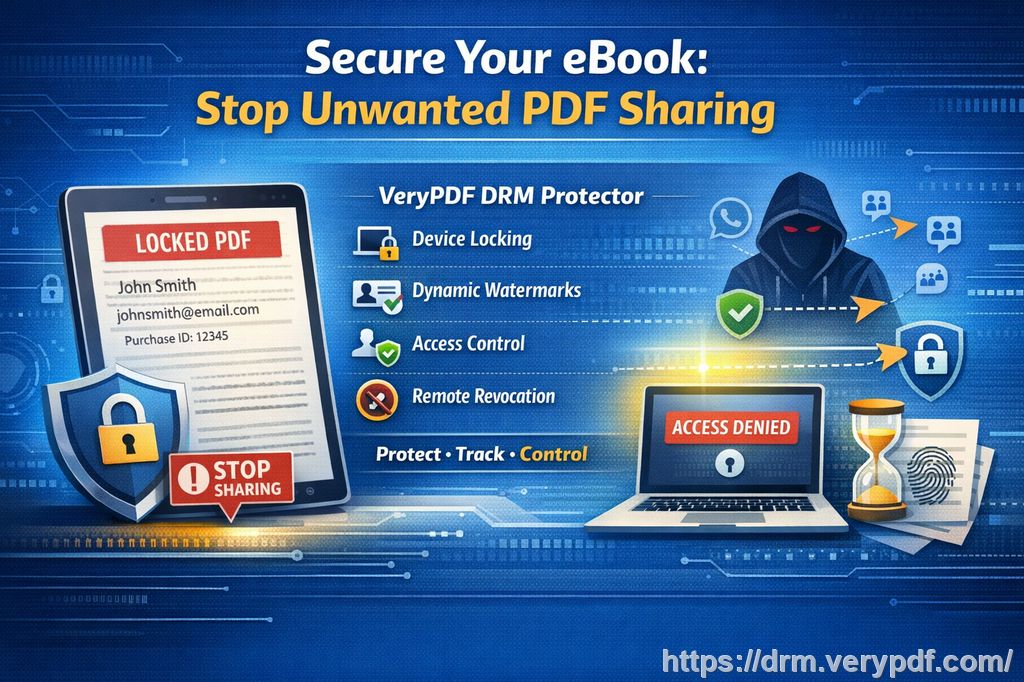
The answer is simple: Digital Rights Management (DRM).
The Growing Risk of Unauthorized Sharing in Business
In the competitive world of business, having access to up-to-date market research can make or break a company. But with so many digital tools at our disposal, the risk of losing control over who sees and shares that information has skyrocketed. Let's take a closer look at some common business pain points:
-
Market Research Getting Shared Outside Your Company
In many organizations, market research reports and business plans are shared across multiple teams and departments. Unfortunately, these reports can sometimes make their way outside the organization. Whether it's an email attachment forwarded to the wrong person or a file uploaded to a shared cloud folder, the possibility of unauthorized sharing is ever-present. -
Unauthorized Printing, Copying, or Conversion of Documents
Once your document is in someone else's hands, there's always the risk of it being copied, printed, or converted to another format. You've probably encountered situations where an employee or external party takes a PDF and converts it to Word, Excel, or even image files, stripping away the document's integrity in the process. -
Loss of Control Over Confidential Business Data
As a manager, it's not just about sharing documents; it's about controlling how those documents are used. The lack of control can lead to sensitive data being accessed by competitors, leaked online, or sold to unauthorized third parties. Worse, unauthorized users may remove DRM protection or bypass the document's security features, exposing your business to risks that could have been prevented.
VeryPDF DRM Protector: A Simple Solution to Big Problems
This is where VeryPDF DRM Protector comes into play. I've used this tool for protecting my company's market research and other confidential documents, and I can confidently say it has been a game changer. DRM Protector allows you to apply a robust layer of protection to your PDFs, ensuring that your sensitive data stays in your hands.
Here's how VeryPDF DRM Protector solves the three main business challenges I've outlined:
1. Restricting Access to Authorized Users
The first step in protecting your business reports is ensuring that only authorized personnel have access. With DRM Protector, you can set restrictions on who can view or edit your documents. Whether it's internal teams or external stakeholders, you have full control over who sees what and for how long.
Example: Last quarter, I needed to share an in-depth market analysis with my senior team. By applying DRM protection, I ensured that only the team members I authorized could access the document, while everyone else was locked out. No unauthorized user could even open the file without the proper access credentials.
2. Preventing Printing, Copying, or Converting Files
One of the most significant threats to business data is unauthorized printing, copying, or conversion of files. With VeryPDF DRM Protector, you can disable printing, copying, or converting the protected PDF into another format like Word, Excel, or an image. This means that no one can make unauthorized copies or share your business reports in a way that undermines their integrity.
Example: I remember when a competitor tried to get their hands on one of our confidential business plans. Thanks to DRM Protector, I had already disabled printing and copying on the file, and they couldn't convert it to Word or any other format. My confidential business document was safe, and my competitor walked away empty-handed.
3. Maintaining Full Control Over Distribution and Access
The biggest concern for businesses is losing control over how their documents are distributed. Even if you're sharing sensitive reports internally or with trusted clients, ensuring that they can't be forwarded or shared without your permission is crucial. VeryPDF DRM Protector makes this possible by allowing you to control document access with password protection, expiry dates, and restrictions on forwarding.
Example: I recently had to send a market report to an important client. I applied DRM protection with an expiry date, ensuring the client could access the document for only a limited time. Once the deadline passed, the document was no longer accessible. This feature gave me peace of mind knowing that the client couldn't share the report with anyone else or store it indefinitely.
The Anti-Piracy Benefits of DRM
The piracy of digital documents is a significant concern, especially when it comes to sensitive market research and business reports. VeryPDF DRM Protector helps you fight against piracy in several ways:
-
Prevents Unauthorized DRM Removal: It stops unauthorized users from removing the DRM protection from your document, which can be a significant issue if the file is circulated widely.
-
Stops Conversion to Editable Formats: As mentioned earlier, DRM Protector ensures that your PDF cannot be converted into editable Word or Excel files, preserving the integrity of the original document.
-
Protects Against Document Leakage: Whether it's an accidental email attachment or someone intentionally distributing your report, DRM ensures your document is locked down and secure.
Real Business Use Cases of DRM in Action
Let's look at a few more real-world scenarios where VeryPDF DRM Protector has come to the rescue:
-
Market Research Reports: I've used DRM to protect my company's quarterly market analysis. The tool prevented unauthorized sharing and ensured that only authorized personnel had access.
-
Business Strategy Documents: When presenting my business plan to potential investors, I used DRM to ensure that only the designated individuals could access the file. Even if the document was forwarded, it would be useless without the correct access permissions.
-
Client-Facing Reports: For high-value clients, protecting client reports is vital. DRM allowed me to send over sensitive information securely without worrying that it would end up in the wrong hands.
Conclusion: Secure Your Business Data Now
In today's competitive business environment, protecting your market research and business reports is more important than ever. With VeryPDF DRM Protector, I've found a solution that not only prevents unauthorized access but also keeps my company's sensitive data safe from piracy and leaks. If you're a business owner or manager, I highly recommend this tool to anyone distributing confidential business documents.
Start protecting your market research today. Try it now: https://drm.verypdf.com.
Frequently Asked Questions (FAQ)
1. How can I limit access to confidential business documents?
With VeryPDF DRM Protector, you can restrict document access by applying password protection, specifying who can view the document, and setting expiration dates for access.
2. Can I prevent others from copying, printing, or converting my reports?
Yes! DRM Protector allows you to disable printing, copying, and converting PDFs into other formats, ensuring your reports remain secure.
3. How do I track who accessed my business reports?
The software offers tracking features, so you can monitor when and by whom your documents were accessed, providing you with full control over the distribution.
4. Does DRM technology prevent unauthorized sharing of PDFs?
Absolutely. DRM protection prevents your documents from being shared with unauthorized users, as it requires specific credentials for access.
5. How easy is it to distribute protected business reports to clients or colleagues?
It's simple! Once you apply DRM protection, you can share your reports just like any other document. The protection is transparent to the authorized user, while unauthorized access is blocked.
Tags or Keywords
-
protect business reports
-
secure market research
-
prevent PDF piracy
-
stop unauthorized access
-
protect confidential data