 The Struggle: Uncontrolled Distribution of Educational PDFs
How Universities Can Enforce Strict DRM Controls on Lecture PDFs to Protect Academic Integrity and Prevent Piracy
As a university professor, one of the biggest concerns I face is ensuring that my lecture materials, course assignments, and exam PDFs are protected from unauthorized sharing or piracy. Unfortunately, in today's digital age, students can easily distribute lecture notes, exam materials, and homework, which can result in a loss of academic integrity and compromise intellectual property.
But here's the good news: there's a simple solution to this problem that allows me to maintain control over my educational content, while ensuring that it is shared only with the right audience. That solution is Digital Rights Management (DRM) software, specifically the VeryPDF DRM Protector. It provides a level of protection that helps me secure my PDF materials and stop the kind of piracy that has become all too common in the academic world.
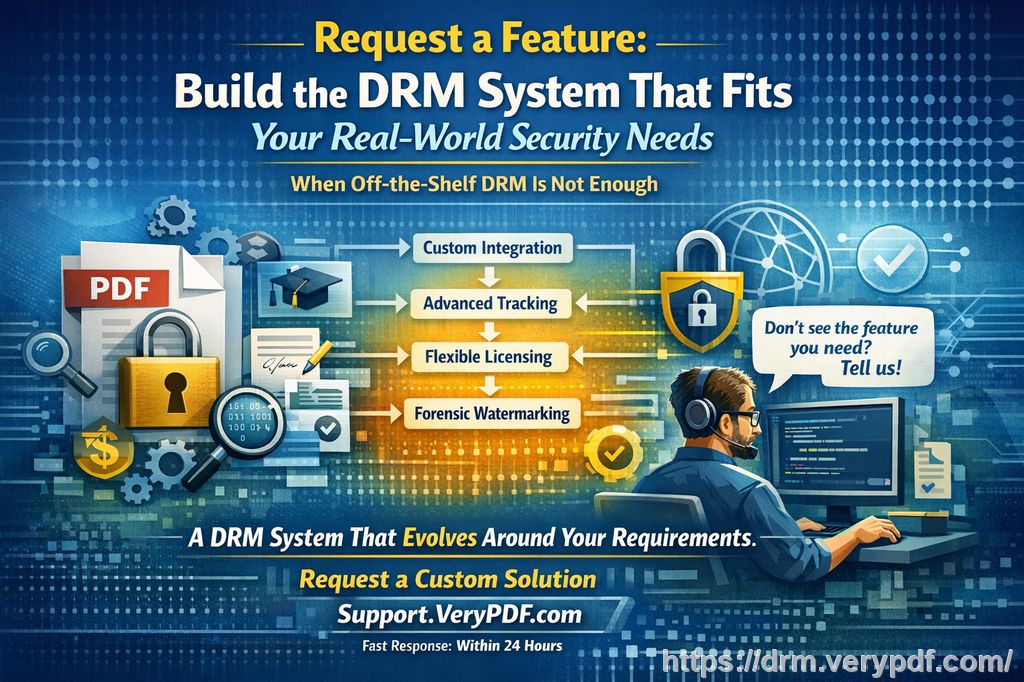
The Struggle: Uncontrolled Distribution of Educational PDFs
I remember a time when I shared lecture slides and notes with my students in PDF format. At first, it felt like an easy way to distribute important materials quickly. However, I soon discovered that some of my students were sharing these files with others who weren't even enrolled in the class. Worse yet, students started copying and editing the content for their own use, leading to misinformation being spread.
These are just a few examples of the challenges educators face today. I know I'm not the only one dealing with the issue of students distributing course materials, printing copies, or even converting PDFs into other formats like Word or images. It's a real problem that undermines the hard work that goes into preparing lesson materials, and it raises concerns about academic dishonesty and intellectual property theft.
If this sounds familiar to you, you're not alone. The good news is that with the right DRM software, we can put a stop to these issues once and for all.
How DRM Protection Can Help Universities Combat PDF Piracy
With VeryPDF DRM Protector, you can easily secure your PDF materials and ensure they are accessible only to the people who need them—your enrolled students. Here are some of the key features of the software that directly address the issues I just mentioned:
-
Restricting Access
VeryPDF DRM Protector allows me to lock my PDFs to specific users, devices, or locations. This means I can prevent unauthorized access, ensuring that only my students can view the materials I distribute. The software also allows me to set expiration dates on my documents, so they automatically become inaccessible after a certain period, preventing any misuse of outdated materials. -
Preventing Unauthorized Printing and Copying
A major pain point for me was the fear of students printing or copying my lecture slides and homework assignments for unauthorized distribution. With VeryPDF DRM Protector, I can disable printing altogether or restrict it to only a limited number of prints. This ensures that my content stays in the right hands. -
Stopping File Conversion
One of the biggest threats to my PDFs was the ability for students to easily convert them into Word documents, images, or other file formats. VeryPDF DRM Protector prevents this from happening by blocking the use of conversion tools. This is crucial for maintaining the integrity of the materials and stopping any unauthorized modifications. -
Preventing Screen Grabbing and Screen Sharing
In this remote learning era, many of my students attend lectures via Zoom or other online platforms. One of my biggest fears was that they would use screen grab software to capture my lecture slides. VeryPDF DRM Protector stops screen grabs and screen sharing, even when using third-party apps, ensuring that my materials remain protected during virtual lessons. -
Dynamic Watermarks for Additional Protection
To deter students from taking screenshots or making unauthorized copies, I use dynamic watermarks. These watermarks identify the user and display personal information (such as the student's name, email, or the date) on the documents they view or print. This creates a strong deterrent against piracy because the watermark can be traced back to the individual who leaked the content. -
Document Revocation
What's really powerful about VeryPDF DRM Protector is the ability to revoke access to documents at any time, even after they've already been distributed. If I discover that a document has been leaked or shared improperly, I can instantly revoke access and stop the distribution of the file, providing me with a level of control that is not available with traditional file-sharing methods.
Real-Life Classroom Use Cases
I've seen firsthand how VeryPDF DRM Protector can solve these challenges in practical classroom scenarios. For example:
-
Lecture Slides: I no longer worry about students uploading my slides to unapproved sites or converting them into editable formats. With DRM protection, the slides are locked to the students enrolled in my course, preventing unauthorized distribution and ensuring that only they can access the materials.
-
Homework PDFs: In the past, I had concerns about students sharing their homework assignments with others to avoid doing the work themselves. With DRM, I can prevent copying, printing, and sharing of homework assignments, ensuring academic integrity is maintained.
-
Exam Materials: One of the most sensitive items I share are exam materials. DRM protection gives me full control over these PDFs, ensuring that they cannot be printed or shared. In case of any unforeseen circumstances, I can revoke access to the exam materials immediately.
Benefits of Using VeryPDF DRM Protector
I've been using VeryPDF DRM Protector for a while now, and I can confidently say it has made my life as an educator much easier. Here are a few reasons why I highly recommend it:
-
Simplicity: The software is easy to use. It doesn't require any complicated configurations, and the user interface is intuitive, even for those who aren't tech-savvy.
-
Comprehensive Protection: VeryPDF DRM Protector offers more protection than just passwords. It secures the content from piracy, copying, screen grabbing, and unauthorized printing, giving me peace of mind.
-
Customization: I can apply specific restrictions to each document I distribute, making it a flexible solution for different types of content.
-
Anti-Piracy: With the ability to track access, apply watermarks, and revoke documents, I feel confident that my educational materials are safe from piracy and unauthorized distribution.
Conclusion: Protect Your Course Materials Today
As a teacher, I take pride in the materials I create for my students. With the rise of digital content, protecting my PDFs from piracy and unauthorized sharing has become crucial. VeryPDF DRM Protector gives me the peace of mind that my materials will remain secure and my intellectual property will be protected.
If you're struggling with similar issues in your classroom, I highly recommend trying VeryPDF DRM Protector. It's an easy-to-use solution that ensures your PDF materials are protected from the moment they're shared, preventing unauthorized distribution and maintaining the integrity of your teaching materials.
Start your free trial today and regain control over your PDFs: https://drm.verypdf.com
FAQ
How can I limit student access to PDFs?
With VeryPDF DRM Protector, you can lock PDFs to specific users, devices, or locations. You can also set expiry dates and revoke access whenever needed.
Can students still read the PDFs without copying, printing, or converting?
Yes, the software allows students to view the PDFs without the ability to copy, print, or convert them. You have full control over what actions are allowed.
How can I track who accessed the files?
The software provides detailed tracking options, including dynamic watermarks and usage audits, so you can monitor who viewed or printed the documents.
Does DRM Protector prevent PDF piracy and unauthorized sharing?
Yes, the tool prevents piracy by locking the content, disabling copying, printing, and conversion, and allowing you to revoke access when necessary.
How easy is it to distribute protected lecture slides and homework?
It's very easy. Once protected, you can share your PDFs via email, web, or USB drives without worrying about unauthorized access or piracy.
Tags or Keywords
-
Protect course PDFs
-
Prevent PDF piracy
-
Stop students sharing homework
-
Secure lecture materials
-
Prevent DRM removal
-
Anti-conversion PDF DRM