 Common Business Pain Points: Protecting Sensitive Business...
How to Safeguard Your Company's Market Research and Proprietary Data from Cyber Threats
As a business owner, I often worry about my market research reports being leaked or shared without permission. The last thing I want is for my proprietary data to fall into the wrong hands, especially when it comes to highly sensitive documents like market analysis, business strategy, and trade secrets. With cyber threats constantly evolving, it's hard to know what measures are enough to protect my company's confidential information. That's why I turned to VeryPDF DRM Protector—an easy-to-use solution to secure my business documents and prevent any unauthorized access, printing, or conversion.
In this blog post, I'll walk you through how businesses like mine are tackling these challenges and how DRM Protector can help you safeguard your sensitive reports and data. If you're concerned about the safety of your market research or proprietary business materials, keep reading to find practical solutions.
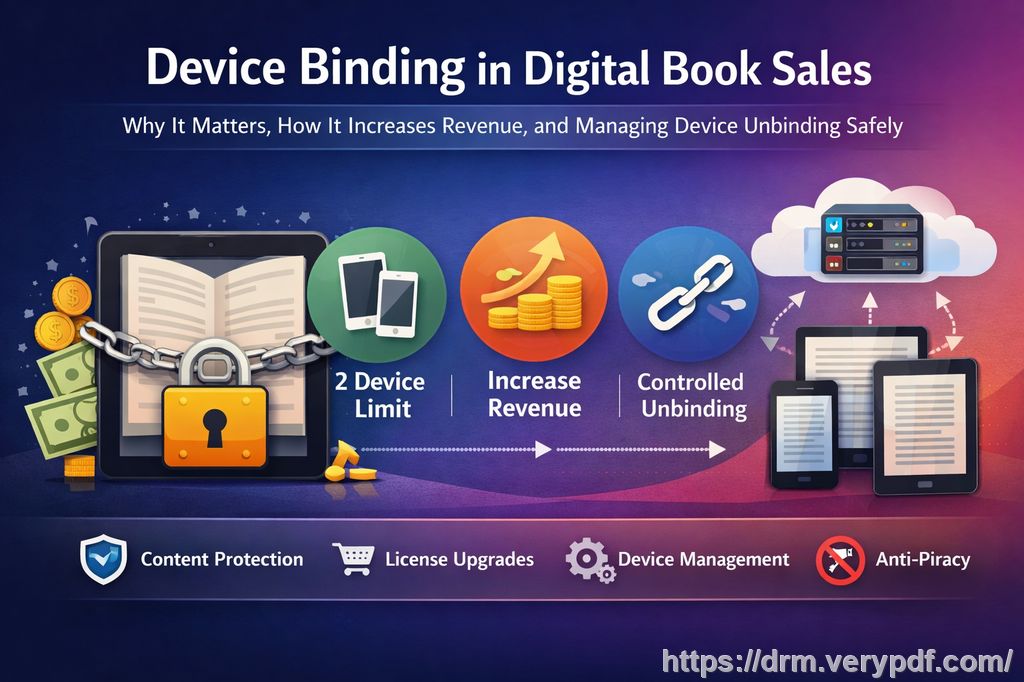
Common Business Pain Points: Protecting Sensitive Business Data
Every business faces some degree of risk when it comes to data security, especially in today's digital landscape. The question isn't whether your data will be targeted—it's about how well you're prepared to protect it.
For example, imagine you're a market research analyst, and you've just completed an in-depth report that took weeks to compile. You're excited to share your findings with your management team and key clients, but as soon as the report is sent out, it ends up in the hands of competitors. Even worse, someone might convert it into an editable Word document, making it easier to manipulate or even redistribute.
Here are a few common pain points business owners, managers, and content creators deal with on a daily basis:
-
Unauthorized Sharing of Market Research: After sending out market research reports to trusted clients or team members, it's easy to lose track of who exactly has access to your documents. Worse, some employees or clients might share the files without your consent.
-
Loss of Control Over Confidential Data: When sending business reports, proprietary research, or financial documents, you trust recipients to use them responsibly. But what if someone prints them out, makes a copy, or shares them with others outside the organization? This can result in data leaks, intellectual property theft, or even loss of competitive advantage.
-
Conversion and Piracy of PDFs: PDFs are a preferred format for sharing professional documents because they retain their formatting across devices. However, unauthorized users can easily convert these PDFs into editable formats like Word or Excel, leaving your data vulnerable to further manipulation and redistribution.
So, what's the solution? The key lies in maintaining control over how your documents are distributed and ensuring that only authorized individuals can access them. This is where VeryPDF DRM Protector comes in.
The Solution: DRM Protector for Business Data Security
VeryPDF DRM Protector offers a straightforward and effective way to prevent unauthorized access, conversion, or distribution of sensitive business documents. It provides powerful Digital Rights Management (DRM) technology that secures your PDFs with robust encryption and permissions that only you control. Here's how it can help solve your business's pain points:
1. Restrict Access to Authorized Users Only
One of the primary concerns for businesses handling sensitive data is ensuring that only the right people have access to it. With VeryPDF DRM Protector, you can specify who can view your documents by setting restrictions based on email addresses, IP addresses, or even specific departments within your company. This is perfect for market research reports or business strategy documents that should only be accessible to a select few.
For instance, imagine you're preparing a confidential market research report for your senior management team. By applying DRM protection, you can ensure that only the executives with authorized access can open and read the report—no one else. This eliminates the risk of unauthorized individuals gaining access to your proprietary data.
2. Prevent Copying, Printing, and Conversion
Business owners are often concerned about the risk of their documents being copied, printed, or converted into other formats like Word or Excel. For example, if a competitor gains access to your market research, they could easily copy portions of your report and present it as their own, or worse, modify it to suit their agenda. DRM protection prevents these actions by disabling features like printing, copying, and conversion.
I once had a situation where one of my proprietary market research documents was shared by a trusted colleague with a third-party vendor. Thanks to DRM, I was able to disable any printing or copying functions, ensuring that the vendor couldn't take any screenshots or extract text. This level of protection gave me peace of mind and prevented the document from being misused.
3. Maintain Full Control Over Document Distribution
With DRM Protector, you maintain full control over how your documents are distributed. You can set expiration dates for document access, ensuring that once your report is no longer needed, it becomes inaccessible. You can also prevent unauthorized forwarding of the document.
For example, let's say you're sharing a strategic business plan with a client. By setting an expiration date on the document, you ensure that once the project is completed, the client no longer has access to your proprietary materials. This protects you from any potential leakage or sharing without permission.
4. Anti-Piracy Protection
Digital piracy is a serious concern for businesses dealing with confidential reports or intellectual property. VeryPDF DRM Protector helps prevent unauthorized users from bypassing the security on your PDFs. Whether you're sharing market research data, business strategies, or financial reports, the software ensures that your documents stay protected.
I had a case where a competitor tried to steal our market analysis by converting our report into an editable format. Fortunately, our DRM Protector prevented the conversion, and the competitor was left with nothing more than a locked PDF.
Real-World Scenarios: How DRM Protector Saved the Day
Here are a few real-life scenarios where DRM Protector has made a huge difference:
-
Protecting Market Research Data: When I shared a comprehensive market research report with a potential client, I applied DRM protection to ensure they couldn't share the document without permission. Not only did it prevent unauthorized access, but it also protected my analysis from being modified or stolen by competitors.
-
Securing Client-Facing Documents: I once had a business proposal that included sensitive financial data. By using DRM Protector, I restricted the document so that only the client and my internal team could access it. This prevented the client from accidentally forwarding the proposal to others, keeping the information confidential.
-
Preventing Unauthorized Conversion: After spending months preparing a proprietary market report, I was concerned that someone might try to convert it into an editable document. With DRM Protector, I set restrictions on the file to prevent any conversion, ensuring the data remained intact and secure.
Conclusion: Protect Your Business with VeryPDF DRM Protector
If you're serious about protecting your business reports, market research, and proprietary materials, I highly recommend using VeryPDF DRM Protector. It gives you full control over your sensitive data, prevents piracy, and ensures that only authorized individuals can access your documents. Whether you're sharing market research, business strategies, or financial reports, DRM protection is the safeguard your company needs.
Start your free trial today and keep your market research secure: https://drm.verypdf.com
FAQs
1. How can I limit access to confidential business documents?
With VeryPDF DRM Protector, you can restrict access to specific users or departments based on their email addresses or IP addresses. This ensures that only authorized individuals can view your sensitive business documents.
2. Can I prevent others from copying, printing, or converting my reports?
Yes! DRM Protector allows you to disable printing, copying, and conversion features, ensuring that your documents remain secure and cannot be tampered with or shared.
3. How do I track who accessed my business reports?
DRM Protector lets you track who has opened your protected documents, providing an audit trail of access. This helps you stay informed about who is viewing your confidential data.
4. Does DRM technology prevent unauthorized sharing of PDFs?
Absolutely! DRM protection prevents recipients from forwarding or sharing your documents without your permission. It's an excellent way to control the distribution of sensitive business reports.
5. How easy is it to distribute protected business reports to clients or colleagues?
It's very easy! You can send your protected documents just like you would with any other PDF. Recipients with authorized access can view the documents, but they won't be able to copy, print, or forward them.
Tags or Keywords
-
protect business reports
-
secure market research
-
prevent PDF piracy
-
stop unauthorized access
-
protect confidential data
-
prevent PDF conversion