
Protect Your PDFs: Permanently Redact Sensitive Data and Prevent Costly Data Leaks
Last month, our legal team shared a PDF contract with a prospective partner, only to realize afterward that it still contained unredacted employee personal information. A quick oversight like this could have triggered a GDPR violationand possibly a fine running into tens of thousands of dollars. For many businesses, this is not a hypothetical scenario. Every day, organizations risk exposing sensitive data in documents they believe are safe to share.
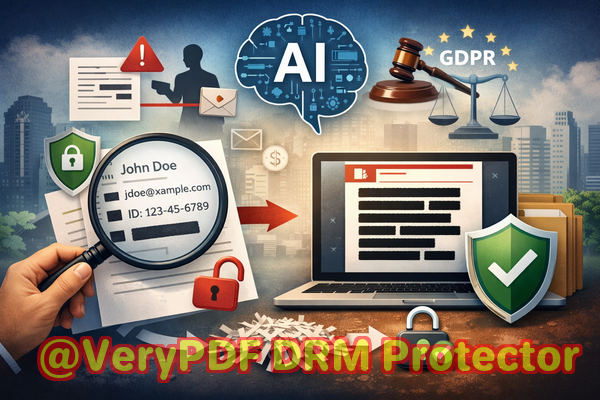
From contracts and HR records to financial statements, PDFs are a common medium for sharing critical information. But despite appearing secure, hidden metadata, overlooked comments, and improperly redacted text can leave confidential data vulnerable. The truth is, manually redacting PDFs or relying on basic “blackout” features often isn’t enoughand using online tools can expose your data to third-party servers without your knowledge.
This is where AI-powered PDF redaction comes in. Tools like VeryPDF AI PDF Redaction Tool Command Line ensure sensitive information is permanently removed before documents are shared, giving you peace of mind and protecting your organization from legal and financial risk.
Real Risks Businesses Face with PDFs
Many organizations underestimate how easily confidential data can slip through the cracks. Here are some of the most common pain points:
1. Accidental Exposure of Sensitive Data
Imagine sending a financial report that includes client social security numbers or a contract with confidential pricing. Even a small oversight can result in sensitive information falling into the wrong hands. Compliance violations like GDPR, HIPAA, or CCPA fines aren’t just theoreticalthey carry real financial and reputational consequences.
2. Ineffective Manual Redaction
It’s common to use the “highlight and blackout” approach to redact sensitive information. The problem? In many cases, the underlying text is still present in the PDF and can be copied or recovered. For legal teams and compliance officers, this is a nightmare scenario.
3. Risk of Using Online Tools
Some employees turn to free online PDF editors or redaction tools for convenience. These tools may work visually, but your confidential documents are uploaded to external servers, creating new exposure risks. Any sensitive datacontracts, financial statements, HR recordscould be stored or intercepted without your knowledge.
How AI-Powered PDF Redaction Solves These Problems
VeryPDF AI PDF Redaction Tool Command Line addresses all these risks with a combination of automation, offline processing, and permanent data removal. Here’s how it protects businesses:
Automatic Detection of Sensitive Data
The AI scans your PDFs to detect personally identifiable information (PII) such as names, emails, phone numbers, and IDs. It also identifies financial data, legal clauses, and other confidential content. By automating detection, you reduce human error and ensure nothing slips through.
Permanent Data Removal
Unlike traditional redaction methods that only cover or hide text, VeryPDF completely removes sensitive data from the PDF. The information is unrecoverable, eliminating the risk of accidental exposure after sharing.
Fully Offline Processing
All redactions happen on your local machine. No data is sent to external servers. This means that even highly sensitive HR records, financial reports, and legal documents remain completely private.
Compliance-Friendly Workflows
By permanently removing sensitive content before sharing, businesses can confidently comply with data protection regulations such as GDPR, HIPAA, and CCPA. Avoiding accidental leaks isn’t just about securityit’s about staying on the right side of the law.
Real-Life Examples
1. Avoiding GDPR Violations
A European client was preparing to send a contract containing employee information to a consulting partner. Using VeryPDF AI Redaction, they automatically detected and removed all PII. The client avoided potential GDPR penalties and maintained trust with their employees.
2. Switching from Online Tools to Offline Security
A finance company previously used online PDF editors to redact reports. After realizing the risk of uploading sensitive financial data, they switched to VeryPDF’s offline AI tool. The transition eliminated the risk of exposure, and employees could confidently share PDFs knowing the data was permanently removed.
3. Preventing Leaks to Competitors
A tech startup needed to share product specifications with an investor. Certain trade secrets were embedded in the PDF. VeryPDF’s AI redaction ensured that all confidential elements were removed before sharing, protecting the company’s competitive advantage.
Step-by-Step Workflow for Safe PDF Sharing
Here’s a practical workflow that businesses can adopt:
-
Load the PDF Open your document in the VeryPDF AI PDF Redaction Tool Command Line.
-
Detect Sensitive Data Let the AI automatically scan for PII, financial data, legal clauses, or trade secrets.
-
Review Suggested Redactions Check the AI’s recommendations to ensure accuracy.
-
Apply Redaction Permanently remove the identified content.
-
Export Clean PDF Share the sanitized document safely with colleagues, clients, or partners.
Common types of data to redact include:
-
Personal identifiable information (PII) such as names, addresses, emails, and phone numbers
-
Financial data including account numbers, invoices, and pricing
-
Business secrets like product plans, strategies, or proprietary formulas
-
Legal and confidential clauses in contracts or agreements
By following these steps, you reduce risk and maintain full control over your sensitive content.
The Privacy and Security Benefits
Using VeryPDF AI PDF Redaction Tool Command Line offers tangible benefits for businesses handling sensitive documents:
-
Prevent Accidental Data Leaks Avoid fines, legal exposure, and reputational damage.
-
Eliminate Risk of Third-Party Exposure No uploading of documents to external servers.
-
Ensure Compliance Meet GDPR, HIPAA, and other data protection regulations.
-
Save Time and Reduce Errors AI automates the redaction process, reducing human mistakes.
In short, the tool protects not only the data itself but also your organization’s credibility and bottom line.
Why I Recommend VeryPDF AI PDF Redaction
I’ve seen firsthand how accidental leaks happen in businesses of all sizes. From legal teams to HR departments, the stakes are real. Switching to an AI-powered, offline redaction solution like VeryPDF transforms a risky process into a reliable one.
I highly recommend this to anyone who needs to share documents safely without risking data leaks or compliance issues. Try it now and securely redact your PDFs: https://veryutils.com/smart-redact-server-ai-powered-pdf-redaction-software. Start your free trial today and ensure your sensitive data is permanently removed before sharing.
Frequently Asked Questions
1. How can I permanently remove sensitive data from a PDF instead of just hiding it?
VeryPDF AI PDF Redaction removes sensitive information at the data level, not just visually, making it unrecoverable.
2. Can others recover redacted information from my PDF?
No. The AI permanently deletes the content, ensuring it cannot be copied, extracted, or restored.
3. Is it safe to use online PDF redaction tools?
Using online tools risks uploading confidential files to third-party servers. Offline AI redaction eliminates this exposure.
4. Does this tool work completely offline?
Yes. All processing occurs locally on your computer, keeping your data private and secure.
5. What types of sensitive data can be automatically detected?
The AI detects PII, financial information, legal clauses, trade secrets, and other confidential content.
6. How can I ensure compliance with GDPR when sharing documents?
By permanently removing all personal data before sharing, you reduce the risk of violating GDPR regulations.
7. Can this tool handle large volumes of PDFs efficiently?
Yes. The command-line interface allows batch processing for multiple documents at once.
8. How accurate is AI detection of sensitive information?
The AI is trained to recognize common PII, financial data, and confidential clauses with high accuracy, but you can review suggested redactions for full control.
9. Can I use it for legal contracts and financial reports?
Absolutely. It is designed for HR documents, contracts, financial statements, medical records, and any sensitive PDFs.
10. What if I accidentally missed a sensitive section in my PDF?
The AI can re-scan the document at any time, ensuring that all confidential information is detected and removed.
11. Will redacting PDFs affect their readability?
The visible structure and formatting of your document remain intact; only sensitive content is permanently removed.
Keywords
redact sensitive data, remove confidential information, PDF redaction tool, protect privacy in PDFs, prevent data leaks, offline PDF redaction, secure document sharing, GDPR compliance, AI redaction, permanent PDF redaction