Persistent Protection After Download: Secure PDF, Protect Documents, Track Views, Revoke Access with VeryPDF DRM Protector

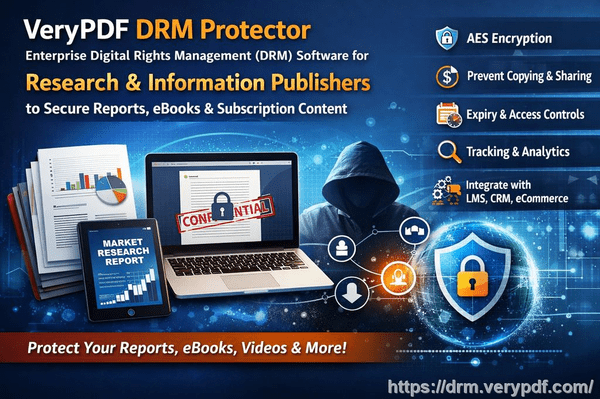
Protecting your files now requires more than simply preventing unauthorized online access. Once a file is downloaded, conventional security methods lose their effectiveness, leaving sensitive information exposed to sharing, printing, or copying. That’s where VeryPDF DRM Protector’s Persistent Protection After Download (.vpdf) comes in, allowing you to maintain complete control over your files, no matter where they travel.


What Is Persistent Protection After Download?

Persistent Protection After Download is a patent-pending DRM technology from VeryPDF DRM Protector that ensures your files remain secure even after being downloaded. Unlike conventional file-sharing services or data rooms, which lose control once a file is on a user’s device, .vpdf files maintain the rules you set.

With .vpdf, you can:

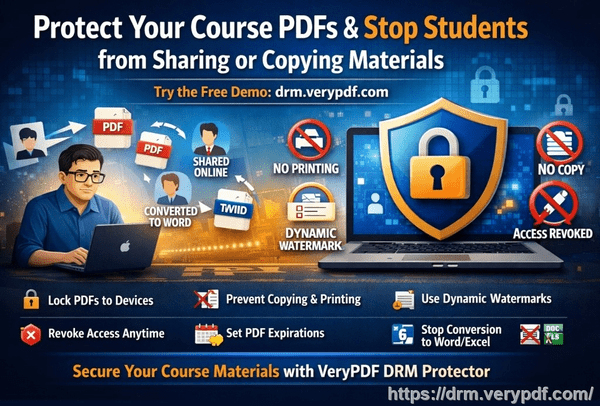
  • Revoke access anytime, even after download
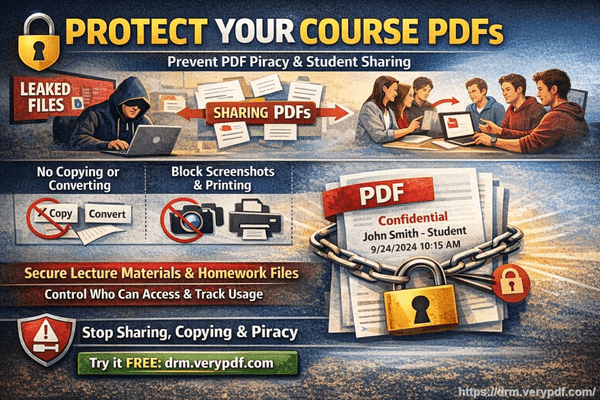
  • Block printing, copying, and sharing
  • Watermark every view for traceability
  • See exactly who opens your files

In short, you stay in control, no matter where the file travels.

Persistent Protection After Download: Secure PDF, Protect Documents, Track Views, Revoke Access with VeryPDF DRM Protector


How It Works: Simple Yet Powerful

  1. Send your file – Upload and protect your documents, spreadsheets, presentations, or media files.
  2. Recipient downloads a .vpdf file – Your recipients can open it instantly, without installing additional software.
  3. You retain control – Track views, enforce restrictions, and revoke access at any time.

This approach balances convenience for recipients with total control for you.


Practical Applications of Persistent Protection

Persistent Protection After Download is ideal across a wide range of scenarios:

Diligence:
Investors can download your data room and review materials at their pace. You can see who reads each document and gauge interest without compromising security.

Sales:
Prospects can open proposals directly in their browser. Track every page view to tailor follow-ups and maximize conversions.

Publications:
Subscribers can keep content offline, while you detect unauthorized access. Use the insights to upsell and enforce subscription rules.

Training:
Learners can access course materials even in low-bandwidth environments. Set expiration dates and usage limits for secure offline learning.


The Fastest, Easiest Way to Protect Files After Download

.vpdf ensures your files remain protected wherever they go, online or offline. Key features include:

  • Lock access per recipient – Stop unauthorized file sharing instantly
  • Offline control – Protection works even without an internet connection
  • Revoke or expire access anytime – Maintain control long after download
  • Track every page view – Gain insights on usage and engagement
  • Watermark documents and media – Discourage unauthorized distribution
  • Block printing, copying, screenshots – Keep sensitive content secure

Flexibility Across Platforms

Persistent Protection After Download adapts to your workflow:

  • Inside VeryPDF DRM Protector – Use .vpdf in secure data rooms and file sharing.
  • With your cloud storage – Continue using SharePoint, OneDrive, Google Drive, Box, or Dropbox while maintaining protection.
  • Via API integration – Protect files in your own apps and workflows with on-premise or cloud-based solutions.

Security That Stays With Your File

Unlike most file-sharing platforms, .vpdf ensures protection doesn’t vanish after download:

  • Built-in security – Files stay secure even if copied or forwarded.
  • Your rules, everywhere – Expiration dates, watermarking, and usage limits remain enforced.
  • Offline-ready – Users can work without internet access, while you retain control.

This patent-pending solution is ISO27001 certified, ensuring enterprise-grade security for sensitive documents.


Supported File Types

.vpdf supports a wide range of file formats, including:

  • Documents: PDF, DOC, DOCX, MOBI, ODT, OTT, EPUB, XPS
  • Spreadsheets: XLSX
  • Presentations: PPT, PPTX, PPTM, PPSM, POTM, ODP, OTP
  • Private notes: TXT
  • Images: JPG, PNG, GIF, BMP

Frequently Asked Questions

Do recipients need to install anything?
No. Files open directly in a browser with the secure .vpdf Viewer.

Does it work offline?
Yes. Files remain protected offline for the duration you set, with all restrictions enforced.

Can I revoke access after download?
Absolutely. Revoke access or set expiration dates anytime.

Is a .vpdf file secure?
Yes. Encryption and digital rights enforcement prevent copying, forwarding, or modifying files outside your rules.

Is it safe to use the .vpdf Viewer?
Yes. The Viewer runs in your browser with no risk of malware or unknown software installation.


Get Started Today

Protecting your files after download has never been easier. With Persistent Protection After Download (.vpdf), you can share documents securely, track usage, and maintain control across all devices.

  • No credit card required
  • Instant activation of features
  • Human support included

Take control of your digital content, wherever it goes, with VeryPDF DRM Protector.

[Solution] How VeryPDF DRM Protector Integrates with Systems to Automate PDF and Document Protection

Every day, sensitive documents such as financial reports, contracts, research papers, course materials, and creative content are at risk of being leaked, copied, or stolen. Businesses, educational institutions, publishers, and other organizations cannot afford to ignore these threats. Protecting these critical documents is no longer optional; it is a necessity.

VeryPDF DRM Protector is a professional digital rights management (DRM) solution that secures PDFs and other electronic documents by applying encryption, access controls, dynamic watermarking, and usage tracking. One of its greatest strengths is its ability to integrate seamlessly with a wide range of platforms and systems, enabling organizations to automate document protection across their existing workflows.


1. Integration with Content Management and Collaboration Systems

Many organizations use content management systems (CMS) or document management systems (DMS) to store, organize, and share files. VeryPDF DRM Protector can be integrated with these platforms to ensure that every document uploaded is automatically protected.

Supported Systems:

  • SharePoint (Microsoft 365) – Through plugins or API integration, documents uploaded to SharePoint libraries can be encrypted automatically. Organizations can define access permissions, printing restrictions, and watermarks based on user roles.
  • OneDrive & Google Drive – DRM Protector integrates via APIs or automation tools, securing cloud storage files without disrupting existing workflows.
  • Alfresco & Nuxeo – Enterprise document management systems benefit from automated encryption and access logging, protecting sensitive corporate data.
  • Confluence – Knowledge base articles and attachments can be exported and protected with DRM, preventing unauthorized sharing.

Benefits:

  • Automatic encryption on upload.
  • Role-based access controls and dynamic watermarks.
  • Audit trails for compliance and monitoring.

[Solution] How VeryPDF DRM Protector Integrates with Systems to Automate PDF and Document Protection


2. Integration with Online Learning and Educational Platforms

Education institutions often provide course materials, lecture notes, and digital textbooks online. Protecting these files is critical to prevent unauthorized distribution.

Supported Platforms:

  • Moodle – DRM Protector can be deployed as a plugin, automatically encrypting PDFs and course materials for enrolled students.
  • Canvas and Blackboard – API integration allows secure distribution of lesson materials while preventing downloads or unauthorized sharing.
  • Teachable and Thinkific – DRM integration ensures that creators’ course PDFs are securely protected.
  • Custom school systems – APIs allow institutions to embed DRM protection into their internal teaching platforms.

Benefits:

  • Course materials remain accessible only to enrolled students.
  • Dynamic watermarks discourage screenshots or sharing.
  • Expiration dates and device restrictions can be applied to sensitive documents.

3. Integration with Office and Productivity Software

Many organizations generate documents using office suites, and protecting files at the point of creation ensures no sensitive content is leaked.

Supported Tools:

  • Microsoft Office (Word, Excel, PowerPoint) – DRM Protector can be installed as a plugin, allowing users to protect documents before saving or sharing.
  • Adobe Acrobat – Integration enables automatic DRM application on PDF exports.
  • WPS Office & Google Docs – Exported PDFs can be automatically encrypted with access rules.

Benefits:

  • Protect documents directly from the authoring environment.
  • Avoids the need for separate encryption steps.
  • Users maintain a smooth workflow while ensuring document security.

4. Integration with Enterprise and Vertical Systems

VeryPDF DRM Protector can also integrate with high-value enterprise applications to protect critical business documents.

Supported Systems:

  • ERP Systems (SAP, Oracle Netsuite) – Financial reports, invoices, and contracts can be automatically encrypted before distribution.
  • CRM Systems (Salesforce, HubSpot) – Protects proposals, quotes, and customer contracts.
  • HR Systems – Employee records and internal policies can be secured.
  • Healthcare (HIS/PACS Systems) – DRM ensures that patient reports and medical records remain confidential.
  • Legal and Financial Systems – Contracts, evidence files, and sensitive reports can be protected automatically.

Benefits:

  • Protects business-critical documents across multiple departments.
  • Reduces risk of leaks and regulatory non-compliance.
  • Enables automated, scalable document protection.

5. Integration with Collaboration and Messaging Tools

Organizations increasingly share documents through collaboration platforms. VeryPDF DRM Protector ensures that sensitive files remain secure even in these fast-moving environments.

Supported Platforms:

  • Microsoft Teams & Slack – Uploaded files can be encrypted automatically, preventing unauthorized copying or sharing.
  • Notion & Confluence – Exports of collaborative content can be automatically DRM-protected.
  • Jira & Project Management Tools – Attachments can be encrypted to prevent data leaks.

Benefits:

  • Ensures document security without interrupting team collaboration.
  • Automatically enforces access permissions.

6. Automation Platforms and Developer Tools

For developers and organizations building custom workflows, VeryPDF DRM Protector provides APIs and integrations with automation platforms to protect documents automatically.

Supported Tools:

  • Zapier & Make (Integromat) – Trigger automatic encryption of uploaded PDFs in cloud apps.
  • AWS Lambda / Azure Functions – Integrate DRM protection into serverless workflows.
  • GitHub Actions – Automatically protect generated PDFs in development pipelines.
  • REST API / Webhook – Allows integration with any system capable of HTTP requests.

Benefits:

  • Automates document protection in custom workflows.
  • Reduces manual handling and human error.
  • Can scale to thousands of documents without extra effort.

7. Browser Extensions and Reading Plugins

VeryPDF DRM Protector also provides tools for end-users to open protected documents securely:

  • Chrome / Edge Extensions – Verify permissions before opening protected PDFs.
  • PDF Reader Plugins – Enforce DRM rules during document viewing.

Benefits:

  • Seamless viewing experience with DRM enforcement.
  • Access logs and audit trails maintained.

Why Integrating VeryPDF DRM Protector is Valuable

  1. Automation – Once integrated, documents are automatically protected without extra steps.
  2. Wide Compatibility – Works with CMS, cloud storage, office suites, educational platforms, and enterprise systems.
  3. High Security – Protects sensitive documents with encryption, dynamic watermarking, access control, and logging.
  4. Scalable – Suitable for small teams, large enterprises, and educational institutions.
  5. Compliance-Ready – Helps organizations meet regulatory requirements (GDPR, HIPAA, etc.).

Conclusion

VeryPDF DRM Protector is more than a PDF encryption tool, it is a flexible, integrable DRM solution for organizations of all sizes. By connecting to content management systems, office suites, educational platforms, collaboration tools, enterprise software, and automation workflows, it enables organizations to automatically secure their documents, protect intellectual property, and maintain compliance.

Whether you are a university protecting course materials, a company securing contracts, or a publisher safeguarding digital content, integrating VeryPDF DRM Protector ensures your documents are protected at every step, automatically and efficiently.

Try VeryPDF DRM Protector today and experience seamless, automated document protection.

Developing Plugins for WordPress, Online Course Platforms, and Document Management Systems with VeryPDF DRM Protector

Protecting PDF documents has become a critical necessity for businesses, educational institutions, and content creators. Unauthorized sharing, piracy, and content leaks can result in revenue loss and compromise intellectual property. VeryPDF DRM Protector offers advanced PDF protection with encryption, access control, and dynamic watermarking. By integrating it into platforms such as WordPress, online course systems, or document management systems (DMS), users can encrypt PDFs with a single click, making document security simple and efficient.


Why Integrate VeryPDF DRM Protector?

Integrating VeryPDF DRM Protector into existing platforms offers multiple benefits:

  1. Seamless User Experience – Users can encrypt PDF documents directly within the platform interface without the need for external tools. One-click encryption ensures smooth adoption.
  2. Traffic Monetization – Platforms with built-in DRM attract content creators and users who value secure document distribution.
  3. Enhanced Security – Enterprises and educational institutions can protect sensitive content such as contracts, internal reports, or course materials from unauthorized access.
  4. Audit and Compliance – DRM policies enable tracking of document access, providing organizations with audit capabilities and regulatory compliance.

Developing Plugins for WordPress, Online Course Platforms, and Document Management Systems with VeryPDF DRM Protector


Developing a WordPress Plugin

WordPress is one of the most widely used content management systems, making it an ideal platform for DRM integration. A plugin for WordPress should:

  • Provide a simple interface where users can encrypt PDF files while uploading or managing documents.
  • Integrate with user accounts to generate secure licenses for each PDF download.
  • Enable administrators to apply DRM rules consistently across all uploaded documents.
  • Allow users to easily access protected PDFs while ensuring unauthorized copying or sharing is prevented.

The goal is to allow users to protect their content without leaving the WordPress platform or using separate tools, maintaining a seamless workflow.


Integrating with Online Course Platforms

Online course platforms, such as Moodle or similar learning management systems, often deliver sensitive educational materials that require protection. By integrating VeryPDF DRM Protector:

  • Instructors can encrypt PDFs during the upload process, ensuring materials are secure before students can access them.
  • Each student can receive personalized DRM-protected files, limiting redistribution and maintaining accountability.
  • Dynamic watermarking can be applied automatically, embedding student-specific information in the document to discourage unauthorized sharing.
  • The encryption process should be invisible to students, making it convenient while maintaining strong security.

This integration helps online education platforms protect intellectual property and maintain trust with content creators.


Integrating with Document Management Systems (DMS)

For enterprises or organizations managing confidential documents, integrating DRM at the DMS level provides:

  • Centralized Security Policies – Organizations can enforce consistent DRM rules across departments.
  • Automated Document Protection – PDFs are encrypted as they are uploaded, reducing the risk of human error.
  • Audit and Tracking – Organizations can monitor document access, identify potential leaks, and ensure compliance.
  • Ease of Use – Employees can access protected PDFs seamlessly without needing additional tools or steps.

DMS integration ensures sensitive information remains secure while maintaining operational efficiency.


Benefits of Platform-Level DRM Integration

  • User-Friendly Workflow – One-click encryption allows content protection without technical barriers.
  • Strong Security – PDF encryption, access control, and dynamic watermarking provide high-level protection.
  • Content Monetization – Platforms offering DRM attract creators and premium users.
  • Compliance & Auditing – Institutions can confidently manage sensitive documents with full visibility of access.

By embedding VeryPDF DRM Protector into platforms, developers create a secure, convenient, and reliable environment for users while protecting intellectual property and sensitive information.


Conclusion

VeryPDF DRM Protector offers an essential solution for developers looking to integrate PDF protection into WordPress, online course platforms, or document management systems. Platform-level integration ensures seamless user experience, strong document security, and easy management of DRM policies. This approach empowers enterprises and educational institutions to protect sensitive content effectively while providing users with convenient, one-click PDF encryption.

Try VeryPDF DRM Protector for free: https://drm.verypdf.com/

[Solution] Embedding DRM into Enterprise Software: How VeryPDF DRM Protector Enhances ERP, Financial Systems, and Office Workflows

In today’s corporate environment, the protection of sensitive documents is more critical than ever. Organizations handle vast amounts of confidential data, including financial reports, contracts, internal policies, and intellectual property. Leaks or unauthorized sharing of these documents can result in severe financial loss, legal issues, and reputational damage. Integrating VeryPDF DRM Protector into enterprise software solutions such as ERP systems, financial management platforms, and Office productivity tools offers companies a robust approach to safeguard their digital assets.

1. What is VeryPDF DRM Protector?

VeryPDF DRM Protector is a comprehensive digital rights management (DRM) solution that enables document protection through encryption, access control, dynamic watermarking, and usage auditing. It is compatible with multiple document formats, including PDF, Office documents, and multimedia files. By embedding DRM into enterprise workflows, organizations can ensure that sensitive information is only accessible to authorized personnel and that its usage is fully tracked and controllable.

Key features include:

  • 256-bit AES encryption for high-security document protection
  • Access control policies to define who can view, edit, print, or share files
  • Dynamic watermarking to discourage unauthorized distribution
  • Audit trails to monitor document usage and access history
  • Flexible integration options including APIs, SDKs, and Office plugins

[Solution] Embedding DRM into Enterprise Software: How VeryPDF DRM Protector Enhances ERP, Financial Systems, and Office Workflows

2. Integration with ERP Systems

Enterprise Resource Planning (ERP) systems consolidate business operations such as finance, procurement, inventory, and HR into a single platform. These systems often handle highly confidential information, including:

  • Vendor contracts
  • Purchase orders and invoices
  • Employee records
  • Financial statements

By embedding VeryPDF DRM Protector into ERP systems, organizations can automatically protect critical documents generated or stored within the system. For example:

  • When a financial report is exported from the ERP, it can be encrypted and assigned specific access permissions before leaving the system.
  • Users attempting to open sensitive invoices outside of the approved environment can be denied access.
  • Document audit logs can be integrated into the ERP for compliance reporting, providing administrators with real-time insights into document usage.

The integration can be achieved via API calls or a custom plugin, ensuring seamless protection without disrupting the normal ERP workflow.

3. DRM for Financial Systems

Financial software often deals with sensitive data such as balance sheets, tax filings, and payment instructions. Data leakage in this context can have catastrophic consequences. Embedding VeryPDF DRM Protector within financial platforms enables organizations to:

  • Protect reports and statements before sending them to clients or auditors
  • Control how sensitive spreadsheets are used, including printing restrictions and edit limitations
  • Ensure compliance with financial regulations such as SOX, GDPR, and PCI DSS through detailed usage logs

The DRM system can also support temporary access tokens, allowing auditors or external consultants to access documents for a defined period, after which access automatically expires.

4. Office Plugin Integration

Many enterprise users rely heavily on Microsoft Office or similar productivity suites for daily document creation and editing. VeryPDF DRM Protector can integrate as an Office plugin, providing users with the ability to:

  • Apply DRM policies directly from within Word, Excel, or PowerPoint
  • Encrypt documents before sharing via email or cloud services
  • Embed watermarks dynamically with user-specific information, discouraging unauthorized redistribution
  • Automatically log every access and action on protected documents

This seamless integration reduces the learning curve for employees and ensures that DRM protection becomes a natural part of the document lifecycle.

5. Benefits of Embedded DRM in Enterprise Workflows

Integrating DRM directly into enterprise software provides several key benefits:

  1. Enhanced Security – Documents are protected at the point of creation and export.
  2. Regulatory Compliance – Automatic auditing and access control help meet industry regulations.
  3. Operational Efficiency – Users can continue their normal workflow without switching tools or platforms.
  4. Risk Mitigation – Unauthorized distribution or sharing is minimized.
  5. Customizable Policies – DRM policies can be tailored to departments, projects, or individual employees.

6. Implementation Options

VeryPDF DRM Protector offers multiple integration methods to suit enterprise needs:

  • API Integration – For custom ERP or financial system implementations
  • SDK Integration – Embed DRM functions directly into existing applications
  • Office Plugins – Allow users to protect documents from within Office apps
  • Cloud-based Solutions – Combine with SaaS platforms for centralized management

7. Conclusion

Embedding VeryPDF DRM Protector into enterprise software transforms the way organizations handle sensitive documents. From ERP systems and financial platforms to everyday Office applications, DRM integration ensures that documents are protected, access is controlled, and compliance is maintained. Companies gain peace of mind, knowing that their confidential data is secure, auditable, and resistant to unauthorized sharing.

Organizations looking to modernize their document security can explore the full capabilities of VeryPDF DRM Protector at https://drm.verypdf.com and experience seamless enterprise-grade DRM protection.

[Solution] Integrating VeryPDF DRM Protector with Online Education Platforms: DRM Interfaces and White-Label Solutions

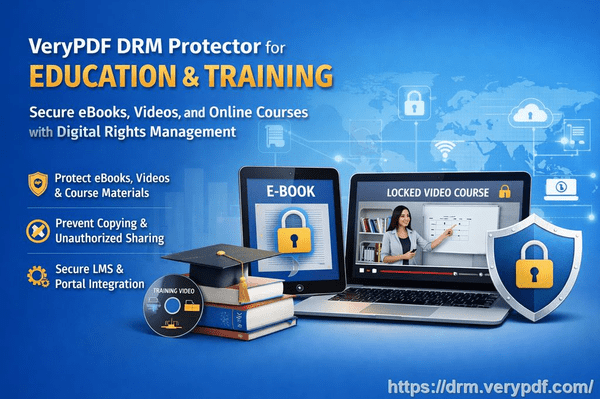
In today’s digital education environment, protecting intellectual property is a critical concern. Online courses, educational materials, and digital textbooks are increasingly distributed through platforms like Moodle, Udemy, or proprietary Learning Management Systems (LMS). While these platforms offer convenience and scalability, they often lack robust tools for preventing unauthorized sharing or copying of content. This is where VeryPDF DRM Protector comes into play, providing seamless DRM (Digital Rights Management) integration and white-label solutions for educational content providers.

1. Overview of VeryPDF DRM Protector

VeryPDF DRM Protector is a comprehensive DRM solution that allows content owners to encrypt and control access to their digital documents, particularly PDF files. Key features include:

  • 256-bit AES encryption to ensure secure content protection.
  • Dynamic watermarking, embedding user-specific information to discourage unauthorized sharing.
  • Access control policies, allowing content access based on time, device, or user identity.
  • Audit trails, tracking when, where, and by whom content is accessed.
  • Cloud and on-premise support, enabling flexible deployment depending on the platform requirements.

These capabilities make VeryPDF DRM Protector ideal for online education platforms that require secure content distribution without compromising usability.

[Solution] Integrating VeryPDF DRM Protector with Online Education Platforms: DRM Interfaces and White-Label Solutions

2. DRM Interfaces for Online Platforms

To facilitate seamless integration, VeryPDF DRM Protector offers DRM interfaces—APIs that allow LMS platforms to directly incorporate document protection and access control features.

a. RESTful API Integration

  • Authentication: The API allows the LMS to authenticate users via tokens or SSO (Single Sign-On).
  • Document Encryption: Instructors or administrators can programmatically encrypt PDF materials before uploading them to the platform.
  • Access Rules Management: Set per-user or per-course access policies, such as expiration dates, maximum devices, or offline reading restrictions.
  • Audit and Monitoring: Access events are automatically logged, allowing platform administrators to track potential misuse.

b. Automated Workflow Support

  • Course Upload Integration: When a new course is created on Moodle or Udemy-like platforms, course documents can automatically be encrypted and watermarked via the DRM API.
  • Dynamic Watermarking: User-specific identifiers (name, email, institution) are added in real-time as students download or view content.
  • Device Management: The API can enforce limits on the number of devices or IP ranges that can access the content, preventing sharing across unauthorized accounts.

c. LMS Plugin Development

  • VeryPDF DRM Protector can provide custom plugins for popular platforms such as Moodle or Canvas.
  • These plugins integrate directly into the course management workflow, allowing instructors to protect documents without leaving the LMS interface.
  • Features include a one-click “Protect and Publish” button for PDF materials and automatic DRM assignment upon upload.

3. White-Label Solutions

For online education providers looking to maintain brand identity while offering secure content, VeryPDF DRM Protector supports white-label solutions:

a. Custom Branding

  • The DRM interface, download portals, and watermarking system can carry the platform’s logo, colors, and messaging.
  • Students interact with the DRM system as a seamless part of the LMS, without seeing third-party branding.

b. Licensing Models

  • Educational platforms can license the DRM service under their own brand and pricing, allowing monetization of premium content.
  • Flexible deployment options allow either cloud-based DRM management or on-premise installation for institutions with strict data policies.

c. Multi-Tenant Support

  • Large platforms hosting multiple instructors or course providers can leverage white-label DRM with per-instructor or per-course policies.
  • Each instructor can independently manage their own protected documents while the platform maintains global audit and monitoring controls.

4. Advantages for Online Education Platforms

Integrating VeryPDF DRM Protector provides several benefits:

  1. Enhanced Content Security: Prevents unauthorized sharing, copying, or printing of course materials.
  2. Compliance and Reporting: Platforms can meet institutional or legal requirements for digital content protection.
  3. Revenue Protection: Protecting paid courses ensures that free distribution does not erode subscription revenue.
  4. Seamless User Experience: Students enjoy secure access without complicated logins or additional software, as DRM enforcement is built into the LMS workflow.
  5. Scalability: Whether the platform has hundreds or millions of students, the DRM system can scale without additional complexity.

5. Example Workflow: Moodle Integration

  1. Instructor uploads course PDFs to Moodle.
  2. The Moodle DRM plugin calls the VeryPDF DRM API to encrypt and watermark each PDF.
  3. Encrypted PDFs are stored on the LMS server.
  4. Students download PDFs; dynamic watermarks and device restrictions are applied.
  5. The LMS admin can track access logs to detect abnormal usage or policy violations.

6. Conclusion

With the growing need to protect digital educational content, VeryPDF DRM Protector offers a robust solution for online education platforms. Through its DRM interfaces, automated workflow support, and white-label capabilities, educational platforms can confidently distribute content, safeguard revenue, and maintain a seamless user experience. By integrating VeryPDF DRM Protector, platforms like Moodle, Udemy, or proprietary LMS solutions can become not just content hosts but secure content providers.