Is It Possible to Restrict the Number of Physical Prints Made from a Single PDF?

In today’s digital-first world, creators of intellectual property, such as sheet music, are exploring ways to protect their work from unauthorized duplication. One common question is whether it’s possible to limit the number of physical prints that can be made from a PDF document. While some platforms like JW Pepper offer download limits based on purchase quantities, restricting physical printing from PDFs is far more complex. Let’s explore the possibilities and limitations of achieving this.
Is It Possible to Restrict the Number of Physical Prints Made from a Single PDF?


Understanding the Technical Challenges

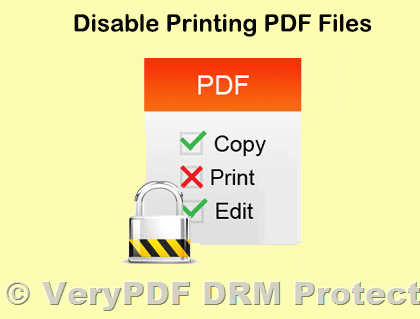
From a technical standpoint, the PDF format is inherently static, meaning that once a document is downloaded, its permissions and functionality are mostly frozen. Although tools like Adobe Acrobat Pro offer features to control printing permissions (e.g., allow or block printing or limit to low-resolution printing), they lack native functionality to limit the number of times a document can be printed.

Here’s why restricting print counts from a PDF is challenging:

  1. Static Nature of PDFs: Once a user downloads a PDF, it essentially becomes a standalone file. Restrictions on printing would require interaction with the PDF every time a print command is issued, which isn’t part of the standard PDF specification.
  2. Bypassing Restrictions: Even if you could embed a script (such as JavaScript) to limit printing, it can be easily bypassed. Users can duplicate the original file, effectively resetting any embedded counter, or print to another PDF file, removing restrictions entirely.
  3. Compatibility Issues: Most PDF readers, including popular options like Adobe Reader, Preview on macOS, or third-party apps, do not fully support advanced scripting features, making such solutions unreliable.

Alternatives for Controlling Printing

Despite the limitations, here are some strategies to manage printing effectively:

1. Digital Rights Management (DRM) Solutions

Tools like VeryPDF DRM Protector offer robust options to control the usage of PDF files. With DRM, you can enforce strict printing permissions, such as disabling printing altogether or setting a maximum number of prints. Unlike static PDF permissions, DRM ensures these restrictions remain intact, even if the file is copied or shared.

2. Browser-Based Viewing and Printing

Hosting your document online and controlling printing through a browser can provide an additional layer of control. For example:

  • Limit the number of downloads or prints allowed per user.
  • Disable “print to PDF” functionality by embedding your document in a web viewer like PDF.js, which can restrict direct access to the original file.

However, even browser-based solutions have their limitations, as users can still capture screenshots or use print-to-PDF options provided by most modern browsers.

3. Watermarking

If controlling printing is infeasible, watermarking your documents can deter unauthorized use. By adding user-specific watermarks (e.g., “Licensed to John Smith”) to each copy, you make unauthorized distribution traceable.


Should You Worry About Unauthorized Copies?

While the idea of limiting printing sounds appealing, it’s essential to evaluate whether the effort is worth it. For example, in the sheet music industry, piracy often acts as a double-edged sword. While it may result in some revenue loss, it can also increase visibility and attract new customers.

As a budding creator, focusing on delivering high-quality, well-priced content and embracing watermarks or DRM solutions may be a better investment of your time and resources than implementing restrictive measures that may frustrate legitimate users.


Conclusion

Restricting the number of physical prints from a single PDF is technically challenging and often ineffective due to the static nature of PDFs and the ease of bypassing such controls. However, solutions like VeryPDF DRM Protector and browser-based printing management offer viable alternatives for creators seeking greater control over their intellectual property. By combining these tools with strategies like watermarking and leveraging the promotional benefits of wider access, you can balance protection with accessibility, ensuring your content reaches its intended audience securely.
Controlling How Many Times a PDF Can Be Printed (or Disabling Printing Entirely)?

The ability to control how many times a PDF can be printed, or even to disable printing entirely, has become a critical need for businesses and content creators looking to protect their intellectual property. Whether you are distributing discount coupons, confidential business documents, or subscription-based content, ensuring that users adhere to strict printing policies is essential for maintaining control and preventing unauthorized sharing or duplication. However, the technical and legal challenges surrounding this functionality have made it difficult to implement. Enter VeryPDF DRM Protector Online Application, a modern solution that addresses these challenges efficiently and affordably.

Controlling How Many Times a PDF Can Be Printed (or Disabling Printing Entirely)?

The Challenge of Controlling PDF Printing

Restricting PDF printing has historically been a daunting task. While some software solutions claim to enforce such controls, they often face limitations due to how operating systems handle printing tasks. For example:

  • Even if a PDF viewer restricts the number of times a user can press the “Print” button, operating systems allow users to modify printer driver settings to increase the number of copies printed.
  • Users can also print to file, creating a new document that can be shared without restrictions.
  • Some attempts to impose stricter controls, such as those by Sony in the past, have led to significant legal challenges for overstepping into OS-level control.

These challenges highlight the need for a robust yet compliant solution that can effectively restrict printing while respecting system boundaries and user rights.

Traditional Solutions and Their Limitations

Several companies have attempted to address this need with varying levels of success:

  1. Safeguard Software: This company provides software designed to control printing, but its high price point often puts it out of reach for many businesses and individual users.
  2. FileOpen Systems: This online subscription service circumvents the need for PDF downloads, allowing users to view and print documents under strict controls. While effective, it requires an ongoing subscription and may not suit every use case.
  3. Adobe Plugins: Many have hoped that Adobe, as the creator of the PDF format, would add native functionality to restrict printing. However, this feature remains absent from standard Adobe tools.

These options either come with significant costs, usability trade-offs, or technical limitations, leaving many users seeking a better alternative.

VeryPDF DRM Protector Online Application: A Modern Solution

VeryPDF DRM Protector Online Application offers a practical and affordable way to control PDF printing, addressing the limitations of traditional solutions. This application leverages digital rights management (DRM) technology to enforce robust printing restrictions that cannot be easily bypassed. Here’s how it works:

Key Features of VeryPDF DRM Protector

  • Printing Restrictions: With VeryPDF DRM Protector, you can set a limit on how many times a PDF can be printed or disable printing entirely. These restrictions are enforced through DRM encryption, ensuring they remain intact even if the PDF is shared.
  • Secure Document Encryption: The application encrypts your PDF with advanced DRM technology, protecting it from unauthorized modifications or duplications.
  • User-Specific Controls: Assign unique printing permissions to individual users or groups, ensuring tailored access based on your needs.
  • Affordable Pricing: Unlike expensive alternatives like Safeguard, VeryPDF DRM Protector provides cost-effective solutions for businesses of all sizes.
  • Cloud-Based Convenience: The online application allows you to manage your documents without the need for complex installations or infrastructure.

How It Works

Using VeryPDF DRM Protector is simple and straightforward:

  1. Upload Your Document: Start by uploading the PDF you want to protect onto the VeryPDF DRM Protector platform.
  2. Set Printing Permissions: Choose whether to allow printing, and if so, specify the maximum number of prints allowed.
  3. Apply DRM Protection: Encrypt the document with DRM controls, ensuring that the restrictions are securely embedded.
  4. Distribute the Protected PDF: Share the document confidently, knowing that your printing restrictions will be enforced.

Why Choose VeryPDF DRM Protector?

VeryPDF DRM Protector stands out from other solutions for several reasons:

  • Ease of Use: The intuitive interface makes it easy to upload, protect, and share documents without technical expertise.
  • Cross-Platform Compatibility: Protected PDFs can be accessed securely across devices and operating systems, ensuring a seamless experience for authorized users.
  • Comprehensive Security: Beyond printing restrictions, VeryPDF DRM Protector offers additional features like watermarking and access expiration to further safeguard your content.
  • Scalability: Whether you’re an individual user, a small business, or a large organization, VeryPDF DRM Protector scales to meet your needs.

Use Cases for Printing Restrictions

Restricting or disabling PDF printing has numerous practical applications, including:

  • Coupon Distribution: Limit users to printing a single copy of a discount coupon to prevent abuse and ensure fair usage.
  • Confidential Documents: Protect sensitive business documents by disabling printing, ensuring that they remain digital-only.
  • Subscription Content: Prevent subscribers from printing unlimited copies of eBooks, reports, or other premium content, encouraging renewals and protecting revenue streams.

Conclusion

While controlling how many times a PDF can be printed (or disabling printing entirely) has historically been challenging, VeryPDF DRM Protector Online Application provides a modern, affordable, and effective solution. By leveraging robust DRM technology, it ensures that your printing restrictions are securely enforced, protecting your intellectual property and maintaining control over your documents. Whether you’re a business, educator, or content creator, VeryPDF DRM Protector empowers you to share your PDFs with confidence and peace of mind.

How to Use Digital Rights Management to Set PDF Expiry Dates?

Managing the distribution and lifespan of PDF documents has become a critical need for many organizations. Whether you’re sharing time-sensitive course materials, protecting intellectual property, or ensuring subscription-based content remains secure, having an expiry date for your PDF files can be a game-changer. With VeryPDF DRM Protector, you can now achieve this efficiently and securely.

How to Use Digital Rights Management to Set PDF Expiry Dates?

Setting PDF Expiry Dates with VeryPDF DRM Protector

Unlike older methods, VeryPDF DRM Protector utilizes cutting-edge digital rights management (DRM) technology combined with strong encryption to ensure that the expiry date on your PDFs cannot be bypassed. This makes it an ideal choice for:

  • Educational institutions sharing temporary access to study materials.
  • Companies protecting confidential reports.
  • Subscription-based services delivering premium content.

With this feature, you can confidently share your documents, knowing they’ll become inaccessible after the specified timeframe, regardless of how or where they are forwarded.

Why Choose VeryPDF DRM Protector?

VeryPDF DRM Protector stands out as a robust solution for PDF protection. Here are some of its key advantages:

  1. Secure and Reliable Encryption: Strong DRM encryption ensures that unauthorized users cannot access or modify the document.
  2. User-Friendly Interface: The software is designed for ease of use, even for non-technical users.
  3. Cross-Platform Compatibility: Documents protected with VeryPDF DRM Protector can be viewed securely across devices and platforms.
  4. Customizable Expiry Options: Set expiry dates to meet your specific needs, such as a fixed date or a duration after the first access.
  5. Affordable Pricing: Compared to other DRM solutions like LockLizard and FileOpen, VeryPDF DRM Protector offers a cost-effective alternative without compromising on security.

Real-World Use Cases for PDF Expiry Dates

Here are some scenarios where setting a PDF expiry date with VeryPDF DRM Protector proves invaluable:

1. Educational Institutions

Schools and universities can use VeryPDF DRM Protector to distribute exam papers, course notes, or training materials that expire after a semester or course completion. This ensures that outdated information isn’t reused inappropriately.

2. Businesses

Organizations can protect sensitive internal reports by setting expiry dates, ensuring they remain secure and relevant only for the intended time.

3. Subscription Services

For businesses offering subscription-based content, setting expiry dates prevents users from retaining files indefinitely, encouraging renewed subscriptions.

How to Use VeryPDF DRM Protector to Set Expiry Dates?

Using VeryPDF DRM Protector to set expiry dates for your PDFs is simple:

  1. Install the Software: Download and install VeryPDF DRM Protector on your computer.
  2. Add Your Document: Import the PDF file you want to protect.
  3. Set Expiry Options: Choose the expiry settings, such as a specific date or a time period after first access.
  4. Encrypt and Save: Apply the DRM protection and save the document.
  5. Share Securely: Distribute the protected PDF knowing it is secured with an expiry date.

Conclusion

PDF expiry dates are not part of the standard PDF format but can be implemented effectively with DRM software like VeryPDF DRM Protector. This feature is particularly useful for organizations that need to control the distribution and lifespan of their documents. With its powerful encryption, ease of use, and affordability, VeryPDF DRM Protector provides an unparalleled solution for setting PDF expiry dates.

Don’t let outdated methods hold you back. Try VeryPDF DRM Protector today and take full control over your PDF documents!

How to Prevent Screenshots, Printing, and Downloading of PDFs in Web Browsers?

Content protection is an important concern for businesses and content creators distributing eBooks, reports, or academic papers. Once PDF content is delivered through a web browser, users may be able to download, print, or capture screenshots depending on their device and browser capabilities. While it is not always possible to fully prevent these actions, there are effective methods to reduce risk and better control how your content is used.

How to Prevent Screenshots, Printing, and Downloading of PDFs in Web Browsers?

In this article, we’ll explore various methods and best practices to minimize the risk of unauthorized screenshots, printing, and downloads of your PDFs in a web browser.

1. Use a PDF Viewer with Restrictions

One of the most effective ways to prevent unwanted actions on your PDF file is by using a web-based PDF viewer that allows you to set permissions. Many PDF libraries and services, such as PDF.js or proprietary PDF viewers, provide options to disable printing, downloading, or copying of content.

These viewers allow you to control certain features of the PDF file, ensuring that users can only view the content without being able to save or print it. However, it’s important to note that these restrictions are not foolproof and may not work across all browsers or devices.

2. Add Watermarks to Your PDFs

Watermarking is a simple yet effective deterrent for unauthorized sharing or redistribution of your PDFs. While it won’t prevent screenshots or downloads directly, adding visible or invisible watermarks can make it more difficult for users to share your content without attribution.

Consider embedding personalized or dynamic watermarks with user-specific information, such as the user’s email or IP address. This can discourage users from sharing the content and helps trace the source of any unauthorized copies.

3. Convert PDF to HTML Instead of Using a PDF

Converting your PDF content into HTML and displaying it on a web page offers more control over how the content is displayed. HTML allows you to take advantage of modern web security features like encryption, custom scripts, and content overlays, making it harder for users to capture the content in its entirety.

This approach can be especially useful for online articles, eBooks, or reports, as HTML is much easier to protect with content security measures compared to a static PDF. However, users could still capture screenshots of the web page, so this method should be combined with other security measures.

4. Implement JavaScript Overlays

Using JavaScript overlays can obscure content or disable right-click options on your PDF page. By preventing right-clicking, you can discourage users from attempting to save or print your content directly. Additionally, JavaScript overlays can be used to disable features like text selection or right-click context menus, making it harder for users to interact with your content.

However, keep in mind that this is not a foolproof solution. Users can still bypass these restrictions using browser developer tools or screen capture programs.

5. Disable Right-Click Functionality

Another simple approach to prevent users from copying or downloading your PDF is by disabling right-click functionality on your page. Using JavaScript, you can block the right-click menu, preventing users from easily saving images or accessing the “Print” option.

document.addEventListener('contextmenu', event => event.preventDefault());

While this method can deter casual users, it’s not a strong security measure. Savvy users can still capture content using keyboard shortcuts or third-party screen capture tools.

6. Use a Content Security Policy (CSP)

A Content Security Policy (CSP) is a security feature that allows you to control which resources can be loaded on your website. Although CSP won’t directly prevent screenshots or downloads, it can reduce the risk of content theft by blocking certain types of malicious activities.

For example, you can restrict embedding of your PDF content on unauthorized websites, ensuring that only your domain can display the document. While this doesn’t stop screenshots, it can reduce the risk of cross-site content theft.

7. Secure PDF Hosting

If you’re concerned about the unauthorized distribution of your PDFs, consider using a secure document hosting service. Many PDF hosting platforms offer features like password protection, encrypted access, and time-limited download links.

For example, some services allow you to set expiry dates on the access links, ensuring that users can only view the document for a limited time. This can be particularly useful for eBook stores or subscription-based services.

8. Educate Your Users

While it may not be a technical solution, user education is an essential aspect of content protection. Inform your users about the importance of respecting content copyright and not sharing or distributing PDF files without permission. By promoting a culture of respect for digital content, you can reduce the likelihood of unauthorized use, even if some users may still attempt to take screenshots or download the document.

Limitations of Current Solutions

While there are various methods to discourage unauthorized screenshots, printing, and downloading of your PDF, it’s essential to understand their limitations:

Technical Limitations:

There is no foolproof way to prevent users from taking screenshots or printing PDFs. Dedicated screen capture programs or third-party tools can bypass many of the protections mentioned above. Additionally, users can often find ways to disable JavaScript overlays or use developer tools to extract content.

User Experience:

Overly restrictive measures can frustrate legitimate users and impact their experience. Too many restrictions may lead to users abandoning your content or seeking workarounds. Striking a balance between protection and usability is crucial.

Additional Solutions to Consider

While the above methods can help limit unauthorized actions, you may also consider the following options:

Password Protect Your PDF

Password-protecting your PDF and disabling printing can deter unauthorized access. However, some PDF viewers may ignore these restrictions, so it may not be entirely reliable.

Convert Your PDF to Flash or Images

Another approach is to convert your PDF into a Flash file or an image and wrap it in an iFrame. By adding a transparent image over the iFrame, you can make it harder to right-click or take screenshots. However, this method won’t prevent advanced screen capture programs or browser developer tools.

Use a DRM Solution

A Digital Rights Management (DRM) solution is one of the most robust ways to control access to your PDF content and prevent unauthorized use. DRM solutions offer encryption, access controls, and even screenshot prevention. However, DRM can be complex to implement and may limit the accessibility of your content.

Consider Online Flipbooks

If you’re distributing interactive content like eBooks or brochures, you may want to consider using online flipbooks. Flipbooks are HTML-based publications that can be protected from printing and downloading using specialized tools like Flipping Book.

Conclusion

Preventing screenshots, printing, and downloading of PDFs in web browsers is a complex challenge, but implementing a combination of strategies can help mitigate risks and discourage unauthorized access. Using PDF viewers with restrictions, watermarking, and secure hosting are some of the most effective methods.

Remember that no solution is completely foolproof, and it’s essential to balance security with user experience. By educating users, using DRM solutions, and integrating these protective measures into your web app, you can significantly reduce the risk of unauthorized use while still offering a seamless experience for legitimate users.

For more information on protecting your PDFs and ensuring secure access, consider exploring VeryPDF DRM Protector, which offers advanced DRM solutions to secure your digital content.

Preventing Screenshots of PDFs: A Solution for eBook Stores with VeryPDF DRM Protector

In today’s digital world, content protection is more important than ever, especially for businesses that rely on the sale and distribution of digital products like eBooks, reports, and academic papers. One of the major concerns for publishers and content creators is preventing unauthorized copying and distribution of their PDF files. While methods like password protection, watermarking, and disabling printing or editing are commonly used, many content creators face an even more daunting challenge: preventing screenshots.

Preventing Screenshots of PDFs: A Solution for eBook Stores with VeryPDF DRM Protector

The Challenge of Preventing Screenshots

When it comes to digital content, preventing unauthorized access and distribution is relatively straightforward—password protection, encryption, and DRM tools can limit who can view or print a document. But what about users who simply take screenshots? Whether it’s someone trying to save a copy of an eBook or a competitor stealing your work, screenshots represent a serious issue. Since screenshots are often taken by pressing a key combination or using an external tool, it can be difficult to block them entirely using traditional content protection methods.

This challenge is particularly pressing for eBook stores, where content is typically distributed in PDF format. PDF files are a popular choice for eBook distribution due to their consistency across devices and platforms. However, the fact that PDFs are so easily opened, viewed, and even printed makes them vulnerable to unauthorized copying. Even if you disable the ability to print or copy text, someone could still take a screenshot and save the content. This raises the question: Can we prevent screenshots of PDFs?

Can a PDF Go Completely Black When a Screenshot is Taken?

At first glance, it might seem like an impossible task to stop someone from taking a screenshot of a PDF document. After all, once the document is rendered on a screen, it’s essentially exposed to the viewer, and there’s little control over what happens next. However, there are ways to make taking a screenshot less appealing or even impractical.

One solution that has been suggested is for a PDF to go completely black when a screenshot is detected. This would essentially render any attempt to capture the content useless, as the screen would display a blank or black image rather than the actual content of the document. In theory, this could be accomplished through a combination of encryption, DRM, and detection software that monitors for screen capture attempts.

For instance, if the software detects that a screenshot tool is in use or if the document is being recorded by screen capture software, it could immediately trigger a response, such as displaying a black screen or preventing any content from being rendered to the screen. However, this approach is not commonly implemented in standard PDF viewers, and achieving it programmatically requires advanced DRM (Digital Rights Management) solutions.

Can It Be Done Programmatically?

Yes, it is possible to implement such a solution programmatically. However, it requires specialized DRM software that is capable of monitoring and controlling how PDF files are displayed and interacted with on a user’s device. This type of solution typically involves embedding security features into the PDF that interact with the operating system’s screen capture tools.

To achieve this, a software solution would need to:

  • Monitor for Screenshot Tools: The application would need to detect when a screen capture tool is in use. This could be done by monitoring system processes or detecting key combinations commonly used for screenshots (e.g., pressing “PrtSc” on Windows or “Command + Shift + 4” on macOS).
  • Blackout the Screen: Upon detecting that a screenshot tool is activated, the software could replace the content on the screen with a black or blank screen to prevent the user from capturing any meaningful information.
  • Implement Secure Viewing Mechanisms: The PDF viewer itself would need to be customized to work with the DRM software. This might involve creating a specialized PDF reader that includes the screenshot prevention functionality or using a third-party solution that integrates with existing PDF viewers.

VeryPDF DRM Protector: The Solution for Preventing Screenshots

If you’re an eBook store owner or a content creator concerned about the security of your PDFs, VeryPDF DRM Protector offers a powerful and flexible solution to safeguard your digital content. VeryPDF DRM Protector is designed to protect PDF files from unauthorized actions like copying, printing, editing, and yes, even screenshots.

Here’s how VeryPDF DRM Protector can help you secure your PDFs and prevent screenshots:

  • Prevent Screenshots and Screen Recording: VeryPDF DRM Protector can help prevent screenshots by making the PDF content invisible or blacked out when screen capture tools are detected. This means that users attempting to take a screenshot of the document will not see anything but a blank screen, rendering the screenshot useless.
  • Granular Permissions Control: You can set specific permissions for your PDF documents, such as preventing saving, printing, copying, or extracting text. By setting restrictions on what users can do with your PDFs, you can ensure that they only have access to the content in the way you intend.
  • Time-Based and Device-Based Expiry: VeryPDF DRM Protector allows you to set time-based expiry dates on your PDFs, ensuring that your content is only accessible for a limited period. This feature is especially useful for eBook stores that offer time-limited access to promotional content or subscription-based services.
  • Watermarking and Branding: To further deter unauthorized copying or sharing, VeryPDF DRM Protector allows you to add watermarks or branding to your PDFs. Watermarks can include your company’s logo, copyright information, or personalized user identifiers, making it clear that the document is copyrighted.
  • Secure PDF Distribution: With VeryPDF DRM Protector, you can control how your PDFs are distributed. For example, you can restrict access to specific users or groups, ensuring that only authorized users can open the document. This level of control is essential when protecting sensitive or premium content.
  • Custom Development for eBook Stores: If you have specific requirements for your eBook store, VeryPDF offers custom development services to tailor their DRM Protector tool to your exact needs. Whether you need additional security features, integrations with your existing platform, or customized reporting tools, VeryPDF’s development team can help.

Implementing VeryPDF DRM Protector in Your React Web App

If you’re building a web app using React for your eBook store, you can easily integrate VeryPDF DRM Protector into your workflow. While the core functionality of DRM protection happens at the PDF file level, the integration into your web application involves using VeryPDF’s APIs and software to manage the document access and security features directly from your React-based interface.

By integrating the DRM solution into your React app, you can:

  • Set up user authentication to ensure that only authorized users have access to your protected PDFs.
  • Control download and viewing permissions dynamically based on user roles or subscription plans.
  • Monitor access to ensure compliance with your content protection policies.

Conclusion

Preventing screenshots of PDF files is a complex challenge, but with VeryPDF DRM Protector, you can significantly reduce the risk of unauthorized capture and distribution of your content. This powerful DRM solution allows you to secure your PDFs, prevent unauthorized printing, copying, and screenshots, and ensure that your content is only accessed by the right people at the right time. Whether you are running an eBook store, selling reports, or distributing other types of digital content, integrating VeryPDF DRM Protector into your workflow can provide peace of mind and protect your valuable intellectual property.

For more information on how VeryPDF DRM Protector can help secure your PDFs, visit the VeryPDF website and explore the possibilities for protecting your digital content.