Is Google Drive Secure? Enhance File Protection with VeryPDF DRM Protector

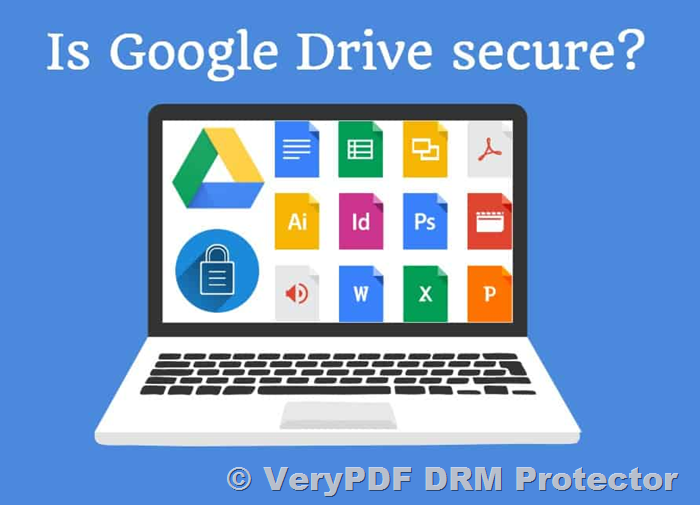
Google Drive is widely known for its seamless document-sharing capabilities, making collaboration over the internet convenient. Despite its benefits—such as easy data backup and real-time editing—Google Drive’s security has some limitations. This article explores its security mechanisms, identifies vulnerabilities, and recommends ways to enhance the protection of sensitive files using VeryPDF DRM Protector, a powerful solution that can be tried for free online at https://drm.verypdf.com/online/.
Is Google Drive Secure? Enhance File Protection with VeryPDF DRM Protector


How Does Google Drive Security Work?

Google Drive employs multiple security layers to protect user data:

  1. Encryption in Transit: Files uploaded to Google Drive are transmitted using TLS encryption to prevent interception during transfer.
  2. Encryption at Rest: Stored files are encrypted using AES 256-bit encryption for added safety.
  3. Google Account Security: Sharing documents via specific Google accounts is more secure than using public links.
  4. Browser-Based Controls: Editing and printing restrictions are enforced via JavaScript when users access files.

Although these measures offer basic security, they may not suffice for business or confidential file sharing.


Google Drive Security Concerns

1. Browser-Based Vulnerabilities

Google Drive’s document controls rely on JavaScript, which operates partially on the client side. This exposes files to bypass techniques such as disabling JavaScript or altering the file URL. Such methods allow users to remove restrictions, such as printing or watermarking, in seconds.

2. Account Security Risks

A compromised Google account gives hackers access to all shared files. Even two-factor authentication (2FA) isn’t foolproof against advanced attacks like session hijacking. Furthermore, intentional account sharing or leaks remain a challenge.

3. Server Security

While Google employs strong server security, past breaches, such as the 2009 attack by Chinese hackers and the 2018 Google+ data exposure, reveal that no system is impervious. Concerns about privacy and data transparency add to the unease about storing sensitive files.

4. Link Sharing Risks

Google Drive’s link-sharing feature makes it easy for unauthorized users to access files. This option should be avoided for sensitive data.


Why Password Protecting Files in Google Drive is Inadequate?

Password protection for PDF files—a common workaround—has its drawbacks:

  • Cumbersome Management: Each file requires a unique password, which complicates distribution and management.
  • Limited Security: Passwords can be shared or brute-forced.
  • User Convenience: Strong, unique passwords are difficult to remember and maintain.

Instead of relying on passwords, a more robust and user-friendly solution is needed for secure file sharing and usage control.


Enhance Google Drive Security with VeryPDF DRM Protector

VeryPDF DRM Protector is a comprehensive solution for protecting sensitive documents. It combines local encryption, licensing controls, and advanced restrictions to ensure files remain secure. Here’s why it’s a superior alternative:

Key Features:

  1. Local Encryption: Files are encrypted before uploading, ensuring they remain protected even on cloud platforms.
  2. Access Control: Only authorized users on registered devices can open protected files.
  3. Customizable Restrictions:
    • Prevent printing or limit the number and quality of prints.
    • Disable editing, copying, and screenshot capture.
  4. Automatic Expiry: Set documents to expire based on date, usage limits, or manual revocation.
  5. License Management: Control user access via the Admin Portal, ensuring secure distribution.

How to Protect PDFs Using VeryPDF DRM Protector?

  1. Encrypt Locally:
    • Right-click on your PDF and select “Make Secure PDF” using the VeryPDF DRM Protector Writer app.
    • Choose restrictions like disabling printing and copying.
    • Publish the protected PDF.
  2. Authorize Access:
    • Create user accounts in the Safeguard Admin System.
    • Send license files and the secure Viewer app to users via email.
  3. Upload to Google Drive:
    • Distribute DRM-protected files using Google Drive or any preferred sharing method.

Protected files can only be opened by authorized users on registered devices. Unauthorized sharing becomes impossible as files won’t open without proper licenses.


Is Google Drive Secure for Business?

For casual users, Google Drive provides a good balance of convenience and security. However, its reliance on account security and browser-based controls makes it unsuitable for businesses handling confidential information.

By integrating VeryPDF DRM Protector, businesses can overcome these limitations, ensuring documents remain secure regardless of how or where they are shared. Its robust DRM capabilities eliminate the risks associated with traditional password protection and insecure file-sharing methods.


Conclusion

Google Drive offers excellent convenience but falls short in providing airtight security for sensitive documents. For businesses and organizations that prioritize document confidentiality, VeryPDF DRM Protector is the ideal solution. Its advanced encryption, access control, and DRM restrictions ensure files are protected from unauthorized access and misuse.

Start securing your documents today with a free trial of VeryPDF DRM Protector at https://drm.verypdf.com/online/.
How to Encrypt PDF Files to Prevent Unauthorized Access, Sharing, Copying, and Editing: A Guide to VeryPDF DRM Protector

PDF files are a widely used format for distributing documents, but with their convenience comes the risk of unauthorized access, sharing, copying, and editing. As more sensitive information is shared digitally, it’s crucial to protect PDF documents from misuse. While traditional encryption methods such as passwords provide some level of protection, they are not foolproof. This is where VeryPDF DRM Protector comes into play. This advanced solution offers a robust, flexible way to protect your PDF files from unauthorized access, sharing, editing, and more.

In this article, we will explore how PDF encryption works, the different methods of protecting your documents, and why VeryPDF DRM Protector is the superior solution for encrypting PDFs—whether you need password protection or not.

How to Encrypt PDF Files to Prevent Unauthorized Access, Sharing, Copying, and Editing: A Guide to VeryPDF DRM Protector


Understanding PDF Encryption

Encryption is a security process that converts a document into a format that is unreadable without the correct key or password. It is used to protect sensitive information from being accessed by unauthorized individuals. For PDFs, this typically involves scrambling the contents of the file using an encryption algorithm that only those with the correct decryption key or password can reverse.

There are two main types of encryption:

  1. Password-based encryption: Requires users to enter a password to open or modify the document.
  2. Key-based encryption: Uses encryption keys (such as AES or RSA) to protect documents, without relying on user passwords.

VeryPDF DRM Protector offers a solution that removes the vulnerabilities associated with password-based encryption and simplifies key management.


Encrypting PDF Files with or Without Passwords

Encrypt a PDF with Passwords

While password protection is a common method of securing a PDF, it comes with significant drawbacks, such as:

  • Passwords can be easily shared, leading to unauthorized access.
  • Passwords can be cracked, especially if they are weak.
  • Managing passwords for multiple documents is cumbersome and costly.

To encrypt a PDF using VeryPDF DRM Protector, follow these steps:

  1. Upload the PDF file to VeryPDF DRM Protector.
  2. Select the desired DRM options such as disabling printing, copying, and editing.
  3. Publish the document to generate a secure URL. This file will be encrypted with AES-256 encryption and secured with your selected DRM controls.

With VeryPDF DRM Protector, there is no need for a password. Instead, access to the file is restricted based on authorized users, making it a far more secure method than password protection.

Encrypt a PDF Without a Password

For added security and ease of use, VeryPDF DRM Protector allows encryption without a password. This means you can secure your PDFs without the risks and inconveniences associated with password management. Here’s how:

  1. Upload your PDF to VeryPDF DRM Protector.
  2. Define your DRM settings, such as preventing printing, copying, and editing.
  3. Select users or devices authorized to access the document.
  4. Publish the document, and it will be encrypted automatically with AES-256 encryption.

The biggest advantage of this method is that no password needs to be shared or managed. Instead, the file’s encryption is tied to specific users and devices, ensuring that only authorized individuals can access the document.


Why PDF Encryption with Passwords is Ineffective

While password encryption can provide a basic level of protection, it has many limitations:

  • Password sharing: Once a user has the password, they can share it with others, granting them unauthorized access.
  • Password cracking: Hackers can use brute force or dictionary attacks to crack weak passwords, especially those using common words or simple combinations.
  • Inconvenience: Passwords are easy to forget, leading to time-consuming resets and support requests. Additionally, sending passwords securely adds overhead and complexity.

Using VeryPDF DRM Protector bypasses these issues by using a more secure and efficient method: Digital Rights Management (DRM). DRM restricts access to PDFs based on the user’s identity and device, making it far more secure than passwords.


PDF Encryption: Benefits and Drawbacks

Benefits of DRM Encryption

  • No password to manage: DRM eliminates the need for users to remember or securely share passwords.
  • Stronger security: VeryPDF DRM Protector uses AES-256 encryption, which is significantly harder to crack than simple password protection.
  • No risk of password theft: Since there’s no password involved, there’s nothing for hackers to steal or phish.
  • Precise control over access: You can control who can view, print, copy, or edit the document.
  • Expiration control: You can set expiration dates for access, ensuring that a document cannot be accessed after a certain period.
  • Dynamic watermarks: Add personalized watermarks with the reader’s information, preventing screenshots and unauthorized copies.

Drawbacks of DRM Encryption

  • Requires a separate viewer: Encrypted PDFs can only be opened in a secure PDF viewer, which adds an extra step for the end user.
  • Setup and cost: While VeryPDF DRM Protector offers flexible pricing, the software is not free, and you’ll need to set it up and manage access permissions.

How to Encrypt a PDF with DRM Using VeryPDF DRM Protector?

The process of encrypting a PDF with VeryPDF DRM Protector is straightforward and involves just a few steps:

  1. Upload your document to the DRM platform via the online interface.
  2. Choose your encryption settings: Define restrictions such as disallowing printing, copying, and editing. You can also enable features like watermarking and expiration dates.
  3. Generate a secure URL: After encryption, the document is protected with AES-256 encryption. You will receive a URL that only authorized users can access.

This system eliminates the need for password management and offers more granular control over the document’s use.


Why Choose VeryPDF DRM Protector Over Traditional PDF Encryption Tools?

Unlike traditional PDF encryption methods that rely on passwords or certificates, VeryPDF DRM Protector offers:

  • Stronger security: AES-256 encryption and device-locked access.
  • No password vulnerabilities: No passwords to forget, crack, or share.
  • Complete control: You can limit access, control editing, prevent screenshots, and track document usage.

For anyone looking to protect their PDF documents with more than just a password, VeryPDF DRM Protector is the best solution. You can try it for free by visiting VeryPDF DRM Protector Online.


Conclusion

While password encryption can provide basic protection for PDFs, it’s far from foolproof. VeryPDF DRM Protector offers a much stronger, more secure alternative. By using DRM encryption, you can prevent unauthorized access, sharing, editing, and copying of your PDF documents, while also benefiting from advanced features like dynamic watermarks, expiration dates, and device-specific access control.

Don’t rely on weak and easily cracked password protection—opt for VeryPDF DRM Protector to ensure your documents remain secure. Try it for free today at VeryPDF DRM Protector Online.

What is Gmail Encryption? How to Encrypt & Securely Send Gmail Email Attachments

In today’s digital world, email remains one of the most widely used methods for sharing sensitive documents and files. Gmail, one of the most popular email services, offers various encryption options to help secure email messages and attachments. However, while Gmail provides some level of encryption, it doesn’t address all potential vulnerabilities when it comes to protecting attachments. If you want to ensure that your email attachments are fully protected and can’t be forwarded, printed, or shared after they’re downloaded and decrypted, you need a more advanced solution.

In this article, we’ll explore how Gmail’s built-in encryption works, why it may not be sufficient for securing confidential attachments, and how VeryPDF DRM Protector can provide the protection you need.

What is Gmail Encryption? How to Encrypt & Securely Send Gmail Email Attachments

What is Gmail Encryption?

Gmail offers two types of encryption: TLS (Transport Layer Security) and S/MIME (Secure MIME). Here’s a breakdown of both:

  • TLS Encryption: This is the default encryption used by Gmail for free accounts. It encrypts the communication between your device and the recipient’s email server. However, once the message reaches the server, it is decrypted, which means your email and attachments could be vulnerable if the recipient’s email server doesn’t support TLS encryption.
  • S/MIME Encryption: This option is available for paid Google Workspace Enterprise accounts. It encrypts the email content and attachments both in transit and while stored on the mail server. However, S/MIME requires both the sender and recipient to exchange encryption keys beforehand, which can be a hassle for many users.

Despite these encryption methods, there are still significant security gaps. For example, once a recipient opens an attachment, they can forward, print, or share it without restriction.

Issues with Gmail Attachment Security

While Gmail’s encryption helps protect messages in transit, it does not offer sufficient protection for attachments. Here are two main problems with Gmail’s attachment security:

  1. No End-to-End Encryption for Attachments: Gmail’s TLS encryption only protects data while it’s being transmitted. Once the attachment reaches the recipient’s inbox, it is decrypted. If the recipient’s account is compromised, the attachment could be accessed by an unauthorized person.
  2. Lack of Control Over Attachment Sharing: Once a user receives an attachment, they can freely download, print, share, or forward the file. There’s no way to prevent this sharing once the file has been decrypted, which can be problematic for confidential documents.

Gmail Confidential Mode: A Flawed Solution

Gmail’s Confidential Mode allows users to send messages with restricted options, such as preventing forwarding, copying, printing, and downloading. While this might seem like a perfect solution for securing attachments, it has several flaws:

  • Restrictions Are Limited to the Gmail App: These restrictions are only enforced if the recipient opens the email in the Gmail app. If they use a third-party email client, the protections are not enforced.
  • No Protection Against Intentional Sharing: Once a user has opened the attachment, they can still manually copy, print, or share it.
  • Vulnerabilities in Two-Factor Authentication: Confidential Mode often relies on SMS passcodes, which are vulnerable to phishing and other forms of attack.

As you can see, Confidential Mode doesn’t fully address the need for secure attachment sharing.

Why Use VeryPDF DRM Protector for Gmail Attachments?

To address the shortcomings of Gmail’s built-in encryption and Confidential Mode, you need a more robust solution like VeryPDF DRM Protector. This software offers advanced Digital Rights Management (DRM) capabilities to protect your PDF attachments even after they’ve been sent.

With VeryPDF DRM Protector, you can:

  • Control Access to PDF Files: Restrict access to your PDF attachments so that only authorized users can open them. Even if a user has access to the document, they won’t be able to copy, print, or share it unless you allow it.
  • Apply Encryption & DRM Controls: Protect your documents with AES-256 encryption and apply DRM controls such as expiration dates, access limits, and more.
  • Prevent Unauthorized Sharing: Unlike basic encryption methods, VeryPDF DRM Protector locks documents to specific devices. Unauthorized users won’t be able to open the attachment, even if they somehow get their hands on the file.
  • Track Document Use: You can track when the document is viewed, printed, or shared, giving you full visibility over how your attachment is being used.
  • Set Expiry Dates & Limits: You can set expiry dates for attachments or limit the number of times a document can be viewed or printed, ensuring that your confidential files don’t linger in unauthorized hands.

How to Use VeryPDF DRM Protector to Secure Gmail Attachments?

Using VeryPDF DRM Protector to protect your Gmail attachments is quick and easy. Here’s a step-by-step guide:

  1. Upload your PDF file to https://drm.verypdf.com/online/ and select DRM options.
  2. In the “DRM” tab, define your DRM controls (e.g., prevent printing, restrict copying).
  3. Publish the document. It will be encrypted with AES-256 encryption and protected by your chosen DRM restrictions.
  4. You will receive a URL for the protected document.
  5. Insert the clickable URL into your Gmail message to send the secured file.

Start Sending Secure Gmail Attachments Today

If you’re looking for a way to securely send Gmail attachments that cannot be forwarded, printed, or shared without authorization, VeryPDF DRM Protector is the ideal solution. The software offers strong encryption, full control over your files, and the ability to track their use. Plus, with the online free trial, you can start protecting your PDFs right away!

Try VeryPDF DRM Protector now and experience the peace of mind that comes with knowing your confidential attachments are fully secure. Visit https://drm.verypdf.com/online/ to get started.


FAQs

Q: How do I send a secure email attachment in Gmail?
A: Use VeryPDF DRM Protector to encrypt and protect your PDF attachments before sending them through Gmail. This ensures that only authorized users can view, print, or share your documents.

Q: How does Gmail encrypt attachments?
A: Gmail uses TLS encryption by default for free accounts, which only encrypts the communication between the sender and receiver. For more robust protection, you need to use S/MIME, which encrypts both the email and attachments.

Q: Does Gmail encryption protect attachments from unauthorized access?
A: No, Gmail’s built-in encryption does not prevent unauthorized users from accessing or sharing attachments once they’ve been downloaded and decrypted. VeryPDF DRM Protector provides a more secure solution by adding DRM restrictions.

Q: Can I track if my Gmail attachment was viewed or printed?
A: Yes, VeryPDF DRM Protector allows you to track the usage of your encrypted Gmail attachments, including views and print actions.

Q: Can I set an expiration date for my Gmail attachment?
A: Yes, with VeryPDF DRM Protector, you can set expiration dates and limits on the number of views or prints for your PDF attachments.

What is copyright? Copyright Protection for Digital Content: Secure Your PDFs with VeryPDF DRM Protector

Copyright is one of the most fundamental forms of intellectual property protection, ensuring that creators maintain exclusive rights over their original works. From artists and musicians to writers and software developers, copyright helps prevent unauthorized use and reproduction of creative works. In this article, we’ll explore what copyright is, how it works, and why you need a robust solution like VeryPDF DRM Protector to safeguard your digital content.

What is copyright? Copyright Protection for Digital Content: Secure Your PDFs with VeryPDF DRM Protector

What is Copyright and What Does It Protect?

Copyright is a legal right granted to creators of original works. It gives the author the exclusive right to copy, distribute, reproduce, perform, and display their work. These works must be original and fixed in a tangible form, such as written text, a digital file, or a recorded video. Copyright doesn’t apply to ideas themselves; rather, it protects the expression of those ideas.

When a work is created—whether it’s a song, painting, eBook, or software code—it automatically becomes copyrighted. There’s no need for formal registration in many countries, but registration can offer legal advantages, such as the ability to sue for statutory damages.

The Purpose of Copyright

The primary purpose of copyright is to protect the interests of creators. By securing exclusive rights, copyright allows creators to control the use of their work, generate revenue from it, and prevent others from exploiting it without permission. For example, a musician can license their song for use in movies, TV shows, or commercials and receive royalties for each use.

Furthermore, copyright fosters creativity by providing creators with an incentive to produce new works. Without copyright protection, it would be easy for others to steal or profit from your intellectual labor, which would discourage new artistic and innovative endeavors.

Duration of Copyright Protection

The duration of copyright protection depends on the laws of the country where the work is created. In the U.S., the general rule is that copyright lasts for the life of the author plus 70 years. For anonymous, pseudonymous, or works made for hire, copyright protection lasts 95 years from the publication date or 120 years from creation.

After this period, the work enters the public domain, meaning anyone can use it without seeking permission or paying royalties.

Copyright Registration and Enforcement

While copyright protection is automatic upon creation, registering your work with a relevant authority, such as the U.S. Copyright Office, offers added benefits. Registration acts as official documentation of ownership and is required if you want to sue for copyright infringement in court. It also provides a clearer path to obtaining statutory damages and attorney’s fees in case of a legal dispute.

For creators looking to maximize protection globally, international copyright treaties like the Berne Convention can help safeguard works across borders, ensuring your rights are recognized in multiple countries.

What is Fair Use?

While copyright gives creators exclusive rights, there are exceptions to these rights under the doctrine of “fair use.” Fair use allows limited use of copyrighted works without permission for purposes such as criticism, commentary, education, or research. However, fair use does not permit unrestricted use, and the courts weigh factors such as the purpose, nature, amount used, and effect on the market before deciding whether a use qualifies as fair.

For example, a teacher might use portions of a copyrighted textbook in a lesson under fair use, but using the entire book for profit without permission would likely be considered copyright infringement.

The Role of DRM in Protecting Digital Works

In today’s digital age, where files can be copied and shared with ease, creators face an increasing risk of piracy. Copyright alone is not always enough to protect your work, especially if it’s distributed online. That’s where Digital Rights Management (DRM) technology comes into play.

DRM solutions help prevent unauthorized copying, sharing, and printing of digital works. However, traditional DRM systems are often ineffective, as pirates can quickly break through weak security measures. To effectively safeguard your work, you need a powerful, reliable DRM solution.

VeryPDF DRM Protector: A Robust Solution for Digital Copyright Protection

VeryPDF DRM Protector offers a comprehensive DRM solution designed to protect your digital documents from unauthorized distribution and misuse. Unlike traditional DRM systems that are easily bypassed, VeryPDF DRM Protector combines transparent licensing, strong encryption, and secure viewing technologies to provide robust protection without compromising user experience.

Here’s how VeryPDF DRM Protector can help you protect your intellectual property:

  • Prevent Copying and Editing
    You can stop users from copying, pasting, or editing your content. This ensures that your work remains intact and is not altered or distributed without permission.
  • Control Printing
    You can control whether users can print your documents or restrict them from printing entirely. If printing is allowed, you can set limits on the number of pages or prints.
  • Prevent Screenshots
    VeryPDF DRM Protector blocks screen captures, making it impossible for users to take screenshots using print screen or third-party screenshot applications.
  • Expiration and Revocation
    You can set expiry dates for documents, ensuring that access to your work is limited to a specific timeframe. Additionally, you can revoke documents or users manually, regardless of where they are located.
  • Dynamic Watermarking
    Apply dynamic watermarks to digital and printed copies of your documents, displaying the user’s name or other identifying information. This acts as a deterrent for unauthorized distribution.
  • Geolocation Restrictions
    Lock the use of documents to specific countries or locations, providing an additional layer of security for international distribution.
  • Tracking and Analytics
    Track who is viewing and printing your documents, including details like the time and location. This helps you monitor usage and detect potential violations.

With VeryPDF DRM Protector, you can effectively secure your digital works, reducing the need for costly and time-consuming legal actions. Its combination of security features ensures that your content is protected from unauthorized access, piracy, and misuse.

Try VeryPDF DRM Protector for Free

If you’re looking for a solution to protect your digital content, we recommend trying VeryPDF DRM Protector. It’s an easy-to-use online tool that lets you start protecting your PDFs right away. You can even test it out for free with an online free trial! Simply visit VeryPDF DRM Protector to get started.

Conclusion

Copyright is an essential tool for protecting your creative works, but in today’s digital landscape, it’s crucial to take additional steps to safeguard your intellectual property. With VeryPDF DRM Protector, you can protect your digital documents from unauthorized use and distribution, ensuring that your hard work remains secure. Take advantage of the free trial and see how it can help protect your rights without the need for costly legal fees.