How to Prevent PDF Sharing: Protect Your Confidential Documents on the Cloud

Unauthorized sharing of PDF files is a growing concern across various industries, including education, publishing, engineering, media, accounting, and government. The risk of confidential documents being leaked without permission can lead to severe consequences such as reputational damage and legal repercussions. To avoid these risks, it is essential to understand how to effectively protect your PDFs and prevent unauthorized sharing. While there are several available solutions, most popular methods fail to provide the level of security necessary to keep your files safe from unauthorized access. This article will guide you through the limitations of traditional solutions and recommend a better alternative to prevent PDF sharing.
How to Prevent PDF Sharing: Protect Your Confidential Documents on the Cloud

Why Traditional Solutions Can’t Stop PDF Sharing

Many people rely on Adobe Acrobat for securing PDF files, assuming that password protection and encryption are enough to prevent unauthorized access. However, this belief is misleading, as Adobe Acrobat’s protections are poorly implemented and easily bypassed.

Adobe Acrobat: Inadequate Security for PDFs

Adobe Acrobat was designed to offer a convenient way to view and edit PDF files, not to provide robust document security. While password protection is available, it is highly ineffective in preventing unauthorized sharing of documents. The viewing password is often shared alongside the document, making it easy for recipients to distribute the file. Additionally, the permission password, which is supposed to restrict editing and printing, can be removed in seconds using online tools or even Adobe Acrobat itself, provided the viewing password is known.

Moreover, any watermarks added to prevent unauthorized distribution can also be easily removed with the same tools used to remove permissions. As a result, Adobe Acrobat is a poor choice for securing confidential or sensitive information, such as contracts, eBooks, or any document that needs to be protected from sharing.

The Risks of Relying on Free Online Tools

Many users turn to free online tools to remove PDF permissions or password protection, which is a dangerous practice. These tools often claim to remove restrictions without compromising the document’s integrity. However, these tools usually leave your document vulnerable to further exploitation, allowing unauthorized parties to share or modify your file without detection.

A Better Alternative: VeryPDF DRM Protector

If you need to prevent the sharing of PDF files, the most effective solution is to use a dedicated Digital Rights Management (DRM) tool such as VeryPDF DRM Protector. Unlike traditional solutions, VeryPDF DRM Protector offers advanced encryption and licensing controls that prevent unauthorized access, sharing, and modification of your PDFs.

How Does VeryPDF DRM Protector Work?

VeryPDF DRM Protector is a professional DRM solution that ensures your PDFs are protected with a combination of AES-256 encryption and a secure licensing system. The protection is not limited to encryption alone; it incorporates dynamic controls such as device and location locking, anti-screenshotting, watermarks, and more to prevent unauthorized users from sharing or manipulating your documents.

Here’s a simple step-by-step process on how to protect your PDF using VeryPDF DRM Protector:

  1. Upload your PDF to VeryPDF DRM Protector: Start by uploading your document to https://drm.verypdf.com/online/ and selecting the “Make Secure PDF” option.

  2. Apply Advanced Security Features: After uploading the PDF, you can customize the protection settings. You can disable printing, prevent screen capturing, add dynamic watermarks, and even lock the document to specific devices or locations.

  3. Generate the Encrypted PDF: After applying the desired security features, click “Publish” to create an encrypted PDF. This document will now be virtually impossible to share or modify without authorization.

  4. Create User Accounts: For each person you want to access the document, create a user account and send them a license file and a link to download the secure viewer.

  5. Access Control: The recipient installs the viewer and activates the license on their device. The document will only be accessible on authorized devices, ensuring that it can’t be shared or opened by anyone else.

  6. Remote Revocation: You can revoke access to the document at any time, ensuring that even if the document is distributed, you can control who accesses it.

Key Features of VeryPDF DRM Protector
  • AES-256 Encryption: Strong encryption that ensures only authorized users can open and view the document.
  • Secure Licensing System: Prevents unauthorized access by distributing secure keys that only work on authorized devices.
  • Watermarking: Dynamic, irremovable watermarks are applied to dissuade unauthorized sharing and help identify the source of any leaks.
  • Device/Location Locking: Lock documents to specific devices or locations to prevent access from unauthorized machines or networks.
  • Anti-Screenshotting: Prevents screenshots, ensuring that users can’t capture and share the document’s contents.
  • Remote Document Revocation: If needed, you can remotely revoke access to any document, regardless of where it’s stored.

By using VeryPDF DRM Protector, you can protect your PDFs from being shared, edited, printed, or copied. This solution is perfect for businesses, educators, authors, and anyone else who needs to keep their documents secure from unauthorized distribution.

Why Choose VeryPDF DRM Protector?
  1. Better Security: Unlike Adobe Acrobat and other traditional solutions, VeryPDF DRM Protector provides a multi-layered approach to document security, making it far more difficult for unauthorized users to bypass the protections.
  2. Ease of Use: VeryPDF DRM Protector is user-friendly, and the entire process, from uploading the PDF to generating the encrypted file, is quick and straightforward.
  3. Customizable Protection: You can choose from a variety of protection options, including disabling printing, setting expiration dates, and applying dynamic watermarks.
  4. Cost-Effective: VeryPDF DRM Protector offers a free trial online at https://drm.verypdf.com/online/, allowing you to test the software before committing to a paid plan.

FAQs

1. How do you prevent your documents from being copied or shared on a laptop? VeryPDF DRM Protector offers location-based access control and device locking, ensuring that only authorized devices can access your protected PDFs. Additionally, you can remotely revoke access at any time.

2. Can I email a PDF, but prevent the recipient from sharing or copying it? Yes, with VeryPDF DRM Protector, you can email a protected PDF file and prevent recipients from sharing, copying, or printing it. The file can only be accessed on authorized devices with the correct license.

3. Can I track who has shared my PDF document? Yes, VeryPDF DRM Protector allows you to track who has accessed your document, when they accessed it, and from which location, providing full control over your document’s security.

4. How do I prevent unauthorized users from accessing PDFs via a URL? VeryPDF DRM Protector eliminates the need to block direct URL access. As long as the user has the correct license and uses the secure viewer, they are the only ones who can access the document.

5. Can I stop someone from screenshotting a PDF? Yes, VeryPDF DRM Protector includes an anti-screenshotting feature that prevents users from capturing screenshots of the document.

6. Does VeryPDF DRM Protector take a cut of my sales if I sell a PDF? No, VeryPDF DRM Protector charges a set monthly or yearly fee for the service and does not take a commission on any sales you make.

Conclusion

If you’re concerned about PDF sharing and want to protect your documents from unauthorized distribution, VeryPDF DRM Protector is the ideal solution. With its advanced DRM features, you can ensure that your confidential documents remain secure, even after being shared. Start protecting your PDFs today with a free trial at https://drm.verypdf.com/online/ and experience the best in document security.
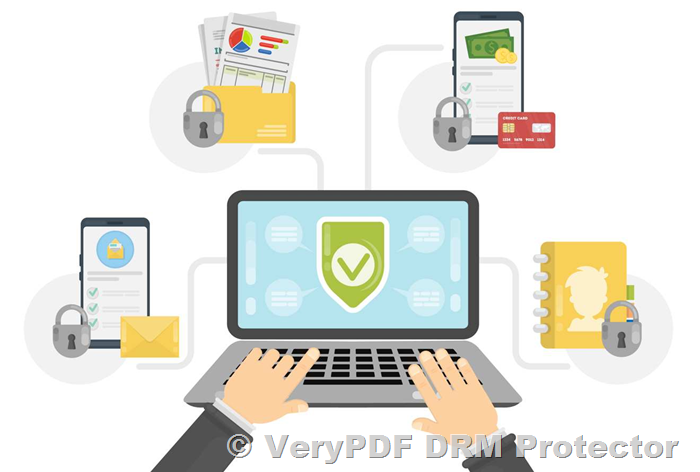
PDF anti-copy protection: protect PDF files from copying. How to Protect a PDF from Being Copied

PDF anti-copy protection refers to measures used to prevent unauthorized copying, printing, or extraction of content from a PDF document. These protections go beyond simple password-based security and typically involve encryption, Digital Rights Management (DRM), and specialized software that enforces access restrictions.

PDF anti-copy protection: protect PDF files from copying. How to Protect a PDF from Being Copied

Common PDF Anti-Copy Protection Techniques:
  1. Encryption & DRM – Secures PDFs with cryptographic protections, ensuring only authorized users can open them.
  2. Copy-Paste Restriction – Prevents users from selecting and copying text or images.
  3. Print Restriction – Blocks printing or only allows printing with watermarked copies.
  4. Anti-Screenshot Protection – Prevents screen capture tools from grabbing document content.
  5. Dynamic Watermarking – Embeds user-specific information (name, IP address, timestamp) to discourage sharing.
  6. Secure Viewing Environments – Requires specialized software or cloud-based access to control document usage.
  7. Remote Access Revocation – Allows document owners to disable access even after distribution.
Why Traditional Protections Are Weak:
  • Password protections can be removed using online tools.
  • Basic editing restrictions are bypassed with screen capture or retyping content.
  • Secure data rooms don’t stop screenshots or unauthorized sharing.

Using VeryPDF DRM Protector (as described in your document) is an effective way to implement strong, enforceable PDF anti-copy protections. Let me know if you need further details!

Why Most PDF Anti-Copy Protection Doesn’t Work

Many methods, such as copy-pasting, printing, and scanning, make it easy for users to duplicate PDF content. Traditional PDF security measures, like Adobe Acrobat’s permissions, do not use encryption and can be bypassed easily. Hackers can also extract text and images using PDF editing tools.

Why Adobe Acrobat Anti-Copy Protection is Ineffective

Adobe Acrobat relies on password-based permissions that can be removed instantly using online tools. Opening a PDF in applications like Google Drive or Microsoft Word can also override its restrictions. Furthermore, protected PDFs can often be printed to a new file, effectively stripping security settings.

The Problem with Secure Data Rooms & Online Web Viewers

Secure data rooms limit access to PDF documents, but they fail to prevent screenshotting and printing to an unprotected file. Browser-based solutions can be bypassed using scripts or plugins. Additionally, unauthorized users may use screen recording software to capture content, which completely circumvents online restrictions.

How to Make a PDF Not Copyable Permanently

The most effective way to protect a PDF from being copied is to use VeryPDF DRM Protector. Unlike traditional methods, this solution enforces strict document controls using encryption, DRM restrictions, and secure viewing software. It prevents unauthorized access, restricts copying, and adds tracking capabilities to monitor document usage.

Steps to Protect Your PDF Using VeryPDF DRM Protector
  1. Upload your PDF file to https://drm.verypdf.com/online/ and select “Make Secure PDF”.
  2. Choose your security settings, such as preventing printing and disabling copy-pasting.
  3. Apply additional controls like anti-screenshot measures, dynamic watermarks, and expiration dates.
  4. Set user access permissions, including time-limited viewing or device-based authentication.
  5. Publish your protected PDF and distribute it securely to authorized users via email or secure cloud storage.
Importance of Irremovable Watermarks

VeryPDF DRM Protector allows you to apply dynamic watermarks that cannot be removed. This ensures that if someone shares your document, their details remain embedded, deterring unauthorized distribution. Watermarks can include user information, timestamps, and access logs to provide an extra layer of security.

Advanced Features of VeryPDF DRM Protector
  • Offline Access Control: Restrict PDF access to specific devices, ensuring files are only opened in authorized environments.
  • Remote Document Revocation: Disable access to a document even after distribution, preventing misuse.
  • Document Expiry Dates: Set expiration dates for PDFs to ensure time-limited access.
  • Watermarking with User Data: Embed user details in watermarks to trace unauthorized sharing.
FAQs
How do I stop copy-pasting in a PDF?

Use VeryPDF DRM Protector, which prevents copying without relying on weak password-based security.

Can I protect a PDF from copying for free?

Yes, you can try VeryPDF DRM Protector for free online.

Does VeryPDF DRM Protector prevent screenshots?

Yes, it includes anti-screenshot technology to stop screen capture tools from copying your document. It also supports secure viewing environments that block screen recording software.

Can I prevent printing of a PDF?

Yes, simply uncheck the “Allow Printing” option when securing your PDF with VeryPDF DRM Protector. You can also apply print limitations, such as allowing only watermarked hard copies.

Does registering copyright stop a PDF from being copied?

No, but combining copyright registration with DRM protection ensures stronger security. Legal protection alone does not prevent unauthorized access or copying.

Can I prevent my signature from being copied?

Yes, by using VeryPDF DRM Protector to disable copy-pasting, printing, and screenshots. You can also add dynamic watermarking to protect sensitive signatures from unauthorized use.

Safeguarding Classified Information: How to Securely Protect Sensitive Data with VeryPDF DRM Protector

How to Securely Safeguard Classified Information

Classified information requires strict protection to prevent unauthorized sharing, copying, editing, and printing. VeryPDF DRM Protector provides an advanced solution to safeguard your documents with powerful encryption and DRM controls.

Safeguarding Classified Information: How to Securely Protect Sensitive Data with VeryPDF DRM Protector


How to Effectively Protect Classified Information and the Best Solution to Use

Ensuring the security of classified information is crucial in preventing unauthorized access, copying, editing, and distribution. Using VeryPDF DRM Protector, organizations can enforce strict restrictions on document usage, automatically revoke access when needed, and monitor document interactions to maintain security.

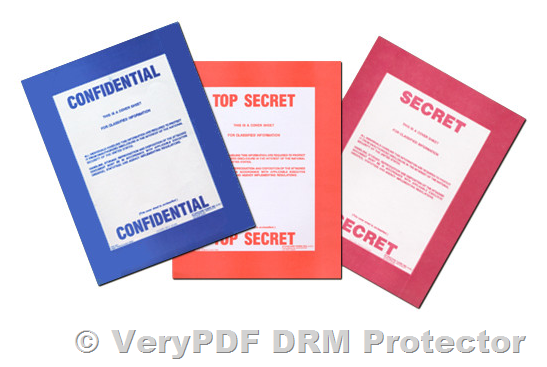
Understanding Classified Information

While classified information is often dramatized in movies, in reality, it consists of a broad range of sensitive documents that require controlled access. The classification system varies across organizations and governments, but it generally falls into three main categories:

Official Documents

Most classified materials fall under the “official” category. These include documents related to public sector operations, internal communications, service agreements, business contracts, and various production-related records. Although not top-secret, these documents require protection to prevent unauthorized disclosure.

Secret Documents

Secret documents contain sensitive information that, if exposed, could pose a risk to national security or economic stability. These may include military strategies, confidential international negotiations, or government policies that are not meant for public disclosure. These documents are often the target of cyber threats and espionage.

Top-Secret Documents

Top-secret documents represent the highest level of classified information. Their unauthorized release could cause immediate and severe harm to national security. Historical examples include intelligence reports from World War II, espionage records, and details about classified technological advancements.

Beyond these core categories, additional subcategories may exist, such as “official-secret” documents or those restricted to specific nationalities.

Challenges in Managing Classified Information

Managing classified documents is complex due to varying levels of access control. Possessing a top-secret clearance does not automatically grant unrestricted access to all top-secret materials—individuals must demonstrate a legitimate need to view specific documents.

Moreover, some documents contain mixed levels of classification, requiring sections to be permanently redacted. Classification levels can also change over time based on new developments, reassessments, or shifts in sensitivity.

To address these challenges, organizations need a robust solution that enforces granular access control, prevents unauthorized sharing, and allows dynamic security updates. VeryPDF DRM Protector provides a comprehensive approach to protecting classified documents by enabling organizations to enforce access policies, restrict actions such as copying and printing, and monitor document usage.

By implementing an effective digital rights management (DRM) solution, businesses and government entities can ensure that their classified information remains protected from unauthorized disclosure while allowing secure access to authorized personnel.

Protecting Information from Unauthorized Disclosure

Using VeryPDF DRM Protector, organizations can ensure strict document control, including encryption, DRM restrictions, and access revocation.

How VeryPDF DRM Protector Works

  1. Upload your PDF file to VeryPDF DRM Protector Online and select “Make Secure PDF”.
  2. Apply restrictions such as preventing copying, printing, and screenshots.
  3. Control user access through DRM policies.
  4. Set expiry dates or revoke access anytime.
  5. Monitor document activity and enforce security policies.

Key Features of VeryPDF DRM Protector

  • Strong AES 256-bit encryption for document security.
  • DRM controls prevent unauthorized copying and printing.
  • Remote access management and document expiry settings.
  • Lock documents to specific devices and locations.
  • Offline protection with secure USB access.

Frequently Asked Questions

What is classified information?

Classified information refers to sensitive data that must be protected from unauthorized access due to its security implications.

Why is Adobe Acrobat not secure for classified documents?

Adobe Acrobat relies on weak password-based encryption, which can be bypassed with various free tools. VeryPDF DRM Protector offers a more robust solution.

Can classified information be securely shared via email?

Yes, but it must be encrypted with strong security measures. VeryPDF DRM Protector ensures that sensitive documents remain protected even after transmission.

How does VeryPDF DRM Protector prevent unauthorized access?

It uses DRM restrictions, device-locking, and remote revocation to ensure only authorized users can view and interact with the document.

Can I try VeryPDF DRM Protector for free?

Yes! You can try VeryPDF DRM Protector for free online today and secure your important documents effectively.