Protect, View, and Secure Multiple File Formats with DRM: Why VeryPDF DRM Protector is the Best Choice

Digital Rights Management (DRM) is crucial for protecting confidential content in an age where information is easily shared, duplicated, and distributed. Many solutions claim to secure various file formats, but not all DRM systems are created equal. Some approaches may seem effective but leave vulnerabilities that compromise security. VeryPDF DRM Protector stands out as a reliable and robust solution that secures multiple file types without compromising functionality. With a free trial available online at VeryPDF DRM Protector, you can experience its advanced protection firsthand.
Protect, View, and Secure Multiple File Formats with DRM: Why VeryPDF DRM Protector is the Best Choice

The Challenges of Protecting Multiple File Formats with DRM

Various methods are used to apply DRM controls to content, each with its own strengths and weaknesses. Understanding these approaches can help you choose the most effective solution for your needs.

1. Custom Viewing Applications

One approach involves creating custom applications for each file type to maintain functionality while implementing DRM restrictions. However, reproducing the full functionality of software like Microsoft Excel or Adobe Photoshop is complex and costly.

2. Converting to a Secured Meta-Format

Another method converts different document types into a secure format, such as a DRM-protected PDF. This prevents further alterations and maintains security without reproducing the entire functionality of native applications. VeryPDF DRM Protector follows this reliable method, ensuring maximum protection.

3. Plug-ins for Native Applications

Some solutions rely on plug-ins or add-ins within existing applications. However, these are prone to security breaches, compatibility issues, and constant updates that may break functionality. Attackers can often exploit plug-ins by accessing underlying code, making this the least reliable option.

How Many File Formats Can Be Protected with DRM?

VeryPDF DRM Protector supports multiple file formats, ensuring comprehensive security for various types of digital content. Some of the key formats that can be protected include:

  • PDF – Secure and encrypt PDF files to prevent unauthorized access, copying, printing, and sharing.

  • Word Documents (DOC, DOCX) – Protect confidential reports, contracts, and other sensitive files.

  • Excel Spreadsheets (XLS, XLSX) – Prevent unauthorized modifications to financial reports and data sheets.

  • PowerPoint Presentations (PPT, PPTX) – Secure presentations from being altered or copied.

  • Text Files (TXT, RTF) – Protect textual data from unauthorized distribution.

  • Images (JPG, PNG, BMP, GIF, TIFF) – Secure image-based documents and prevent unauthorized reproduction.

With VeryPDF DRM Protector, you can confidently safeguard multiple file formats, ensuring that sensitive information remains protected across different document types.

Why VeryPDF DRM Protector is the Best Solution

VeryPDF DRM Protector offers a superior approach to DRM security, effectively handling multiple file types without the vulnerabilities of plug-ins or custom applications. Here’s why it stands out:

1. Secure Document Conversion

Instead of attempting to secure multiple native applications, VeryPDF DRM Protector converts files into a secure, protected format. This ensures unauthorized users cannot edit, copy, or print sensitive documents.

2. Seamless Online Protection

Unlike software that requires installation, you can use VeryPDF DRM Protector online. Simply upload your PDF file to VeryPDF DRM Protector and select ‘Make Secure PDF’ to protect your document instantly.

3. Cross-Platform Compatibility

VeryPDF DRM-protected files can be accessed across various operating systems, including Windows, macOS, Linux, and mobile devices, ensuring broad accessibility without compromising security.

4. Enhanced Security Features

With robust encryption, access control, and document tracking, VeryPDF DRM Protector offers industry-leading security. It prevents unauthorized sharing and protects intellectual property.

5. No Risk of Plug-in Vulnerabilities

Unlike plug-in-based DRM solutions, VeryPDF DRM Protector does not rely on third-party applications or extensions, eliminating the risk of security breaches through software updates or plug-in exploits.

Frequently Asked Questions (FAQs)

Q: Can I try VeryPDF DRM Protector for free? A: Yes! You can try it for free online at VeryPDF DRM Protector without any installation required.

Q: What file types does VeryPDF DRM Protector support? A: VeryPDF DRM Protector secures PDF and other popular document formats, converting them into a protected version that prevents unauthorized access.

Q: Does it work on mobile devices? A: Yes! The protected files can be accessed on Windows, macOS, Linux, and mobile devices.

Q: Can I edit a protected document? A: No. The goal of DRM protection is to prevent unauthorized editing, copying, or printing, ensuring the integrity and confidentiality of your content.

Q: How does it compare to other DRM solutions? A: Unlike other DRM solutions that rely on plug-ins or require costly custom applications, VeryPDF DRM Protector provides a secure, online solution without installation hassles.

Q: Does it support team collaboration? A: Yes! You can control who accesses your protected files and ensure secure document sharing among authorized users only.

Q: How do I protect my document? A: Simply upload your PDF to VeryPDF DRM Protector and select ‘Make Secure PDF’ to apply DRM protection instantly.

Conclusion: Secure Your Documents with VeryPDF DRM Protector Today

When choosing a DRM solution, security, compatibility, and ease of use should be top priorities. VeryPDF DRM Protector provides a superior approach to DRM protection, securing multiple file types without the vulnerabilities of plug-ins or native application dependencies. With a free trial available online at VeryPDF DRM Protector, you can protect your confidential documents effortlessly.

Start securing your files today with VeryPDF DRM Protector – the ultimate solution for document security and access control.
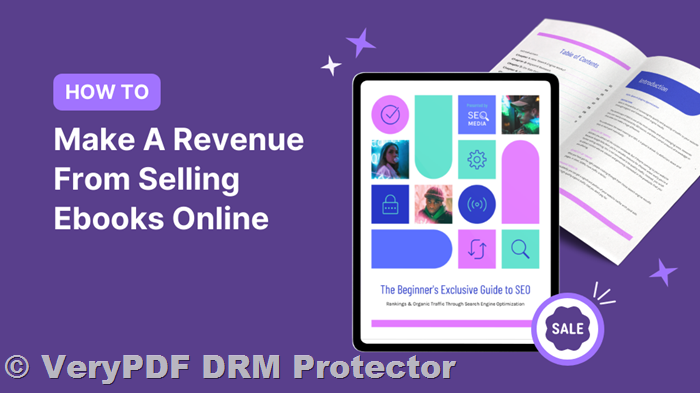
Securely Selling PDF Books, Documents, and Files Online with DRM Protection and Copy Prevention

The digital age has revolutionized how content is distributed and consumed. Selling PDF books, files, and documents online is now easier than ever, allowing businesses and individuals to reach a global audience while cutting down on costs associated with printing and distribution. However, this convenience comes with a significant challenge: protecting digital content from unauthorized sharing and piracy. This is where Digital Rights Management (DRM) comes into play.

Securely Selling PDF Books, Documents, and Files Online with DRM Protection and Copy Prevention

The Importance of DRM for PDF Protection

Digital Rights Management (DRM) provides a robust mechanism to protect PDFs from unauthorized copying, sharing, and printing. Without proper protection, digital files can be easily reproduced, leading to revenue loss and content misuse. The only way to ensure that your intellectual property remains secure is to apply strong DRM controls that prevent unauthorized access and distribution.

How VeryPDF DRM Protector Secures Your PDFs

VeryPDF DRM Protector offers a comprehensive solution to protect and sell PDF books, files, and documents online. The software ensures that your PDFs are encrypted and access is restricted to only authorized users. Some of its key security features include:

  • Encryption: Prevents unauthorized users from opening and viewing the document.

  • Device Locking: Ensures that the PDF can only be accessed on registered devices.

  • Copy Protection: Disables functions such as copy-paste, screen capturing, and selecting text.

  • Printing Restrictions: Allows you to prevent printing or apply dynamic watermarks to printed copies.

  • Access Revocation: Instantly revoke access to a PDF if a chargeback or refund request is made.

With these robust protections in place, you can confidently sell your digital products without the fear of piracy or unauthorized redistribution.

Steps to Secure Your PDFs with VeryPDF DRM Protector

Protecting your PDFs is a simple process with VeryPDF DRM Protector. Follow these steps to secure your content:

  1. Upload your PDF file to VeryPDF DRM Protector.

  2. Select ‘Make Secure PDF’.

  3. Customize your security settings – apply encryption, set printing permissions, and enable device locking.

  4. Download your protected PDF and distribute it securely to your customers.

This user-friendly platform ensures that even those without technical expertise can protect their digital files effectively.

Why Choose VeryPDF DRM Protector Over Other Solutions?

Unlike generic password-based PDF protection, VeryPDF DRM Protector goes beyond simple security measures to provide enterprise-level DRM features. Some key advantages include:

  • Stronger Security: Unlike password protection, which can be easily cracked, VeryPDF DRM Protector uses advanced encryption to lock down PDFs securely.

  • Watermarking Capabilities: Embed visible and hidden watermarks to deter unauthorized sharing.

  • Flexible Licensing Options: Restrict access based on time duration, number of devices, or user identity.

  • Easy Online Access: No need to install complex software; simply use the online DRM tool for free.

Additional Benefits of DRM for Digital Content Sellers
  1. Protect Revenue Streams: Prevent unauthorized redistribution and ensure that every user pays for access.

  2. Enhance Content Integrity: Ensure that your documents remain unaltered with embedded watermarks and encryption.

  3. Enable Time-Limited Access: Perfect for academic content, training materials, or subscription-based content.

  4. Improve Customer Trust: A secure distribution system reassures customers that they are receiving authentic content.

Common Questions About DRM Protection
1. Can users share protected PDFs with others?

No, PDFs secured with VeryPDF DRM Protector are encrypted and locked to authorized devices, preventing sharing.

2. Can I allow printing but prevent copying?

Yes, you can configure settings to allow printing while disabling text selection and copy-paste functionality.

3. What happens if a customer requests a refund or a chargeback?

You can revoke access instantly to prevent further use of the PDF file.

4. Can I try the DRM protection service for free?

Yes! You can try VeryPDF DRM Protector online for free at https://drm.verypdf.com/online/.

5. Is the DRM protection compatible with all devices?

Yes, you can set permissions to allow access on specific devices, including Windows, Mac, iOS, and Android.

6. How do I ensure my customers can access the PDFs while maintaining security?

You can issue unique licenses for each user and restrict access based on email, device ID, or IP address.

7. Can I watermark my PDFs with customer details?

Yes, you can embed dynamic watermarks that display the user’s name, email, or other identifying details.

8. What if someone tries to take a screenshot?

VeryPDF DRM Protector includes anti-screenshot technology to block screen capturing tools.

9. Do I need to install any software?

No installation is required. Simply use the online DRM protection tool to secure your PDFs.

10. Can I set expiration dates on PDF access?

Yes, you can configure access to expire after a specific period, making it ideal for subscription-based content.

Conclusion

Selling PDF books, files, and documents online is a great way to monetize digital content, but security concerns must be addressed to prevent unauthorized distribution. VeryPDF DRM Protector provides a powerful and easy-to-use solution to secure your PDFs, ensuring that only paying customers can access your content.

With features like encryption, device locking, watermarking, and access revocation, VeryPDF DRM Protector is the best choice for safeguarding your digital intellectual property. Try it for free today at https://drm.verypdf.com/online/ and protect your PDFs from unauthorized sharing and misuse.

Document Expiry Using DRM Controls: How to Use DRM to Control Document Expiry in PDFs and Other Formats

In the modern digital landscape, the protection of intellectual property and confidential information has become a critical concern. Whether it’s a book, research report, financial statement, or corporate documentation, ensuring that these documents are used only as intended is a priority. This is where Digital Rights Management (DRM) technology comes into play, offering powerful tools to control how documents are accessed, used, and even when they expire.

Document expiry using DRM controls is a key feature for content owners who want to set specific limitations on the lifespan of their documents. VeryPDF DRM Protector offers a solution that empowers document owners to restrict access based on predefined expiration conditions. Whether you want your documents to self-destruct or simply become inaccessible after a set time, DRM is the most effective way to manage document expiration.

Document Expiry Using DRM Controls: How to Use DRM to Control Document Expiry in PDFs and Other Formats

Why Use DRM to Expire Documents?

The reasons for wanting documents to expire can vary widely across industries. Below are some of the most common scenarios where document expiry via DRM is essential:

1. Unauthorized Access Prevention

One of the most common industrial requirements is to ensure that sensitive documents don’t end up in the wrong hands. DRM can be used to enforce strict access control, ensuring that only authorized individuals can view, copy, or distribute a document. If a document is accessed from an unauthorized location, it can be made to expire immediately, preventing further access.

2. Documents with Fixed Lifespans

Many documents are created with a specific, limited timeframe in mind. For example, internal reports, proposals, and tax-related files may only be relevant for a certain period. In such cases, DRM allows content owners to set an expiration date, ensuring the document is no longer accessible after the relevant period has passed. This helps maintain control over the document’s distribution and usage.

3. Evaluation and Preview Documents

If a document is being sent out for evaluation or preview, it’s common to impose restrictions. For example, market reports, research papers, or product specifications may be shared with potential buyers or clients but need to expire after a certain time or usage. DRM provides a way to enforce these conditions, ensuring that recipients cannot access the document beyond the allowed evaluation period.

4. Limited Rights for Specific Actions

In some cases, documents are shared with limited rights, such as only permitting one print copy. With DRM, you can enforce these restrictions and cause the document to expire once the specific right is exercised, such as once the document has been printed. This level of control is particularly useful for organizations that need to track how their documents are used and prevent unauthorized distribution.

5. Geolocation-Based Expiry

Geolocation is another effective way to restrict access to sensitive documents. For example, data protection regulations in the EU prevent the export of personal or sensitive data outside of certain regions. DRM can be set up to ensure that documents become unavailable if accessed from an unauthorized location, protecting sensitive information from being exposed to regions where it shouldn’t be shared.

How DRM Works to Expire Documents

Using DRM to expire documents involves a combination of time-based, location-based, and rights-based controls. Let’s explore these mechanisms in more detail:

1. Time-Based Expiry

With time-based expiry, documents can be set to expire after a certain number of days, hours, or upon a specific date. This is particularly useful when distributing documents for evaluation or time-sensitive use. For example, a report can be available to a recipient for only 14 days after it is first opened. Once the time limit is reached, the document will automatically expire, and the recipient will no longer be able to access it.

2. Rights-Based Expiry

Another powerful feature of DRM is the ability to set expiry conditions based on the rights exercised by the user. For instance, a document might allow the user to print it only once. Once the print action is taken, the document can automatically expire, preventing further actions like copying or redistributing the file.

3. Geolocation-Based Expiry

By leveraging geolocation, DRM allows the document to expire or become unavailable when accessed from unauthorized countries or regions. This is particularly useful for complying with data protection regulations and ensuring that sensitive information is not accessed outside of approved locations.

4. Self-Destruction and Remote Expiry

In certain cases, content owners may want their documents to self-destruct or expire remotely. While some ideas propose deleting documents when they are accessed in unlicensed environments, this approach can cause confusion and loss of productivity. Instead, DRM focuses on ensuring that unauthorized users simply cannot access the document, effectively rendering it “expired” without causing disruption.

How to Protect Your PDF Documents Using DRM

Protecting your PDF files and enforcing expiry conditions can be done with ease using VeryPDF DRM Protector. This software offers comprehensive control over your document’s lifespan, ensuring that it expires when and how you want it to.

To get started, simply upload your PDF file to VeryPDF’s DRM Protector online tool and select the option to “Make Secure PDF.” This action will allow you to set expiration dates, apply location-based access restrictions, and impose other usage limitations.

With VeryPDF DRM Protector, you can:

  • Set expiration dates for when your PDF document becomes unavailable.
  • Enforce access control based on geographical location.
  • Limit the number of views or print actions a user can take.
  • Ensure the document expires after a fixed period, preventing unauthorized access.

Best of all, you can try VeryPDF DRM Protector for free by visiting their online tool, giving you a chance to experience its robust DRM features without any commitment.

Key Benefits of Using VeryPDF DRM Protector
  • Complete Control Over Document Expiry: Set expiration dates, access limits, and rights restrictions with ease.
  • Geolocation-Based Access Control: Ensure your documents remain secure and compliant with regional regulations.
  • User-Friendly Interface: Easily upload and protect your documents without requiring advanced technical knowledge.
  • Free Trial: Try VeryPDF DRM Protector for free online before deciding to make a purchase.
FAQs
1. What is DRM?

DRM (Digital Rights Management) is a technology used to control how digital content is accessed and used, such as restricting copying, printing, or sharing.

2. Why should I expire my documents?

Expiring documents ensures that sensitive information is not available longer than necessary, protecting intellectual property and complying with legal or regulatory requirements.

3. Can I extend the expiration date of a document?

Yes, VeryPDF DRM Protector allows you to update expiration dates and other settings as needed, ensuring flexibility in managing document access.

4. Can I expire a document based on the number of views?

Yes, with VeryPDF DRM Protector, you can set documents to expire after a certain number of views, ensuring that they are not available beyond the intended usage.

5. How does geolocation-based expiry work?

Geolocation-based expiry ensures that a document becomes unavailable if accessed from an unauthorized location, helping to prevent data leakage and comply with data protection laws.

Conclusion

Using DRM to expire documents is an essential tool for managing sensitive content. VeryPDF DRM Protector offers a simple yet effective way to enforce document expiration, providing the necessary control to keep your files secure. By setting up time-based, rights-based, or location-based expiry, you can ensure your documents are only accessible under the conditions you set, all while maintaining a seamless experience for your users. Try it for free online and experience the power of DRM for yourself!

Add Permanent Watermark to PDF Documents with recipient name

Document security is a growing concern, especially for businesses and individuals handling sensitive information. Whether it’s confidential reports, contracts, intellectual property, or business documents, protecting your PDF files from unauthorized sharing or copying is crucial. One effective way to achieve this protection is by adding watermarks to your documents. VeryPDF DRM Protector offers a robust and easy-to-use solution for adding dynamic and static watermarks to your PDFs, ensuring that your documents are safeguarded from unauthorized distribution and alteration.

Add Permanent Watermark to PDF Documents with recipient name

What Is a Watermark?

A watermark is a visible or invisible design, text, or pattern placed on a document, image, or other media to identify ownership, prevent unauthorized duplication, and maintain content authenticity. Watermarks are commonly used in both physical and digital documents for security purposes, and they can either be static or dynamic.

  • Static Watermarks: These remain the same across all copies of the document and are used to assert ownership, copyright, or authenticity. Static watermarks do not change, regardless of who opens or prints the document.

  • Dynamic Watermarks: These are more sophisticated and display information that varies depending on the user, such as the recipient’s name, email address, or a unique identifier. Dynamic watermarks act as a deterrent for illegal distribution because they can trace the document back to the specific individual who received it.

Why Should You Use Watermarks on Your PDFs?

Watermarks serve a multitude of purposes, particularly when dealing with sensitive or confidential documents. The main reasons to use watermarks include:

  1. Prevent Unauthorized Copying: By adding a watermark to your PDF documents, you make it difficult for someone to share or duplicate the document without leaving traces of its original owner or recipient.

  2. Verify Document Authenticity: A watermark can be used to validate that a document is legitimate and hasn’t been altered. This is especially important for legal, financial, or business-related documents where authenticity is paramount.

  3. Deter Theft and Unlawful Distribution: Watermarks act as a deterrent for individuals who might attempt to steal or share your confidential documents without permission. For dynamic watermarks, including the recipient’s name and email address on each document, makes the possibility of theft traceable.

  4. Ensure Copyright Protection: If you’re a content creator, adding a watermark to your PDF documents helps protect your intellectual property. By embedding copyright information, you make it easier to identify the origin of the document and protect it from infringement.

  5. Track Altered Documents: Watermarks also help in identifying if a document has been altered. If someone attempts to modify the document, the watermark can reveal the manipulation, as it is embedded into the document’s content.

How VeryPDF DRM Protector Helps You Add Watermarks

VeryPDF DRM Protector is a powerful software designed to protect PDF documents using Digital Rights Management (DRM) technology. One of the standout features of this software is its ability to add both static and dynamic watermarks to PDF files.

To get started with VeryPDF DRM Protector, you don’t need to download any software—simply upload your PDF file online for protection at https://drm.verypdf.com/online/. Here’s how you can securely add watermarks to your PDF:

  1. Upload Your PDF: Visit https://drm.verypdf.com/online/ and upload your PDF document.
  2. Select ‘Make Secure PDF’: After uploading your file, click on the option to ‘Make Secure PDF’ to initiate the watermarking process.
  3. Choose Your Watermark Type: You can choose to add a visible watermark that includes the recipient’s name or other personalized information, making it easy to trace the document back to the specific user.
  4. Apply DRM Protection: VeryPDF DRM Protector will apply the watermark along with additional security features such as preventing screenshots, printing, and editing.

This process is simple, and the protection is effective, ensuring that your document remains secure from unauthorized modifications and distribution.

Advantages of Using VeryPDF DRM Protector for Watermarking

1. Dynamic Watermarking for Enhanced Security: VeryPDF DRM Protector supports dynamic watermarking, which allows you to insert personalized details such as the recipient’s name, email address, or timestamp. This adds a layer of security that not only protects the document but also traces it back to the authorized user.

2. No Need for Passwords: Unlike traditional DRM solutions that rely on passwords, VeryPDF DRM Protector uses encryption and watermarking to secure your documents. This means there are no passwords to hack or compromise.

3. Screen Grabbing Prevention: One of the biggest concerns with digital documents is the ability for someone to take a screenshot and share it. VeryPDF DRM Protector prevents screen grabs, ensuring that your document’s content cannot be captured easily by unauthorized users.

4. Document Integrity: Protected documents cannot be modified, ensuring the integrity of the content. If someone attempts to alter the document, the watermark will reveal the tampering.

5. Secure Printing: If users are authorized to print the document, VeryPDF DRM Protector ensures that printed versions also carry the watermark, which discourages photocopying.

FAQs About Watermarking and DRM Protection

Q1: Why should I watermark my documents? Watermarking is especially important for sensitive or confidential documents. It helps protect intellectual property, ensures document authenticity, and deters unauthorized copying and distribution.

Q2: Can I remove a watermark from my document? With VeryPDF DRM Protector, removing a watermark is not possible unless the document is printed and scanned. Even then, tampering with the watermark is likely to leave traces, making it easier to identify fraudulent copies.

Q3: How do I add a watermark to a Word document? The most secure way to add a watermark to a Word document is to convert it to a PDF and then apply DRM protection using VeryPDF DRM Protector. This prevents the watermark from being easily removed.

Q4: Is watermarking effective against piracy? Yes, watermarking, especially when combined with DRM protection, is a powerful method to deter piracy. Dynamic watermarks are particularly effective, as they trace the document back to the specific recipient.

Q5: How do I add dynamic watermarks to my documents? Using VeryPDF DRM Protector, dynamic watermarks are automatically inserted into your PDF files based on the user’s information (name, email, date, etc.) when the document is viewed or printed.

Q6: Can I watermark my document for free? Yes, you can try VeryPDF DRM Protector for free online at https://drm.verypdf.com/online/. This allows you to experiment with document watermarking and DRM protection without any commitment.

Conclusion

Protecting your PDF documents with watermarks is a simple yet effective way to deter unauthorized copying, sharing, and modification. VeryPDF DRM Protector provides a secure and easy solution for adding dynamic and static watermarks to your PDF files, offering enhanced security and peace of mind. Whether you need to secure sensitive business documents or protect intellectual property, VeryPDF DRM Protector ensures that your documents remain safe and traceable.

Why VeryPDF DRM Protector is the Best Solution for Document Security and Offline Access DRM Protection

In today’s digital world, protecting sensitive and confidential information is a priority. With the rise in cyber threats and data breaches, it has become essential for businesses and individuals to secure their documents in a way that ensures both protection and ease of access. One of the most effective ways to protect PDF documents from unauthorized access and distribution is through Digital Rights Management (DRM). Among the many DRM solutions available, VeryPDF DRM Protector stands out for its unique approach to document security, offline access, and simplicity. Let’s dive into the details of what makes VeryPDF DRM Protector a superior choice for document protection and why you should consider using it for your PDF files.

Why VeryPDF DRM Protector is the Best Solution for Document Security and Offline Access DRM Protection

What is DRM and Why is It Important?

Digital Rights Management (DRM) refers to a set of technologies used to control access to digital content. In the case of PDF documents, DRM protects the file from being copied, edited, or shared without the document owner’s permission. DRM ensures that only authorized users can access the document under the terms set by the document’s creator or publisher. For businesses, DRM provides a way to protect intellectual property, prevent piracy, and ensure that sensitive information remains secure.

One key feature of DRM protection is the ability to control how a document is accessed, read, printed, or shared. However, not all DRM solutions are created equal. Some solutions require constant internet access to authenticate documents, which can be inconvenient, especially in situations where offline access is necessary.

VeryPDF DRM Protector: Offline Document Protection

The VeryPDF DRM Protector stands out by offering offline protection for documents. Traditional DRM systems, like Adobe LiveCycle, require an internet connection to verify the user’s license and authenticate access to protected documents. This means that, in some cases, users may not be able to access the documents they’ve purchased or are authorized to use unless they are online.

However, VeryPDF DRM Protector takes a different approach. When you protect a PDF with VeryPDF DRM Protector, the document requires an online license verification only the first time it is opened. After that, users can continue to access the document offline without needing to connect to a server again, as long as they don’t delete their licenses or make major system changes like reinstalling their operating system.

This flexibility makes VeryPDF DRM Protector a great choice for users who need access to protected documents without worrying about a constant internet connection. Whether you are traveling, working in an area with no internet access, or simply prefer not to be tied to an online authentication process, VeryPDF DRM Protector ensures that your documents remain accessible while still being fully protected.

The Process of Protecting PDFs with VeryPDF DRM Protector

Using VeryPDF DRM Protector is incredibly easy. If you want to protect your PDF documents, simply follow these steps:

  1. Upload your PDF file to https://drm.verypdf.com/online/.
  2. Select the option labeled “Make Secure PDF” to apply DRM protection to your document.
  3. Choose the DRM controls you want to apply, such as preventing printing, restricting copying, or enforcing a password to open the file.
  4. Download your newly protected PDF document.

It’s that simple! VeryPDF DRM Protector provides an intuitive and user-friendly platform that allows you to secure your documents in just a few minutes. The best part? You can try it for free online at https://drm.verypdf.com/online/, giving you a risk-free opportunity to experience its features before making a decision.

The Safeguard Portable Feature: Offline Document Access on USB Sticks

For businesses or individuals working in highly sensitive environments, VeryPDF DRM Protector offers Safeguard Portable, a solution that enables complete offline document protection and access using a USB stick. This is ideal for industries where an internet connection may not be available or is deemed operationally unacceptable, such as in banking or military applications.

With Safeguard Portable, you can load both your protected documents and a secure PDF viewer onto a USB stick. The document and the security travel together, ensuring that as long as you have the USB stick, the document remains protected and accessible. Furthermore, the USB stick can be password-protected for additional security in case it falls into the wrong hands.

What makes this solution even more secure is that copying the files to another USB drive does not work, ensuring that the document can only be accessed on the original USB stick. This level of security provides peace of mind, knowing that your documents are safe, even in the most highly regulated or sensitive environments.

Why Choose VeryPDF DRM Protector?

There are several reasons why VeryPDF DRM Protector is the go-to choice for document security:

  1. Offline Access: Unlike other DRM solutions, VeryPDF DRM Protector offers complete offline access to protected documents after the initial license verification. This flexibility is perfect for users who need access to their documents without being tied to an internet connection.

  2. Ease of Use: The platform is intuitive and user-friendly, requiring no complicated installation or configuration. Simply upload your document, choose your desired security settings, and you’re ready to go.

  3. Customizable Security Controls: With VeryPDF DRM Protector, you have full control over the level of protection you apply to your documents. Whether you want to prevent printing, copying, or viewing after a certain period, the choice is yours.

  4. Portable Security: The Safeguard Portable feature ensures that sensitive documents can be securely accessed and transported on a USB stick, making it ideal for highly secure environments.

  5. Privacy Focused: Unlike some other DRM providers, VeryPDF DRM Protector does not collect user profiling data or require users to connect to a server after the initial license verification, ensuring that your documents remain private and secure.

  6. Free Trial: You can try the service for free online at https://drm.verypdf.com/online/, allowing you to test the features before committing.

FAQs About VeryPDF DRM Protector

1. How does the offline access work with VeryPDF DRM Protector?
After the initial verification online, you can access the protected document offline as long as you don’t delete your license or make major system changes.

2. Can I apply DRM protection to multiple PDF files at once?
Yes, you can protect multiple PDF documents by uploading them to the platform and applying the desired security settings to each file.

3. Is there any limit to how many times a document can be accessed offline?
No, once the document is authenticated, you can access it offline without any limits unless you delete the license or make significant system changes.

4. What happens if I lose my USB stick containing the protected document?
If you are using Safeguard Portable, you can protect your USB stick with a password. However, if the USB stick is lost and not password-protected, the document remains inaccessible to anyone who does not have the proper license.

5. Can I remove DRM protection from a PDF after applying it?
No, once DRM protection is applied to a document, it cannot be undone unless you have access to the original, unprotected version.


In conclusion, VeryPDF DRM Protector provides a robust and user-friendly solution for protecting sensitive documents, ensuring both online and offline access. Its customizable security features, offline accessibility, and focus on privacy make it an ideal choice for businesses and individuals looking to safeguard their confidential files. Visit https://drm.verypdf.com/online/ today to try it for free and experience the ease and power of VeryPDF DRM Protector for yourself.