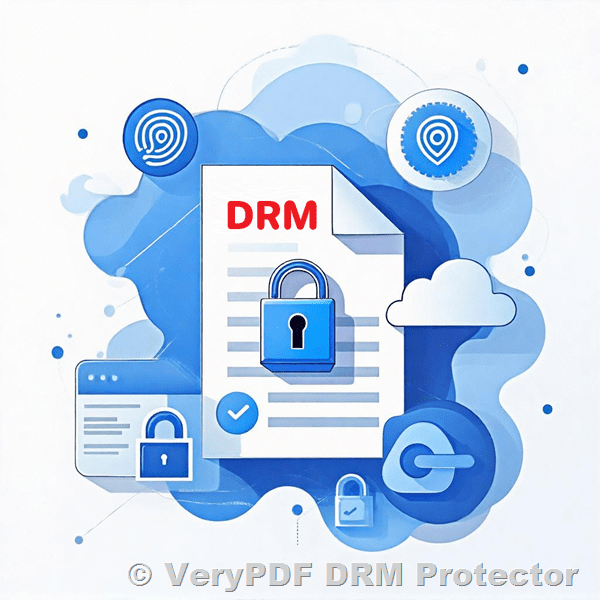
Ensure PDF brochures and marketing materials cant be reused or rebranded by unauthorized resellers

How to Stop Unauthorized Resellers from Reusing Your PDF Brochures and Marketing Materials

Every time I sent out a batch of PDF brochures for a new product launch, I worried they’d end up in the wrong hands. The last thing I wanted was some reseller taking our marketing materials, slapping their own logo on them, and passing them off as their own. If you’ve been there, you know how frustrating it is to lose control over your brand and content.

Ensure PDF brochures and marketing materials cant be reused or rebranded by unauthorized resellers

That’s where VeryPDF Security Enterprise DRM came in and changed the game for me. It’s a robust digital rights management tool that locks down PDFs so tight, no one can reuse or rebrand your marketing materials without your say-so. Let me walk you through how it helped me keep my PDF brochures safe and why it’s worth considering if you’re handing out any digital content.

Why Protecting PDF Brochures Matters (And Why DRM is the Answer)

In today’s digital world, PDFs are the go-to format for marketing materials, brochures, training manuals, and more. They’re easy to share, look professional, and work across devices. But that convenience comes with a big risk anyone with a copy can:

  • Copy your content and reuse it elsewhere

  • Print and distribute it without your permission

  • Share it with competitors or unauthorized resellers

  • Remove your branding and rebrand it as their own

I’ve seen it happen firsthand with marketing teams losing hours chasing down these issues, and sales taking a hit because prospects get confused by conflicting versions. Digital Rights Management (DRM) is the solution here, giving you control over who sees your PDFs and what they can do with them.

How VeryPDF Security Enterprise DRM Saved My Sanity

When I discovered VeryPDF Security Enterprise DRM, I was initially sceptical. There are plenty of PDF protection tools out there, but they either complicated things or didn’t offer the granular control I needed. This tool, though? It ticks all the boxes without overcomplicating the process.

What is VeryPDF Security Enterprise DRM?

It’s a cloud-based and locally deployable software that encrypts your PDF files and lets you set rules for access, copying, printing, forwarding, and more. It’s designed for anyone who distributes valuable digital content and wants to keep it locked down, including:

  • Marketing teams protecting brochures

  • Publishers securing eBooks and reports

  • Training organisations sharing confidential materials

  • Legal and financial firms handling sensitive documents

Key Features That Make a Difference

1. Advanced Access Controls

You can restrict PDFs to specific devices, user accounts, or even limit how many times a file can be opened. For example, I set device limits so a PDF brochure can only be opened on the authorised user’s laptop and phone no forwarding allowed.

2. Dynamic Watermarking

One of my favourite features is the dynamic watermark that stamps user info on every page, like their email or IP address. This instantly discourages leaks because it’s easy to trace who shared the document if it ends up online.

3. Printing and Copy Restrictions

You can block printing and copying altogether, or allow limited prints with a watermark. This flexibility saved me when some clients needed physical copies but I wanted to ensure the printouts were still trackable and protected.

4. Expiry and Geo-Blocking

You can set expiration dates on your PDFs, so outdated brochures can’t be circulated indefinitely. Plus, the geo-blocking lets you restrict access by country perfect for international campaigns where you want to control regional distribution.

Real-World Use Case: How I Secured Our Marketing PDFs

Here’s how I used VeryPDF DRM in a recent product launch:

  • Created PDF brochures and uploaded them to the VeryPDF portal.

  • Set user permissions to only allow sales teams and verified partners to access the files.

  • Enabled dynamic watermarks with user details so any leaks would be traceable.

  • Limited the number of devices per user and blocked printing to avoid physical copies falling into the wrong hands.

  • Applied expiry dates aligned with the campaign timeline, so the PDFs automatically became inaccessible after the launch ended.

The impact? No more unauthorised use or rebranding. Sales reps could access the latest materials easily, and marketing retained full control.

Why VeryPDF Beats Other DRM Tools

I’ve tested other solutions before, including big names like Adobe DRM, but here’s why VeryPDF stands out:

  • Lightweight and fast: No need for heavy software installations or complicated plugins. Users open PDFs in their browsers or via a secure portal.

  • Flexible deployment: Cloud or on-premises options mean you can choose what fits your infrastructure.

  • Cost-effective: Compared to big players, VeryPDF offers a permanently free trial and lower costs without skimping on features.

  • Developer-friendly: Great API and integration support if you want to connect it to your CRM, LMS, or membership sites.

  • Global reach: Multilingual support and geo-restrictions make it perfect for international businesses.

In Summary: Why I Recommend VeryPDF Security Enterprise DRM

If you distribute PDF brochures, reports, or any digital marketing materials, VeryPDF Security Enterprise DRM is your best bet for preventing unauthorized reuse or rebranding.

It’s straightforward, powerful, and gives you peace of mind knowing your content is locked down but still accessible to the right people.

I’d highly recommend this tool to any marketing or sales team that deals with large volumes of PDFs and needs to protect their brand.

Click here to try it out for yourself: https://drm.verypdf.com/

Start your free trial now and secure your digital content before it slips through the cracks.


Custom Development Services by VeryPDF

VeryPDF also offers custom development services tailored to your unique needs. Whether you want to enhance PDF security on Linux, Windows, macOS, or mobile platforms, they have you covered.

Their expertise includes:

  • Developing Windows Virtual Printer Drivers for generating PDF, EMF, and image formats.

  • Creating tools to monitor and intercept print jobs across Windows printers, converting them into PDF, TIFF, JPG, and more.

  • Implementing system-wide hook layers to monitor Windows API calls, including file access.

  • Building barcode recognition, OCR, and layout analysis tools for scanned documents.

  • Integrating digital signature and DRM technologies for maximum content protection.

You can reach out to VeryPDF’s support team to discuss your project needs and get a custom solution that fits your workflow perfectly: http://support.verypdf.com/


Frequently Asked Questions (FAQ)

Q1: Can VeryPDF Security Enterprise DRM prevent unauthorized printing of PDFs?

Yes, it allows you to restrict or completely block printing. You can also enable watermarked prints to track distribution if printing is allowed.

Q2: Is it possible to set an expiry date on PDF access?

Absolutely. You can set automatic expiry dates so PDFs become inaccessible after a certain period.

Q3: Can I restrict PDF access to certain countries?

Yes, geo-blocking features let you allow or block access based on users’ IP addresses and locations.

Q4: How does the dynamic watermark work?

It automatically adds user-specific information like email or IP address to every page of the PDF, discouraging unauthorized sharing.

Q5: Does this DRM solution integrate with other business systems?

Yes, VeryPDF Security Enterprise DRM supports integration via REST APIs with LMS, CRM, AMS, eCommerce, and other systems.


Tags/Keywords

  • PDF brochure protection

  • Prevent PDF reuse

  • Digital rights management for PDFs

  • Secure marketing materials PDF

  • PDF DRM software

  • Protect PDF from unauthorized resellers

  • PDF content control software


If you want to keep your PDFs safe from sneaky resellers or accidental leaks, VeryPDF Security Enterprise DRM is a solid choice. It’s the tool I trust to lock down our digital content while keeping it easy for the right people to use. Give it a spin you won’t look back.

How to distribute sensitive PDF content securely without passwords or vulnerable email attachments

How to distribute sensitive PDF content securely without passwords or vulnerable email attachments

Every time I had to send sensitive PDFs to clients or colleagues, I felt like I was playing a risky game. Passwords would get lost or shared around, attachments could be intercepted, and tracking who accessed what was nearly impossible. The worst part? All this hassle still left me wondering if my documents were truly safe. If you’re nodding along, trust meyou’re not alone.

How to distribute sensitive PDF content securely without passwords or vulnerable email attachments

That’s why when I discovered VeryPDF Security Enterprise DRM, it changed how I handle confidential PDF content completely. This isn’t just another “lock your file with a password” toolit’s a full-on digital rights management powerhouse that lets you distribute sensitive PDFs securely without the usual headaches.

Why traditional PDF protection isn’t enough

Let’s be real. Password-protecting PDFs or sending them as email attachments is the bare minimum these daysand honestly, it’s not enough to stop determined snoopers or accidental leaks. Passwords get forwarded, emails get hacked, and once the file is out there, it’s almost impossible to control what happens next.

That’s where VeryPDF Security Enterprise DRM shines. It’s built for people who need serious control over their digital content think educational institutions sharing exam papers, legal teams exchanging confidential contracts, or publishers distributing exclusive reports.

What is VeryPDF Security Enterprise DRM?

At its core, this software is a digital rights management (DRM) solution designed specifically for PDFs. It doesn’t just slap a password on your file; it encrypts your documents with military-grade AES encryption and wraps them in layers of control to protect your intellectual property at every turn.

You can decide exactly who can open your PDFs, on what device, for how long, and what they can do once inside. And it’s all managed seamlessly through an easy-to-use portal or integrated with your existing systems.

Key features that made a real difference for me

Here are a few game-changing features I’ve personally tested and why they stood out:

  • Dynamic Watermarking

    I used to worry about leaks even after sharing files. This feature adds user-specific watermarks on documents dynamically, so if anyone tries to screenshot or share, you know exactly who was responsible. It’s like having a built-in fingerprint on every page.

  • Device and Access Limits

    I set limits on how many devices a user can open a document on and even restricted access to certain IP addresses and countries. This made a huge difference when sharing sensitive training materials with international teams.

  • Expiry and Offline Controls

    Some documents need to be available offline, but only for a limited time. VeryPDF lets you set expiry dates and offline viewing limits. For me, this meant clients could work on their documents anywhere without compromising security.

  • Print and Copy Restrictions

    Unlike other tools that either allow everything or nothing, VeryPDF lets you customise permissions. I could let trusted users print but block copy-pasting, or vice versa. This flexibility was crucial for our different use cases.

  • User-Friendly Access

    End users don’t need to install any clunky software. They open protected PDFs in their browsers or a secure portal, no plugins required. This made adoption a breeze across all departments.

How I integrated VeryPDF DRM into my workflow

We have a ton of sensitive documents moving around legal contracts, financial reports, training manuals. Before, we sent PDFs through email or shared drives, always worried someone might leak info accidentally or deliberately.

Since switching to VeryPDF Security Enterprise DRM:

  • I upload content to the DRM portal and organise it by project or department.

  • Assign users and set their access permissions, device limits, expiry dates, and watermark settings.

  • Share a secure link with recipients instead of attachments.

  • Track exactly who opened what, when, and where through the built-in analytics dashboard.

This setup cut down our security worries drastically. I even caught a user trying to access content outside approved regions a red flag we’d have missed without this system.

How does it stack up against other DRM tools?

I’ve tried other DRM solutions before some were clunky, others overpriced, and many complicated to deploy. Compared to big players like Adobe DRM:

  • VeryPDF is much lighter and easier to get started with.

  • Pricing is transparent with a free unlimited online trial so you’re not locked in blindly.

  • The dynamic, granular controls give you flexibility you don’t find in many competitors.

  • Integration via REST APIs means you can plug it into your existing LMS, CRM, or eCommerce systems effortlessly.

This means you get enterprise-grade security without the usual overheads or complexity.

Who benefits most from VeryPDF Security Enterprise DRM?

Honestly, anyone who needs to keep their PDF content under tight control but still share it efficiently will find this tool invaluable. Here’s a quick rundown of who I think will get the most from it:

  • Educational institutions: Professors and schools protecting exam papers and course materials.

  • Publishers and content creators: Secure eBooks, reports, and exclusive content.

  • Legal and government: Confidential contracts, reports, and official docs.

  • Training and corporate: Internal manuals, financial data, and employee learning content.

  • Film & entertainment: Scripts and media assets that mustn’t leak.

If you’re responsible for confidential PDFs and want to avoid the risks of password sharing and unsafe attachments, this is for you.

Wrapping it up: Why I recommend VeryPDF Security Enterprise DRM

In my experience, VeryPDF Security Enterprise DRM removes the guesswork and constant worry out of distributing sensitive PDF content.

It’s not just a tool, it’s a full system that:

  • Protects your intellectual property with top-level encryption.

  • Gives you precise control over who accesses your files and what they can do.

  • Tracks every interaction, so you know your content is safe.

  • Makes it easy for your users with no clunky installs or confusing steps.

If you deal with confidential PDF content regularly, I’d highly recommend giving this a serious look.

Start your free trial now and boost your document security: https://drm.verypdf.com/


Frequently Asked Questions (FAQs)

Q1: Can I restrict PDF access to certain countries or IP addresses?

Yes, VeryPDF Security Enterprise DRM allows you to block or permit access based on IP addresses and geographical locations.

Q2: Do users need to install software to view protected PDFs?

No, end users can open protected documents directly in their browsers or through a secure portal with no plugins required.

Q3: Is it possible to track who accessed my documents and when?

Absolutely. The software provides detailed analytics including user activity, access times, and locations.

Q4: Can I set expiry dates on my PDF documents?

Yes, you can configure documents to expire after a certain date or after a set number of opens.

Q5: Does VeryPDF offer custom integration options?

Yes, it supports REST APIs for integration with LMS, CRM, eCommerce, and other business systems.


Tags / Keywords

  • VeryPDF Security Enterprise DRM

  • Secure PDF distribution

  • DRM for PDFs

  • Protect sensitive PDF content

  • Digital rights management for documents

  • PDF access control

  • PDF document security


Custom Development Services by VeryPDF

VeryPDF provides bespoke development services tailored to your unique technical challenges. Whether you need specialised PDF processing utilities for Linux, macOS, Windows, or server environments, their expertise covers a broad spectrum of technologies.

Services include development with Python, PHP, C/C++, Windows API, Linux, Mac, iOS, Android, JavaScript, C#, .NET, and HTML5. VeryPDF can craft Windows Virtual Printer Drivers that output PDF, EMF, and image formats, alongside advanced tools to capture and monitor print jobs from all Windows printers, saving them as PDF, EMF, PCL, Postscript, TIFF, or JPG files.

They also specialise in system-wide and app-specific hook layers to monitor Windows API calls, including file access functions, and provide deep document format analysis, barcode recognition, OCR, table recognition, and much more. For cloud needs, VeryPDF offers document conversion, viewing, digital signatures, DRM protection, font technologies, and printing solutions.

If you have specific needs, reach out to VeryPDF’s support at http://support.verypdf.com/ to discuss your project.


Distributing sensitive PDF content securely without passwords or vulnerable email attachments has never been easier with VeryPDF Security Enterprise DRM. Protect your documents, control your audience, and keep your peace of mind.

Enable organization-level access controls to secure PDF files distributed across global teams or departments

Enable organization-level access controls to secure PDF files distributed across global teams or departments

Every time I’ve sent sensitive PDFs to colleagues scattered around the world, I’ve felt that sinking fear what if the files fall into the wrong hands? Or worse, what if they’re copied, shared, or printed without permission? For teams and departments handling confidential documents, this isn’t just a “nice to have” it’s critical. That’s exactly where I found VeryPDF Security Enterprise DRM stepping in, offering a way to lock down PDFs with organisation-level access controls that work seamlessly across global teams.

Enable organization-level access controls to secure PDF files distributed across global teams or departments

I want to walk you through how this tool changed the game for us securing our documents, controlling access by user, device, even location, and making sure our intellectual property stayed exactly where it belonged.

Why securing PDFs across departments is more complex than it seems

When you think about protecting PDFs, you might imagine slapping a password on them or just hoping people don’t forward files willy-nilly. But in reality, for organisations that share hundreds or thousands of files daily sales materials, financial reports, training docs, legal contracts those simple steps don’t cut it.

Imagine: a global training team needs to distribute new materials to regional offices. Some content is highly sensitive. You want to:

  • Control who can open the files

  • Limit how many devices a single user can use to access the PDF

  • Block printing or copying to avoid leaks

  • Revoke access instantly if someone leaves the team

  • Ensure files aren’t accessed from unauthorized locations or countries

That’s a tall order. And trying to manage it all manually, or with basic tools, gets messy fast.

How I discovered VeryPDF Security Enterprise DRM and why it stood out

I was hunting for a solution that didn’t just “lock” PDFs but gave granular control at an organisation-wide level. VeryPDF’s Security Enterprise DRM came recommended because it’s built for exactly this kind of scenario large teams, lots of users, and strict security needs.

This isn’t your average PDF protector. It’s designed for businesses, educational institutions, publishers, and government agencies that need to manage access controls down to device, user groups, expiry dates, and even IP addresses. Plus, it handles everything from dynamic watermarks to offline access restrictions all wrapped up in a cloud-based or local deployment package.

Core features that made a difference in my workflow

I dived into using VeryPDF DRM, and here are some of the features that truly stood out for me:

1. Organisation-level access controls

Instead of just locking individual PDFs, I could create user groups and assign permissions at the department or team level. This meant our sales team had access to different files than finance or legal, all managed centrally without juggling separate passwords.

  • Set device limits to restrict the number of devices per user

  • Define open limits so users can only open a file a certain number of times

  • Assign different permissions per group (view only, print, copy restrictions)

2. Advanced DRM controls

This was a game-changer: I could restrict PDF printing, copying, and forwarding outright, and even apply dynamic watermarks that include user details to discourage screenshots or leaks. Also, the ability to block screen sharing during meetings was a neat safeguard we hadn’t seen before.

3. Expiry and geographic restrictions

We needed to make sure some documents expired after a set period especially training materials that get outdated quickly. VeryPDF lets you configure expiry dates and block access from specific countries or IP ranges. For global teams, this was essential to comply with data regulations and internal policies.

4. Seamless user experience

I was worried such tight controls might frustrate end users, but the system surprised me. Users could access content right in their browsers without installing plugins, or via a secure portal integrated with our intranet. The optional protected PDF download was perfect for offline use, requiring only Adobe Acrobat Reader no clunky software needed.

5. Tracking and analytics

Knowing who accessed what, when, and how was a big plus. VeryPDF’s detailed reports helped us spot unusual behaviour early and troubleshoot any user errors quickly. This transparency reassured our management team that content was safe and usage was compliant.

How VeryPDF Security Enterprise DRM beat other tools I tried

Before settling on VeryPDF, I tested a few other DRM solutions. Here’s why VeryPDF won out:

  • Compared to Adobe’s DRM: VeryPDF is lightweight and much easier to deploy. Adobe felt bulky, costly, and overwhelming for what we needed.

  • Other competitors: Some lacked the depth of access controls or didn’t provide dynamic watermarking and geographic restrictions. VeryPDF’s flexibility and developer-friendly API allowed us to integrate DRM seamlessly with our existing systems.

  • Cost and trial: VeryPDF’s free unlimited online trial meant we could test extensively without rushing, unlike many tools with restricted trial periods or limited features.

Real-world use cases for VeryPDF Security Enterprise DRM

Our experience isn’t unique. Here’s where this tool really shines:

  • Educational institutions protecting exam papers, lecture notes, and course materials from unauthorised sharing or printing.

  • Publishing companies locking down ebooks and research reports to secure revenue streams.

  • Corporate training departments controlling access to internal manuals and onboarding documents.

  • Legal teams managing confidential contracts that must not be copied or forwarded.

  • Associations and standards organisations distributing guidelines and proprietary data securely.

Why I’d recommend VeryPDF Security Enterprise DRM

If you’re wrestling with sensitive PDFs spread across teams, departments, or even continents, this tool gives you back control. It’s not just about locking files it’s about managing how, where, and by whom those files are used.

For me, VeryPDF was a breath of fresh air: a solution that’s powerful but intuitive, robust yet user-friendly. It saved me hours spent manually tracking permissions, and it gave peace of mind that our content isn’t being mishandled.

Try it out yourself start your free trial now and boost your productivity: https://drm.verypdf.com/


Custom development services by VeryPDF

VeryPDF doesn’t just offer off-the-shelf solutions. If your organisation has unique technical needs, they provide custom development services tailored for your environment whether Linux, macOS, Windows, or server-based systems.

Their expertise covers:

  • Creating Windows Virtual Printer Drivers that generate PDF, EMF, and various image formats.

  • Capturing and monitoring printer jobs from any Windows printer, saving outputs in formats like PDF, TIFF, or JPG.

  • Implementing system-wide hook layers for monitoring Windows APIs.

  • Developing barcode recognition, OCR, and layout analysis for scanned documents.

  • Building cloud-based document conversion, viewing, and digital signature solutions.

  • Integrating DRM protections with advanced permission controls.

They support technologies like Python, PHP, C/C++, Windows API, JavaScript, .NET, iOS, Android, and HTML5.

If you need a custom solution, don’t hesitate to reach out to their support team at http://support.verypdf.com/ their dedicated project managers and senior engineers will work with you to deliver exactly what you need.


FAQs about VeryPDF Security Enterprise DRM

Q1: Can I control how many devices a user can use to open a protected PDF?

Yes, you can set device limits per user to restrict the number of devices authorised to open a file.

Q2: Is it possible to prevent printing or copying of PDF content?

Absolutely. VeryPDF lets you block printing, copying, forwarding, and even screen sharing.

Q3: Can I set documents to expire after a certain date?

Yes, expiry controls allow you to define when access to documents will be revoked automatically.

Q4: How does the dynamic watermark feature work?

Dynamic watermarks add user-identifying information on documents, discouraging unauthorized distribution by making leaks traceable.

Q5: Does VeryPDF support integration with other business systems?

Yes, VeryPDF offers REST APIs and SSO integration with LMS, CRM, AMS, eCommerce platforms, and more.


Tags / Keywords

  • Organisation-level access controls

  • Secure PDF files across global teams

  • VeryPDF Security Enterprise DRM

  • PDF digital rights management

  • Prevent PDF copying and printing

  • Dynamic watermark PDF protection

  • Expiry control for PDFs

  • PDF security for businesses

How to prevent piracy of premium downloadable PDF resources by locking usage to authorized buyers only

How to Prevent Piracy of Premium Downloadable PDF Resources by Locking Usage to Authorized Buyers Only

Every time I’ve launched a premium PDF resourcewhether it’s an in-depth training manual, a detailed research report, or a set of exclusive educational materialsI’ve worried about piracy. You know the drill: paying customers end up sharing files freely, and suddenly your hard work is out in the wild, accessed by people who never bought it. That frustration of losing control over who sees and uses your valuable content? I’ve lived it. It’s the digital version of having your shop’s goods stolen, but with way less recourse.

How to prevent piracy of premium downloadable PDF resources by locking usage to authorized buyers only

If you’re like me, trying to protect your premium downloadable PDFs from piracy without making it a nightmare for your legit users, this is the article you want to read. I’m going to walk you through how VeryPDF Security Enterprise DRM helped me lock down access so only authorised buyers can use my PDFs no copying, no forwarding, no unauthorised printing. Let’s get into it.


Why DRM Matters for Protecting Premium PDF Content

Digital Rights Management, or DRM, is not just jargonit’s your content’s digital bodyguard. It encrypts your PDF files and wraps them with controls that let you decide exactly who can open, print, copy, or share your documents.

Before I found VeryPDF, I used a couple of other DRM tools that either felt bloated, complicated, or just didn’t give me enough control. Some were too pricey or didn’t allow me to manage users efficiently. VeryPDF Security Enterprise DRM changed the game because it strikes a perfect balance: strong protection without the headaches.


What is VeryPDF Security Enterprise DRM?

VeryPDF Security Enterprise DRM is a powerful software designed for anyone who needs to protect valuable digital assetsespecially PDFs. It’s built to help content creators, publishers, educators, businesses, and even government bodies keep their content safe and tightly controlled.

Here’s what sets it apart:

  • Strong AES encryption protecting your files.

  • Over 20 different DRM controls to tailor your content security.

  • User-friendly management of users and groups.

  • Detailed tracking and analytics to see who’s accessing your stuff.

  • Options for cloud-based management or local deployment.

  • Seamless integration through APIs with your existing systems like LMS, CRM, or eCommerce.


How I Used VeryPDF Security Enterprise DRM to Lock PDF Usage to Only Authorized Buyers

When I first started using VeryPDF, my main goal was straightforward: make sure only people who paid for my PDF could actually open and use it. No forwarding emails, no printing without permission, no offline sharing.

Here are some key features I leaned on and how they helped:

1. Device and Account Limits

You can set limits on how many devices or accounts can open a file. This means if a buyer tries to share the PDF with 10 friends, only the devices/accounts you approve will open the file. For me, setting a device limit of two per user stopped casual file sharing cold.

Imagine a university professor sharing lecture notes. This stops students from distributing the notes beyond the classroom.

2. Dynamic Watermark Controls

Watermarks with user-specific info are a killer feature. VeryPDF allows you to add dynamic watermarks that show the buyer’s name or email right on every page. It’s subtle but powerful. If a file leaks, it’s easy to trace back to the source.

I once caught a leak on a training manual thanks to this. Seeing the user’s email embedded in the watermark made enforcement a breeze.

3. Expiry and Offline Access Controls

You can set expiry dates for documents and decide whether users can access them offline. This was great for limiting access to time-sensitive content, like subscription-based reports or courses.

For my business clients, this means training PDFs stop working once the contract ends, which keeps everything locked tight.


How VeryPDF Compares to Other DRM Tools I’ve Tried

I tested other DRM options before settling on VeryPDF. Some were clunky, requiring special plugins or apps that frustrated end-users. Others had limited tracking or poor customer support. Here’s where VeryPDF shines:

  • No Plugins Needed: Users can open protected PDFs directly in browsersno extra software required.

  • Permanent Free Trial: You get to test all features without restrictions, which is rare in DRM tools.

  • Developer-Friendly APIs: For tech-savvy users, this means easy integration and automation.

  • Multi-layered Security: Combines encryption, watermarks, usage controls, and IP restrictions, which is more comprehensive than basic DRM.


Real-World Use Cases for VeryPDF Security Enterprise DRM

If you’re wondering whether this tool is right for you, here’s who benefits most:

  • Publishers and Authors wanting to protect eBooks and reports.

  • Educational Institutions protecting teaching materials and exam papers.

  • Businesses controlling internal training content, manuals, or confidential docs.

  • Government and Legal Teams safeguarding sensitive information.

  • Film and Entertainment Companies securing scripts or digital media.

  • Associations and Standards Organisations distributing membership content securely.


What I Love Most About VeryPDF Security Enterprise DRM

  • It saved me hours of chasing unauthorized users.

  • The control panel is straightforward, letting me set custom permissions quickly.

  • The tracking and analytics give me clear insight into content usage.

  • Their customer support is hands-on, especially during onboarding.

  • It’s affordable compared to enterprise competitors like Adobe but just as powerful.


Final Thoughts: Why I’d Recommend VeryPDF Security Enterprise DRM

If you’re serious about protecting your premium downloadable PDFs and locking usage strictly to authorised buyers, this software is a must-have.

It’s not just about locking things down; it’s about giving your buyers a smooth experience while you keep full control.

I’d highly recommend this to any creator, publisher, or organisation that deals with high-value PDF content.

Start your free trial now and see how VeryPDF Security Enterprise DRM can secure your PDFs: https://drm.verypdf.com/


VeryPDF Custom Development Services

VeryPDF also offers tailored development services to fit your unique needs. Whether you want custom PDF processing for Linux, Windows, macOS, or mobile platforms, their team has you covered.

They build utilities with a variety of programming languages and APIs, including Python, PHP, C++, .NET, JavaScript, and more.

Some specialised services include:

  • Creating Windows Virtual Printer Drivers to generate PDFs and images.

  • Developing tools that intercept and monitor print jobs in multiple formats.

  • Designing OCR and barcode recognition software for scanned documents.

  • Building cloud-based document conversion, viewing, and digital signature solutions.

  • Implementing advanced PDF security, digital signatures, DRM, and font technologies.

If your project calls for a custom approach, don’t hesitate to contact VeryPDF via their support centre: http://support.verypdf.com/


FAQs

Q1: Can I restrict PDF usage to specific devices?

Yes, VeryPDF DRM allows you to set device limits so your PDFs can only be opened on authorised devices.

Q2: Does VeryPDF DRM work without installing special software?

Absolutely. Users can access protected PDFs directly in their browsers without plugins or extra apps.

Q3: Can I add watermarks that identify the buyer?

Yes, dynamic watermarking can embed user-specific info like name or email on each page.

Q4: How do I track who is accessing my PDFs?

VeryPDF provides detailed analytics on who accessed your content, when, and from where.

Q5: Is there a free trial available?

Yes, VeryPDF offers a permanent free trial with full functionality for you to test.


Tags

  • PDF DRM software

  • Prevent PDF piracy

  • Protect downloadable PDFs

  • Secure PDF distribution

  • Digital rights management for PDFs

Send annual reports to stakeholders in PDF with restrictions on printing, editing, and redistribution

Send annual reports to stakeholders in PDF with restrictions on printing, editing, and redistribution

Meta Description:

Lock down your annual reports with secure PDF delivery prevent printing, copying, and sharing using VeryPDF Security Enterprise DRM.

Send annual reports to stakeholders in PDF with restrictions on printing, editing, and redistribution


Every year, I used to dread one thing sending out our annual reports.

Not because the reports weren’t good. They were solid.

But once we hit ‘send’, they were completely out of our hands.

People printed them. Shared them with others. Edited them. Forwarded them without a second thought.

We’d spend months crafting these reports sales performance, board insights, future plans only to see them floating around in places they weren’t meant to be.

One year, a confidential financial breakdown ended up in a competitor’s inbox.

That was the final straw.

We needed a way to send annual reports in PDF format that couldn’t be tampered with, printed, or forwarded around like office gossip.

That’s when I found VeryPDF Security Enterprise DRM.


How I Locked Down My PDFs (Without Losing My Mind)

I’m not a tech wizard.

So I needed a solution that wouldn’t require me to get a PhD in encryption.

VeryPDF Security Enterprise DRM made this surprisingly simple.

The goal was clear: send out annual reports to our stakeholders board members, investors, and execs with rock-solid restrictions:

  • No printing

  • No editing

  • No copying

  • No redistribution

Basically, full control.

And that’s exactly what I got.


What This Tool Actually Does (And Why It Worked for Me)

In plain English, VeryPDF Security Enterprise DRM wraps your PDF like it’s top-secret.

Only the people you authorise can view it.

And even they can’t do much beyond reading it.

Here’s what stood out for me:

1. Control Who Can View and How

You can set limits by device, account, or even IP address.

This meant I could allow access only from our partners’ corporate laptops. No mobile phones. No random home computers.

We even blocked certain countries completely helpful when we had geo-specific agreements in place.

2. Dynamic Watermarks That Actually Work

You can add user-specific watermarks like:

  • Email addresses

  • IP addresses

  • Access date/time

This wasn’t just for show it stopped people from taking screenshots or forwarding files out of fear their identity was plastered all over it.

3. Disable Print, Copy, and Download with One Click

Literally just toggle a few switches and you can:

  • Block printing entirely

  • Stop users from copying content

  • Disable downloads browser access only

I tested it by sending a locked file to my own Gmail. Couldn’t print it. Couldn’t save it. Couldn’t forward it.

It felt like magic.


Real Impact: What Changed After Using It

Before:

We’d send our reports out and just… hope for the best.

We’d lose control the second the PDF left our inbox.

After:

We had full visibility into:

  • Who opened the file

  • Where they were

  • How long they stayed on each page

And if we spotted anything fishy?

We could revoke access immediately.

Yes even after the document was opened.

This was a game-changer.


Who Needs This? (If You’re Asking, It’s Probably You)

Let’s break this down.

If you’re sending PDFs with sensitive or valuable info, this is for you.

Here’s who’s already using it effectively:

  • Financial teams sharing earnings reports and forecasts

  • Legal departments sending contracts and policy documents

  • Educational institutions protecting exam materials and reports

  • Publishers selling digital content without the fear of piracy

  • Internal comms teams sending training manuals or strategic roadmaps

Basically, if you’re sending a PDF you wouldn’t want leaked this tool should be in your toolkit.


Compared to Other Tools? No Contest.

I’ve used Adobe’s DRM tools before.

They’re bloated, overpriced, and overly complicated.

Some smaller tools are lighter but don’t offer the same level of control or analytics.

Here’s where VeryPDF Security Enterprise DRM wins:

  • Free and unlimited trial no strings

  • Clean dashboard, no tech jargon

  • AES 256-bit encryption (same level the military uses)

  • Cloud or local deployment your call

  • Dev-friendly APIs we integrated with our LMS easily

You don’t need a huge IT department. We set this up in a day.


The Tracking Reports Were the Cherry on Top

This part blew me away.

I could log in and instantly see:

  • Which stakeholder opened the file

  • How long they spent on each section

  • Whether they tried printing or copying

  • Where they were accessing from

This let us tailor our follow-up calls and meetings with actual data.

Way better than guessing who read what.


Integration? Easy. SSO? Done.

We plugged it into our CRM, our internal site, and even added single sign-on (SSO).

Our users didn’t need to remember another password they just clicked and got access.

It worked seamlessly on desktops and browsers.

And for our clients who needed a backup? We offered a locked-down downloadable version that opened only in Adobe Reader with the same restrictions.


Support That Doesn’t Disappear After You Pay

When we signed up, we got:

  • A dedicated project manager

  • API walkthroughs

  • Custom branding help

  • Best practices from real experts

  • Hands-on training for our team

And they didn’t disappear after onboarding.

When we hit a weird access issue in month two, their team helped us fix it in under an hour.

That level of service is rare.


Why I Recommend It Straight Up

If you’re sending annual reports or sensitive PDFs and you care about security, VeryPDF Security Enterprise DRM is worth it.

No fluff. No over-promises.

It does what it says on the tin and it does it better than anything else I’ve tried.

Click here to try it out for yourself: https://drm.verypdf.com/

Start your free trial now and boost your productivity.


Custom Development Services by VeryPDF

Need something more tailored?

VeryPDF offers custom-built solutions for PDF and document security including custom Windows Virtual Printer Drivers, barcode generation, print job capture tools, and full-stack document processing.

Whether you’re working on Linux, Mac, or Windows and whether you’re in need of API-level access, OCR, document conversion, DRM, or watermarking VeryPDF’s dev team can build it for you.

They’ve got experience across industries and document types (PDF, PCL, PRN, TIFF, EPS, Office files, and more).

If you’ve got a complex document problem they’ve probably already solved it.

Reach out to their support team here: http://support.verypdf.com/


FAQs

How do I stop users from printing my PDF documents?

Use VeryPDF Security Enterprise DRM to disable printing entirely with one click no need for manual file tweaks.

Can I see who opened my PDF and when?

Yes, the software gives you access logs showing who accessed the file, where they were, and what actions they took.

Does this work on mobile devices?

You can restrict mobile access if needed, or allow read-only browser-based viewing for phones and tablets.

Can I revoke access after the PDF has been opened?

Absolutely. You can revoke or update access permissions anytime, even post-delivery.

Do I need to install anything to view protected PDFs?

No. Stakeholders can access the content via a secure browser no plug-ins or downloads required.


Keywords / Tags

  • Secure PDF delivery for stakeholders

  • Restrict PDF printing and editing

  • Send PDF reports with DRM

  • PDF access control for annual reports

  • Prevent sharing of confidential PDFs