
The Best Electronic Signature Software for Remote Teams: How VeryPDF Sign Eliminates Printing, Scanning, and Speeds Up Global Contract Approvals
Electronic contract signing for remote teams used to sound futuristic. Now it’s survival.
Let me start with a question.
How many times have you seen this happen?
You finish a contract. Everyone agrees. The deal is ready.
Then someone says:
“Can you print it, sign it, scan it, and send it back?”
Suddenly, momentum dies.
The document disappears into inboxes. Someone is travelling. Another person forgets to sign page three. HR waits. Legal waits. Sales waits. Operations waits.
And what should have taken five minutes quietly turns into five days.
I’ve worked with teams handling hiring contracts, vendor agreements, partnership deals, NDAs, onboarding paperwork, and internal approvals. The same frustration appears everywhere , not because people are slow, but because the signing workflow itself is broken.
This is exactly where VeryPDF Sign completely changed how I handle document approvals.
The Real Problems Behind Modern Document Signing
Before talking about software, let’s talk about reality.
Most organisations don’t struggle with creating documents. They struggle with getting them signed.
1. The Print Sign Scan Nightmare
Even today, many teams still follow this workflow:
-
Download document
-
Print it
-
Sign manually
-
Scan or photograph it
-
Rename the file
-
Email it back
-
Hope formatting didn’t break
Remote teams suffer the most.
Employees work from home. Clients live across continents. Decision-makers travel constantly. Nobody has a printer when they actually need one.
I’ve personally watched deals stall simply because someone was at an airport without access to a scanner.
That’s not a technology problem. That’s a workflow problem.
2. Zero Visibility in Approval Processes
Here’s another common scenario.
You send a contract to three stakeholders. Then you wait.
And wait.
Questions start appearing:
-
Has legal signed?
-
Did finance receive it?
-
Who is holding the document?
-
Is the deal stuck?
Without tracking, document approval becomes guesswork.
Sales teams lose momentum. HR onboarding slows down. Operations cannot plan ahead.
Nobody likes chasing signatures through email threads.
3. Security and Compliance Risks Nobody Talks About
Printing documents introduces risks most businesses underestimate:
-
Signed copies stored in random folders
-
No verification of signer identity
-
Editable PDFs floating around
-
Missing audit history
-
Compliance exposure during audits
When contracts involve confidential information, employee data, or financial agreements, weak signing processes become a serious liability.
And honestly? Most teams only realise this during a compliance review or legal dispute.
The Turning Point: Discovering VeryPDF Sign
I started looking for a solution that was simple enough for everyday users but powerful enough for real business workflows.
That’s when I began using VeryPDF Sign.
Instead of treating electronic signatures as complicated legal technology, it approaches signing the way modern teams actually work:
Fast. Secure. Trackable. Anywhere.
No installations. No training sessions. No IT headaches.
Just upload sign send.
And the difference was immediate.
What VeryPDF Sign Actually Does (In Plain English)
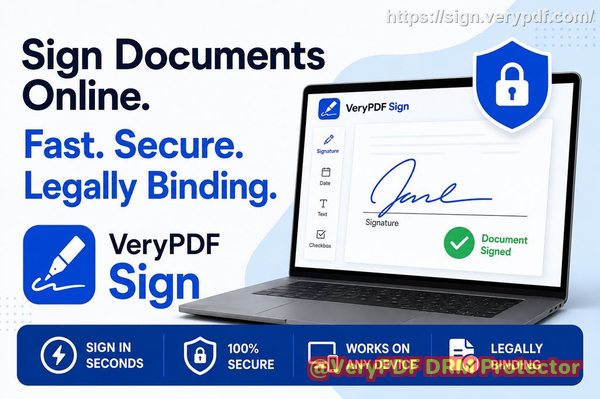
VeryPDF Sign is a cloud-based electronic signature platform designed for individuals, teams, and developers who want to eliminate manual signing forever.
Here’s how it solves the core problems.
Send Documents for Secure Electronic Signatures in Seconds
The process feels almost ridiculously simple.
Step 1: Upload your document
You can upload:
-
PDF files
-
Word documents
-
Excel sheets
-
PowerPoint files
-
Images or scanned forms
Everything converts automatically into a secure signing document.
No formatting issues. No extra tools.
Step 2: Create your signature
You choose how you want to sign:
-
Draw your signature with mouse or touchscreen
-
Type your name in professional script
-
Upload a photo of your real signature
Once saved, it becomes a one-click signature forever.
Step 3: Place fields exactly where needed
Drag and drop:
-
Signature blocks
-
Initial fields
-
Dates
-
Text entries
-
Checkboxes
No design skills required.
Step 4: Download or send for signing
You can:
-
Download instantly, or
-
Send secure signing requests via email
Recipients simply click a link and sign.
No accounts required. No downloads required.
The entire process can take under 60 seconds.
Real-Time Tracking Changes Everything
One feature I underestimated at first was tracking.
When you send documents through VeryPDF Sign, you instantly see:
-
Who received the document
-
Who opened it
-
Who signed
-
Who still needs to sign
-
Complete timestamp history
Instead of chasing people, the system shows progress automatically.
This alone saved my team hours every week.
Sales teams especially benefit because visibility equals speed.
When you know exactly where a contract sits, you can move deals forward confidently.
Legally Valid and Tamper-Proof Signing
A question I hear constantly:
“Is an electronic signature actually legal?”
Yes , and VeryPDF Sign is built specifically around global compliance standards, including:
-
ESIGN Act
-
UETA regulations
-
eIDAS compliance in Europe
Every signed document includes:
-
Secure encryption
-
Identity verification records
-
Detailed audit trails
-
Tamper-evident protection
If someone modifies the file after signing, the system detects it immediately.
For legal teams, compliance officers, and HR departments, this creates confidence that documents remain valid long after signing.
Personal Experiences: Where It Made a Real Difference
Closing Deals Faster
I remember one sales agreement that normally required:
-
Printing by client
-
Signing by CFO
-
Scanning by assistant
-
Returning via email
Typical turnaround: 35 days.
With VeryPDF Sign, we sent a signature request during a video call.
The client signed immediately.
Deal closed in 10 minutes.
Momentum matters. Speed wins.
HR Onboarding Without Chaos
HR teams often manage dozens of documents per employee:
-
Employment contracts
-
Policy acknowledgements
-
NDAs
-
Benefits forms
Previously, onboarding meant chasing paperwork across email threads.
After switching to electronic contract signing workflows, new hires completed everything before their first working day , from their phone.
No printers. No missing pages.
Compliance Confidence During Audits
During one internal review, we needed proof of who signed specific agreements months earlier.
Instead of digging through folders, we simply opened the audit log.
Every action was recorded automatically.
What used to take hours took minutes.
That’s when I realised electronic signatures aren’t just convenient , they’re risk reduction tools.
Step-by-Step Tips to Build a Faster Digital Signature Workflow
If you want immediate results, here’s exactly how I recommend implementing VeryPDF Sign.
Step 1: Identify High-Friction Documents
Start with documents that slow your team down:
-
Sales contracts
-
Vendor agreements
-
HR paperwork
-
Purchase approvals
-
Client onboarding forms
These deliver the fastest ROI.
Step 2: Standardise Templates
Create reusable templates so you never rebuild documents again.
Best practice:
-
Pre-place signature fields
-
Add required initials
-
Include date automation
-
Lock document structure
This turns signing into a repeatable system.
Step 3: Use Multi-Signer Workflows
VeryPDF Sign allows multiple parties to sign the same document.
You can:
-
Set signing order
-
Send simultaneous requests
-
Track completion automatically
No more forwarding emails manually.
Step 4: Enable Team Access Control
For growing organisations:
-
Assign roles
-
Control permissions
-
Secure team login via SAML SSO
-
Maintain consistent branding in signature emails
This keeps workflows organised as teams scale.
Step 5: Automate Wherever Possible
The biggest productivity gains come from automation.
Connect signing workflows to:
-
CRM systems
-
Internal approval processes
-
File storage platforms
-
Customer onboarding pipelines
Documents move automatically without human reminders.
Key Features That Stand Out
Here’s what impressed me most after long-term use.
Instant E-Signing
Upload, sign, and finish in seconds with zero learning curve.
Works on Any Device
Mac, Windows, Linux, iOS, Android , all browser-based.
Military-Grade Encryption
256-bit SSL encryption protects every file transfer.
Cloud-Based Platform
No installations. No updates. Always current.
Multiple Signature Styles
Draw, type, or upload signatures based on user preference.
Real-Time Signature Requests
Send documents globally and track progress live.
Full Form Filling
Add text fields, dates, checkboxes, and initials anywhere.
Automatic File Protection
Documents are automatically deleted after processing unless saved securely.
API and Embedded Signing
Developers can integrate signing directly into apps or customer portals.
Who Should Use VeryPDF Sign?
Honestly, almost any organisation handling approvals daily.
But it’s especially powerful for:
-
Remote teams managing global contracts
-
HR departments onboarding employees digitally
-
Sales teams closing deals faster
-
Legal professionals requiring audit trails
-
Operations managers streamlining approvals
-
Freelancers and consultants sending agreements instantly
-
Startups needing enterprise-level signing without complexity
If you deal with documents that require signatures, this tool fits naturally into your workflow.
Real-World Use Cases
Let’s make it practical.
HR Teams
Speed up employee contract signing and compliance documentation.
Sales Organisations
Send proposals and agreements immediately after meetings.
Legal Departments
Maintain secure, verifiable document records.
Finance Teams
Approve invoices and procurement contracts faster.
Education and Training Providers
Collect consent forms and agreements online.
Developers and SaaS Companies
Embed signing directly inside customer applications.
Core Advantages Over Traditional Signing
What makes VeryPDF Sign different isn’t just digital signatures , it’s workflow transformation.
You eliminate:
-
Printing delays
-
Scanner dependence
-
Lost attachments
-
Manual follow-ups
-
Compliance uncertainty
You gain:
-
Faster approvals
-
Clear accountability
-
Secure storage
-
Global accessibility
-
Reduced operational friction
And once teams experience instant signing, nobody wants to return to paper.
Why Remote Teams Especially Benefit
Remote work exposed a hidden truth:
Traditional signing depended on physical proximity.
Electronic document approval removes location entirely.
A manager in London, client in Singapore, and legal advisor in Lisbon can all sign the same contract within minutes.
That’s operational freedom.
And in competitive industries, speed of execution often determines success.
My Honest Recommendation
After using multiple signing platforms, I realised most tools either feel too complicated or too limited.
VeryPDF Sign hits the balance perfectly.
It’s powerful enough for enterprise workflows yet simple enough for first-time users.
I highly recommend this for anyone handling contracts and approvals daily.
Try It Yourself
If printing and scanning still exist in your workflow, you’re leaving time , and money , on the table.
Try it now and streamline your document signing workflow:
https://sign.verypdf.com/
Start your free trial today and eliminate paper-based signing delays.
Frequently Asked Questions
Is an electronic signature legally valid?
Yes. VeryPDF Sign supports legally binding electronic signatures compliant with ESIGN, UETA, and eIDAS regulations, making signed documents enforceable worldwide.
Can multiple parties sign the same document?
Absolutely. You can invite multiple signers, set signing order, or allow simultaneous signing depending on your workflow.
Can I track who has signed and who hasn’t?
Yes. Real-time tracking shows document status, signer activity, timestamps, and full audit history so you always know progress.
Does it support mobile signing?
Yes. Recipients can sign from smartphones, tablets, laptops, or desktops using any modern browser without installing software.
How secure are digitally signed documents?
Documents are protected using 256-bit SSL encryption, secure processing, and tamper-evident audit logs. Files are automatically deleted after processing for additional privacy protection.
Do recipients need an account to sign?
No. Signers simply click a secure link and sign instantly , no registration required.
Can VeryPDF Sign integrate with existing business systems?
Yes. Developers can use APIs and embedded signing to integrate electronic contract signing directly into applications, CRM systems, or internal workflows.
Electronic contract signing workflows are no longer optional for modern organisations. They are the fastest way to eliminate friction, accelerate approvals, and keep global teams moving forward , and VeryPDF Sign makes that transition effortless.