
Secure Your PDFs: How AI Redaction Prevents Data Leaks and Protects Privacy
Sharing documents has never been risk-free. Just last month, our legal team sent a PDF contract to a partner company, only to realize later that it still contained unredacted personal data, including client emails and financial references. The potential exposure was alarmingthis could have triggered a serious GDPR violation and a costly breach of trust. If you’ve ever faced a similar situation, you know that manual redaction or relying on online tools isn’t enough. Protecting sensitive information in PDFs is no longer optional; it’s critical for compliance, client trust, and business security.
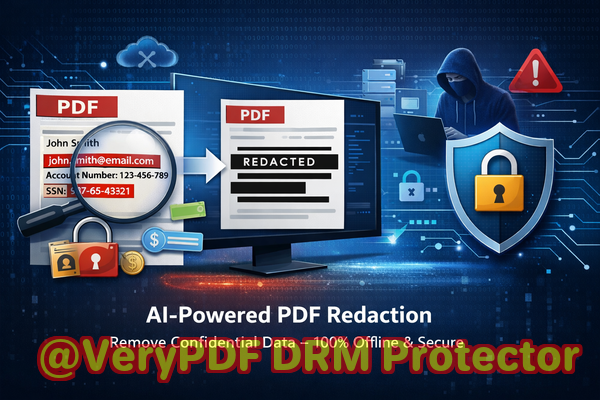
Many businesses underestimate the risks of document sharing. A single overlooked piece of information in a PDFlike a client’s address, a financial figure, or confidential clausecan lead to legal exposure, reputational damage, and regulatory penalties. Manual redaction, while seemingly straightforward, often leaves recoverable traces. Worse, employees using free online tools may inadvertently upload sensitive files to third-party servers, creating an entirely new set of risks. That’s where AI-powered PDF redaction comes in, offering an automated, permanent, and offline solution for safeguarding your data.
The Hidden Risks of Sharing PDFs Without Proper Redaction
Sensitive documents circulate dailycontracts, HR files, financial reports, legal agreements. Unfortunately, many organizations still rely on outdated methods to redact confidential data. The consequences can be severe:
-
Accidental Exposure of PII and Financial Data: A PDF with client names, addresses, or bank details may appear “safe” when blacked out, but clever tools can recover the text underneath. One financial firm recently discovered that several client statements they sent to auditors were partially recoverable, risking a regulatory investigation.
-
Manual Redaction Errors: Human errors in redaction are common. Forgetting a page, misidentifying sensitive data, or using copyable overlays can leave confidential information visible to anyone with access. Legal teams have reported incidents where redacted PDFs allowed competitors to extract trade secrets.
-
Unsafe Online Tools: Employees sometimes use free web-based PDF redactors without considering where the data is going. Uploading documents containing salaries, contracts, or medical records to a third-party server can violate privacy laws and expose sensitive corporate information.
In short, the cost of a single oversight can be devastating. Lost trust, fines, and legal disputes are all real threats.
AI-Powered Redaction as a Practical Solution
VeryPDF AI PDF Redaction Tool Command Line addresses these risks by combining automation, AI intelligence, and offline processing. Here’s how it tackles the biggest pain points:
-
Automatic Detection of Sensitive Data: The AI scans PDFs for names, emails, phone numbers, addresses, ID numbers, financial data, and legal clauses. It reduces the chance of human error and ensures no sensitive content is overlooked.
-
Permanent Removal, Not Just Visual Hiding: Unlike manual “blackout” techniques, VeryPDF permanently removes confidential data. There’s no hidden layer, no copyable text left behind. This ensures that once redacted, the information cannot be recovered.
-
Offline Processing for Maximum Privacy: Your documents never leave your computer. There’s zero risk of uploading files to third-party servers, making this solution ideal for HR files, legal contracts, financial reports, and other sensitive material.
Real-World Impact of Proper Redaction
Consider a multinational consulting firm handling employee records across multiple regions. They switched from manual redaction to VeryPDF AI PDF Redaction Tool Command Line for all document sharing. The result? They avoided potential GDPR fines and protected client trust by ensuring that sensitive information never left the company’s secure network.
Another example comes from a law office that routinely shares contracts with clients and opposing counsel. By applying AI-powered redaction before sending PDFs, they eliminated the risk of accidentally exposing confidential clauses. The process is now faster, more reliable, and legally compliant.
Step-by-Step Workflow for Secure PDF Sharing
-
Load the PDF: Open the document you want to redact in the VeryPDF interface.
-
Detect Sensitive Data: Use AI to automatically identify all personal and confidential information.
-
Review Redactions: Quickly review the AI-identified content to ensure accuracy.
-
Apply Redaction: Permanently remove sensitive information with one click.
-
Export Clean PDF: Share the redacted file safely, confident that all confidential data is gone.
Common Types of Data to Redact
-
Personally identifiable information (PII)
-
Financial information (bank account numbers, salaries, invoices)
-
Business secrets (strategic plans, proprietary formulas)
-
Legal and confidential clauses
This workflow reduces errors, improves efficiency, and ensures compliance with privacy regulations.
Why Offline AI Redaction Matters
Many online redaction tools may seem convenient, but they create significant privacy risks. When documents leave your secure network, even temporarily, they are vulnerable. VeryPDF AI PDF Redaction Tool Command Line keeps your data entirely offline, eliminating exposure risk. Compliance officers, HR managers, and legal teams can rest easy knowing sensitive documents never leave the organization’s secure environment.
Benefits at a Glance
-
Prevent accidental data leaks that could lead to fines or reputational harm
-
Eliminate the risk of sensitive files being uploaded to unknown servers
-
Ensure GDPR and other data protection compliance
-
Increase efficiency by automating redaction processes
-
Reduce human error while maintaining full control over confidential information
Conclusion
Sharing documents doesn’t have to be risky. With VeryPDF AI PDF Redaction Tool Command Line, businesses can permanently remove sensitive information, automate the redaction process, and operate fully offline. I highly recommend this to anyone who needs to share PDFs safely without risking compliance violations or data leaks.
Try it now and securely redact your PDFs: https://veryutils.com/smart-redact-server-ai-powered-pdf-redaction-software
Start your free trial today and ensure your sensitive data is permanently removed before sharing.
Frequently Asked Questions (FAQ)
-
How can I permanently remove sensitive data from a PDF instead of just hiding it?
The tool removes confidential information at the data layer, not just visually. Once redacted, the content cannot be recovered.
-
Can others recover redacted information from my PDF?
No. VeryPDF ensures permanent removal, eliminating recoverable layers left by manual blackouts.
-
Is it safe to use online PDF redaction tools?
Using online tools carries privacy risks since documents may be uploaded to external servers. Offline solutions are safer for sensitive data.
-
Does this tool work completely offline?
Yes, all processing occurs locally on your computer, ensuring full privacy and security.
-
What types of sensitive data can be automatically detected and removed?
Names, addresses, emails, phone numbers, IDs, financial data, legal clauses, and other PII or confidential business information.
-
Can I use this tool for large volumes of PDFs?
Yes, batch processing is supported, making it efficient for enterprise-level redaction.
-
How does this tool help with GDPR compliance?
By permanently removing personal data before sharing documents, it ensures compliance with GDPR and other privacy regulations.
-
Is AI detection accurate for identifying sensitive data?
The AI is trained to identify common PII and confidential information patterns, minimizing human errors.
-
Can I review redactions before applying them?
Yes, the workflow allows a review stage to ensure all necessary content is redacted correctly.
-
What types of businesses benefit most from this tool?
Legal firms, financial institutions, HR departments, healthcare providers, and any organization handling sensitive documents.
-
Does the tool support all PDF formats?
Yes, it is compatible with standard PDF formats and preserves document formatting after redaction.
-
Can I integrate it into automated document workflows?
Absolutely. The command-line interface allows easy integration into existing document management and automation systems.
Tags/Keywords
redact sensitive data, remove confidential information, PDF redaction tool, protect privacy in PDFs, prevent data leaks, offline PDF redaction, secure document sharing, GDPR compliance, AI PDF redaction, confidential document protection