
Why Offline PDF Redaction Is the Smartest Way to Protect Your Business Data
Every day, businesses handle sensitive informationclient contracts, employee records, financial reports, and legal agreements. One small slip, like sending a PDF with unredacted personal data, can result in a compliance violation, reputational damage, or even costly fines. I remember a case last month where my team shared a contract with a partner, only to discover later that it still contained unredacted personal emails and IDs. That oversight could have triggered a GDPR breach and potentially exposed confidential company strategies. It’s moments like these that show why relying on offline, AI-powered PDF redaction is no longer optionalit’s essential.
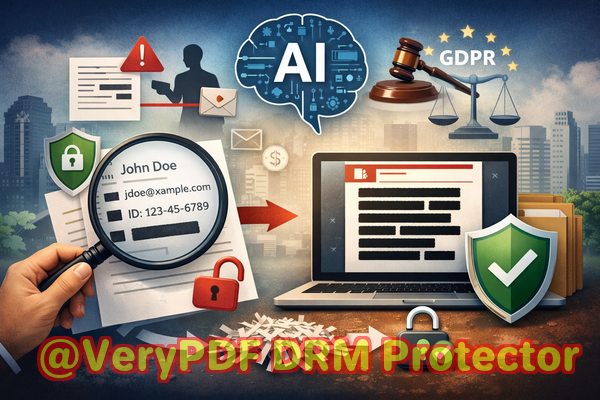
Protecting sensitive data isn’t just about hiding information; it’s about permanently removing it. Many teams still rely on manual redaction or online tools, assuming that blacking out text is enough. Unfortunately, that’s far from reality. Malicious actorsor even accidental exposurecan recover information that seems “hidden,” and uploading confidential files to cloud services exposes your company to unknown risks.
The solution lies in tools that combine AI detection with fully offline processing, allowing you to redact sensitive information confidently without compromising privacy. This is where VeryPDF AI PDF Redaction Tool Command Line shines.
Real Business Risks You Can’t Ignore
-
Accidental exposure of personal data
Imagine sharing HR records or client contracts and realizing later that employee IDs, phone numbers, or financial data were still visible. Such exposure isn’t just embarrassingit’s legally risky. Under regulations like GDPR or CCPA, businesses can face substantial fines for failing to protect personally identifiable information (PII).
-
Manual redaction errors
Traditional “blackout” methods are prone to mistakes. Copy-paste, OCR, or even highlighting errors can allow confidential text to remain accessible. Employees may think they’ve redacted sensitive data, only to discover later that it’s still recoverable.
-
Unintended data sharing through online tools
Many teams turn to online PDF redaction services for convenience. While quick, this approach uploads sensitive documents to external servers, where data ownership and security are out of your control. A single breach on a third-party server could compromise years of confidential company information.
How VeryPDF AI PDF Redaction Tool Command Line Solves These Problems
VeryPDF’s tool offers a practical, scenario-based solution that addresses each of these risks:
-
AI-powered detection of sensitive data
The software automatically identifies PII, financial data, legal clauses, emails, phone numbers, and other confidential information. This reduces human error and ensures no critical data slips through the cracks.
-
Permanent removal of confidential information
Unlike simple blackout methods, the tool permanently removes sensitive data from the PDF. Once redacted, the information is irrecoverable, ensuring you can share documents without fear of leaks.
-
Fully offline operation
The entire redaction process happens on your computer. No cloud, no external serversjust complete control over your sensitive files. This ensures compliance with privacy regulations and protects your business from accidental exposure.
Real-Life Scenarios Where Offline Redaction Matters
-
Legal teams often share contracts containing sensitive clauses with external partners. One law firm avoided a compliance violation when they switched from manual redaction to VeryPDF’s AI tool. By automating detection and ensuring permanent removal, they confidently sent contracts without risking leaks.
-
HR departments handle employee files daily. Using online redaction tools once resulted in uploading thousands of confidential employee records to a third-party server. Switching to an offline solution eliminated that exposure and gave peace of mind.
-
Finance teams manage reports with client financial information. A single unredacted number could have revealed proprietary financial strategies. Offline AI-powered redaction ensured that the final shared PDFs contained only the approved data.
How to Redact PDFs Safely: A Step-by-Step Workflow
-
Load your PDF into the VeryPDF AI PDF Redaction Tool Command Line.
-
Detect sensitive data automatically with AI scanning for PII, financial info, IDs, emails, and phone numbers.
-
Review detected content to ensure all confidential elements are captured.
-
Apply redaction to permanently remove sensitive information.
-
Export the clean PDF and share it confidently with colleagues, clients, or partners.
This simple workflow prevents accidental data leaks, reduces manual errors, and maintains compliance effortlessly.
Types of Data You Should Redact
-
Personal identifiable information (PII) Names, emails, phone numbers, social security numbers, employee IDs.
-
Financial data Bank accounts, credit card information, revenue figures, internal budgets.
-
Business secrets Product plans, proprietary algorithms, strategic documents.
-
Legal and confidential clauses Non-disclosure agreements, internal legal notes, contract terms.
The Tangible Benefits of Offline Redaction
-
Prevent data leaks that could trigger legal fines or harm your reputation.
-
Eliminate cloud exposure risk, keeping sensitive information strictly within your company’s control.
-
Ensure compliance with data protection regulations like GDPR, HIPAA, and CCPA.
-
Save time and reduce human error by leveraging AI detection instead of manual review.
Why AI Makes a Difference
Traditional redaction relies on human eyes, which are prone to mistakes, especially with large documents. AI scans for patterns in text that indicate sensitive dataeven when it’s formatted differently. For example:
-
Detecting emails in footnotes or headers that employees may overlook.
-
Identifying numbers or IDs embedded within contracts or financial reports.
-
Flagging confidential terms that don’t follow standard naming conventions.
This level of precision ensures that nothing slips through, providing peace of mind for compliance officers and managers alike.
Success Stories
-
A consulting firm avoided a GDPR violation after discovering that an earlier contract contained unredacted client data. After switching to VeryPDF AI PDF Redaction Tool Command Line, they automated the redaction process for all outgoing documents.
-
An HR department stopped using free online redaction tools after realizing they were uploading thousands of employee records. Offline AI-powered redaction secured the files and eliminated exposure risk.
-
A finance team prevented sensitive revenue figures from being shared with external partners by applying permanent redaction before sending financial reports.
Why Offline Matters More Than Ever
In today’s world, any document uploaded onlineeven brieflyis at risk. Data breaches, third-party mishandling, and inadvertent leaks are real threats. Offline PDF redaction ensures:
-
Complete control over your files.
-
No external exposure of sensitive information.
-
Full compliance with industry regulations.
By keeping everything local and permanent, businesses eliminate a major source of risk.
Conclusion
Protecting sensitive business data is no longer just a best practiceit’s a requirement. VeryPDF AI PDF Redaction Tool Command Line offers a reliable, fully offline solution that automatically detects and permanently removes confidential information, keeping your documents safe from accidental leaks or compliance issues.
I highly recommend this to anyone who needs to share documents safely without risking data leaks or regulatory penalties.
Try it now and securely redact your PDFs: https://veryutils.com/smart-redact-server-ai-powered-pdf-redaction-software
Start your free trial today and ensure your sensitive data is permanently removed before sharing.
FAQs
1. How can I permanently remove sensitive data from a PDF instead of just hiding it?
VeryPDF AI PDF Redaction Tool Command Line permanently deletes the detected information, ensuring it cannot be recovered.
2. Can others recover redacted information from my PDF?
No. The tool removes sensitive data entirely, not just visually masking it.
3. Is it safe to use online PDF redaction tools?
Online tools may upload your files to external servers, creating potential data exposure risks. Offline redaction is safer.
4. Does this tool work completely offline?
Yes, all redaction occurs locally on your machine, and files never leave your computer.
5. What types of sensitive data can be automatically detected and removed?
Names, emails, phone numbers, social security numbers, IDs, financial data, confidential business information, and legal clauses.
6. How does this tool help ensure GDPR compliance?
By permanently removing personal data before sharing, it reduces the risk of unauthorized disclosure and GDPR violations.
7. Can I review the content before applying redaction?
Yes, you can review and confirm which data will be redacted to ensure accuracy.
8. Does AI miss any confidential information?
While AI is highly accurate, the tool allows manual review to ensure no sensitive content is overlooked.
9. Can it redact multiple PDFs at once?
Yes, batch processing is available to save time and maintain consistent security.
10. Is technical expertise required to use this tool?
No, it is designed for business users and compliance teams, with clear workflows and command-line automation.
11. What industries benefit most from this tool?
Legal, HR, finance, healthcare, consulting, and any organization handling sensitive or regulated information.
Keywords
redact sensitive data, remove confidential information, PDF redaction tool, protect privacy in PDFs, prevent data leaks, offline PDF redaction, secure document sharing, AI PDF redaction, permanent data removal, GDPR compliance