
How AI PDF Redaction Prevents Data Leaks and Protects Sensitive Business Documents
Last month, we sent a PDF contract to a partner, only to realize later that it still contained unredacted personal dataputting us at risk of a serious GDPR violation. Situations like this are more common than many businesses think. One slip-up, and confidential information, from employee details to financial data, can end up in the wrong hands. For companies handling contracts, HR files, or financial reports, this is a risk you cannot afford.
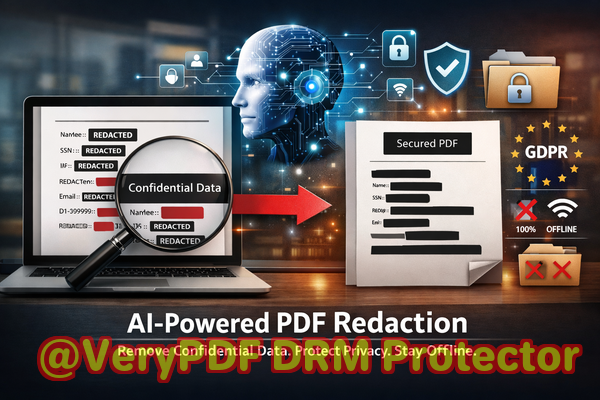
Accidental exposure of sensitive information is a growing concern. Many teams rely on manual redactionhighlighting or blacking out textonly to discover later that the information is still recoverable. Others use online PDF tools without realizing their confidential documents are uploaded to third-party servers, creating a hidden security vulnerability. Businesses need a solution that guarantees permanent removal of sensitive data, keeps files offline, and complies with privacy regulations. That’s where VeryPDF AI PDF Redaction Tool Command Line comes in.
One major pain point for businesses is the unintentional sharing of sensitive information in PDFs. Names, email addresses, financial details, IDs, and contract clauses can slip through if the redaction is manual or poorly executed. For example, a law firm might redact a client’s social security number by blacking it out, but someone with basic PDF skills can still copy or extract the hidden information. Similarly, HR teams often need to share performance reports or payroll documents with external consultants. Without proper redaction, personal information could be exposed, risking both compliance violations and lawsuits.
Manual redaction is not only risky but also time-consuming. Employees spend hours reviewing documents to ensure every sensitive detail is covered. Yet mistakes happen, and a single missed line of confidential information can have severe consequences. On top of that, using free online PDF redaction tools can inadvertently compromise data security. Uploading sensitive company documents to external servers, even for a simple black-out task, exposes the business to potential leaks or breaches that could have been entirely avoidable.
VeryPDF AI PDF Redaction Tool Command Line solves these problems by automating the detection and removal of sensitive information. The tool uses AI to scan documents for personal identifiable information (PII), financial data, business secrets, and confidential clauses. It does more than hide data visuallyit permanently removes the content from the PDF. This means that once redacted, the information cannot be recovered, copied, or extracted by unauthorized users.
One of the standout features is offline processing. Every document stays on your computer, never uploaded to a server. For businesses concerned about compliance with GDPR or HIPAA, this is crucial. Offline processing ensures that sensitive client, employee, or partner information remains private and secure, reducing the risk of accidental leaks.
Consider a scenario at a mid-sized consultancy: they needed to share detailed client reports with external partners. Using manual redaction, an employee blacked out client names and project details. Later, the client discovered that portions of the report could be copied and pasted, revealing confidential information. Switching to VeryPDF AI PDF Redaction Tool Command Line, the consultancy now redacts all sensitive data automatically before sharing, avoiding any risk of exposure.
The tool is also incredibly easy to use. A typical workflow looks like this:
-
Load your PDF document into the tool.
-
Let the AI scan for sensitive datanames, emails, phone numbers, IDs, financial details.
-
Review the detected information to confirm what needs to be redacted.
-
Apply redaction to permanently remove sensitive information.
-
Export the clean PDF for safe sharing.
Types of sensitive data to consider redacting include:
-
Personal identifiable information (PII) such as social security numbers, birth dates, and addresses.
-
Financial data including account numbers, invoices, and credit card details.
-
Business secrets like product plans, client lists, and internal analyses.
-
Legal and confidential clauses in contracts or agreements.
The benefits of using VeryPDF AI PDF Redaction Tool Command Line are tangible. By automating and permanently securing sensitive information, businesses prevent accidental data leaks that could result in fines, legal exposure, or reputational damage. Compliance officers gain confidence knowing that shared documents meet regulatory requirements. IT departments can rest easy because sensitive files are never sent to untrusted third-party servers.
Real-world examples highlight the impact. A healthcare provider needed to share patient records with an external audit team. Manual redaction risked leaving private health information exposed. Using VeryPDF’s AI redaction, they ensured all sensitive patient data was fully removed, avoiding a potential HIPAA violation. In another case, a law firm handled confidential merger documents. Offline AI redaction prevented sensitive financial and legal data from being accidentally leaked to competitors during the review process.
Businesses can adopt best practices for redaction with this tool:
-
Always review AI-detected sensitive information before applying redaction.
-
Keep an offline backup of original documents in a secure location.
-
Integrate redaction into your document workflow to ensure no file is shared without being scanned and cleaned.
-
Educate employees on the importance of offline processing and permanent removal versus visual blackouts.
Using VeryPDF AI PDF Redaction Tool Command Line transforms document handling from a risky manual process into a safe, automated workflow. Companies can share sensitive PDFs confidently, knowing that personal, financial, and strategic information is permanently removed.
I highly recommend this to anyone who needs to share documents safely without risking data leaks or compliance issues. Try it now and securely redact your PDFs: https://veryutils.com/smart-redact-server-ai-powered-pdf-redaction-software. Start your free trial today and ensure your sensitive data is permanently removed before sharing.
Frequently Asked Questions
How can I permanently remove sensitive data from a PDF instead of just hiding it?
VeryPDF AI PDF Redaction Tool Command Line removes the content entirely, making it impossible to recover.
Can others recover redacted information from my PDF?
No. Unlike manual blackouts, the AI tool permanently deletes sensitive information.
Is it safe to use online PDF redaction tools?
Using online tools may expose confidential documents to third-party servers, which poses privacy and compliance risks.
Does this tool work completely offline?
Yes, all processing occurs on your computer, keeping sensitive documents private.
What types of sensitive data can be automatically detected and removed?
Names, emails, phone numbers, IDs, financial information, legal clauses, business secrets, and more.
How does AI detect sensitive information?
The AI scans text and context within the PDF to identify patterns matching personal and confidential data.
Can I review what will be redacted before applying changes?
Yes, the tool provides a review step to confirm or adjust redactions.
Does this tool help with GDPR compliance?
Absolutely. By permanently removing personal data, it ensures your shared PDFs meet GDPR and other data protection requirements.
Can I use this for contracts and legal documents?
Yes, it’s ideal for contracts, agreements, HR files, financial reports, and sensitive business documents.
How long does redaction take?
Processing time depends on the document size, but AI automation significantly reduces time compared to manual redaction.
Is it suitable for large batches of PDFs?
Yes, the command-line interface allows automated batch redaction for multiple files efficiently.
Can I integrate this into my existing workflow?
Yes, it can be integrated into document management systems and automated processes.
Tags/Keywords
redact sensitive data, remove confidential information, PDF redaction tool, protect privacy in PDFs, prevent data leaks, offline PDF redaction, secure document sharing, GDPR compliance, AI-powered redaction, business document security