
How to Safely Redact Sensitive Data in PDFs and Prevent Costly Data Leaks
Last month, our legal team shared a PDF contract with a partner, only to realize later that it still contained unredacted personal information from clientsnames, emails, and even payment details. The thought of a potential GDPR violation kept me up at night. Accidental exposure of confidential data isn’t just embarrassingit can lead to serious legal and financial consequences. For businesses handling sensitive information daily, ensuring that every PDF you share is fully secure is no longer optionalit’s essential.
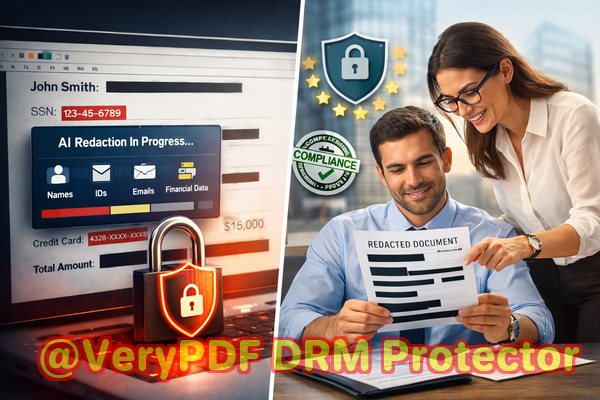
Many companies underestimate how easily confidential data can slip through. Here are some common scenarios I’ve seen firsthand:
-
Accidental exposure of personal and financial information: Employees often share contracts, HR records, or financial statements without realizing these PDFs still contain client or employee data. A simple “blacked-out” highlight in a PDF may look secure, but if the underlying text is still there, anyone can copy or recover it.
-
Reliance on online redaction tools: I’ve seen teams upload internal contracts or sensitive reports to free online redaction tools. The documents may be “redacted” visually, but suddenly they exist on a third-party serveroften without clear policies on storage or deletion.
-
Manual redaction errors: Even with Adobe Acrobat or similar tools, it’s easy to miss a name, email, or account number, leaving your business exposed to compliance violations.
To tackle these challenges, we started using the VeryPDF AI PDF Redaction Tool Command Line, and it completely changed how we handle sensitive documents. The tool is designed to permanently remove confidential information, not just cover it visually. This ensures our PDFs are fully safe to share with partners, clients, and regulators, without risking fines or data breaches.
One of the key advantages is the AI-powered detection. Instead of manually hunting for every name, email, or ID, the tool scans documents automatically, identifying personal identifiable information (PII), financial data, and even confidential clauses that we may have overlooked. The AI understands context, so it can catch variations of data that traditional search-and-redact methods might miss.
Equally important, the tool operates completely offline. Nothing leaves your computer, which means sensitive data never touches cloud servers. For us, this was a game-changerespecially when handling legal contracts or HR records that we cannot risk exposing externally. Offline processing ensures 100% privacy and compliance with regulations like GDPR, HIPAA, or other local data protection laws.
Here’s a practical workflow we follow for every sensitive document:
-
Load the PDF: Drag and drop or point the command line to the file.
-
Detect sensitive data: The AI scans for names, emails, phone numbers, IDs, financial info, and confidential clauses.
-
Review: Highlighted items are displayed for quick verification to ensure nothing is mistakenly redacted.
-
Apply redaction: The tool permanently removes all detected data.
-
Export clean PDF: Share with clients, partners, or internal teams, confident that no confidential information remains.
The types of data we typically redact include:
-
Personal identifiable information (PII): Names, emails, addresses, phone numbers, social security numbers.
-
Financial data: Bank accounts, credit card numbers, invoices, transaction details.
-
Business secrets: Strategic plans, R&D information, client lists, contract clauses.
-
Legal/confidential clauses: Terms that should not be disclosed to external parties.
In one instance, we had to send a batch of HR documents to a recruitment firm. Before using the VeryPDF tool, this would have required hours of manual checking. With AI-powered redaction, we finished the process in minutes, confident that no sensitive data would slip through. Another example involved financial statements that we needed to share with external auditorsAI redaction ensured client identifiers were permanently removed, protecting privacy without compromising compliance.
Manual redaction is prone to mistakes. Even when a text appears blacked out, the underlying content can often be copied, highlighted, or recovered with simple tools. The risk is compounded when multiple people are involved in document preparation. By automating detection and removal, we eliminated human error and saved countless hours of review.
Switching from online redaction tools to a fully offline solution also improved our security posture. Previously, we avoided sharing certain PDFs because uploading them to a web-based tool felt risky. Now, we can process sensitive documents entirely on our internal systems without worrying about exposing them to unknown servers or storage policies.
The consequences of not redacting properly are severe. Beyond GDPR fines or legal exposure, accidental leaks can damage client trust, brand reputation, and even give competitors access to strategic information. Using a robust, offline AI PDF redaction tool is no longer just a convenienceit’s a necessity for any organization serious about data protection.
For business professionals, managers, and legal teams, integrating AI redaction into your workflow can be straightforward:
-
Step 1: Identify all PDFs containing sensitive information.
-
Step 2: Batch process these files through the AI PDF Redaction Tool.
-
Step 3: Review AI-identified sensitive content.
-
Step 4: Apply permanent redactions.
-
Step 5: Share confidently, knowing your data is fully secure.
I highly recommend this approach for any organization that shares PDFs regularly. It reduces the risk of data leakage, saves time compared to manual redaction, and ensures compliance with stringent data protection regulations.
Try it now and securely redact your PDFs: https://veryutils.com/smart-redact-server-ai-powered-pdf-redaction-software
Start your free trial today and ensure your sensitive data is permanently removed before sharing.
FAQs
Q: How can I permanently remove sensitive data from a PDF instead of just hiding it?
A: The VeryPDF AI PDF Redaction Tool Command Line completely removes detected information from the file, making it unrecoverable.
Q: Can others recover redacted information from my PDF?
A: No. Unlike visual redaction, this tool deletes the underlying content, ensuring no recovery is possible.
Q: Is it safe to use online PDF redaction tools?
A: Online tools may expose your sensitive documents to third-party servers. Offline processing is always safer for confidential files.
Q: Does this tool work completely offline?
A: Yes. All processing occurs on your computer, guaranteeing 100% privacy.
Q: What types of sensitive data can be automatically detected and removed?
A: Personal identifiable information, financial data, business secrets, legal clauses, and any confidential information you specify.
Q: How can I ensure compliance with GDPR when sharing documents?
A: By permanently removing sensitive information before sharing, the tool helps prevent unintentional data exposure and regulatory violations.
Q: Can this tool handle multilingual PDFs?
A: Yes, it supports multiple languages, automatically detecting sensitive data in the text.
Q: Is manual review still necessary after AI detection?
A: A quick review is recommended to ensure all detected items are correct before applying final redaction.
Q: Can it process multiple PDFs at once?
A: Yes, batch processing is supported, saving significant time for large document sets.
Q: Will formatting or layout of the PDF be preserved?
A: Yes, the tool maintains the original layout while permanently removing confidential content.
Q: Can I redact specific types of data only, like financial information?
A: Absolutely. The tool allows you to customize detection and redaction to target specific data types.
Tags/Keywords
redact sensitive data, remove confidential information, PDF redaction tool, protect privacy in PDFs, prevent data leaks, offline PDF redaction, secure document sharing, AI PDF redaction, GDPR compliance, confidential PDF protection